1 Introduction: Deconstructing the Buzzword
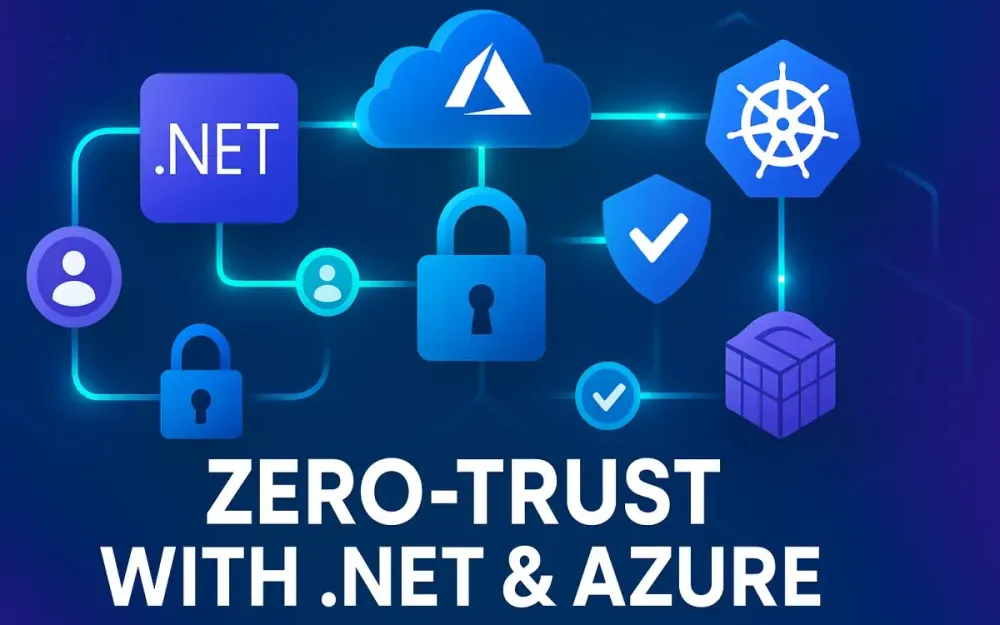
Zero Trust has become one of the most frequently cited terms in security conversations, boardroom presentations, and vendor marketing collateral. Yet for many senior developers, tech leads, and architects, it still feels like a vague principle rather than something they can implement in code and infrastructure. When a CTO says, “We need to move toward Zero Trust,” how does that translate into architectural choices in .NET applications, Azure deployments, or Kubernetes clusters?
This guide cuts through the hype. We’ll unpack Zero Trust as a strategy, not a product, and bring it down to the level of configuration, code, and cloud-native patterns. Our goal is to equip you with a roadmap for applying Zero Trust in practice—grounded in the realities of a modern .NET and Azure ecosystem. Along the way, we’ll highlight both the guiding philosophy and the nitty-gritty of service identities, workload authentication, microservices communication, and fine-grained access policies.
1.1 The Modern Threat Landscape
Traditional enterprise security was built on a “castle-and-moat” model: keep the bad actors outside, establish a trusted internal network, and assume that once someone is inside, they are safe. This worked when applications were monolithic, networks were static, and users worked primarily within the corporate perimeter.
But the perimeter has dissolved:
- Cloud adoption: Applications no longer live solely in on-premises data centers. Workloads run across Azure, AWS, hybrid clusters, and SaaS platforms.
- Microservices architecture: Instead of one big monolith, we have dozens or hundreds of services communicating with each other over APIs. Each call is a potential attack surface.
- Remote and hybrid work: Users connect from everywhere—home offices, mobile devices, untrusted networks. The “inside” is now everywhere.
- Sophisticated attackers: Threat actors exploit lateral movement. Once inside a network, they escalate privileges and spread rapidly.
Consider a real-world example: a vulnerable internal API exposed by accident to the internet. In the castle-and-moat model, this would not have been a concern because the service was “inside the firewall.” In today’s world, that assumption is dangerous. Attackers count on implicit trust within networks.
Pitfall: Believing your internal services are safe because they’re not exposed externally. In practice, a single compromised service can pivot to others if every call isn’t authenticated and encrypted.
The conclusion is clear: relying on a hard outer shell and a soft, trusted interior is no longer viable. Security must shift closer to the entities making the requests—users, devices, workloads, and services.
1.2 Zero Trust: Not a Product, but a Strategy
Zero Trust turns the old mantra of “trust but verify” on its head. Its guiding philosophy can be summed up in one sentence: Never trust, always verify.
The core assumptions of Zero Trust are:
- Assume breach: Every request, whether internal or external, could be malicious.
- Verify explicitly: Authentication and authorization must be performed for every action, using all available signals.
- Least privilege access: Identities (human or workload) get only the access they need, only for the time they need it.
What Zero Trust is not:
- It’s not a box you buy from a vendor.
- It’s not a firewall, VPN, or security appliance.
- It’s not a one-time project.
Instead, it’s a strategy that informs how you design applications, architect infrastructure, and operate services.
Note: Vendors often rebrand their offerings with “Zero Trust” slapped on top. While tools can help, Zero Trust is about how you integrate principles into your systems, not about which vendor you buy from.
This article focuses on translating these principles into concrete practices in .NET and Azure: workload identities, secure service-to-service communication, and policy-driven authorization.
1.3 Why This Matters for .NET Developers and Architects
You may be wondering: Why should application developers and architects care about Zero Trust? Isn’t this a problem for the security team or network engineers?
The reality is that Zero Trust principles intersect directly with the code you ship and the way you design systems:
- Connection strings in
appsettings.json: If your .NET service relies on long-lived secrets, you are violating Zero Trust. Secrets become liabilities that attackers love. - Service-to-service calls without encryption: If your microservices running in AKS talk to each other over plain HTTP, a compromised pod can eavesdrop or impersonate others.
- Hardcoded authorization rules: If your authorization logic is scattered across controllers, it’s nearly impossible to enforce least privilege consistently.
For developers, Zero Trust means learning how to acquire Azure tokens via managed identities instead of using keys, how to enable mutual TLS between services without rewriting business logic, and how to externalize authorization rules into policy engines.
For architects, it means designing systems where services don’t assume trust, but prove their identities every time they interact.
Pro Tip: Think of Zero Trust not as extra work, but as shifting responsibilities left. By embedding identity, encryption, and policy in your application layer, you reduce the operational burden later when incidents happen.
1.4 What We’ll Build
Throughout this guide, we’ll use a real-world application scenario: an e-commerce platform built with .NET microservices deployed on Azure Kubernetes Service (AKS).
Our services include:
- Orders service: Handles customer purchases.
- Products service: Provides product details and inventory.
- Payments service: Processes credit card transactions.
Supporting infrastructure includes Azure SQL Database, Azure Key Vault, and Azure API Management.
In a traditional model, these services might share database credentials, communicate over HTTP, and assume trust inside the cluster. In our Zero Trust design, each service will:
- Have its own workload identity in Microsoft Entra ID.
- Communicate via mutual TLS inside a service mesh.
- Use policy as code to enforce fine-grained authorization.
This application will serve as our running example, grounding abstract principles in practical, deployable patterns.
2 The Three Pillars of Zero Trust
Zero Trust can feel abstract until broken down into three actionable pillars. These pillars, articulated by Microsoft and widely adopted across the industry, provide a practical framework:
- Verify explicitly.
- Use least privilege access.
- Assume breach.
Each pillar builds upon the others. Without verification, you can’t enforce least privilege. Without assuming breach, you miss the reason for encrypting internal calls. Let’s explore each pillar in detail, with application-specific goals.
2.1 Pillar 1: Verify Explicitly
Concept
Verification is the opposite of implicit trust. Every request, regardless of source, must be authenticated and authorized. This includes human users, services, APIs, devices, and even processes running inside the same container cluster.
Verification should rely on multiple signals:
- Identity: Who or what is making the request?
- Location: Is the request from a known network or an unexpected region?
- Device health: Is the device patched and compliant?
- Service identity: Is this workload running in a trusted environment?
- Data classification: Is this request trying to access sensitive data?
Application Goal
For .NET applications in Azure, this translates to strong, short-lived workload identities instead of long-lived secrets.
Incorrect (shared secret):
{
  "ConnectionStrings": {
    "SqlDatabase": "Server=tcp:mydb.database.windows.net;Database=orders;User Id=appuser;Password=SuperSecret123;"
  }
}
Correct (workload identity with token acquisition):
using Azure.Identity;
using Azure.Security.KeyVault.Secrets;

var client = new SecretClient(
    new Uri("https://my-keyvault.vault.azure.net/"),
    new DefaultAzureCredential());

KeyVaultSecret secret = await client.GetSecretAsync("SqlPassword");
Here, the .NET app uses DefaultAzureCredential to obtain an Azure AD token transparently. No password is stored or rotated manually.
Trade-off: Moving to workload identities requires integrating with Azure AD (Entra ID) and rethinking how apps authenticate. It adds upfront learning but pays off in reduced risk and simpler operations.
2.2 Pillar 2: Use Least Privilege Access
Concept
Least privilege means granting only the minimum necessary access for the shortest possible time. It applies to both human users (just-in-time admin rights) and services (just-enough permissions for APIs).
Application Goal
For our microservices application, this means:
- The Products service can read from the inventory database, but cannot write to the Payments table.
- The Orders service can call the Payments API, but cannot directly talk to the Key Vault.
- Each service has a role assignment in Azure scoped only to its needs.
Incorrect (broad role assignment):
az role assignment create \
  --assignee orders-service-id \
  --role "Contributor" \
  --scope /subscriptions/{subId}/resourceGroups/{rg}
Correct (least privilege):
az role assignment create \
  --assignee orders-service-id \
  --role "SQL DB Contributor" \
  --scope /subscriptions/{subId}/resourceGroups/{rg}/providers/Microsoft.Sql/servers/orders-sql-db
Note: Least privilege also means revoking access when it’s no longer needed. For humans, this is achieved with Just-In-Time (JIT) access via Privileged Identity Management (PIM). For workloads, it means using short-lived tokens instead of perpetual credentials.
Pitfall: Over-granting permissions for the sake of convenience. Many breaches happen because services have far more privileges than they ever use.
2.3 Pillar 3: Assume Breach
Concept
The third pillar is about resilience. Even with strong identities and minimal permissions, assume that at some point an attacker will succeed in compromising something. The goal is to limit the blast radius and detect intrusions quickly.
Practices include:
- Segmentation: Don’t let all services talk freely. Use network policies and service mesh controls.
- Encryption everywhere: All communication, even within the cluster, should be encrypted.
- Monitoring and analytics: Log every access decision, inspect anomalies, and alert on suspicious patterns.
Application Goal
In our .NET microservices:
- Every API call between services (e.g., Orders → Payments) will be encrypted with mutual TLS.
- The service mesh will enforce who can call whom, not just encrypt the traffic.
- Logs from policy engines and mesh proxies will be exported to Azure Monitor for real-time detection.
Pro Tip: Think of Assume Breach as designing firebreaks into your system. If one microservice is compromised, can the attacker jump freely to others—or are they stopped at the next boundary?
3 Identity: The New Control Plane for .NET Applications
In a Zero Trust world, identity becomes the new control plane. Every request, every connection, every action must be tied to a verifiable identity—human or workload. For developers building .NET applications in Azure, this means moving away from static secrets and toward dynamic, short-lived credentials based on trusted identities. This section focuses on Pillar 1: Verify Explicitly, applied to services, pods, and APIs.
We’ll explore why shared secrets are a liability, how Microsoft Entra Workload Identity changes the game, and how to implement it in a real AKS + .NET scenario.
3.1 The Old Way: The Perils of Shared Secrets
Before Workload Identity, the typical pattern for a .NET service to access Azure resources looked like this:
- Store a client ID and client secret in
appsettings.jsonor environment variables. - Use these credentials to request a token from Azure AD.
- Use the token to call Azure services like Key Vault or SQL Database.
Example:
{
  "AzureAd": {
    "ClientId": "abc123...",
    "ClientSecret": "super-secret-value",
    "TenantId": "tenant-guid"
  }
}
In code:
var clientCredential = new ClientSecretCredential(
    configuration["AzureAd:TenantId"],
    configuration["AzureAd:ClientId"],
    configuration["AzureAd:ClientSecret"]);

var secretClient = new SecretClient(
    new Uri("https://my-keyvault.vault.azure.net"),
    clientCredential);
Pitfall: These secrets are long-lived, hard to rotate, and often end up in logs, config files, or Git repos. Even if you store them in Azure Key Vault, you still need a credential to access the vault, creating a bootstrap problem.
Secret sprawl: As microservices multiply, each one needs its own set of credentials. Managing and rotating these secrets becomes operationally painful.
Compromise risk: If an attacker gains access to a pod, environment variable, or file system, they can exfiltrate secrets and use them from outside your network.
Note: Azure Managed Identity for VMs solved part of this problem for VM-based workloads, but containerized apps running in AKS didn’t have a built-in, secretless identity mechanism—until now.
3.2 The Modern Way: Microsoft Entra Workload ID
Microsoft Entra Workload ID (formerly Azure AD Workload Identity) brings the concept of identity to Kubernetes workloads without secrets. It uses federated credentials to let a pod in AKS authenticate as a managed identity in Azure AD—no secrets involved.
3.2.1 What is Workload Identity?
Workload Identity allows a Kubernetes service account to act as an Azure AD identity. When your .NET pod runs in AKS, it can obtain a token for Azure services using its assigned identity, just like a VM or App Service would.
Pro Tip: Workload Identity builds on standards like OpenID Connect (OIDC). It creates a trust relationship between the Kubernetes cluster and Azure AD, so that Azure can verify tokens issued by the cluster.
Key benefits:
- No secrets in code or config.
- Automatic token acquisition via
DefaultAzureCredential. - Fine-grained role assignments in Azure AD.
- Scoped access per workload.
3.2.2 How it Works
Let’s walk through the flow:
- OIDC issuer: AKS exposes an OIDC issuer endpoint that Azure trusts. This endpoint issues signed ID tokens for service accounts.
- Federated credential: In Azure AD, you create a federated identity credential for a managed identity, specifying which Kubernetes service account can impersonate it.
- Token exchange: Your .NET app running as that service account requests a token from Azure AD using the OIDC token issued by Kubernetes.
- Access Azure resources: With the token, the app can call Key Vault, Azure SQL, Storage, etc., based on its role assignments.
Visual flow:
AKS pod → gets service account token (OIDC)
→ presents to Azure AD
→ Azure validates via OIDC trust
→ issues access token
→ app uses token to call Azure resource
Note: This mechanism is similar to how AWS EKS uses IAM Roles for Service Accounts (IRSA), but tailored for Azure.
3.2.3 Practical Implementation: .NET on AKS
Let’s go step-by-step and configure a real-world setup: a .NET API running in AKS that needs to read secrets from Azure Key Vault using Workload Identity.
Step 1: Enable OIDC issuer on AKS
Make sure your AKS cluster has the OIDC issuer enabled:
az aks update \
  --name my-aks-cluster \
  --resource-group my-rg \
  --enable-oidc-issuer \
  --enable-workload-identity
Check the OIDC issuer URL:
az aks show \
  --name my-aks-cluster \
  --resource-group my-rg \
  --query "oidcIssuerProfile.issuerUrl" \
  --output tsv
Step 2: Create a Managed Identity
Create a user-assigned managed identity in Azure:
az identity create \
  --name my-dotnet-app-id \
  --resource-group my-rg
Get the client ID:
az identity show \
  --name my-dotnet-app-id \
  --resource-group my-rg \
  --query "clientId" \
  --output tsv
Step 3: Create a Federated Identity Credential
Associate the Kubernetes service account with the managed identity:
az ad app federated-credential create \
  --id <appId-of-managed-identity> \
  --name dotnet-app-federated-cred \
  --issuer https://<your-oidc-issuer-url> \
  --subject system:serviceaccount:default:dotnet-app-sa \
  --audiences api://AzureADTokenExchange
Note: The subject is system:serviceaccount:<namespace>:<serviceaccount>
Step 4: Assign Azure RBAC Role
Grant the managed identity access to Key Vault:
az role assignment create \
  --assignee <client-id-of-managed-identity> \
  --role "Key Vault Secrets User" \
  --scope /subscriptions/<sub-id>/resourceGroups/<rg>/providers/Microsoft.KeyVault/vaults/<vault-name>
Step 5: Annotate Kubernetes Service Account
In your Kubernetes manifest:
apiVersion: v1
kind: ServiceAccount
metadata:
  name: dotnet-app-sa
  namespace: default
  annotations:
    azure.workload.identity/client-id: "<client-id-of-managed-identity>"
Step 6: Deploy .NET Pod with Service Account
In your deployment manifest:
apiVersion: apps/v1
kind: Deployment
metadata:
  name: dotnet-app
spec:
  template:
    spec:
      serviceAccountName: dotnet-app-sa
      containers:
      - name: app
        image: myregistry.azurecr.io/dotnet-app:latest
Step 7: Use DefaultAzureCredential in .NET Code
In your .NET app, use the Azure Identity SDK:
using Azure.Identity;
using Azure.Security.KeyVault.Secrets;

var client = new SecretClient(
    new Uri("https://my-keyvault.vault.azure.net/"),
    new DefaultAzureCredential());

KeyVaultSecret secret = await client.GetSecretAsync("SqlPassword");

Console.WriteLine($"Secret value: {secret.Value}");
Trade-off: DefaultAzureCredential tries multiple sources (Managed Identity, environment, etc.). In AKS with Workload Identity, it will use the federated token exchange under the hood. This means you can run the same code locally (using Azure CLI auth) and in the cluster (using workload identity) without code changes.
Pro Tip: This pattern works not only for Key Vault, but also for Azure SQL, Blob Storage, Event Hubs, and more.
Step 8: Validate Token Acquisition
You can add a simple diagnostic endpoint in your app to print the identity:
using Azure.Core;
using Azure.Identity;

var credential = new DefaultAzureCredential();
AccessToken token = await credential.GetTokenAsync(
    new TokenRequestContext(new[] { "https://vault.azure.net/.default" }));

Console.WriteLine($"Token acquired, expires: {token.ExpiresOn}");
This confirms that your pod can obtain a token using its workload identity.
Step 9: Monitor and Audit
Use Azure Monitor and Azure AD sign-in logs to track token requests, failures, and usage. This helps you verify that your services are authenticating as expected.
Note: If something goes wrong, common issues include:
- Incorrect
subjectin federated credential. - Missing RBAC assignment.
- OIDC issuer not enabled on AKS.
- Service account annotation typo.
Pitfall: Assuming Workload Identity works without proper annotation or RBAC. Double-check your configuration if token acquisition fails.
4 Universal Workload Identity with SPIFFE and SPIRE
In the previous section, we saw how Microsoft Entra Workload ID allows workloads running on Azure Kubernetes Service (AKS) to authenticate securely without secrets. But what happens when your architecture spans more than Azure? Many enterprises run a blend of multi-cloud deployments, on-premises clusters, and edge services. In such environments, you need a vendor-neutral, universal identity layer that works consistently everywhere.
This is where SPIFFE (Secure Production Identity Framework for Everyone) and SPIRE (SPIFFE Runtime Environment) come in. Together, they provide a standardized, cross-platform way to assign and consume identities for workloads, no matter where they run. Let’s explore why this matters, how it works, and how to implement it in AKS with .NET services.
4.1 The Need for a Universal Identity Standard
Imagine this scenario: Your company runs part of its services on Azure AKS, part on AWS EKS, and part on an on-premises Kubernetes cluster. The Orders service is in Azure, the Payments service is in AWS, and the Analytics service runs on-prem. All three need to authenticate and communicate securely.
If each environment uses its own identity system (Azure AD, AWS IAM, Active Directory), you quickly run into problems:
- Inconsistent trust models: Each cloud provider issues tokens in different formats, with different lifetimes and scopes.
- Complex cross-cloud federation: Setting up trust between Azure AD and AWS IAM for service-to-service calls is brittle and hard to scale.
- Limited portability: If you move a service from Azure to AWS, its identity model changes, and you must rework its authentication.
Pitfall: Relying solely on cloud-native identity features locks you into a single ecosystem. This creates friction when your architecture inevitably grows beyond one provider.
Universal identity standard solves this by providing a common, interoperable way of assigning workload identities that is independent of platform, runtime, or vendor. This is exactly what SPIFFE delivers.
4.2 Introduction to SPIFFE and SPIRE
4.2.1 SPIFFE (Secure Production Identity Framework for Everyone)
SPIFFE is an open standard that defines how workloads can be identified securely in distributed systems. The central concept is the SPIFFE ID, which uniquely identifies a workload across any infrastructure.
A SPIFFE ID looks like this:
spiffe://<trust-domain>/<workload-identifier>- trust-domain: The security boundary, often an organization or cluster (e.g.,
example.org). - workload-identifier: A unique path for the workload (e.g.,
service/ordersorns/default/sa/orders-sa).
Example:
spiffe://ecommerce.org/ns/orders/sa/orders-serviceThis SPIFFE ID acts like a “username” for workloads, similar to how email addresses identify humans. Unlike static credentials, SPIFFE IDs are backed by short-lived cryptographic documents called SVIDs (SPIFFE Verifiable Identity Documents). These are usually X.509 certificates or JWTs that prove the workload’s identity.
Pro Tip: SPIFFE is not tied to Kubernetes. You can use it in VMs, containers, serverless, or even custom runtimes. This makes it a solid foundation for hybrid and multi-cloud environments.
4.2.2 SPIRE (SPIFFE Runtime Environment)
While SPIFFE is just a specification, SPIRE is its production-grade implementation. SPIRE handles:
- Attestation: Verifying that a workload is who it claims to be (e.g., a pod with a certain namespace and service account).
- Issuing SVIDs: Generating and rotating short-lived X.509 or JWT credentials for workloads.
- Workload API: Exposing these credentials to workloads securely, typically via a Unix domain socket.
- Trust distribution: Managing trust bundles so different clusters can recognize each other’s workloads.
In Kubernetes, SPIRE usually runs as:
- A SPIRE server (cluster-wide authority issuing identities).
- SPIRE agents (running on each node, responsible for attesting workloads on that node and delivering SVIDs).
Note: SPIRE can integrate with external CAs or use its own. In many production systems, it acts as the internal certificate authority for workload-to-workload TLS.
Trade-off: SPIRE introduces operational overhead—you must run SPIRE servers and agents in your cluster. But in return, you gain portable, standard-based workload identity.
4.3 Practical Implementation: Integrating SPIRE with AKS
Now let’s make this concrete. Suppose our e-commerce platform runs in AKS, and we want each microservice to have a SPIFFE ID. We’ll deploy SPIRE, configure workload attestation, and consume SVIDs in a .NET service.
4.3.1 Setting up the SPIRE Server and Agents
First, we deploy SPIRE into AKS using Helm or YAML manifests.
Deploy SPIRE Server:
kubectl apply -f https://raw.githubusercontent.com/spiffe/spire/main/deploy/k8s/quickstart/spire-server.yamlThis runs a statefulset with the SPIRE server and exposes the registration API.
Deploy SPIRE Agents:
kubectl apply -f https://raw.githubusercontent.com/spiffe/spire/main/deploy/k8s/quickstart/spire-agent.yamlAgents run as DaemonSets, one per node. They communicate with the SPIRE server and mount a Unix domain socket into each pod that requests identity.
Verify SPIRE components:
kubectl get pods -n spireYou should see both server and agent pods running.
Pitfall: Forgetting to configure proper RBAC for SPIRE agents. Without the ability to query Kubernetes APIs, agents cannot attest workloads based on pod properties.
4.3.2 Workload Attestation
Next, we tell SPIRE how to map workloads to SPIFFE IDs. This is done by registering workload entries with the SPIRE server.
For example, to register the Orders service running in the orders namespace with service account orders-sa:
kubectl exec -n spire spire-server-0 -- \
  /opt/spire/bin/spire-server entry create \
  -spiffeID spiffe://ecommerce.org/ns/orders/sa/orders-sa \
  -selector k8s:ns:orders \
  -selector k8s:sa:orders-sa \
  -parentID spiffe://ecommerce.org/spire/agent/k8s_psat/default/<node-uid>
Here:
-spiffeIDspecifies the unique identity.-selectorsdefine how the workload is recognized (namespace and service account).-parentIDties it to the SPIRE agent.
Once registered, when a pod runs with that namespace/service account, the SPIRE agent will automatically issue it an SVID.
Pro Tip: Use selectors like k8s:ns, k8s:sa, or k8s:pod-label to create fine-grained mappings. For example, you can require a workload to have a specific label in addition to its namespace.
4.3.3 Consuming SVIDs in a .NET Application
Now that our Orders service pod is registered, the SPIRE agent will issue it an X.509 SVID. The SVID is made available via a Unix domain socket, typically mounted at /spire-agent-socket.
Mount Workload API Socket in Pod
In your deployment manifest:
apiVersion: apps/v1
kind: Deployment
metadata:
  name: orders-service
  namespace: orders
spec:
  template:
    spec:
      serviceAccountName: orders-sa
      containers:
      - name: orders
        image: myregistry/orders-service:latest
        volumeMounts:
        - name: spire-agent-socket
          mountPath: /spire-agent-socket
      volumes:
      - name: spire-agent-socket
        hostPath:
          path: /run/spire/sockets/agent.sock
This mounts the agent socket into the pod so the application can request its SVID.
Fetch SVID in .NET
We use the SPIFFE Workload API gRPC client to fetch an SVID. Libraries exist in Go and Java, but for .NET, you can interact with the gRPC API directly.
Example C# code to fetch X.509 SVID:
using Grpc.Core;
using Spiffe.WorkloadApi; // Generated from SPIFFE proto

var channel = new Channel(
    "unix:///spire-agent-socket/agent.sock",
    ChannelCredentials.Insecure); // Using domain socket auth

var client = new WorkloadAPI.WorkloadAPIClient(channel);

var response = client.FetchX509SVID(new X509SVIDRequest());

foreach (var svid in response.Svids)
{
    Console.WriteLine($"SPIFFE ID: {svid.SpiffeId}");
    Console.WriteLine($"Cert chain length: {svid.X509Svid.Length} bytes");
}
This retrieves the workload’s assigned SVID certificate and key. You can then load them into an X509Certificate2 object for TLS communication.
Use SVID for Mutual TLS
Suppose our Orders service needs to make a gRPC call to the Payments service. We configure the gRPC client to use its SVID for mTLS:
using System.Security.Cryptography.X509Certificates;
using Grpc.Net.Client;

var cert = new X509Certificate2(svid.X509Svid.ToByteArray());
var handler = new HttpClientHandler();
handler.ClientCertificates.Add(cert);

var channel = GrpcChannel.ForAddress("https://payments-service.orders.svc.cluster.local", new GrpcChannelOptions
{
    HttpHandler = handler
});

var client = new Payments.PaymentsClient(channel);
var reply = await client.ProcessPaymentAsync(new PaymentRequest { Amount = 100 });
Here, the Orders service presents its SVID cert, while the Payments service validates it against the SPIRE trust bundle. Both sides mutually authenticate using SPIFFE IDs.
Note: This requires configuring your service mesh (e.g., Istio, Linkerd) or application servers to trust the SPIRE-issued CA.
Rotate Certificates Automatically
SPIRE rotates SVIDs frequently (default ~1 hour). Your .NET app should reload certificates automatically. You can implement a background task that re-fetches from the Workload API and updates the TLS handler.
Pitfall: Hardcoding the certificate at startup. This works initially but fails once the certificate expires. Always design for rotation.
5 Securing the Data Plane: Service Mesh and Mutual TLS (mTLS)
By this point, we’ve established how workloads can obtain verifiable identities using Entra Workload ID and SPIFFE/SPIRE. But identity alone isn’t enough. If the network fabric itself allows free, unencrypted traffic, attackers can intercept, tamper, or impersonate services once they gain a foothold. This section applies Pillars 2 and 3 of Zero Trust—least privilege and assume breach—to the data plane by securing service-to-service communication with service meshes and mutual TLS (mTLS).
5.1 Why You Can’t Trust Your Own Network
In the old model, organizations assumed their internal network was safe. TLS was only considered necessary for external traffic—like from a browser to a public API. Inside the cluster, services often communicated over plain HTTP, under the assumption that “no one else can see it.”
This assumption is dangerous in Kubernetes-based architectures:
- Compromised pod risk: If an attacker gains access to a single pod, they can sniff traffic to and from other services if it’s not encrypted.
- Lateral movement: Attackers don’t need to breach firewalls if they’re already inside. Without service-level authentication, they can call other APIs as if they were trusted.
- Ephemeral environments: Cloud-native systems spin up and tear down nodes constantly. Network trust boundaries shift quickly, making static security controls unreliable.
Example scenario: The Orders service calls the Payments service over HTTP inside the AKS cluster. If the Orders pod is compromised, an attacker can intercept credit card payloads or replay API calls to Payments without needing valid credentials.
Pitfall: Assuming “cluster-internal” means “safe.” In Zero Trust, there is no safe inside—only verified identities and encrypted channels.
5.2 Introduction to the Service Mesh
A service mesh is an infrastructure layer that handles secure, reliable service-to-service communication without requiring application code changes. Instead of embedding TLS, retries, and authorization logic in each microservice, the mesh delegates these responsibilities to a network proxy deployed as a sidecar container.
Key concepts of a service mesh:
- Sidecar proxy pattern: Each service pod runs with an Envoy (Istio) or Linkerd proxy alongside it. The proxy intercepts inbound and outbound traffic.
- mTLS everywhere: Proxies negotiate and enforce mutual TLS automatically. Services never talk directly—they always go through their proxies.
- Policy enforcement: The mesh allows fine-grained rules: which services can talk to which, and under what conditions.
- Observability: Meshes provide detailed telemetry, tracing, and metrics for traffic between services.
Popular options include:
- Istio: Powerful, feature-rich, often used in complex environments.
- Linkerd: Lightweight, focused on simplicity and performance.
- Consul Connect: HashiCorp’s service mesh with native SPIFFE integration.
Pro Tip: For teams starting with Zero Trust in Kubernetes, Linkerd offers a lower operational barrier compared to Istio, while still delivering secure-by-default mTLS.
5.3 Enforcing Encryption with Mutual TLS (mTLS)
5.3.1 Beyond Standard TLS
TLS (Transport Layer Security) encrypts traffic between a client and server. In most web applications, TLS only authenticates the server (via its certificate). The client trusts that it’s talking to the right server, but the server doesn’t verify the client’s identity.
This is insufficient for microservice architectures where any service could impersonate another. Mutual TLS (mTLS) solves this by requiring both sides to present valid certificates:
- Client authentication: The client proves its identity with a certificate.
- Server authentication: The server proves its identity as usual.
- Encryption: The channel is encrypted both ways.
In a Zero Trust architecture, mTLS ensures that:
- Orders service can only talk to Payments service if both present valid SPIFFE IDs.
- Unauthorized pods cannot impersonate legitimate services.
- Attackers cannot sniff or tamper with messages, even within the cluster.
Trade-off: Implementing mTLS manually in every .NET service would require significant TLS configuration, certificate management, and rotation logic. A service mesh automates this at the infrastructure layer.
5.3.2 Zero-Configuration mTLS with Linkerd and SPIFFE
Let’s walk through securing our AKS-hosted .NET microservices with Linkerd. Linkerd integrates seamlessly with SPIFFE/SPIRE or its own internal CA to issue and rotate certificates.
Step 1: Install Linkerd
First, install Linkerd CLI:
curl -sL run.linkerd.io/install | sh
export PATH=$PATH:$HOME/.linkerd2/bin
Validate cluster readiness:
linkerd check --preInstall the control plane:
linkerd install | kubectl apply -f -Verify:
linkerd checkStep 2: Inject Proxies into Microservices
When deploying our .NET services, we “mesh” them by injecting Linkerd sidecars:
kubectl get deploy -n orders -o yaml \
  | linkerd inject - \
  | kubectl apply -f -
This adds a Linkerd proxy to each Orders service pod. Repeat for Products and Payments services.
Note: You can also annotate namespaces with linkerd.io/inject: enabled so every pod automatically gets meshed.
Step 3: Enable mTLS Automatically
Once services are meshed, all traffic between them is transparently upgraded to mTLS. Linkerd handles:
- Issuing short-lived TLS certs for each proxy.
- Validating SPIFFE IDs from peer services.
- Rotating certs automatically (default ~24 hours).
Pro Tip: You don’t need to change your .NET service code at all. Services still talk over HTTP or gRPC, but the proxies ensure the channel is authenticated and encrypted.
Step 4: Integrate with SPIFFE/SPIRE (Optional)
By default, Linkerd uses its own trust root. To integrate with SPIFFE, configure Linkerd to trust SPIRE as its certificate authority. This way, SPIFFE IDs become the common identity across mesh and non-mesh workloads.
This is done by exporting the SPIRE trust bundle and configuring Linkerd’s identity component to use it. Once set up, every mTLS connection in the mesh is anchored to the SPIFFE identity framework.
Pitfall: Forgetting to align trust domains between SPIRE and Linkerd. Ensure that the SPIFFE trust domain (e.g., spiffe://ecommerce.org) matches what your mesh expects.
5.3.3 Verifying mTLS
Once the mesh is running, you should confirm that traffic between services is encrypted and authenticated.
Check Linkerd Identity
Run:
linkerd identity -n orders deploy/orders-serviceExample output:
NAME                              IDENTITY
orders-service-5d9b9f78c5-abcde   spiffe://ecommerce.org/ns/orders/sa/orders-sa
This confirms the Orders service pod is using its SPIFFE identity for mTLS.
Inspect Traffic
You can also use Linkerd tap to observe live traffic:
linkerd tap -n orders deploy/orders-serviceThe output will show requests, including source and destination identities.
Example snippet:
req id=0:0 proxy=out src=spiffe://ecommerce.org/ns/orders/sa/orders-sa
dst=spiffe://ecommerce.org/ns/payments/sa/payments-sa :method=POST :authority=payments-service:8080
This proves that the mesh is enforcing identity-based mTLS—Orders is authenticated as itself, and Payments is authenticated in return.
Confirm Encryption
Use kubectl exec into a pod and run tcpdump. You’ll see only encrypted TLS traffic, not plaintext HTTP payloads.
Pro Tip: For compliance, generate reports from Linkerd showing which services are meshed and using mTLS. This provides auditable proof of encryption in transit.
6 Fine-Grained Authorization with Policy as Code
By now, our .NET services have strong workload identities and communicate securely through mTLS in a service mesh. This gives us the ability to verify who a workload is and ensures traffic cannot be eavesdropped or forged. But Zero Trust demands one more critical capability: fine-grained authorization. Identity alone is not enough—we must define and enforce who can talk to whom, and what actions they are allowed to take.
In this section, we’ll examine the shortcomings of application-embedded authorization, introduce Open Policy Agent (OPA) as a central engine for policy-as-code, and demonstrate enforcement both at the service mesh level and inside ASP.NET Core applications.
6.1 The Limits of Application-Level Authorization
Most .NET developers are familiar with attributes like [Authorize] and role-based checks in controllers. While this works for small applications, it becomes brittle in a large microservices ecosystem.
Example of attribute-based authorization in ASP.NET Core:
[Authorize(Roles = "Admin")]
[HttpPost("payments")]
public async Task<IActionResult> ProcessPayment(PaymentRequest request)
{
    // Business logic
}
This looks simple, but in practice there are serious limitations:
- Policy sprawl: Every microservice has its own authorization logic scattered across controllers and middleware. Keeping these consistent is a nightmare.
- Hardcoding roles: Business rules often depend on dynamic conditions (organization ID, subscription tier), not just static roles. Attributes can’t express these flexibly.
- Audit difficulty: When compliance asks, “Who can approve refunds?” you must grep dozens of repositories and configs to piece it together.
- Change risk: Changing a rule (e.g., “Managers can refund up to $500, Admins unlimited”) requires redeploying services.
Pitfall: Treating authorization as a code-level detail instead of a first-class, centrally managed policy. This leads to brittle systems and missed security gaps.
Trade-off: Application-level [Authorize] is easy to implement for prototypes but quickly breaks down at scale. You need a way to externalize policy decisions while still enforcing them inside your services.
6.2 Decoupling Policy with Open Policy Agent (OPA)
OPA provides a way to move authorization logic out of application code and into declarative policies. Instead of hardcoding rules, services query OPA with a decision request, and OPA responds with allow or deny. This keeps policy logic consistent, auditable, and centrally managed.
6.2.1 What is OPA?
OPA is an open-source, general-purpose policy engine. It’s lightweight, embeddable, and designed to be queried by other systems. You provide OPA with:
- Input: A JSON document describing the request (e.g., user, action, resource).
- Policy: Written in Rego, OPA’s declarative language.
- Decision: OPA returns
true/falseor structured JSON describing the decision.
OPA is commonly deployed as:
- A sidecar container next to your service.
- A daemon in each node.
- An admission controller for Kubernetes policies.
Pro Tip: OPA isn’t just for microservices. The same engine can enforce policies for Kubernetes admission, Terraform plans, API gateways, or CI/CD pipelines.
6.2.2 The Rego Language
Rego is a policy language designed to be expressive and readable. Think of it as SQL for authorization, but declarative and JSON-aware.
A minimal Rego policy allowing only the Orders service to call the Payments API:
package payments.authz

default allow = false

allow {
    input.source == "spiffe://ecommerce.org/ns/orders/sa/orders-service"
    input.method == "POST"
    input.path == "/v1/payment"
}
Here:
inputis the JSON payload sent by the caller (the service mesh proxy or .NET middleware).allowis a boolean rule. If any block evaluates to true, the decision isallow.
Example input JSON:
{
  "source": "spiffe://ecommerce.org/ns/orders/sa/orders-service",
  "method": "POST",
  "path": "/v1/payment"
}
OPA evaluates the policy against this input and returns:
{
  "result": {
    "allow": true
  }
}
Note: Policies can be as simple or complex as needed—matching against JWT claims, SPIFFE IDs, HTTP methods, resource IDs, or even external data sources.
Pro Tip: Write policies in layers. Start with coarse-grained service-to-service rules, then add fine-grained data rules later.
6.3 Practical Implementation: Two Levels of Enforcement
To implement authorization effectively, we’ll enforce policies at two levels:
- Layer 7 policies in the service mesh (who can call whom).
- In-process checks in .NET (data-aware, contextual rules).
This combination ensures both coarse-grained and fine-grained security, without bloating application code.
6.3.1 Layer 7 Policy at the Mesh Level
Our service mesh (Linkerd or Istio) can integrate with OPA to enforce service-to-service policies. Instead of hardcoding, the mesh proxies call OPA before forwarding traffic.
Example Policy: Orders → Payments
We want only the Orders service to call POST /v1/payment on Payments. Policy in Rego:
package mesh.authz

default allow = false

allow {
    input.source == "spiffe://ecommerce.org/ns/orders/sa/orders-service"
    input.destination == "spiffe://ecommerce.org/ns/payments/sa/payments-service"
    input.method == "POST"
    startswith(input.path, "/v1/payment")
}
Example input JSON from proxy:
{
  "source": "spiffe://ecommerce.org/ns/orders/sa/orders-service",
  "destination": "spiffe://ecommerce.org/ns/payments/sa/payments-service",
  "method": "POST",
  "path": "/v1/payment"
}
OPA decision:
{
  "result": {
    "allow": true
  }
}
If any other service (e.g., Products) tries to call Payments, OPA returns allow: false, and the proxy rejects the request.
Pro Tip: Use mesh-level OPA for broad access controls—service A can call service B. Don’t overload it with per-user logic, which is better enforced inside the application.
Pitfall: Forgetting to log policy decisions. Always enable OPA decision logging and export to Azure Monitor or another SIEM for auditing and troubleshooting.
6.3.2 In-Process Policy Enforcement in ASP.NET Core
Mesh-level authorization ensures only the right services can talk. But what about per-user or per-data rules inside a service? For example:
“A user can only view orders belonging to their own organization ID.”
This requires application context (JWT claims, order owner ID) and cannot be enforced by the mesh alone.
Deploy OPA Sidecar
In your Kubernetes deployment for the Orders service:
spec:
  containers:
  - name: orders-service
    image: myregistry/orders:latest
  - name: opa
    image: openpolicyagent/opa:latest
    args:
      - "run"
      - "--server"
      - "--addr=localhost:8181"
    volumeMounts:
      - mountPath: /policies
        name: policies
  volumes:
    - name: policies
      configMap:
        name: orders-policies
OPA runs as a sidecar, serving decisions on http://localhost:8181/v1/data/....
Define Policy for Orders Access
Rego policy (orders.rego):
package orders.access

default allow = false

allow {
    input.user.organization_id == input.order.organization_id
}

allow {
    input.user.role == "Admin"
}
.NET Middleware to Query OPA
ASP.NET Core middleware to enforce OPA decisions:
public class OpaAuthorizationMiddleware
{
    private readonly RequestDelegate _next;
    private readonly HttpClient _httpClient;

    public OpaAuthorizationMiddleware(RequestDelegate next, IHttpClientFactory httpClientFactory)
    {
        _next = next;
        _httpClient = httpClientFactory.CreateClient("opa");
    }

    public async Task Invoke(HttpContext context)
    {
        var userOrgId = context.User.FindFirst("org_id")?.Value;
        var role = context.User.FindFirst("role")?.Value;
        var orderOrgId = context.Request.RouteValues["organizationId"]?.ToString();

        var input = new
        {
            user = new { organization_id = userOrgId, role },
            order = new { organization_id = orderOrgId }
        };

        var response = await _httpClient.PostAsJsonAsync("/v1/data/orders/access", new { input });
        var decision = await response.Content.ReadFromJsonAsync<JsonElement>();

        if (decision.GetProperty("result").GetProperty("allow").GetBoolean())
        {
            await _next(context);
        }
        else
        {
            context.Response.StatusCode = StatusCodes.Status403Forbidden;
            await context.Response.WriteAsync("Forbidden by OPA policy.");
        }
    }
}
Register in Startup.cs:
app.UseMiddleware<OpaAuthorizationMiddleware>();Now, every request to view an order checks against OPA. If the user’s organization ID doesn’t match the order’s, OPA denies access—even if the call came from a trusted service.
Note: This pattern centralizes policy in Rego, but keeps enforcement in the service. You can update policies in OPA config maps without redeploying the .NET app.
Trade-off: Every request incurs an OPA HTTP call. To mitigate latency, use OPA’s built-in decision caching or bundle policies as local files loaded by OPA.
Pro Tip: For high-performance scenarios, consider OPA WASM policies. You can compile Rego to WASM and run it in-process within .NET, eliminating the HTTP round-trip.
7 Tying it All Together: A Complete Zero-Trust .NET Application on Azure
We’ve covered the pillars of Zero Trust, explored workload identity with Entra and SPIFFE, secured communication with a service mesh and mTLS, and enforced fine-grained policies with OPA. Now it’s time to assemble these pieces into a cohesive whole. In this capstone section, we’ll trace an end-to-end request through our e-commerce platform running in Azure Kubernetes Service (AKS), and see how each Zero Trust control kicks in at the right moment.
The goal here is not just to demonstrate isolated technologies, but to show how they form a layered security model that’s resilient, auditable, and practical for real .NET teams.
7.1 The Scenario Revisited
Our sample architecture is an e-commerce application composed of several microservices written in ASP.NET Core, deployed as containers into AKS. The key services include:
- Frontend WebApp: Provides the user interface and handles authentication for customers.
- API Gateway: Exposes APIs to external clients, routing requests to the correct backend services.
- Products Service: Returns product information and inventory levels.
- Orders Service: Handles order creation and updates.
- Payments Service: Processes credit card payments.
- Database Layer: Azure SQL Database for persistent data.
- Secrets & Config: Azure Key Vault for sensitive values, such as payment processor keys.
Supporting infrastructure:
- Microsoft Entra Workload ID provides identity for each workload.
- SPIFFE/SPIRE issues platform-neutral workload identities for cross-cloud or hybrid scenarios.
- Linkerd Service Mesh enforces mTLS and secures service-to-service traffic.
- Open Policy Agent (OPA) provides policy-as-code for both service-to-service and user-level authorization.
- Azure Monitor and Microsoft Sentinel collect and analyze logs, metrics, and decisions for observability and threat detection.
At a high level, our architecture diagram looks like this (conceptual representation):
[User] -> [Frontend WebApp] -> [API Gateway] -> [Products | Orders | Payments]
                                           -> [Azure SQL | Key Vault]
   \-------------------------> [Azure Monitor / Sentinel] <-----------------/
Each arrow is encrypted, authenticated, and authorized according to Zero Trust principles.
Note: This design assumes an enterprise-grade deployment, but the same building blocks apply for smaller projects. The complexity grows only as your services grow.
7.2 The Request Lifecycle
Let’s trace the journey of a simple user action: Alice logs into the frontend and purchases a product.
- External Request: Alice signs in with her account and clicks “Buy Now.” The frontend sends a request through the API Gateway.
- Gateway Routing: The gateway routes the request to the Orders service.
- Orders → Products: Orders checks product details and availability by calling the Products service.
- Orders → Payments: Orders then requests the Payments service to process the credit card charge.
- Products → Database: Products service queries Azure SQL for stock.
- Payments → Key Vault: Payments retrieves API keys from Key Vault to contact the payment processor.
- Response: The transaction succeeds, and Alice sees her confirmation screen.
This is a normal user flow, but at each step, Zero Trust controls are silently working in the background.
7.3 The Zero Trust Security Controls in Action
Let’s walk through the same flow again, this time focusing on how Zero Trust is applied at every boundary.
Ingress: A Request Enters the Cluster through a Gateway
The API Gateway is the controlled ingress point. It terminates TLS from external clients and authenticates them with OpenID Connect (OIDC).
Example Gateway configuration for JWT validation (YAML, simplified):
apiVersion: gateway.networking.k8s.io/v1beta1
kind: HTTPRoute
metadata:
  name: orders-route
spec:
  parentRefs:
    - name: ecommerce-gateway
  rules:
    - matches:
        - path:
            value: /orders
      filters:
        - type: RequestAuthentication
          requestAuthentication:
            jwt:
              issuer: "https://login.microsoftonline.com/<tenant-id>/v2.0"
              audiences: ["api://ecommerce-gateway"]
Pro Tip: Always centralize user authentication at the ingress, so backend services only need to trust workload identities, not parse user tokens directly.
Identity: The Gateway Service Has Its Own Workload Identity
The gateway itself is not a trusted “god process.” It runs under its own Microsoft Entra Workload ID and is scoped with minimal permissions. This ensures that even if the gateway is compromised, it cannot access databases or secrets directly.
Deployment snippet showing service account with Entra Workload ID:
apiVersion: v1
kind: ServiceAccount
metadata:
  name: gateway-sa
  namespace: ecommerce
  annotations:
    azure.workload.identity/client-id: "<gateway-managed-identity-client-id>"
This binds the gateway’s pod identity to its managed identity in Entra.
Authentication & Encryption: Gateway Communicates with Products via mTLS
When the gateway forwards Alice’s request to the Products service, it doesn’t just open a plain HTTP connection. Linkerd sidecars on both sides automatically negotiate mTLS:
- The gateway proxy presents its SVID (e.g.,
spiffe://ecommerce.org/ns/ecommerce/sa/gateway-sa). - The Products proxy verifies the identity.
- Products proxy presents its own SVID back.
- Traffic is encrypted end-to-end.
Alice’s request is now secure even inside the cluster.
Pitfall: Assuming Kubernetes ClusterIP is “secure enough.” Internal service DNS names provide convenience, not trust. Only mTLS enforces identity.
Authorization: Mesh Proxy Consults OPA Policy
Before the request reaches the Products service, the mesh proxy queries OPA. A Rego policy allows only the gateway to call Products’ GET /products/* endpoints.
Rego policy (products-policy.rego):
package products.mesh

default allow = false

allow {
    input.source == "spiffe://ecommerce.org/ns/ecommerce/sa/gateway-sa"
    startswith(input.path, "/products")
    input.method == "GET"
}
OPA response to proxy input:
{
  "result": { "allow": true }
}
The proxy enforces the decision. If the request came from Orders or Payments instead of the gateway, OPA would deny it.
Pro Tip: Start mesh-level rules with broad constraints (which service can talk to which). Leave user-level and data-specific logic to the app.
Least Privilege: Products Service Accesses Azure SQL with Entra ID
The Products service needs inventory data. Instead of storing a SQL password, it uses its Entra Workload ID to fetch a short-lived token from Azure AD.
Example C# code using DefaultAzureCredential:
using Azure.Identity;
using Microsoft.Data.SqlClient;

var credential = new DefaultAzureCredential();
var token = credential.GetToken(
    new Azure.Core.TokenRequestContext(
        new[] { "https://database.windows.net/.default" }));

using var connection = new SqlConnection(
    new SqlConnectionStringBuilder
    {
        DataSource = "orders-sql.database.windows.net",
        InitialCatalog = "InventoryDb",
        AccessToken = token.Token
    }.ConnectionString);

await connection.OpenAsync();
The identity is granted only read access to the Inventory table—not write permissions, not access to Orders or Payments tables.
Note: This enforces the principle of least privilege at the database layer, limiting blast radius if Products is ever compromised.
Payments Service → Key Vault with Workload Identity
The Payments service must retrieve API keys for a third-party payment processor. Using Workload ID, it authenticates to Key Vault without secrets:
using Azure.Identity;
using Azure.Security.KeyVault.Secrets;

var client = new SecretClient(
    new Uri("https://payments-kv.vault.azure.net/"),
    new DefaultAzureCredential());

KeyVaultSecret apiKey = await client.GetSecretAsync("PaymentProviderApiKey");
The Payments identity has only Key Vault Secrets User role scoped to its vault. No other service can access this secret.
Pitfall: Over-scoping Key Vault permissions. Assign secrets access at per-service scope, not globally.
Audit & Observability: Everything is Logged
Every step of the flow is logged:
- Linkerd proxies emit metrics and mTLS identity information.
- OPA logs every policy decision (allow/deny).
- Azure AD logs every token issuance for workloads.
- Azure Monitor aggregates logs, feeding them into Microsoft Sentinel for anomaly detection.
For example, if an attacker compromises a pod and tries to call Payments directly, OPA denies it. This decision shows up in logs like:
{
  "decision_id": "7a1d23c",
  "input": {
    "source": "spiffe://ecommerce.org/ns/hacked/sa/unknown",
    "destination": "spiffe://ecommerce.org/ns/payments/sa/payments-service",
    "method": "POST",
    "path": "/v1/payment"
  },
  "result": { "allow": false },
  "timestamp": "2025-08-25T14:32:11Z"
}
Security teams can set Sentinel alerts to trigger when denied requests exceed a threshold, providing early breach detection.
Pro Tip: Build dashboards showing service-to-service traffic flows enriched with SPIFFE IDs. This gives real-time visibility into the “who talks to whom” map, critical for audits.
8 Beyond Implementation: Observability and Continuous Improvement
By now, our e-commerce platform has implemented Zero Trust controls across identity, encryption, and authorization. But Zero Trust is not a “one-and-done” milestone—it is a continuous journey. Threats evolve, services change, and business requirements shift. Without ongoing visibility and feedback loops, even the strongest security posture can quietly degrade. This section explores how to observe, audit, and refine Zero Trust deployments in production, ensuring they remain resilient over time.
8.1 The Importance of Visibility
The old saying “you can’t protect what you can’t see” is especially true in microservices. With dozens of pods communicating across namespaces, blind spots emerge quickly. Observability tools provide the real-time insight needed to detect performance bottlenecks, anomalous communication, or misconfigured policies.
Service Mesh Dashboards
Most service meshes—including Linkerd and Istio—ship with built-in dashboards exposing:
- Service-to-service call graphs: Visual maps of which services are talking to which.
- Latency and error rates: Histograms that reveal when authorization or TLS handshakes are slowing requests.
- mTLS status: Indicators showing whether traffic is encrypted and authenticated.
Example: Running linkerd viz stat in the Orders namespace might show:
NAME                SUCCESS   RPS   LATENCY_P50   LATENCY_P95   LATENCY_P99
deploy/orders       99.4%     12rps  22ms          40ms          88ms
deploy/payments     100.0%    5rps   19ms          37ms          70ms
Here, we immediately see that mTLS-secured calls are healthy, with negligible added latency.
Pro Tip: Integrate mesh metrics with Azure Monitor and Grafana dashboards. This allows both developers and security teams to share a common operational picture.
OpenTelemetry for Distributed Tracing
While service meshes give a network-centric view, developers need request-level insights. OpenTelemetry (OTel) has become the de facto standard for tracing requests across microservices.
With ASP.NET Core, you can instrument services to emit OTel traces automatically:
builder.Services.AddOpenTelemetry()
    .WithTracing(tracing =>
    {
        tracing.AddAspNetCoreInstrumentation()
               .AddHttpClientInstrumentation()
               .AddSqlClientInstrumentation()
               .AddOtlpExporter(options =>
               {
                   options.Endpoint = new Uri("http://otel-collector:4317");
               });
    });
Each trace captures spans for HTTP calls, SQL queries, and Key Vault requests. Combined with the mesh, this shows both who called whom and what happened inside each service.
Note: Observability is not just about uptime—it’s a security enabler. If Orders suddenly starts calling Payments in unusual patterns, traces will show the anomaly.
Pitfall: Relying only on logs without traces. Logs are invaluable, but without request correlation, you lose context across distributed calls.
8.2 Assume Breach in Practice: Logging and Auditing
Zero Trust assumes that breaches will happen. Therefore, every allow or deny decision must leave an auditable trail.
OPA Decision Logs
OPA can be configured to emit structured logs for every policy decision:
decision_logs:
  console: true
  service: azure-monitor
  reporting:
    min_delay_seconds: 10
    max_delay_seconds: 30
Example OPA log entry:
{
  "decision_id": "f1a6d3",
  "input": {
    "source": "spiffe://ecommerce.org/ns/orders/sa/orders-service",
    "destination": "spiffe://ecommerce.org/ns/payments/sa/payments-service",
    "method": "POST",
    "path": "/v1/payment"
  },
  "result": { "allow": true },
  "metrics": { "timer_rego_query_eval_ns": 1007 },
  "timestamp": "2025-08-25T15:02:11Z"
}
Each entry captures who, what, when, and the decision. This provides forensic evidence if an attacker attempts lateral movement.
Pro Tip: Stream OPA decision logs into Azure Log Analytics and build KQL queries to detect anomalies such as repeated denied calls or requests from unusual SPIFFE IDs.
Service Mesh Access Logs
Mesh proxies (Envoy in Istio, Linkerd proxy in Linkerd) also emit access logs. A sample mTLS-authenticated log line might include:
[2025-08-25T15:04:21Z] "POST /v1/payment" 200 -
source=spiffe://ecommerce.org/ns/orders/sa/orders-service
destination=spiffe://ecommerce.org/ns/payments/sa/payments-service
tls=mutual
This proves that:
- The request was encrypted.
- Both sides authenticated via SPIFFE IDs.
- Policy allowed the transaction.
Pitfall: Ignoring allow logs. Many teams only alert on denied requests, but allow logs reveal attack reconnaissance (e.g., probing multiple services until one works).
Funnel into SIEM: Microsoft Sentinel
Once logs are collected, they must feed into a Security Information and Event Management (SIEM) platform. Microsoft Sentinel integrates with Azure Monitor to correlate signals and trigger alerts.
Example KQL query in Sentinel to detect suspicious calls:
OPA_DecisionLogs
| where result.allow == false
| summarize count() by input.source, bin(timestamp, 5m)
| where count_ > 10
This flags when a workload is repeatedly denied access—a possible sign of compromise.
Trade-off: Too many alerts create noise. Calibrate thresholds to avoid “alert fatigue,” but never disable deny logs altogether.
8.3 The Feedback Loop
Logging and monitoring are not the end goal. The true power comes from using this data to continuously improve policies.
Policy Refinement
Suppose OPA logs show that 95% of denied requests are from the Orders service mistakenly trying to call Payments’ GET /status endpoint. This indicates a misconfiguration, not an attack. Adjust policies to explicitly allow safe calls while keeping sensitive ones locked down.
Rego update:
allow {
    input.source == "spiffe://ecommerce.org/ns/orders/sa/orders-service"
    input.destination == "spiffe://ecommerce.org/ns/payments/sa/payments-service"
    input.method == "GET"
    input.path == "/status"
}
Pro Tip: Maintain policies as version-controlled files in Git. Use pull requests, peer reviews, and automated OPA tests in CI/CD pipelines.
Detecting Anomalies
Machine learning integrations (such as Sentinel’s User and Entity Behavior Analytics—UEBA) can detect unusual patterns:
- Products suddenly calls Payments more frequently than usual.
- Latency spikes during mTLS handshakes.
- New SPIFFE IDs appear unexpectedly.
These anomalies trigger deeper investigations, preventing small compromises from becoming full breaches.
Closing the Loop
Finally, observability completes the Zero Trust feedback loop:
- Monitor: Collect mesh, OPA, and Azure AD logs.
- Analyze: Use Sentinel and dashboards to detect issues.
- Refine: Update OPA policies, RBAC roles, or mesh configs.
- Test: Validate changes in staging using automated tests.
- Repeat: Security posture evolves continuously.
Note: The loop is never finished. Zero Trust is a moving target—success means staying ahead of attackers by evolving faster than they can.
9 Conclusion: The Future of Application Security in a Zero-Trust World
We’ve walked through the theory and practice of Zero Trust, from high-level strategy down to .NET code examples running in AKS. But what does this journey tell us about the future of application security?
9.1 Recap of the Journey
Let’s revisit the key milestones:
- Identity as the control plane: Workloads authenticate using Entra Workload ID or SPIFFE IDs, eliminating secrets.
- Encryption everywhere: Service meshes enforce mTLS, ensuring every call is authenticated and encrypted.
- Authorization as code: OPA decouples rules from services, enabling fine-grained, auditable decisions.
- Continuous improvement: Observability and SIEM integration close the loop, turning logs into actionable policy refinements.
Pro Tip: These are not abstract best practices—they’re achievable today. Even small teams can adopt them incrementally, one service at a time.
9.2 What’s Next? Emerging Trends
Zero Trust is not the end of the story. Several technologies are pushing the frontier further:
- Confidential Computing: Azure Confidential VMs and Intel SGX enable workloads to run in secure enclaves, verifiable through remote attestation. This extends Zero Trust from the network into the CPU itself.
- AI-driven policy generation: Tools are emerging that analyze traffic and generate OPA policies automatically, reducing human error and speeding adoption.
- DevSecOps integration: Security becomes part of the developer workflow, with CI/CD pipelines testing OPA policies, mTLS configs, and Entra role assignments alongside code.
Note: The same principles we’ve applied here—identity, encryption, authorization, observability—will underpin these trends as well.
9.3 Final Thoughts
Zero Trust may feel daunting, but its essence is simple: never trust, always verify. By embedding this principle into the way we design and build .NET applications, we create systems that are resilient not just to today’s threats but to tomorrow’s.
You don’t need to transform your entire stack overnight. Start small: replace one secret with Entra Workload ID, enable mTLS between two services, or externalize one policy into OPA. Each step compounds into a stronger security posture.
Encouragement: The journey to Zero Trust is less about tools and more about mindset. As developers, architects, and tech leads, we hold the keys to building systems where security is not bolted on but built in. One service at a time, we can turn Zero Trust from a buzzword into the foundation of modern software.