1 The Modern Secrets Crisis: Why Vaulting Isn’t Enough
Moving secrets into a vault solved one problem: credentials were no longer scattered across source control and configuration files. That was necessary. But it was never sufficient.
A vault protects stored secrets. It does not automatically solve how those secrets are issued, rotated, refreshed in memory, revoked during incidents, or recovered during outages. In distributed .NET systems running across Kubernetes, Azure App Service, on-prem VMs, and CI/CD pipelines, those lifecycle concerns matter more than storage.
Here’s the distinction:
- Key Vault (or any vault) securely stores secrets and enforces access control.
- It does not guarantee zero-downtime rotation.
- It does not solve break-glass recovery.
- It does not automatically eliminate long-lived credentials.
- It does not orchestrate multi-region failover consistency.
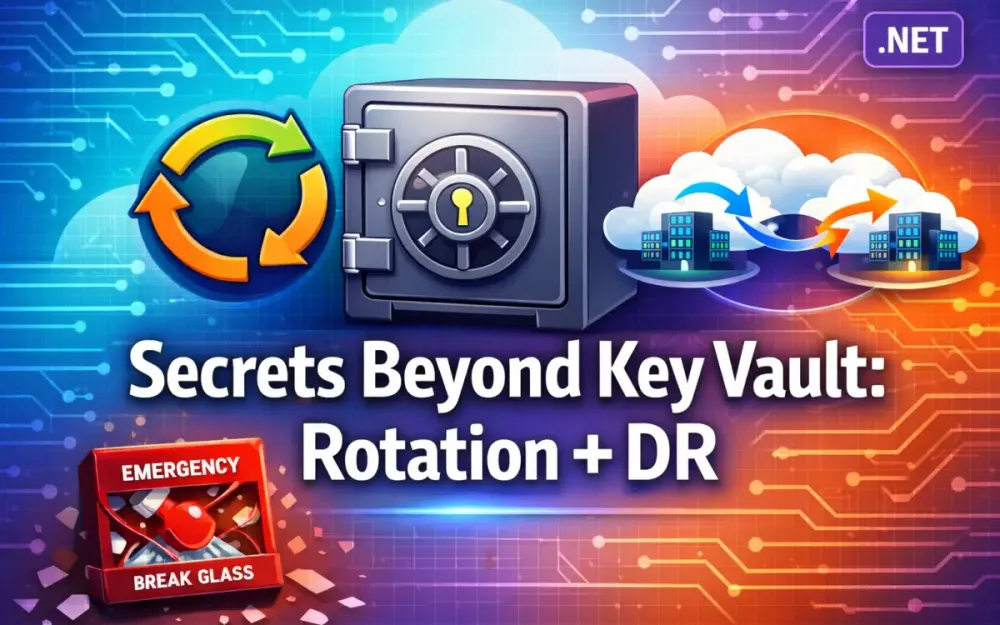
This article goes beyond vault storage. We focus on automated rotation patterns, emergency access, disaster recovery, and identity-driven architectures that reduce reliance on static secrets entirely.
1.1 The “Secret Zero” Problem: Bootstrapping Trust in .NET Applications
A vault only works if your application can authenticate to it. That raises the first hard question: what credential does the application use to retrieve its first secret?
That bootstrap credential is commonly called Secret Zero.
In real .NET systems, Secret Zero often appears as:
- A client secret in
appsettings.json - An environment variable injected during deployment
- A service principal secret stored in Azure DevOps
- A static token baked into a container image
This secret rarely rotates. It’s often manually provisioned. And if leaked, it grants access to the entire secret store. Even worse, Secret Zero is frequently copied across environments, increasing blast radius.
If your application requires a stored client secret to access your vault, Secret Zero still exists.
Modern approaches eliminate this bootstrap secret entirely:
-
Managed Identity (Azure / Cloud-native identity) The runtime assigns the application an identity. No secret is stored. The platform handles trust.
-
OIDC Workload Federation Kubernetes, GitHub Actions, or other platforms issue a signed token. The application exchanges it for a vault token. Nothing static is stored.
-
SPIFFE/SPIRE Workload Certificates Applications receive short-lived certificates from a trusted identity system and authenticate directly.
From a .NET architecture perspective, removing Secret Zero is the first real step beyond basic vaulting.
1.2 The Shift from Static Secrets to Dynamic, Short-Lived Credentials
Static secrets sit in configuration until manually changed. That predictability is what attackers rely on.
Dynamic credentials change the model:
- They are generated just-in-time.
- They have a strict expiration (minutes, not months).
- They are tied to a specific workload.
- They are automatically revoked or expired.
In a .NET application, this means secrets cannot be loaded once at startup and reused forever. They must refresh during runtime.
For example, if your vault rotates a database password every 15 minutes, you must use IOptionsMonitor<T> — not IOptions<T> — so the value reacts to configuration reload events:
public class DbConnectionFactory
{
    private readonly IOptionsMonitor<DatabaseOptions> _options;

    public DbConnectionFactory(IOptionsMonitor<DatabaseOptions> options)
        => _options = options;

    public SqlConnection Create()
        => new SqlConnection(_options.CurrentValue.ConnectionString);
}
If you inject IOptions<DatabaseOptions> instead, the value is frozen at startup and rotation will break your system. Dynamic credentials require runtime-aware configuration design.
1.3 Why Architecture Matters More Than Storage
Attackers no longer focus only on perimeter defenses. They target the development lifecycle. Automated secret scanning bots monitor public repositories continuously — once a secret is committed, detection and abuse can happen within minutes. Compromised dependencies leak environment variables. Credential replay across cloud providers grants unintended access due to misconfigured trust relationships. CI/CD agents with long-lived credentials become high-value targets.
None of these attacks are prevented simply by storing secrets in a vault. If a long-lived secret is ever materialized in memory, logged accidentally, or exposed through misconfiguration, it becomes exploitable. That’s why rotation frequency, runtime refresh, and identity federation matter more than storage location.
The architectural question is not just where secrets live — it’s how long they remain valid and how your system behaves when they change.
1.4 Limitations of Native Cloud Provider Vaults
Cloud provider vaults are strong at secure storage, RBAC, encryption at rest, and auditing. But they are not full lifecycle orchestration engines.
When using Azure.Extensions.AspNetCore.Configuration.Secrets, secrets are loaded into configuration at startup. You can enable polling with a reload interval:
builder.Configuration.AddAzureKeyVault(
    new Uri(vaultUrl),
    new DefaultAzureCredential(),
    new AzureKeyVaultConfigurationOptions
    {
        ReloadInterval = TimeSpan.FromMinutes(5)
    });
This is polling-based refresh. There is no native push-based notification when a secret rotates. If your rotation window is shorter than the polling interval, your app may temporarily use expired credentials.
Additional limitations appear in multi-cloud setups. Azure Key Vault does not automatically synchronize with AWS Secrets Manager or Google Secret Manager. Rotation workflows, event systems, replication models, and break-glass procedures all differ across providers.
Key Vault does what it was designed to do: securely store and retrieve secrets. It does not coordinate zero-downtime rotation across microservices, provide built-in multi-party recovery, abstract identity across clouds, or solve configuration refresh consistency inside your .NET runtime.
That gap is exactly what the rest of this article addresses.
2 Architecting Automated Secret Rotation Patterns
Secret rotation only works if your system is built to expect change. If your application assumes a secret is static after startup, rotation will eventually cause downtime.
A production-ready rotation strategy must answer four questions:
- How is the new secret created?
- How do applications learn about it?
- How do we support overlap between old and new versions?
- What happens if rotation fails?
2.1 The Lifecycle of a Secret
Secret rotation is a controlled state transition with four phases.
Creation — The vault generates a new credential with metadata: version, TTL, creation timestamp, owner identity, and rotation policy reference.
Distribution — Applications receive the updated secret through either polling (periodic refresh) or push/event-driven notification. Polling is simpler but introduces delay and cost. Push-based systems reduce exposure windows.
Rotation — Must follow a dual-validity model: version N+1 is created, version N remains valid for a grace period, applications update to N+1, and after grace expires, N is revoked. Rotation must never revoke the previous credential before downstream systems confirm successful update.
Revocation — Can be scheduled (TTL expiration) or forced (incident response). Immediate revocation must assume that some applications are still using the credential. That’s why runtime refresh patterns are mandatory.
2.2 Event-Driven Rotation Using Azure Event Grid and .NET Functions
Polling every 5 minutes is acceptable for low-risk systems. It is not acceptable for high-security workloads. Push-based rotation eliminates timing gaps.
Azure Event Grid Pattern
- Secret rotates in the vault.
- Event Grid publishes a “SecretNewVersionCreated” event.
- An Azure Function receives the event.
- The function invalidates distributed cache and signals applications.
- Applications reload configuration immediately.
Azure Function:
[Function("OnSecretRotated")]
public async Task RunAsync(
    [EventGridTrigger] EventGridEvent evt,
    ILogger log)
{
    var secretName = evt.Subject;
    log.LogInformation("Secret rotated: {Secret}", secretName);
    await _configNotifier.NotifyAsync(secretName);
}
In production, this typically publishes a Redis message that all application instances subscribe to:
public class ConfigNotifier
{
    private readonly IConnectionMultiplexer _redis;

    public ConfigNotifier(IConnectionMultiplexer redis) => _redis = redis;

    public async Task NotifyAsync(string secretName)
    {
        var sub = _redis.GetSubscriber();
        await sub.PublishAsync("secret-rotated", secretName);
    }
}
Application startup subscribes:
var subscriber = redis.GetSubscriber();

await subscriber.SubscribeAsync("secret-rotated", async (channel, message) =>
{
    var secretName = message.ToString();
    await secretCache.InvalidateAsync(secretName);
});
The same pattern applies on AWS using EventBridge and Lambda, with the Lambda handler publishing invalidation to Redis or SNS. Push-based models remove the need to guess polling intervals.
2.3 Handling In-Flight Requests: Grace Periods and Secure Comparison
Rotation can break running requests if the old credential is revoked immediately. The correct design supports two valid tokens simultaneously.
using System.Security.Cryptography;
using System.Text;

public class DualTokenMiddleware
{
    private readonly RequestDelegate _next;
    private readonly ITokenProvider _provider;

    public DualTokenMiddleware(RequestDelegate next, ITokenProvider provider)
    {
        _next = next;
        _provider = provider;
    }

    public async Task InvokeAsync(HttpContext context)
    {
        var provided = context.Request.Headers["X-Api-Token"].ToString();
        var (current, previous) = await _provider.GetActiveTokensAsync();

        if (IsMatch(provided, current) || IsMatch(provided, previous))
        {
            await _next(context);
            return;
        }

        context.Response.StatusCode = StatusCodes.Status401Unauthorized;
    }

    private static bool IsMatch(string a, string b)
    {
        if (string.IsNullOrEmpty(a) || string.IsNullOrEmpty(b))
            return false;

        var aBytes = Encoding.UTF8.GetBytes(a);
        var bBytes = Encoding.UTF8.GetBytes(b);

        return CryptographicOperations.FixedTimeEquals(aBytes, bBytes);
    }
}
Using FixedTimeEquals prevents timing attacks that can reveal valid tokens through response-time analysis. Security-sensitive comparisons should never use ==.
2.4 Rotating Database Credentials Without Downtime
This is one of the most common real-world rotation challenges. The requirements are: overlapping database logins, a grace period between revocation, thread-safe credential update, and safe rollback if rotation fails.
Background service:
public class DbCredentialRotationService : BackgroundService
{
    private readonly IDbCredentialProvider _provider;
    private readonly SqlConnectionFactory _factory;
    private readonly ILogger<DbCredentialRotationService> _logger;

    protected override async Task ExecuteAsync(CancellationToken ct)
    {
        while (!ct.IsCancellationRequested)
        {
            try
            {
                var creds = await _provider.FetchAsync();
                _factory.UpdateCredentials(creds);
            }
            catch (Exception ex)
            {
                _logger.LogError(ex, "Rotation failed. Retaining existing credentials.");
            }

            await Task.Delay(TimeSpan.FromMinutes(5), ct);
        }
    }
}
Thread-safe factory using volatile and Interlocked.Exchange for safe concurrent reads/writes:
public class SqlConnectionFactory
{
    private volatile string _connectionString;

    public void UpdateCredentials(DbCredentials creds)
    {
        var newConn =
            $"Server={creds.Host};User Id={creds.Username};Password={creds.Password};";

        Interlocked.Exchange(ref _connectionString, newConn);
    }

    public SqlConnection Create() => new SqlConnection(_connectionString);
}
Rotation Failure Handling
Rotation must follow a state machine: create new credential, test it, promote to active, begin grace period, then revoke old credential. If the test step fails, abort and retain the old credential.
Never revoke old credentials until the application confirms successful switch, health checks pass, and the connection pool stabilizes.
A production rotation workflow should track state explicitly:
public record RotationState(
    string CurrentVersion,
    string PendingVersion,
    DateTimeOffset PromotedAt,
    DateTimeOffset GraceExpiresAt);
Treat rotation as a transactional workflow, not a single API call.
2.5 HashiCorp Vault Dynamic Secrets with Lease Renewal
Dynamic secrets in Vault include lease durations. Your application must track lease expiration and renew before credentials expire:
var secret = await client.V1.Secrets.Database
    .GetCredentialsAsync("readonly-role");

var leaseId = secret.LeaseId;
var ttl = secret.LeaseDurationSeconds;
Renew before expiration:
await client.V1.System.RenewLeaseAsync(leaseId);If renewal fails, request fresh credentials and switch immediately. Vault’s dynamic engines reduce manual rotation complexity, but your application must manage lease lifecycle proactively.
3 High Availability and Multi-Region Disaster Recovery
If your primary vault region becomes unavailable and your .NET applications cannot retrieve credentials, your system fails even if the rest of your infrastructure is healthy. Secrets are foundational dependencies. When they fail, everything above them fails.
Designing disaster recovery for secrets means answering three hard questions:
- How fast must we recover? (RTO)
- How much secret-version drift can we tolerate? (RPO)
- What happens during a cold start when the vault is unreachable?
3.1 Cross-Region Replication Strategies
Active-Active Replication
Both regions accept writes. Changes replicate between them. This provides the lowest latency for global applications and no single write-region dependency. However, it introduces conflict resolution complexity, higher operational overhead, and risk of split-brain if coordination fails. Secret version IDs must be globally unique and comparable.
Active-Passive Replication
One region accepts writes; the secondary serves reads or remains standby. This provides stronger consistency and clear version ordering, but writes depend on the primary region and failover requires controlled promotion.
Azure Key Vault Reality
Azure Key Vault uses geo-replication in paired regions. Replication is automatic but:
- It is not active-active for writes.
- Replication to the paired region is asynchronous.
- Microsoft does not guarantee zero-lag replication.
This means RPO is non-zero. A newly rotated secret may not exist in the secondary region during failover. If your rotation frequency is high (e.g., 5-minute TTL database credentials), replication lag becomes operationally relevant.
Critical design rule: During rotation, do not revoke version N until replication to the secondary region is confirmed. Maintain a dual-validity window longer than worst-case replication lag.
Replication-Aware Rotation
If using Azure, your rotation pipeline must be region-aware:
- Query secret versions from both primary and secondary vaults.
- Compare version IDs before revocation.
- Block revocation if mismatch is detected.
This means your rotation pipeline must validate cross-region consistency — not just API success in the primary.
3.2 Disaster Recovery Runbook: Primary Vault Region Outage
Scenario
- .NET API running in West Europe.
- Azure Key Vault primary in West Europe, geo-replica in North Europe.
- Primary region becomes unavailable.
RTO / RPO Targets
- RTO: 5–15 minutes for mission-critical services.
- RPO: Last replicated secret version (seconds to minutes behind).
Failover Timeline
T0 – Vault Primary Unreachable — .NET applications receive RequestFailedException. Circuit breaker trips after threshold failures.
T+30s – Local Fallback Activated — Application switches to secondary vault endpoint. Cached secrets remain active.
T+2m – Health Check Confirmed — Monitoring detects regional outage. Incident declared.
T+5m – Traffic Rerouted — Azure Front Door or Traffic Manager routes traffic to North Europe deployment.
T+10m – Secret Version Validation — DR script verifies latest secret version in secondary vault. If replication lag detected, re-issue rotation from secondary region.
.NET Failover Implementation
public class RegionalSecretProvider : ISecretProvider
{
    private readonly ISecretProvider _primary;
    private readonly ISecretProvider _secondary;
    private readonly ILogger<RegionalSecretProvider> _logger;

    public RegionalSecretProvider(
        ISecretProvider primary,
        ISecretProvider secondary,
        ILogger<RegionalSecretProvider> logger)
    {
        _primary = primary;
        _secondary = secondary;
        _logger = logger;
    }

    public async Task<string> GetAsync(string name)
    {
        try
        {
            return await _primary.GetAsync(name);
        }
        catch (RequestFailedException ex) when (IsTransient(ex))
        {
            _logger.LogWarning(ex,
                "Primary vault unavailable. Falling back to secondary.");

            return await _secondary.GetAsync(name);
        }
    }

    private static bool IsTransient(RequestFailedException ex)
        => ex.Status == 408 || ex.Status == 429 || ex.Status >= 500;
}
This only handles expected service failures, logs failover events, and avoids catching fatal runtime exceptions.
3.3 Enterprise Caching and Cold-Start Resilience
Stale-While-Revalidate Pattern
If the vault is temporarily unavailable, serve cached secrets even if expired, trigger a background refresh, and log degraded mode:
public async Task<string> GetSecretAsync(string name)
{
    if (_cache.TryGetValue(name, out SecretEntry entry))
    {
        if (!entry.IsExpired)
            return entry.Value;

        _ = RefreshAsync(name); // fire and forget
        return entry.Value; // serve stale
    }

    return await RefreshAsync(name);
}
Absolute Expiration
Cap how long stale secrets are allowed. For example: sliding expiration of 5 minutes, absolute expiration of 30 minutes. If the vault remains unavailable beyond absolute expiration, the system must degrade intentionally rather than silently operating on stale credentials.
Cold Start During Regional Outage (Sealed Envelope Pattern)
If a pod restarts during a vault outage, the cache is empty. This is the worst case.
During healthy operation, encrypt critical secrets with a locally stored data-protection key and persist the encrypted copy to a durable volume. On cold start, decrypt locally if the vault is unavailable:
// During normal operation — persist encrypted backup
var protector = _dataProtectionProvider.CreateProtector("dr-secrets");
var encrypted = protector.Protect(secretValue);
File.WriteAllText("/mnt/secrets/backup.enc", encrypted);

// On cold start — recover if vault unreachable
if (vaultUnavailable)
{
    var encrypted = File.ReadAllText("/mnt/secrets/backup.enc");
    var secret = protector.Unprotect(encrypted);
}
This pattern must be tightly controlled and audited, but it prevents complete service failure during regional vault outages.
4 The “Break-Glass” Strategy: Emergency Access Procedures
Break-glass access exists for one purpose: to recover control when your normal identity and security systems fail. It is not a fallback convenience feature. It is a deliberately constrained, heavily audited way to restore trust during an outage or security incident.
4.1 Defining the “Break-Glass” Scenario
Break-glass should only be used when normal access patterns are provably unavailable. Typical triggers include:
- A cloud region outage preventing authentication to the vault.
- A misconfigured Conditional Access or RBAC policy that locks out administrators.
- A failed rotation that corrupts the vault’s policy or access configuration.
- A suspected compromise where existing credentials can no longer be trusted.
- A catastrophic pipeline error that removed all valid service principal assignments.
When a break-glass event starts, time matters. Vault-dependent services (rotation engines, token issuance, encryption workflows) may already be failing. A proper workflow defines:
- Who may initiate break-glass access — and under which conditions.
- How identity is verified offline (e.g., physical tokens, paper codes).
- What actions are allowed (usually: restore access, reconfigure identity, and nothing else).
- How long break-glass remains active (measured in minutes, not hours).
- Who reviews and signs off on the use afterward.
Physical Access Considerations
Break-glass credentials typically reside in secure physical storage. At minimum:
- Dual-custody safe access: two authorized individuals must be present.
- Signed access logs: who retrieved the item, when, and for what purpose.
- Quarterly inventory checks: verify items haven’t been tampered with.
- Tamper-evident packaging: envelopes or containers that reveal unauthorized access.
If physical security breaks down, so does the entire break-glass model.
4.2 Hardware Security Modules: Root-of-Trust Recovery
A Hardware Security Module provides a physical boundary around cryptographic keys. When vault master keys are stored in an HSM, the vault can be reconstructed even if its control plane is unavailable.
Accessing a Managed HSM is done through the Azure SDK:
var credential = new DefaultAzureCredential();

var cryptoClient = new CryptographyClient(
    new Uri("https://my-managed-hsm.managedhsm.azure.net/keys/root-key"),
    credential);

byte[] signature = await cryptoClient.SignDataAsync(
    SignatureAlgorithm.RS256,
    payload);
During break-glass, this would normally be executed by an operator using an administrative workstation. The operational recovery sequence is: retrieve physical authentication material, authenticate to the HSM, reauthorize vault master keys, restart or unseal the vault, and verify dependent services.
Because HSM keys never leave hardware, even a corrupted vault can be rebuilt securely.
4.3 Multi-Party Authorization Using Shamir’s Secret Sharing
No single human should be able to unseal or reinitialize your vault. Shamir’s Secret Sharing enforces this: a master secret is divided into N shares, and M shares are required to reconstruct it.
Shamir’s algorithm is not included in the .NET BCL. A commonly used package is SecretSharingDotNet:
// Conceptual example using SecretSharingDotNet
public class SecretReconstructor
{
    private readonly int _threshold;

    public SecretReconstructor(int threshold) => _threshold = threshold;

    public byte[] Reconstruct(IEnumerable<Share> shares)
    {
        var list = shares.ToList();

        if (list.Count < _threshold)
            throw new InvalidOperationException("Insufficient shares for recovery.");

        return Shamir.Combine(list); // Provided by external library
    }
}
Operationally, this requires share distribution to different roles, offline storage of shares, audit logs whenever a share is accessed, and rotation of shares when personnel change. Shamir does not protect you if people reuse the same safe or share digital copies of their fragments — human process matters more than the algorithm.
4.4 Post-Incident Credential Rotation
After a break-glass event, assume the credential is compromised, even if handled correctly. It must be rotated and re-sealed immediately:
- Rotate emergency account password or regenerate token.
- Revoke all active sessions for that identity.
- Create new physical packaging (print new QR, re-encrypt USB device).
- Update safe inventory logs and require two-person verification.
- Document the incident and lessons learned.
public async Task RotateBreakGlassCredentialAsync()
{
    var newSecret = PasswordGenerator.Generate(64);
    await _identityAdmin.SetPasswordAsync("break-glass-admin", newSecret);
    await _audit.LogAsync("Emergency credential rotated and resealed.");
}
4.5 Testing Break-Glass Procedures
A break-glass plan that is never tested will fail during a real incident. Teams must practice under controlled conditions, quarterly or semi-annually.
Recommended drill against a non-production vault:
- Remove admin role assignments or break identity trust deliberately.
- Confirm administrators can no longer sign in normally.
- Retrieve emergency credential via dual-custody procedure.
- Authenticate using break-glass identity.
- Restore proper RBAC and re-enable regular admin accounts.
- Rotate and re-seal emergency credential.
- Log the exercise, time-to-recovery, and any issues.
The goal isn’t perfection — it’s familiarity under pressure. Document findings and adjust procedures based on what each drill reveals.
4.6 Automated Alerting for Break-Glass Usage
Every break-glass login should trigger pager escalation, real-time security alerting, and incident correlation. A production-ready Sentinel rule:
let lookback = 30m;

let emergencies =
    IdentityLogonEvents
    | where TimeGenerated > ago(lookback)
    | where AccountName == "break-glass-admin"
    | where ResultType == "Success";

emergencies
| join kind=leftouter (
    SecurityIncident
    | where TimeGenerated > ago(lookback)
) on $left.CorrelationId == $right.CorrelationId
| extend Alert = "Break-glass access detected"
| project TimeGenerated, AccountName, IPAddress, DeviceName,
          IncidentNumber, Severity, Alert
This correlates break-glass logins with active incidents and emits enriched context for SOC triage. Break-glass access must never appear in logs unnoticed.
5 Human Processes: Governance, RBAC, and JIT Access
Technology controls fail when human processes are unclear. Most real-world incidents involving secret exposure trace back to weak process boundaries, excessive privilege, or inconsistent enforcement.
5.1 Least Privilege for Developers vs. Service Principals
Developers often receive far more access than they need. Service principals should have narrow, workload-specific permissions — never broad “get everything” access.
Production-ready Azure RBAC assignment giving a service principal read-only access to secrets in a single vault:
az role assignment create \
  --role "Key Vault Secrets User" \
  --assignee <sp-object-id> \
  --scope <vault-resource-id>
This does not grant certificate or key access — only secrets.
Separation of Duties
| Action / Responsibility | Dev Team | Ops / SRE | Security | Compliance |
|---|---|---|---|---|
| Read production secrets | ❌ | ✔️ (limited) | ✔️ | ❌ |
| Write or rotate production secrets | ❌ | ✔️ | ✔️ | ❌ |
| Create or modify vault access policies | ❌ | ✔️ | ✔️ (approval) | ✔️ (review) |
| Trigger break-glass access | ❌ | ✔️ (with approval) | ✔️ | ✔️ (observer) |
| Approve JIT elevation | ❌ | ✔️/Security | ✔️ | ✔️ (optional) |
A system without clear ownership will drift toward over-permissioning.
5.2 Just-in-Time Secrets: Temporary Access for Production Troubleshooting
JIT access eliminates standing privilege. Developers start with zero access to production secrets and request temporary approval when needed.
[Authorize(Roles = "JitRequestor")]
[HttpPost("jit/token")]
public async Task<IActionResult> IssueTemporaryToken(
    [FromBody] JitRequest request)
{
    if (!await _policyEvaluator.IsAllowedAsync(request))
        return Forbid();

    var token = await _jitIssuer.GenerateTokenAsync(
        request.UserId, TimeSpan.FromMinutes(30));

    await _audit.LogAsync(new AuditRecord
    {
        UserId = request.UserId,
        Action = "JIT Token Issued",
        ExpiresAt = DateTime.UtcNow.AddMinutes(30),
        Reason = request.Reason
    });

    return Ok(new { token });
}
This requires authenticated users in a specific role, enforces policy validation, logs issuance with time and reason, and issues a short-lived token only. For high-security environments, add manager approval, MFA challenge, and IP/network restrictions.
5.3 Policy as Code with Open Policy Agent
OPA enforces rules automatically instead of relying on teams to follow documentation:
package vault.policies

deny[msg] {
  secret := input.secret
  not re_match("^[a-z0-9-]+$", secret.name)
  msg := sprintf("Secret name '%s' does not meet naming rules", [secret.name])
}
OPA policies commonly enforce naming conventions, TTL requirements, secret types, and usage restrictions. OPA integrates into CI validation steps, admission controllers for Kubernetes, and custom vault automation. If OPA returns deny, the secret is rejected before deployment.
5.4 Privileged Identity Management for .NET Teams
Entra ID PIM removes long-term admin roles by requiring approval-based, time-bound activation. Developers only acquire elevated permissions when approved, and for a short window.
PIM elevation happens outside application code — through the Azure portal or Microsoft Graph APIs. Admin tools then request a token after elevation:
// Admin workstation only — not for production services
var credential = new InteractiveBrowserCredential();

var token = await credential.GetTokenAsync(
    new TokenRequestContext(new[]
    {
        "https://vault.azure.net/.default"
    }));
In production services, use Managed Identity or OAuth/OIDC signed workload tokens — never interactive flows. Once the PIM window closes, the token becomes invalid, enforcing least privilege.
5.5 Separation of Duties Beyond PoLP
In mature organizations, separation of duties is formalized:
- Developers cannot read production secrets.
- Operators cannot modify RBAC policies without approval.
- Security cannot deploy application code.
- Compliance cannot access production systems directly.
The team that rotates secrets should not be the same team that deploys infrastructure. The team that unseals a vault during break-glass should not have the ability to modify audit logs. These boundaries matter more as systems scale across multiple regions and cloud providers.
5.6 Offboarding and Automated Access Revocation
One of the highest-risk scenarios is an employee leaving the organization while retaining access to secrets.
An effective offboarding process includes:
- Automatic removal of group memberships and app roles at HR termination event.
- Immediate revocation of refresh tokens.
- Removal from PIM just-in-time eligible roles.
- Deletion or rotation of any user-generated service principals.
- Audit log review for unusual activity before departure.
Vault-specific access (e.g., HashiCorp Vault) must also be cleaned up: remove entity aliases, revoke tokens, and rotate affected secrets. If offboarding is manual, it will eventually fail. Automated identity lifecycle is essential.
6 Observability and Audit Logging
Secrets are dynamic, frequently rotated, short-lived credentials that introduce new audit requirements. When something breaks or a credential is abused, logs and telemetry are the only reliable way to reconstruct what happened.
6.1 Correlating Secret Access with Application Requests
Every request should carry a unique correlation identifier. Without it, vault logs, API logs, and infrastructure logs become isolated, making incident forensics slow.
public class CorrelationMiddleware
{
    private readonly RequestDelegate _next;

    public CorrelationMiddleware(RequestDelegate next) => _next = next;

    public async Task InvokeAsync(HttpContext ctx)
    {
        if (!ctx.Request.Headers.TryGetValue("X-Correlation-ID", out var cid))
            cid = Guid.NewGuid().ToString();

        ctx.Items["CorrelationId"] = cid;
        ctx.Response.Headers["X-Correlation-ID"] = cid;

        await _next(ctx);
    }
}
Propagate this to vault calls so you can search across API gateway requests, .NET service logs, vault audit events, and database access logs using a single ID.
6.2 Anomaly Detection: Identifying Credential Abuse
Simple threshold-based alerts produce noise and miss real attacks. Modern detection must consider historical context. A production-ready Sentinel rule:
let lookback = 1h;
let baseline =
    VaultAuditLogs
    | where TimeGenerated between (ago(24h) .. ago(lookback))
    | summarize baseline_count = avg(RequestCount) by Identity;

VaultAuditLogs
| where TimeGenerated > ago(lookback)
| summarize recent_count = count() by Identity, bin(TimeGenerated, 15m)
| join kind=inner baseline on Identity
| where recent_count > baseline_count * 3
| project TimeGenerated, Identity, recent_count, baseline_count,
          Alert = "Anomalous increase in secret access volume"
This computes a per-identity baseline, compares short-term activity with long-term behavior, and reduces false positives. When an anomaly is detected, automation can disable the token or require human review.
6.3 Compliance Mapping: SOC2, HIPAA, GDPR
Compliance requires specific metadata, defined retention, and tamper protection. Enable Azure Diagnostic Settings for vault logging:
az monitor diagnostic-settings create \
  --resource /subscriptions/<sub>/resourceGroups/<rg>/providers/Microsoft.KeyVault/vaults/<vault> \
  --name "vault-logging" \
  --logs '[{"category":"AuditEvent", "enabled":true}]' \
  --workspace <sentinel-workspace-id> \
  --export-to-resource-specific true
SOC2-Compatible Audit Entry Example
{
  "timestamp": "2025-03-10T14:25:33Z",
  "actor": "svc-app-prod@contoso",
  "action": "GetSecret",
  "secretName": "sql-prod-readonly",
  "correlationId": "e8d5025f-8e0f-4b61-9b2b-7a4f69e2fef1",
  "clientIp": "20.50.22.18",
  "result": "Success",
  "region": "westeurope"
}
A compliance-ready log always includes: actor identity, action type, secret involved, result (success/denied), correlation-ID, IP/region, and UTC timestamp.
Retention requirements vary: SOC2 requires 1 year minimum, HIPAA requires 6 years, and GDPR depends on data type. Never store logs on the same system that relies on them — they must be exported to immutable storage (Azure Blob immutability policies, AWS S3 Object Lock, or GCP Bucket Lock).
6.4 Modern .NET Telemetry with ActivitySource and OpenTelemetry
Modern .NET (6–8+) favors ActivitySource over DiagnosticSource. It integrates cleanly with OpenTelemetry for distributed tracing, metrics, and automatic propagation:
private static readonly ActivitySource ActivitySource =
    new("Contoso.SecretProvider");

public async Task<string> GetSecretAsync(string name)
{
    using var activity = ActivitySource.StartActivity("secret.fetch");

    activity?.SetTag("secret.name", name);

    var sw = Stopwatch.StartNew();
    var secret = await _inner.GetSecretAsync(name);
    sw.Stop();

    activity?.SetTag("secret.latency_ms", sw.ElapsedMilliseconds);

    return secret;
}
When paired with OTel collectors, this provides live latency dashboards, p95/p99 secret fetch times, dependency mapping, and alerts when vault dependency degrades. This instrumentation is critical because vault latency often cascades into system-wide latency spikes.
7 Moving to a Zero-Secret Architecture
A zero-secret architecture removes the need to store long-lived credentials anywhere. Instead, systems authenticate using identities issued by the platform itself. Secrets become short-lived, automatically issued, and automatically rotated.
7.1 Migrating from Connection Strings to Workload Identities (OIDC)
Most legacy .NET applications rely on connection strings containing usernames and passwords. To remove these credentials, the workload itself must become the identity.
How the Migration Works
-
Assign a workload identity — Kubernetes uses service account + OIDC federation; Azure App Service uses system-assigned managed identity; GitHub Actions uses OIDC tokens per workflow run.
-
Configure trust at the resource layer — Azure SQL trusts tokens issued for workload identities; Key Vault authorizes the identity with RBAC.
-
Switch from passwords to tokens — Remove user/password from the connection string and request a token at runtime.
OIDC Token Exchange (Conceptual)
POST /token
Content-Type: application/x-www-form-urlencoded

grant_type=urn:ietf:params:oauth:grant-type:token-exchange
subject_token={kubernetes_service_account_token}
audience=database-resource
The application never stores a password — it receives a short-lived access token for authentication.
7.2 Azure.Identity for Passwordless Connections in .NET 8+
DefaultAzureCredential is the recommended entry point, supporting managed identities in production, workload identity (OIDC) in Kubernetes, and developer credentials locally.
Access Tokens for Azure SQL
var credential = new DefaultAzureCredential();

var token = await credential.GetTokenAsync(
    new TokenRequestContext(new[] { "https://database.windows.net/.default" })
);

using var conn = new SqlConnection(
    "Server=tcp:myserver.database.windows.net;Initial Catalog=appdb;"
);

conn.AccessToken = token.Token;
await conn.OpenAsync();
Note: AccessToken is assigned directly on SqlConnection, not on SqlConnectionStringBuilder.
Kubernetes Workload Identity
var credential = new WorkloadIdentityCredential(
    tenantId,
    clientId,
    tokenFilePath // OIDC token mounted into pod
);

var token = await credential.GetTokenAsync(
    new TokenRequestContext(new[] { "https://vault.azure.net/.default" })
);
The workload authenticates using a token issued by Kubernetes — not a stored secret.
7.3 Vault Abstraction with Dapr
For organizations using multiple vault providers, Dapr’s Secrets Building Block abstracts the underlying provider so .NET code never changes:
var client = new DaprClientBuilder().Build();
var secret = await client.GetSecretAsync("vault", "api-key");
Switch the backing vault from Key Vault to HashiCorp Vault with no code changes — only a Dapr component configuration update. This is particularly valuable during migration or in multi-cloud environments.
7.4 OIDC for CI/CD Pipelines
CI/CD pipelines used to rely on long-lived Personal Access Tokens. With OIDC, the pipeline exchanges a short-lived, signed token for a cloud provider access token.
GitHub Actions
- name: Authenticate to Azure
  uses: azure/login@v2
  with:
    client-id: ${{ secrets.AZURE_CLIENT_ID }}       # Not sensitive — just an identifier
    tenant-id: ${{ secrets.AZURE_TENANT_ID }}       # Also not a secret
    subscription-id: ${{ secrets.AZURE_SUBSCRIPTION_ID }}
enable-oidc: trueAZURE_CLIENT_ID, AZURE_TENANT_ID, and AZURE_SUBSCRIPTION_ID are public identifiers, not secrets. OIDC eliminates the need for client secrets or PATs entirely.
7.5 Migration Strategy: Running Hybrid During Transition
Most enterprises cannot jump directly to zero-secret architecture. A realistic migration:
-
Phase 1 — Reduce Long-Lived Secrets: Move secrets into a vault. Remove secrets from source code and CI/CD.
-
Phase 2 — Introduce Workload Identity for New Services: New microservices use managed identity or OIDC. Legacy services still use traditional connection strings.
-
Phase 3 — Dual-Mode Operation: Services accept both identity-based tokens and passwords. Rotation pipelines gradually reduce the TTL of remaining secrets.
-
Phase 4 — Full Zero-Secret Mode: All connections rely on identity. Long-lived credentials are revoked and deleted.
During coexistence, maintain clear documentation of which services still use secrets, which use tokens, and what rotation policies apply to each. The gap between models is where most incidents occur.
7.6 Local Development Without Managed Identity
Developers need to test authentication flows locally. Managed identity does not exist on a laptop, so zero-secret architectures rely on DefaultAzureCredential fallback behavior:
- Azure CLI login (
az login) - Visual Studio / Rider signed-in account
- Environment variables if configured
var credential = new DefaultAzureCredential(
    new DefaultAzureCredentialOptions
    {
        ExcludeManagedIdentityCredential = true // Avoids long timeout locally
    });

var token = await credential.GetTokenAsync(
    new TokenRequestContext(new[] { "https://vault.azure.net/.default" }));
Local access should always be limited to development resources, logged, and never given access to production vaults. Even in zero-secret architecture, local development needs a secure and well-scoped authentication model.
8 Future-Proofing and Strategy Roadmap
Secrets management does not end with rotation, break-glass, and DR implementation. Cryptographic standards evolve. Identity systems evolve. A strategy that works today may not hold under new compliance mandates or threat models.
8.1 Post-Quantum Cryptography and Cryptographic Agility
Quantum computing threatens classical asymmetric cryptography such as RSA and ECC. Instead of embedding specific algorithms directly into application code, design for cryptographic agility:
- Do not hardcode algorithm names in business logic.
- Use abstraction layers for encryption and signing.
- Allow algorithm selection via configuration.
- Store algorithm metadata alongside encrypted secrets.
- Support key re-wrapping without data loss.
public interface IEncryptionProvider
{
    byte[] Encrypt(byte[] data);
    byte[] Decrypt(byte[] ciphertext);
}
Implementation can vary by algorithm:
public class RsaEncryptionProvider : IEncryptionProvider
{
    private readonly RSA _rsa;

    public RsaEncryptionProvider(RSA rsa) => _rsa = rsa;

    public byte[] Encrypt(byte[] data) =>
        _rsa.Encrypt(data, RSAEncryptionPadding.OaepSHA256);

    public byte[] Decrypt(byte[] ciphertext) =>
        _rsa.Decrypt(ciphertext, RSAEncryptionPadding.OaepSHA256);
}
When PQC support is required (e.g., using BouncyCastle’s Kyber or Dilithium implementations), a new provider replaces the RSA-based one without changing consuming code. Your system should be able to rotate wrapping keys, re-encrypt stored secrets, and transition algorithms without downtime.
8.2 SPIFFE and SPIRE: The No-Secret Endpoint
SPIFFE defines a standard for workload identity. SPIRE implements it. Instead of passwords or API keys, SPIRE provides short-lived X.509 certificates to workloads, rotated automatically and validated through mutual TLS.
There is no official .NET SPIRE SDK. Workloads interact with the SPIFFE Workload API over gRPC or via a Unix domain socket:
// Pseudocode: actual implementation requires gRPC call to SPIRE agent
var svid = await FetchSpiffeSvidAsync(); // Workload API call
var handler = new HttpClientHandler();
handler.ClientCertificates.Add(svid.Certificate);

var client = new HttpClient(handler);
await client.GetAsync("https://internal-service");
The application connects to the SPIRE agent, retrieves an SVID (SPIFFE Verifiable Identity Document) containing a short-lived certificate, and uses mTLS for authentication. This eliminates shared secrets, vault-based API keys, and password rotation cycles entirely. SPIFFE/SPIRE represents the logical endpoint of zero-secret architecture.
8.3 Internal Developer Platform as an Automation Layer
An Internal Developer Platform operationalizes everything in this article. Without automation, rotation policies drift, break-glass documentation becomes stale, and DR failover isn’t rehearsed.
An effective IDP automates workload identity provisioning, event-driven rotation, break-glass role isolation, multi-region secret replication, and observability pipelines. Instead of each team manually configuring vault roles and identity bindings, the IDP generates them from templates:
idp secrets create \
  --service checkout-api \
  --rotation-policy 30d \
  --enable-dr \
  --enable-breakglass
Behind the scenes, the platform creates managed identity, assigns least-privilege vault roles, registers rotation webhooks, configures DR replication, and enables audit logging.
8.4 Strategic Roadmap (6–12 Months)
Phase 1 (Months 1–3): Baseline and Reduce Risk
- Inventory all secrets. Identify Secret Zero risks.
- Move hardcoded secrets into a vault. Enable managed identity where possible.
- Enable vault audit logging and SIEM export. Define RACI ownership.
Phase 2 (Months 4–6): Automate and Harden
- Implement event-driven rotation with dual-secret grace handling.
- Introduce caching and DR fallback. Define and test break-glass workflow.
- Introduce JIT access. Protect logs with immutable storage.
Phase 3 (Months 7–12): Move Toward Zero-Secret and Agility
- Replace password-based DB access with token-based auth.
- Enable OIDC federation in CI/CD. Remove long-lived service principal secrets.
- Pilot SPIFFE/SPIRE for internal services.
- Introduce cryptographic abstraction for PQC migration.
- Validate multi-region DR failover under simulated outage.
By Month 12, most services should not store passwords, should use short-lived credentials, rotate automatically, survive vault outages, and have tested break-glass recovery.
8.5 The Architect’s Checklist
- Eliminate Secret Zero — Use managed identity or OIDC federation.
- Adopt dynamic, short-lived credentials — Design for runtime refresh.
- Implement event-driven rotation with grace handling — Support dual-validity.
- Plan for rotation failure and rollback — Treat rotation as transactional.
- Design multi-region HA and DR for secrets — Cache, failover, sealed envelopes.
- Establish tested break-glass procedures — HSM recovery, Shamir, quarterly drills.
- Enforce governance with PoLP and JIT — No standing privileges.
- Instrument vault access with correlation and anomaly detection — Correlate everything.
- Protect audit logs with immutability guarantees — Export to tamper-proof storage.
- Progress toward zero-secret identity-based auth — OIDC everywhere.
- Implement cryptographic agility for PQC readiness — Abstract algorithms.
- Automate everything through an internal platform — Enforceable defaults.