1 Introduction: Beyond Compliance - The Imperative for Proactive Privacy
Privacy used to be framed as a compliance checkbox. Architects and developers built systems, and legal teams retrofitted disclaimers, opt-outs, and policies after the fact. That era is over. Today, privacy is not just a legal mandate; it is a business differentiator and an engineering challenge. Users are increasingly aware of how their data is collected and processed, and regulators worldwide are raising the stakes. The guiding question for us as architects is: how do we embed privacy directly into the design of our systems, so that compliance is the natural outcome rather than an afterthought?
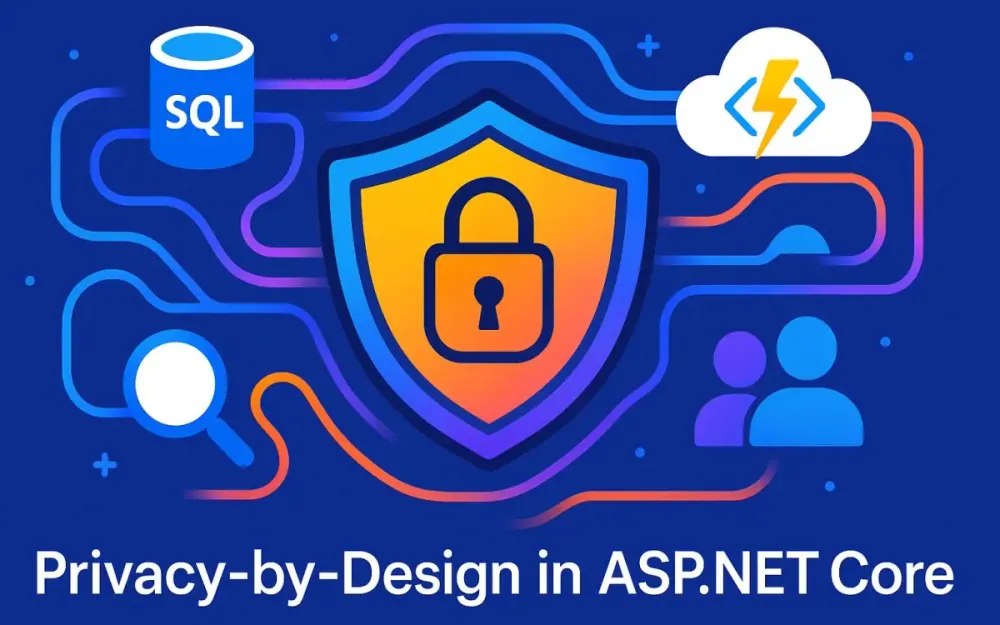
This article takes a deep dive into applying Privacy-by-Design (PbD) principles in an ASP.NET Core ecosystem. We’ll walk through data discovery with Microsoft Purview, encryption strategies, consent management, and DSAR automation with Azure Functions—all from the perspective of architects and senior developers who need solutions that scale without slowing down delivery.
1.1 The Modern Data Liability
For years, data was described as “the new oil.” Companies hoarded it, assuming that volume translated into value. But the analogy has shifted: data is now seen as nuclear material—highly valuable if harnessed responsibly, but toxic and costly if mismanaged.
A few numbers illustrate the stakes:
- In 2024, the average global cost of a data breach exceeded $4.45 million USD (IBM Cost of a Data Breach report).
- GDPR fines can reach 4% of annual global turnover or €20 million, whichever is higher.
- Under CCPA/CPRA, companies face statutory damages per affected consumer, leading to potentially massive class-action liabilities.
The reputational costs are even higher. Customers desert companies that mishandle data, and partners may hesitate to integrate with systems that aren’t demonstrably secure.
For architects, this means that privacy debt is as real as technical debt. Postponing privacy considerations until later in the lifecycle creates fragile systems and reactive patchwork solutions. Building privacy into the design—early and consistently—is the only sustainable path.
1.2 What is Privacy-by-Design (PbD)?
The Privacy-by-Design framework, originally articulated by Dr. Ann Cavoukian, consists of seven foundational principles. These are often discussed at the policy level, but let’s translate them into software architecture terms:
-
Proactive not Reactive Build controls that prevent privacy incidents, not just respond to them. Example in ASP.NET Core: Implement request-time PII masking middleware instead of relying solely on log redaction after a breach.
-
Privacy as the Default Collect the least amount of data necessary, and protect it automatically. Implementation detail: Default DTO mappers exclude fields without explicit
[PiiClassification]attributes. -
Privacy Embedded into Design Make privacy considerations part of every design diagram. Implementation detail: Add data classification annotations as part of API specifications in OpenAPI/Swagger.
-
Full Functionality – Positive-Sum, not Zero-Sum Privacy should not mean losing business value. Implementation detail: Use tokenization so analytics teams can operate without raw PII.
-
End-to-End Security – Lifecycle Protection Protect data at collection, use, storage, and deletion stages. Implementation detail: Encrypt at rest with Always Encrypted, in transit with TLS, and automate DSAR erasure with Azure Functions.
-
Visibility and Transparency Make it clear how data is handled. Implementation detail: Tamper-evident logs stored in immutable blob storage for compliance reviews.
-
Respect for User Privacy – Keep it User-Centric Provide accessible consent choices and enforce them technically. Implementation detail: Enforce purpose-based data minimization at middleware level before handing data to controllers.
As architects, our role is to map these principles into concrete code paths, services, and workflows.
1.3 The Solution at a Glance
The solution we’ll explore throughout this series rests on a layered architecture that integrates Microsoft Purview, ASP.NET Core, and Azure Functions:
- ASP.NET Core API Layer: Entry point for user requests, enriched with middleware for PII masking, consent enforcement, and auditing.
- Microsoft Purview: Automated discovery and classification of sensitive data across SQL, Blob Storage, and other sources.
- Azure SQL with Always Encrypted + Key Vault: Protects data at rest and ensures cryptographic separation of duties.
- Consent & Audit Services: Backed by SQL/Blob Storage with WORM immutability for evidentiary trails.
- Durable Functions: Orchestrates long-running Data Subject Access Requests (DSARs) for access and erasure.
Visually, think of it as:
User -> API Gateway -> ASP.NET Core -> Purview Metadata Cache
                               |-> SQL (Encrypted, Classified)
                               |-> Blob Storage
                               |-> Durable Functions (DSAR Orchestration)
This ecosystem doesn’t just check compliance boxes; it creates a privacy-aware runtime environment that enforces policy with code.
1.4 Who This Article Is For
This guide is written for senior developers, technical leads, and solution architects who are responsible for designing or modernizing ASP.NET Core applications in enterprise settings.
Prerequisites you’ll need:
- Solid understanding of C# and ASP.NET Core (6.0/7.0+)
- Working knowledge of Entity Framework Core and API design
- Familiarity with Azure basics (Azure SQL, Key Vault, Functions)
- Awareness of privacy regulations (GDPR, CCPA) at a conceptual level
If you’re comfortable designing distributed systems and want to embed proactive privacy protections, you’re in the right place.
2 Phase 1: Know Your Data - Automated PII Discovery and Classification
Before you can protect data, encrypt it, or minimize its exposure, you first need to know what data you have and where it resides. This may sound obvious, but in practice, many organizations struggle with “dark data”—unclassified, forgotten, or poorly cataloged information sitting in databases, file shares, or blob storage. Dark data is both a compliance risk and a potential breach vector.
2.1 The Problem of “Dark Data”
Consider a typical enterprise: customer data may exist in the main SQL database, logs, analytics stores, backups, and ad-hoc Excel files uploaded to blob storage. Developers may copy production data to staging environments. Over time, sensitive information proliferates, and no one has a complete map of where personally identifiable information (PII) lives.
This creates three key risks:
- Unknown Exposure: If you don’t know which columns contain PII, you can’t properly encrypt or mask them.
- Compliance Blind Spots: During a DSAR (data subject access request), failure to discover all relevant data can lead to non-compliance.
- Security Misalignment: Security budgets may be spent broadly instead of protecting the truly sensitive data assets.
From an architectural perspective, the solution requires automated discovery and classification—manual inventories are neither accurate nor sustainable.
2.2 Introducing Microsoft Purview
Microsoft Purview (formerly Azure Purview) is a unified data governance service designed precisely for this challenge. Its key capabilities relevant to architects are:
- Automated Scanning: Purview can connect to Azure SQL, Blob Storage, Cosmos DB, Power BI, and on-premises databases to scan for data.
- Built-in Classifiers: It comes with 200+ built-in classifiers, including common identifiers like email addresses, SSNs, and credit card numbers.
- Custom Classifiers: You can define regex or dictionary-based classifiers for organization-specific formats (e.g., internal customer IDs).
- Sensitivity Labels & Lineage: It automatically applies labels and provides lineage tracking, so you can see how data flows between systems.
- REST API & SDKs: Applications can query the Purview catalog to inform runtime or build-time decisions.
In short, Purview gives you the map of your data landscape—something you can feed back into your ASP.NET Core applications.
2.3 Practical Implementation: Scanning an Azure SQL Database
Let’s walk through a concrete example: setting up Purview to scan an Azure SQL Database for PII.
2.3.1 Setting Up Purview
-
Create a Purview Account in the Azure Portal.
az purview account create \ --name my-purview-account \ --resource-group rg-privacy \ --location eastus -
Register the Data Source (Azure SQL Database). Navigate to your Purview Studio, select Sources → Register → Azure SQL Database.
-
Assign Permissions. Purview needs a managed identity with at least Reader permissions on the SQL database.
az sql server ad-admin create \
    --resource-group rg-privacy \
    --server my-sql-server \
    --display-name "Purview MSI" \
    --object-id <purview-managed-identity-id>
2.3.2 Creating a Scan Rule Set
Purview uses scan rule sets to determine what to look for. By default, it includes common classifiers, but you can extend them.
Example: Adding a custom regex for internal Customer IDs (format: CUST-XXXXXX):
{
  "kind": "Regex",
  "name": "InternalCustomerId",
  "pattern": "CUST-[0-9]{6}",
  "description": "Internal customer identifier",
  "classification": "Confidential - Internal"
}
You can create this via the Purview REST API or the Studio interface. Once added, include it in your scan rule set alongside built-in rules (like CreditCardNumber, US_SocialSecurityNumber).
Start the scan:
az purview scan run \
    --account-name my-purview-account \
    --name sql-scan-01 \
    --data-source my-sql-database \
    --scan-rule-set custom-scan-rules
2.3.3 Interpreting the Results
After the scan, you can navigate to the Purview Data Catalog and inspect classified assets:
- EmailAddress → marked as
Confidential - PII - PhoneNumber → marked as
Confidential - PII - CustomerId → recognized via your custom regex, labeled
Confidential - Internal
Architecturally, this gives you metadata that describes which fields contain PII and how sensitive they are. This metadata becomes the foundation for enforcing policies in your API.
2.4 Bridging Purview Intelligence to Your Application
Discovery is valuable, but the real power comes from connecting Purview’s insights back into your ASP.NET Core application.
There are two common patterns:
-
Build-Time Integration
- During CI/CD, query the Purview API for schema metadata.
- Generate C# attributes (
[PiiClassification]) and decorate your DTOs automatically. - Example: A pipeline step that uses Purview metadata to annotate generated EF Core models.
-
Runtime Integration via Metadata Cache
- Use Purview webhooks or scheduled jobs to export metadata into a local cache (e.g., Redis or SQL table).
- Middleware queries this cache at runtime to enforce masking, tokenization, or consent checks dynamically.
For example, a background service could fetch metadata:
public class PurviewMetadataFetcher : BackgroundService
{
    private readonly IPurviewClient _purviewClient;
    private readonly IMetadataCache _cache;

    protected override async Task ExecuteAsync(CancellationToken stoppingToken)
    {
        while (!stoppingToken.IsCancellationRequested)
        {
            var metadata = await _purviewClient.GetClassificationsAsync("AzureSQL");
            await _cache.UpdateAsync(metadata);
            await Task.Delay(TimeSpan.FromHours(12), stoppingToken);
        }
    }
}
This ensures your API middleware always has up-to-date knowledge of which fields are PII and how to treat them.
3 Phase 2: Fortifying the Foundation - Data-at-Rest Protection
Knowing where PII resides is only the first battle. The next line of defense is ensuring that even if an attacker gains access to your storage systems, the data remains unintelligible without the right cryptographic keys. Application-layer controls like masking or consent checks are important, but they operate on data already decrypted in memory. To build true defense in depth, we need to harden the database layer itself, preventing plaintext exposure at rest.
3.1 Defense in Depth at the Database Layer
A common architectural pitfall is assuming that application-level security—authentication, authorization, and API-level masking—is sufficient to protect sensitive data. While these controls reduce misuse through legitimate channels, they do not cover database compromise scenarios. Consider:
- A disgruntled admin running ad-hoc SQL queries.
- A leaked connection string granting unauthorized direct access.
- Backups stored in unsecured locations.
Without encryption at rest, sensitive fields such as Email, NationalID, or CreditCardNumber are trivially exposed. Relying solely on database Transparent Data Encryption (TDE) is also insufficient, because TDE only protects against disk theft scenarios; once connected to the database, data appears in plaintext to anyone with query access.
This is why column-level encryption with Always Encrypted is critical. It ensures that the database engine itself never sees sensitive values in plaintext, shifting decryption responsibilities to the application layer, controlled by keys stored in Azure Key Vault.
3.2 Implementing Azure SQL Always Encrypted
Always Encrypted was designed with the principle of separation of duties in mind. DBAs can administer the database, but they cannot read sensitive values. Applications using approved keys can still perform operations transparently.
3.2.1 Concepts
There are two main cryptographic building blocks:
-
Column Master Key (CMK):
- Root key material stored outside the database (typically in Azure Key Vault).
- Protects Column Encryption Keys.
- Only the application with access to the Key Vault can use it.
-
Column Encryption Key (CEK):
- A database-level object derived from the CMK.
- Used to encrypt/decrypt specific columns.
- Each sensitive column references a CEK.
With this model, the database engine never handles plaintext data. The client driver (ADO.NET, EF Core, etc.) performs decryption in memory after fetching data, as long as it can access the CMK in Key Vault.
3.2.2 Deterministic vs. Randomized Encryption
When configuring encrypted columns, you must choose between Deterministic and Randomized encryption:
-
Deterministic encryption:
- Always produces the same ciphertext for the same plaintext.
- Enables equality operations, e.g.,
WHERE SSN = '123-45-6789'. - Trade-off: susceptible to frequency analysis attacks.
-
Randomized encryption:
- Produces different ciphertext each time, even for identical values.
- Provides stronger confidentiality.
- Cannot be used in queries that require equality joins or filters.
The architectural guideline is simple:
- Use Deterministic for identifiers where lookup functionality is required (
SSN,NationalID). - Use Randomized for sensitive attributes used only for display or reporting (
Email,Notes).
Mixing both in the same table is common and expected.
3.2.3 Code Example
Let’s design a Customers table with two sensitive columns:
SSN(deterministic, supports lookup).Email(randomized, stronger protection).
-- Step 1: Create a Column Master Key in Key Vault (outside SQL)
-- This step is managed via Azure Portal or PowerShell, not SQL.

-- Step 2: Register the Column Master Key in SQL
CREATE COLUMN MASTER KEY CMK_AzureKeyVault
WITH (
    KEY_STORE_PROVIDER_NAME = N'AZURE_KEY_VAULT',
    KEY_PATH = 'https://my-keyvault.vault.azure.net/keys/customer-cmk/1234567890abcdef'
);

-- Step 3: Create a Column Encryption Key using the CMK
CREATE COLUMN ENCRYPTION KEY CEK_Customers
WITH VALUES (
    COLUMN_MASTER_KEY = CMK_AzureKeyVault,
    ALGORITHM = 'RSA_OAEP',
    ENCRYPTED_VALUE = <encrypted-value-here>
);

-- Step 4: Create Customers table with Always Encrypted columns
CREATE TABLE Customers (
    CustomerId INT IDENTITY PRIMARY KEY,
    FullName NVARCHAR(200) NOT NULL,
    Email NVARCHAR(256) COLLATE Latin1_General_BIN2
        ENCRYPTED WITH (
            COLUMN_ENCRYPTION_KEY = CEK_Customers,
            ENCRYPTION_TYPE = Randomized,
            ALGORITHM = 'AEAD_AES_256_CBC_HMAC_SHA_256'
        ) NOT NULL,
    SSN CHAR(11) COLLATE Latin1_General_BIN2
        ENCRYPTED WITH (
            COLUMN_ENCRYPTION_KEY = CEK_Customers,
            ENCRYPTION_TYPE = Deterministic,
            ALGORITHM = 'AEAD_AES_256_CBC_HMAC_SHA_256'
        ) NOT NULL
);
From an application perspective, querying this table looks identical to normal SQL. The driver transparently decrypts values if it has Key Vault access. If not, only ciphertext is returned.
3.3 The Role of Azure Key Vault
At the heart of Always Encrypted is Azure Key Vault, which acts as the root of trust:
- Stores CMKs securely.
- Provides fine-grained access control via RBAC and Azure AD.
- Eliminates the need for connection strings with secrets.
A best practice is to enable Managed Identity for your ASP.NET Core app service. This way, the app can request a token to access Key Vault without embedding credentials.
Example: Configuring Managed Identity in ASP.NET Core
-
Enable Managed Identity in the Azure Portal for your App Service.
-
Assign Key Vault permissions to the identity:
az keyvault set-policy \
    --name my-keyvault \
    --object-id <app-service-principal-id> \
--key-permissions get unwrapKey wrapKey- Configure Key Vault access in ASP.NET Core:
var builder = WebApplication.CreateBuilder(args);

builder.Configuration.AddAzureKeyVault(
    new Uri("https://my-keyvault.vault.azure.net/"),
    new DefaultAzureCredential()
);

var app = builder.Build();
Now the application can transparently decrypt database values, but if someone connects directly to SQL without proper Key Vault access, they’ll see only ciphertext. This separation of duties is exactly the kind of defense in depth regulators expect.
4 Phase 3: The Privacy-Aware API Layer in ASP.NET Core
Once sensitive data has been classified and encrypted at rest, the next challenge is controlling how it flows through your ASP.NET Core APIs. This is the layer where data leaves your systems, often heading toward untrusted clients—browsers, mobile apps, or third-party integrators. If privacy isn’t enforced here, everything you did in the storage layer can be undone in a single API response.
This phase focuses on embedding privacy awareness directly into the API edge, combining declarative metadata, intelligent middleware, and consent-driven minimization. By the end, you’ll see how to make privacy a first-class runtime concern, not just a documentation checkbox.
4.1 Shifting Left: Building Privacy into the API Edge
Traditionally, data privacy checks were applied late in the process: data governance tools would monitor logs, compliance officers would audit queries, or APIs would sanitize responses on a case-by-case basis. These approaches fail in distributed systems because:
- Inconsistency: Developers forget to add checks, leading to accidental leaks.
- Duplication: Each endpoint reimplements similar logic, creating drift.
- Latency: Privacy bugs are discovered weeks after release, in production.
The solution is to shift left. That means:
- Privacy is enforced at the model layer with metadata.
- Privacy is enforced at the middleware layer, automatically applied to every response.
- Controllers and services operate on full DTOs, but sensitive data is redacted, tokenized, or removed before leaving the boundary.
This provides two advantages:
- Developers focus on business logic, without worrying about privacy enforcement in each endpoint.
- Security and compliance teams can rely on a centralized enforcement point, making audits and testing more predictable.
Think of it as an ASP.NET Core privacy firewall, operating in the same request pipeline as authentication or logging middleware.
4.2 Declarative PII Handling with Custom Attributes
Metadata-driven development is the cornerstone of privacy-aware APIs. Instead of keeping PII knowledge in tribal memory or spreadsheets, we attach it directly to the data models.
4.2.1 Creating a [PiiClassification] Attribute
A well-designed attribute carries enough metadata to describe the type, sensitivity, and purpose of each PII field. These align with classifications coming from Purview scans.
[AttributeUsage(AttributeTargets.Property, AllowMultiple = false)]
public class PiiClassificationAttribute : Attribute
{
    public string Name { get; }
    public string Sensitivity { get; }
    public string Purpose { get; }

    public PiiClassificationAttribute(string name, string sensitivity, string purpose = null)
    {
        Name = name;
        Sensitivity = sensitivity;
        Purpose = purpose;
    }
}
Example usage on a DTO:
public class CustomerDto
{
    public int CustomerId { get; set; }

    [PiiClassification("EmailAddress", "High", Purpose = "Marketing")]
    public string Email { get; set; }

    [PiiClassification("SSN", "Critical", Purpose = "Billing")]
    public string Ssn { get; set; }

    public string Region { get; set; }
}
With this metadata, the application knows exactly:
- Which properties contain PII.
- How sensitive they are.
- Under what business purpose they should be exposed.
Downstream middleware can then decide: redact, tokenize, or strip.
4.3 Building Intelligent Middleware for Data Masking
The next step is building ASP.NET Core middleware that automatically inspects outgoing JSON responses, applies privacy rules, and rewrites the body before sending it to clients.
4.3.1 Middleware Logic
A simplified implementation might look like this:
public class PiiEnforcementMiddleware
{
    private readonly RequestDelegate _next;
    private readonly ITokenizationService _tokenService;
    private readonly IConsentService _consentService;

    public PiiEnforcementMiddleware(RequestDelegate next,
        ITokenizationService tokenService,
        IConsentService consentService)
    {
        _next = next;
        _tokenService = tokenService;
        _consentService = consentService;
    }

    public async Task InvokeAsync(HttpContext context)
    {
        var originalBodyStream = context.Response.Body;

        using var newBody = new MemoryStream();
        context.Response.Body = newBody;

        await _next(context); // Let controller execute

        newBody.Seek(0, SeekOrigin.Begin);
        var responseText = await new StreamReader(newBody).ReadToEndAsync();

        if (context.Response.ContentType?.Contains("application/json") == true)
        {
            var modified = ApplyPrivacyRules(responseText, context.User);
            var bytes = Encoding.UTF8.GetBytes(modified);
            await originalBodyStream.WriteAsync(bytes, 0, bytes.Length);
        }
        else
        {
            await newBody.CopyToAsync(originalBodyStream);
        }
    }

    private string ApplyPrivacyRules(string json, ClaimsPrincipal user)
    {
        // Deserialize JSON into dynamic objects or DTOs
        var obj = JsonSerializer.Deserialize<JsonElement>(json);

        // Walk through object tree, find properties with [PiiClassification]
        // Apply redaction/tokenization/minimization rules
        // Serialize back to JSON

        return JsonSerializer.Serialize(obj);
    }
}
This middleware ensures that all JSON responses are intercepted. The ApplyPrivacyRules method applies actual classification logic, looking at DTO attributes via reflection or cached metadata.
You can register it in Program.cs:
app.UseMiddleware<PiiEnforcementMiddleware>();From here, every controller action benefits automatically.
4.3.2 Implementing Redaction and Tokenization
There are two dominant enforcement strategies:
Redaction
Use redaction when the user needs partial visibility of the data, but not the full value. For example, showing only the last 4 digits of an SSN.
public static class RedactionRules
{
    public static string RedactSsn(string ssn)
    {
        if (string.IsNullOrEmpty(ssn) || ssn.Length < 4)
            return "***-**-****";
        return $"XXX-XX-{ssn[^4..]}";
    }

    public static string RedactEmail(string email)
    {
        if (string.IsNullOrWhiteSpace(email)) return "*****";
        var parts = email.Split('@');
        return $"{parts[0][0]}***@{parts[1]}";
    }
}
Tokenization
Use tokenization when downstream systems need to reference the data without exposure. For example, an analytics system might store tokenized values while the original stays in a secure vault.
public interface ITokenizationService
{
    string Tokenize(string value);
    string Detokenize(string token);
}

public class InMemoryTokenizationService : ITokenizationService
{
    private readonly Dictionary<string, string> _store = new();

    public string Tokenize(string value)
    {
        var token = Convert.ToBase64String(Guid.NewGuid().ToByteArray());
        _store[token] = value;
        return token;
    }

    public string Detokenize(string token) =>
        _store.TryGetValue(token, out var val) ? val : null;
}
For enterprise-scale, replace the in-memory dictionary with a database or Azure service designed for tokenization. The critical principle: clients see a safe token, not the raw PII.
4.4 Data Minimization through Purpose-Based Access Control
The final layer of API privacy enforcement is minimization: only return fields that are strictly necessary for the current purpose, and only when the user has consented.
4.4.1 Consent-Driven Logic
Because each [PiiClassification] attribute carries a Purpose, middleware can compare that against the user’s consent record. If the user hasn’t consented to a given purpose, the property is stripped or nulled out before serialization.
Pseudocode inside the enforcement middleware:
foreach (var property in dto.GetType().GetProperties())
{
    var attr = property.GetCustomAttribute<PiiClassificationAttribute>();
    if (attr != null && !userConsent.Allows(attr.Purpose))
    {
        property.SetValue(dto, null);
    }
}
This pattern enforces purpose limitation, a GDPR principle that data collected for one reason (e.g., billing) must not be reused for another (e.g., marketing) without explicit consent.
4.4.2 Example
Suppose you have an API endpoint:
[HttpGet("api/billing/{id}")]
public ActionResult<CustomerDto> GetBillingData(int id)
{
    var dto = _billingService.GetCustomer(id);
    return Ok(dto);
}
The DTO contains:
[PiiClassification("EmailAddress", "High", Purpose = "Marketing")]
public string Email { get; set; }

[PiiClassification("SSN", "Critical", Purpose = "Billing")]
public string Ssn { get; set; }- If the user has consented to billing but not marketing, the middleware returns JSON with
Ssnintact butEmailset tonull. - If the user later consents to marketing, the middleware starts including
Emailwithout code changes to the controller.
This makes privacy enforcement policy-driven, not developer-dependent.
5 Phase 4: Consent and Auditing - Creating an Evidentiary Trail
Encryption and API-level masking provide strong technical safeguards, but they do not address the question of user choice or regulatory accountability. Modern privacy regulations mandate not only that data be protected, but also that users be given meaningful control over how their information is used. At the same time, organizations must be able to demonstrate, with evidence, how and when those controls were applied. This is where consent management and tamper-evident auditing come in.
Consent and auditing are the legal “guardrails” of privacy engineering. Without them, your architecture may be technically secure, but legally and operationally vulnerable. In this section, we’ll engineer a minimal yet scalable consent system and extend our logging practices to create an immutable evidentiary trail.
5.1 Engineering Consent Management
Consent management is the system by which users express preferences (e.g., opting in to marketing emails, agreeing to billing data usage) and by which those preferences are enforced by the API middleware. The challenge is creating a schema and API that are simple enough to implement, flexible enough to handle multiple consent types, and auditable enough to satisfy regulators.
5.1.1 Database Schema
A consent schema should capture the who, what, when, and version of each decision. The following minimal schema balances normalization with query efficiency:
CREATE TABLE UserConsents (
    UserId UNIQUEIDENTIFIER NOT NULL,
    ConsentType NVARCHAR(100) NOT NULL,
    IsGranted BIT NOT NULL,
    Timestamp DATETIMEOFFSET NOT NULL DEFAULT SYSUTCDATETIME(),
    Version INT NOT NULL DEFAULT 1,
    PRIMARY KEY (UserId, ConsentType, Version)
);
Key points:
- UserId uniquely identifies the subject.
- ConsentType is an enumerated value (e.g.,
MarketingAnalytics,Billing,DataSharing). - IsGranted is a binary flag for simplicity. If nuanced states are required (e.g., “Pending”), this can evolve into a status column.
- Timestamp ensures you can reconstruct the consent state at any point in time.
- Version allows versioning of consent terms (e.g., a new privacy policy rollout).
This schema enables you to answer queries such as: “What was the user’s consent state on March 1, 2025, for MarketingAnalytics v2?”
5.1.2 Consent API Endpoints
To expose consent management, we can add endpoints to our ASP.NET Core API. Let’s define two endpoints:
POST /consent– to record or update user consent.GET /consent/{userId}– to retrieve the latest consent state for a user.
Example controller:
[ApiController]
[Route("api/[controller]")]
public class ConsentController : ControllerBase
{
    private readonly IConsentRepository _repository;

    public ConsentController(IConsentRepository repository)
    {
        _repository = repository;
    }

    [HttpPost]
    public async Task<IActionResult> PostConsent([FromBody] ConsentDto dto)
    {
        await _repository.AddConsentAsync(dto);
        return Ok(new { message = "Consent recorded." });
    }

    [HttpGet("{userId}")]
    public async Task<ActionResult<IEnumerable<ConsentDto>>> GetConsent(Guid userId)
    {
        var consents = await _repository.GetConsentsAsync(userId);
        return Ok(consents);
    }
}
DTOs and repository:
public class ConsentDto
{
    public Guid UserId { get; set; }
    public string ConsentType { get; set; }
    public bool IsGranted { get; set; }
    public int Version { get; set; }
    public DateTimeOffset Timestamp { get; set; }
}

public interface IConsentRepository
{
    Task AddConsentAsync(ConsentDto dto);
    Task<IEnumerable<ConsentDto>> GetConsentsAsync(Guid userId);
}
When combined with the [PiiClassification(Purpose="...")] attributes in the middleware, this API ensures consent is not just recorded but technically enforced across your system.
5.2 Tamper-Evident Audit Logging: The Cornerstone of Accountability
Consent records alone are not enough. Regulators and courts increasingly require an immutable audit trail to prove that your organization handled personal data responsibly. Logs are your black box flight recorder—evidence that you applied controls correctly and consistently.
5.2.1 Structured Logging with Serilog
Plaintext logs are difficult to query, correlate, or analyze. Structured logs, on the other hand, provide rich, queryable events. In ASP.NET Core, Serilog is the de facto standard for structured logging, with support for JSON output and sinks to Azure Monitor.
Install the NuGet package:
dotnet add package Serilog.AspNetCore
dotnet add package Serilog.Sinks.AzureAnalytics
Configure in Program.cs:
Log.Logger = new LoggerConfiguration()
    .Enrich.FromLogContext()
    .WriteTo.Console()
    .WriteTo.AzureAnalytics(
        workspaceId: "<workspace-id>",
        authenticationId: "<auth-key>",
        logName: "PrivacyAuditLogs")
    .CreateLogger();

builder.Host.UseSerilog();
Now, when a critical privacy event occurs, you can log it as JSON:
Log.Information("ConsentChanged {@AuditEvent}", new
{
    Timestamp = DateTimeOffset.UtcNow,
    UserId = userId,
    Action = "ConsentChanged",
    DataClassification = "Marketing",
    IsGranted = true,
    IPAddress = HttpContext.Connection.RemoteIpAddress?.ToString()
});
This event is queryable in Azure Log Analytics, enabling dashboards, alerts, and compliance reports.
5.2.2 Long-Term Immutable Storage
For certain classes of events—like DSAR requests, consent revocations, or breaches—you need more than searchable logs. You need tamper-evident, legally defensible records. Azure Blob Storage supports this via WORM (Write-Once, Read-Many) immutability policies.
Configuring immutability:
az storage container create \
  --name auditevents \
  --account-name myauditstorage \
  --auth-mode login \
  --public-access off \
  --immutability true
You can then set a retention policy:
az storage container immutability-policy create \
  --account-name myauditstorage \
  --container-name auditevents \
  --period 365
Writing an audit record:
var blobClient = containerClient.GetBlobClient($"dsar-{requestId}.json");
await blobClient.UploadAsync(
    BinaryData.FromObjectAsJson(auditEvent),
    overwrite: false);
Once uploaded, the record is immutable for 365 days. This ensures a regulator or auditor can verify that no one in your organization tampered with the evidence.
6 Phase 5: The Final Mile - Automating DSAR with Durable Functions
With discovery, encryption, consent, and auditing in place, the final piece is Data Subject Access Requests (DSARs). Regulations like GDPR and CCPA give users the right to access, export, or erase their personal data. DSARs are challenging because they are:
- Long-running: Some take hours or days to complete.
- Distributed: Data may reside across multiple databases, storage accounts, and SaaS systems.
- Complex: They may involve human review steps before finalization.
These characteristics make Azure Durable Functions a natural fit. Durable Functions provide an orchestration framework for stateful workflows, allowing fan-out/fan-in patterns, retries, and human interaction.
6.1 Why Durable Functions are Perfect for DSAR
Traditional functions are stateless and short-lived. DSAR workflows, by contrast, require:
- State persistence across multiple invocations.
- Orchestration of parallel queries across heterogeneous data stores.
- The ability to pause (e.g., waiting for a compliance officer’s approval).
- Auditability of every step.
Durable Functions implement the orchestrator/activity pattern, where an orchestrator manages state and sequences calls to activity functions. This matches DSAR needs exactly.
6.2 Designing the DSAR Orchestration Workflow
Let’s break down the workflow into orchestrator steps and activities.
6.2.1 HttpStart Trigger
The entry point is an HTTP-triggered function:
[FunctionName("HttpStart")]
public async Task<HttpResponseMessage> HttpStart(
    [HttpTrigger(AuthorizationLevel.Function, "post", Route = "dsar/{userId}")] HttpRequestMessage req,
    [DurableClient] IDurableOrchestrationClient starter,
    string userId)
{
    var queryParams = req.RequestUri.ParseQueryString();
    var type = queryParams["type"];

    var instanceId = await starter.StartNewAsync("DsarOrchestrator", (userId, type));

    return starter.CreateCheckStatusResponse(req, instanceId);
}
This starts the DSAR orchestration for either access or erasure.
6.2.2 Activity_ValidateRequest
Before processing, validate the identity of the requester:
[FunctionName("Activity_ValidateRequest")]
public static async Task<bool> ValidateRequest([ActivityTrigger] string userId, ILogger log)
{
    // Verify user identity using MFA, signed token, or identity provider
    log.LogInformation($"Validating DSAR request for {userId}");
    return await Task.FromResult(true);
}
6.2.3 Activity_FanOutDataDiscovery
Next, query a central configuration store to identify all systems holding PII for this user.
[FunctionName("Activity_FanOutDataDiscovery")]
public static async Task<List<string>> FanOutDataDiscovery([ActivityTrigger] string userId, ILogger log)
{
    // Example: Look up data sources in a config table
    return new List<string> { "AzureSql", "BlobStorage", "CosmosDb" };
}
6.2.4 The Fan-Out/Fan-In Pattern
The orchestrator fans out calls to gather data from each system.
[FunctionName("DsarOrchestrator")]
public static async Task RunOrchestrator([OrchestrationTrigger] IDurableOrchestrationContext context)
{
    var (userId, type) = context.GetInput<(string, string)>();

    var validated = await context.CallActivityAsync<bool>("Activity_ValidateRequest", userId);
    if (!validated) throw new Exception("Validation failed");

    var sources = await context.CallActivityAsync<List<string>>("Activity_FanOutDataDiscovery", userId);

    var tasks = new List<Task<object>>();
    foreach (var source in sources)
    {
        tasks.Add(context.CallActivityAsync<object>($"Activity_GetDataFrom{source}", userId));
    }

    var results = await Task.WhenAll(tasks);

    await context.CallActivityAsync("Activity_ProcessRequest", (userId, type, results));
}
6.2.5 Activity_ProcessRequest
Processing depends on request type:
[FunctionName("Activity_ProcessRequest")]
public static async Task ProcessRequest([ActivityTrigger] IDurableActivityContext ctx, ILogger log)
{
    var (userId, type, results) = ctx.GetInput<(string, string, object[])>();

    if (type == "access")
    {
        var json = JsonSerializer.Serialize(results);
        var zipPath = await PackageAsZipAsync(userId, json);
        log.LogInformation($"DSAR access package created for {userId}");
    }
    else if (type == "erasure")
    {
        foreach (var source in results)
        {
            await AnonymizeDataAsync(userId, source);
        }
        log.LogInformation($"DSAR erasure completed for {userId}");
    }
}
Erasure strategies include:
- Soft deletion: Mark records inactive.
- Hard deletion: Physically remove rows/blobs.
- Cryptographic erasure: Delete the encryption key associated with the user’s data. This is fast and irreversible but requires key-per-user design.
6.2.6 Activity_FinalizeAndNotify
Finally, persist the results, log the event immutably, and notify the user.
[FunctionName("Activity_FinalizeAndNotify")]
public static async Task FinalizeAndNotify([ActivityTrigger] string userId, ILogger log)
{
    var sasUrl = await GenerateSasUrlAsync(userId);

    // Immutable audit log
    await WriteToImmutableBlobAsync(new
    {
        Timestamp = DateTimeOffset.UtcNow,
        UserId = userId,
        Action = "DSARCompleted",
        SasUrl = sasUrl
    });

    // Notify user
    await SendEmailAsync(userId, sasUrl);

    log.LogInformation($"DSAR finalized and user {userId} notified.");
}
By chaining these steps, the orchestrator handles complex, multi-system workflows in a reliable, auditable, and scalable manner.
7 Tying It All Together: The End-to-End Architecture
At this point, we’ve explored each layer of the privacy-by-design architecture individually: discovery with Purview, protection with Always Encrypted, runtime enforcement with ASP.NET Core middleware, consent and auditing, and DSAR automation with Durable Functions. But solutions rarely live in isolation. The real value comes from stitching these layers into a coherent end-to-end system where every component reinforces the others. This section visualizes the full architecture and walks through sequence diagrams that demonstrate how the pieces operate together in practice.
7.1 Architectural Blueprint
The blueprint below shows the high-level flow of both normal API requests and DSAR workflows.
                        +------------------+
                        |   API Gateway    |
                        +------------------+
                                |
                                v
                        +------------------+
                        |  ASP.NET Core    |
                        |  Privacy-Aware   |
                        |   API Layer      |
                        +------------------+
                        |   Middleware     |
                        |  PII Redaction   |
                        |  Consent Checks  |
                        +------------------+
                         /      |      \
                        /       |       \
             +----------+   +----------+   +----------------+
             | Azure SQL|   | Purview  |   | Consent DB /   |
             |  (Always |   | Metadata |   | Audit Logs     |
             | Encrypted|   | Catalog  |   | (Serilog + WORM|
             +----------+   +----------+   +----------------+
                               |
                               v
                      +------------------+
                      | Durable Functions|
                      |   DSAR Engine    |
                      +------------------+
                               |
                     +----------------------+
                     |   Blob Storage       |
                     |   (DSAR Packages,    |
                     |   Immutable Logs)    |
                     +----------------------+
Key flows:
- Standard API requests: User → API Gateway → ASP.NET Core → Privacy Middleware → SQL (decrypted via Key Vault) → Response → Middleware redacts/tokenizes before response.
- DSAR requests: User → API Gateway → Durable Function Orchestrator → Fan-out to SQL, Blob Storage, Cosmos DB → Consolidated DSAR package → Immutable log + Blob Storage SAS link → User notified.
- Consent/Audit events: Logged via Serilog to Azure Monitor and persisted to Blob with WORM for evidentiary trail.
This layered design ensures that every data touchpoint is wrapped in privacy controls, whether that’s at discovery, runtime, or compliance response.
7.2 Sequence Diagrams
Architecture diagrams show relationships; sequence diagrams illustrate time-ordered interactions. Below are two representative flows.
7.2.1 GET /api/users/me Request
Client            API Gateway        ASP.NET Core API         Middleware             SQL DB             Key Vault
  |----------------->|                     |                      |                      |                  |
  |  GET /users/me   |-------------------->|                      |                      |                  |
  |                  |                     | Query User Profile   |--------------------->|                  |
  |                  |                     |                      |  Encrypted SSN/Email |                  |
  |                  |                     |                      |<---------------------|                  |
  |                  |                     | Decrypt via driver   |----------------------------------------->|
  |                  |                     |                      | Decrypted SSN/Email |                  |
  |                  |                     |                      | Apply Redaction/Consent                  |
  |                  |                     |                      | Replace SSN with XXX-XX-1234              |
  |                  |                     | Return JSON          |                                          |
  |<---------------------------------------|                      |                                          |
  |  { "ssn": "XXX-XX-1234", "email": null }                                                            |
Highlights:
- SQL returns encrypted columns.
- Driver decrypts using CEK stored in Key Vault.
- Middleware applies classification rules: SSN redacted, Email suppressed due to lack of marketing consent.
- Final JSON response enforces policy without controller awareness.
7.2.2 DSAR Erasure Request
Client            API Gateway    Durable Orchestrator   Validation Activity    Data Discovery   Parallel Data Fetch
  |----------------->|                  |                      |                   |                    |
  | POST /dsar/123?erasure              |                      |                   |                    |
  |                  |----------------->|                      |                   |                    |
  |                  |                  | Validate Identity    |------------------>|                    |
  |                  |                  |                      | <--- OK --------- |                    |
  |                  |                  | Fan-Out Discovery    |----------------------------------------->|
  |                  |                  |                      | Sources: SQL, Blob, Cosmos               |
  |                  |                  | Parallel Calls       |--------------------------------------->...|
  |                  |                  |                      | DSAR data from all stores                |
  |                  |                  | Process Request (erasure strategy: hard delete / crypto erasure) |
  |                  |                  | Write Immutable Log  |----------------------------------------->|
  |                  |                  | Generate DSAR Report | Save to Blob Storage (time-limited SAS)  |
  |                  |<-----------------| Notify User via Email|                                          |
  |<-------------------------------------------------------------------------------------------|
Highlights:
- Orchestrator controls state and ensures every data store is queried.
- Data erasure is executed consistently, even across heterogeneous systems.
- Immutable logs written to WORM storage for compliance evidence.
- User receives a notification with a secure SAS link confirming request completion.
Together, these diagrams show that the end-to-end architecture is privacy-aware at every step, from routine API calls to complex regulatory workflows.
8 Conclusion: Privacy as a Feature, Not an Afterthought
8.1 Recap of Key Achievements
We’ve walked through a layered architecture that transforms privacy from a reactive compliance checklist into a proactive design principle:
- Phase 1: Automated discovery and classification with Microsoft Purview eliminated dark data risks.
- Phase 2: Defense-in-depth with Azure SQL Always Encrypted and Key Vault ensured that sensitive data at rest is secure by default.
- Phase 3: Declarative attributes and privacy-aware middleware embedded privacy into every ASP.NET Core response.
- Phase 4: Consent management APIs and tamper-evident logs created a user-driven, auditable privacy layer.
- Phase 5: Durable Functions automated DSAR workflows, making access and erasure requests scalable and compliant.
- Phase 7: We unified these components into an end-to-end architecture, supported by sequence diagrams demonstrating privacy enforcement in real requests.
The outcome is a resilient privacy architecture that is both technically sound and legally defensible.
8.2 Beyond the Code: Fostering a Privacy-First Culture
Tools and middleware only go so far if organizational culture does not support them. True Privacy-by-Design requires that every developer, architect, and business stakeholder sees privacy as a shared responsibility.
Key cultural practices:
- Training: Run regular workshops on handling PII securely, including redaction, logging, and consent enforcement.
- Privacy Reviews: Add privacy impact assessments to your architecture review board process.
- Shared Vocabulary: Use Purview’s classification schema as the canonical language for describing data sensitivity across teams.
Privacy becomes sustainable when it’s normalized in design discussions, code reviews, and sprint planning—not just when legal sends an email before a release.
8.3 Future-Proofing Your Architecture
Privacy is a moving target. Emerging technologies will shape how we handle data in the years ahead:
- Differential Privacy: Ensuring that statistical outputs (like analytics or machine learning) cannot be traced back to individuals. This will be crucial for organizations leveraging data for insights without exposing raw PII.
- Homomorphic Encryption: Performing computations directly on encrypted data without decryption. While not production-ready at scale today, this could revolutionize privacy-preserving analytics.
- Federated Learning: Training machine learning models locally on devices or edge nodes, reducing the need to centralize sensitive data.
Architects should track these trends, running proofs of concept to prepare for integration once they reach maturity.
8.4 Final Thoughts
The central message of this guide is simple: privacy is not a bolt-on—it’s a design principle. By embedding Privacy-by-Design into ASP.NET Core applications with Purview, Azure SQL, Key Vault, and Durable Functions, architects can create systems that are secure, compliant, and user-respecting by default.
This investment yields more than regulatory compliance. It builds user trust, reduces breach-related risks, and creates a competitive advantage in a market where consumers increasingly value transparency and security.
Ultimately, privacy is not just about avoiding fines. It’s about earning and maintaining the trust of those whose data you are privileged to handle. And that trust, once lost, is almost impossible to regain.