1 Introduction: Beyond the Algorithm
Every architect knows the temptation of focusing only on the model. But in practice, a recommendation engine is not “just an algorithm”—it’s a living, evolving system. It shapes how people discover products, content, and ideas. It affects user trust, brand loyalty, and business growth.
We’ll begin by grounding the discussion in why personalization matters, then frame the architect’s role in building systems that are not only accurate but also reliable, scalable, and explainable.
1.1 The Trillion-Dollar Question: The Business Imperative of Personalization
Recommendation systems have moved from “nice-to-have” to “business-critical.” In industries like e-commerce, streaming, online education, and social media, the right recommendation can mean the difference between a casual visit and a long-term customer.
Consider some real-world impacts:
- E-commerce: Amazon’s recommendation engine reportedly contributes a significant portion of its revenue, surfacing relevant products users didn’t know they needed.
- Streaming platforms: Netflix estimates that personalized recommendations save it over $1 billion annually in customer retention by keeping viewers engaged.
- Content platforms: YouTube’s “Up Next” feed drives the majority of watch time, optimizing for both click-through and session length.
The business case rests on three pillars:
- Engagement – Recommendations reduce friction in discovery, helping users find what they want faster.
- Retention – Relevant suggestions keep users coming back, increasing lifetime value.
- Revenue – By surfacing high-margin or complementary items, a recommendation engine can directly boost conversions and upsells.
The core goal is moving from a one-size-fits-all experience to a personalized, one-to-one journey, where every user’s interaction history and context shape what they see next.
1.2 An Architect’s Perspective on Recommendation Systems
From the outside, recommendation systems may look like a data science problem: collect data, train a model, generate predictions. But for architects, that’s only the visible tip of the iceberg.
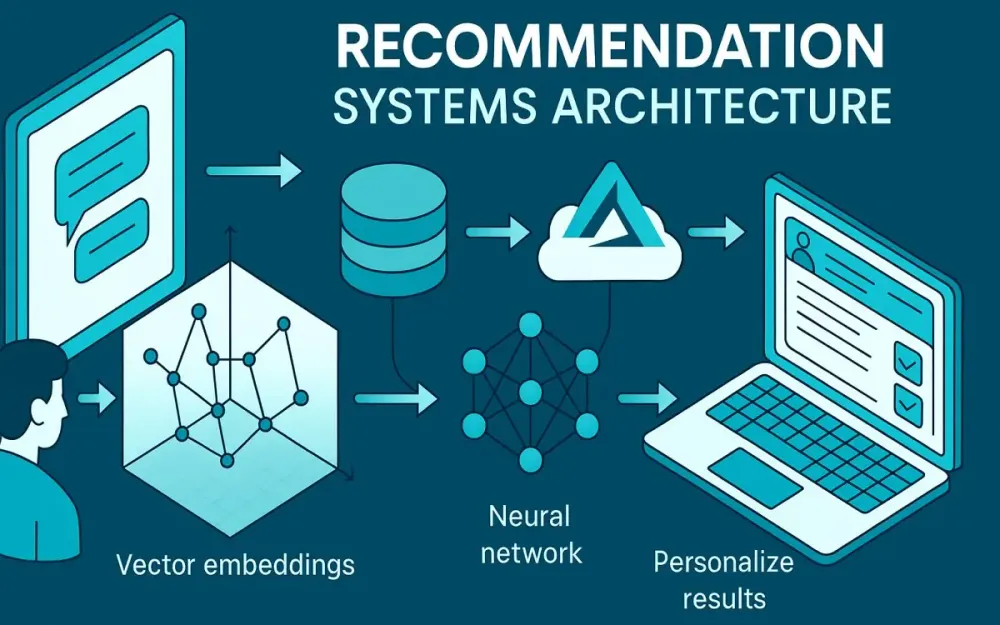
A real-world recommender is an end-to-end system with moving parts across several domains:
- Data pipelines – ingesting and transforming massive streams of user events.
- Model lifecycle management – training, validating, deploying, and retiring models.
- Low-latency serving – responding in milliseconds under heavy load.
- Scalability – handling spikes in usage without degrading quality.
- Observability – monitoring performance and drift to know when to intervene.
Ignoring any of these components risks building a model that works in the lab but fails in production. For architects, the challenge is to design a platform where these capabilities work together seamlessly.
Pro Tip: Treat your recommendation engine as a product—not a project. Its requirements will evolve with user behavior, and so must your architecture.
1.3 A Roadmap for This Guide
In this guide, we’ll take you on a journey from classic recommendation algorithms to a production-grade, cloud-native architecture. We’ll blend theory and practice, showing how each algorithmic choice impacts system design, and culminating in a real-world implementation using Azure services and .NET 9.
Here’s what to expect in the sections ahead:
- Foundations – Understanding collaborative filtering, content-based methods, and the interaction matrix.
- Modern Architectures – Matrix factorization, hybrid models, and deep-learning approaches.
- System Design – Architecting for scale, speed, and resilience.
- Implementation – Azure ML for training, vector search for retrieval, and .NET 9 Minimal APIs for serving.
- Advanced Topics – A/B testing, cold start strategies, and fairness.
- Future Directions – Generative and multi-modal recommendation systems.
By the end, you’ll have both the conceptual framework and the practical patterns needed to design robust, industrial-grade recommenders.
2 The Foundations: Classic Recommendation Techniques
Before we jump into neural networks and large-scale architectures, it’s worth revisiting the foundational methods. These classic techniques not only underpin modern approaches but also remain highly relevant for certain use cases.
2.1 The Core Problem: Predicting the User-Item Interaction Matrix
At the heart of any recommendation system is the user-item interaction matrix. Imagine a grid where:
- Each row represents a user.
- Each column represents an item (movie, product, article).
- Each cell represents the interaction between that user and item.
In practice, this matrix is extremely sparse—most users interact with only a tiny fraction of all available items.
Two main types of feedback populate this matrix:
- Explicit feedback: Direct input from the user, such as star ratings, thumbs-up/down, or written reviews. Example: A 5-star rating for a book.
- Implicit feedback: Inferred from behavior, such as clicks, watch time, purchases, or dwell time. Example: Watching a video to the end implies interest.
Trade-off: Explicit feedback is precise but scarce. Implicit feedback is abundant but noisy. Production systems often combine both, weighting them differently.
Note: The prediction task boils down to estimating the value of empty cells in this matrix—what is the likelihood that a given user will engage with a given item?
2.2 Collaborative Filtering: The Power of the Crowd
Collaborative filtering (CF) works by leveraging the behavior of similar users or items, assuming that past patterns predict future preferences.
2.2.1 User-Based Collaborative Filtering: Finding “Digital Twins”
The intuition here is straightforward: If two users have similar tastes in the past, one user’s past interactions can predict the other’s future interests. For example:
- User A and User B both watched and liked five of the same sci-fi movies.
- User A also liked a sixth movie that User B hasn’t seen.
- We recommend that sixth movie to User B.
Pitfall: This approach requires computing similarity across users, which becomes expensive at scale. For millions of users, naïve similarity computations are prohibitive.
2.2.2 Item-Based Collaborative Filtering: “Customers Who Bought This Also Bought…”
Instead of finding similar users, we find similar items based on the overlap of users who engaged with them. Why it often scales better:
- The number of items is typically smaller than the number of users (in many domains).
- Item similarity changes less frequently than user similarity, making precomputation more effective.
Example: If a large portion of customers who buy a DSLR camera also buy a tripod, the system can recommend tripods to anyone considering that camera.
2.2.3 Architectural Challenge: The Cold Start Problem and Data Sparsity
Both user-based and item-based CF struggle with:
- New users: No interaction history to base recommendations on.
- New items: No user engagement data yet.
- Sparse data: Even popular platforms have sparse matrices—most users have only a handful of interactions.
These challenges motivate hybrid approaches and feature-based methods.
2.3 Content-Based Filtering: The Power of Attributes
Rather than relying on other users’ behavior, content-based filtering uses the attributes of items and the profile of the user to make recommendations.
Example: If a user liked The Matrix, and that movie is tagged with Sci-Fi, Action, Keanu Reeves, the system looks for other items with similar tags.
For textual data, TF-IDF (Term Frequency–Inverse Document Frequency) is a common technique to represent item descriptions as vectors in a feature space. For images, computer vision models can generate feature embeddings.
Pro Tip: Content-based methods are especially valuable for the cold start problem—new items can be recommended based on their attributes before any user interacts with them.
2.3.1 Architectural Challenge: Over-Specialization and the “Filter Bubble” Effect
By recommending only items that are similar to what the user already likes, content-based systems risk narrowing the user’s exposure. This can:
- Reduce discovery of diverse content.
- Limit long-term engagement as novelty declines.
Trade-off: You get highly relevant recommendations in the short term but may reduce user satisfaction over time. Hybrid models can mitigate this.
3 The Bridge to Modern Systems: Latent Factor Models
The foundational algorithms we explored—collaborative filtering and content-based filtering—are effective, but they struggle with scalability, sparsity, and complexity. The early 2000s saw a leap forward with latent factor models, which shift the focus from direct similarity measures to learning hidden representations of users and items. These methods can capture subtle patterns that manual similarity scoring often misses.
3.1 Uncovering Hidden Tastes: Matrix Factorization
Matrix factorization reframes the recommendation problem: instead of directly filling in the missing cells of the user-item interaction matrix, we decompose that matrix into two smaller matrices:
- A user matrix where each row is a vector of latent features representing a user’s preferences.
- An item matrix where each column is a vector of latent features representing an item’s characteristics.
The dot product of a user vector and an item vector estimates the interaction score.
3.1.1 The Intuition
Imagine the user-item matrix as a giant, sparse spreadsheet. Directly modeling it is like trying to memorize the entire table. Instead, factorization compresses this information into a lower-dimensional space—finding the “axes” of preference that explain most of the observed behavior.
For example, a movie recommender’s latent dimensions might implicitly correspond to features like:
- Genre preference (sci-fi vs. romance)
- Preference for plot-driven vs. character-driven stories
- Tolerance for violence or complexity
Users and items are mapped into the same latent space. A high score emerges when a user vector aligns closely with an item vector.
3.1.2 Singular Value Decomposition (SVD)
SVD is a classic linear algebra method for decomposing a matrix into:
M = U × Σ × VᵀHere:
Ucontains the user factors.Σis a diagonal matrix of singular values (importance weights).Vᵀcontains the item factors.
In recommendation systems, truncated SVD keeps only the top k singular values and their corresponding vectors, effectively reducing noise and dimensionality.
Note: Standard SVD requires a complete matrix. For sparse recommendation data, we adapt it using methods like Funk SVD or optimization routines that handle missing entries.
3.1.3 Alternating Least Squares (ALS)
ALS is widely used for large-scale factorization, especially in distributed environments (e.g., Spark MLlib). The idea is:
- Fix item factors, solve for user factors.
- Fix user factors, solve for item factors.
- Repeat until convergence.
ALS is parallelizable—making it production-friendly for datasets with millions of users and items.
Pro Tip: ALS handles implicit feedback well when you weight observed and unobserved interactions differently, often using a “confidence” parameter.
3.1.4 Example: ALS in .NET with ML.NET
ML.NET provides a recommender API that internally uses matrix factorization via stochastic gradient descent, but you can also integrate ALS-based factorization.
using Microsoft.ML;
using Microsoft.ML.Trainers;

var mlContext = new MLContext();

var trainingData = mlContext.Data.LoadFromTextFile<RatingData>(
    path: "ratings.csv",
    hasHeader: true,
    separatorChar: ',');

var options = new MatrixFactorizationTrainer.Options
{
    MatrixColumnIndexColumnName = nameof(RatingData.UserId),
    MatrixRowIndexColumnName = nameof(RatingData.ItemId),
    LabelColumnName = nameof(RatingData.Label),
    NumberOfIterations = 20,
    ApproximationRank = 50
};

var pipeline = mlContext.Recommendation().Trainers.MatrixFactorization(options);
var model = pipeline.Fit(trainingData);

var prediction = model.CreatePredictionEngine<RatingData, RatingPrediction>(mlContext)
                      .Predict(new RatingData { UserId = 10, ItemId = 25 });

Console.WriteLine($"Predicted score: {prediction.Score}");

public class RatingData
{
    public uint UserId { get; set; }
    public uint ItemId { get; set; }
    public float Label { get; set; }
}

public class RatingPrediction
{
    public float Score { get; set; }
}
Trade-off: While factorization models excel at uncovering hidden structure, they still assume linear interactions in the latent space—limiting their ability to capture complex, non-linear patterns.
3.1.5 Why This Was Revolutionary
The shift from similarity-based methods to factorization models:
- Dramatically improved accuracy in competitions like the Netflix Prize.
- Handled sparsity more gracefully by inferring preferences from shared latent dimensions.
- Enabled offline precomputation of factors, making online recommendations faster.
However, they don’t fully solve cold start, and their interpretability is limited—the latent features aren’t labeled and often have no direct semantic meaning.
3.2 Hybrid Architectures: The Best of Both Worlds
No single method dominates across all scenarios. Collaborative filtering thrives on abundant interaction data but fails with cold start. Content-based filtering works for new items but risks over-specialization. Latent factor models improve sparsity handling but still face limitations.
Hybrid architectures combine these methods to leverage their strengths and mitigate weaknesses.
3.2.1 Cascade Models
In a cascade, one model acts as a coarse filter, and another refines the results:
- Stage 1: Use a fast, broad-coverage model (e.g., content-based) to produce a candidate set.
- Stage 2: Apply a more accurate but expensive model (e.g., matrix factorization or deep learning) to re-rank the candidates.
Example: For a news recommender:
- First, select 1,000 articles matching the user’s interests based on metadata.
- Then, re-rank them using a collaborative filtering model trained on click history.
Pro Tip: Cascades naturally map onto the two-stage retrieval and ranking pipeline that we’ll explore in deep-learning recommenders.
3.2.2 Weighted Hybrid Models
In a weighted approach, multiple models produce scores for each user-item pair, and the final score is a weighted sum of these:
FinalScore = w1 × CFScore + w2 × ContentScore + w3 × PopularityScoreWeights can be:
- Fixed (tuned offline).
- Learned (using regression or gradient boosting to predict the best combination).
Pitfall: Over-reliance on static weights can make the system less adaptive to context changes. Consider dynamic weighting strategies that depend on the user’s profile or session state.
3.2.3 Feature-Augmented Models
Instead of combining predictions, this approach feeds the outputs or embeddings from one method into another as features. For example:
- Train a matrix factorization model to produce user/item embeddings.
- Feed these embeddings into a gradient boosted tree model along with content features.
This approach:
- Preserves the interpretability of feature-based models.
- Allows complex interactions between collaborative and content signals.
3.2.4 Practical Hybrid Example in C#
Below is a simplified conceptual flow where a .NET API combines predictions from a collaborative filtering service and a content-based service.
public class HybridRecommender
{
    private readonly IHttpClientFactory _httpClientFactory;

    public HybridRecommender(IHttpClientFactory httpClientFactory)
    {
        _httpClientFactory = httpClientFactory;
    }

    public async Task<IEnumerable<(int ItemId, double Score)>> GetRecommendationsAsync(int userId)
    {
        var cfScores = await GetScoresAsync("https://cf-service/api/recommend", userId);
        var contentScores = await GetScoresAsync("https://content-service/api/recommend", userId);

        var merged = cfScores.Join(contentScores,
                                   cf => cf.ItemId,
                                   cb => cb.ItemId,
                                   (cf, cb) => (cf.ItemId, FinalScore: 0.6 * cf.Score + 0.4 * cb.Score));

        return merged.OrderByDescending(x => x.FinalScore).Take(10);
    }

    private async Task<List<(int ItemId, double Score)>> GetScoresAsync(string url, int userId)
    {
        var client = _httpClientFactory.CreateClient();
        var response = await client.GetAsync($"{url}?userId={userId}");
        response.EnsureSuccessStatusCode();

        var scores = await response.Content.ReadFromJsonAsync<List<ItemScore>>();
        return scores.Select(s => (s.ItemId, s.Score)).ToList();
    }

    private record ItemScore(int ItemId, double Score);
}
Note: In production, this orchestration would likely happen in a dedicated model-serving layer with proper caching, fallback logic, and feature logging.
3.2.5 Why Hybrids Matter for Modern Systems
Hybrid strategies pave the way for deep learning–based recommenders by:
- Encouraging modular architecture (separate candidate generation and ranking stages).
- Supporting feature-rich models that combine behavior, content, and context.
- Enabling progressive enhancement—you can upgrade one component without rewriting the entire system.
4 The Deep Learning Revolution: Capturing Complexity and Context
Latent factor models transformed recommender systems by projecting users and items into a shared embedding space. Yet, they are fundamentally linear in nature, limiting their ability to capture complex, non-linear relationships in behavior. Deep learning brought a paradigm shift—allowing models to jointly learn embeddings and interaction patterns, absorb high-dimensional features, and adapt to rapidly changing contexts. What was once an offline, batch-driven process can now be an always-on, dynamic recommendation pipeline.
4.1 Why Go Deep? Limitations of Traditional Models
Matrix factorization assumes that the relationship between user and item embeddings is captured purely by their dot product. While efficient, this imposes a rigid linear constraint:
- No interaction complexity – Nuanced, non-linear patterns like “users who like both sci-fi and romantic subplots” are harder to model.
- Limited multi-source integration – Incorporating features beyond the interaction matrix (e.g., session context, time of day, device type) requires awkward feature engineering.
- Static nature – Factorization models often need full retraining to adapt to new trends.
Deep models remove the linear bottleneck by:
- Learning arbitrary, non-linear functions of user-item interactions.
- Fusing diverse input modalities (text embeddings, image vectors, behavioral logs).
- Updating incrementally with online or mini-batch training.
Trade-off: Deep models introduce higher inference latency and operational complexity. Architects must weigh predictive power against serving performance.
Example scenario: A streaming service wants to recommend shows based not only on past watch history but also on current session mood inferred from the genres browsed in the last 5 minutes. A dot-product model cannot easily capture this short-term preference drift, but a deep network can.
4.2 Architectural Pattern 1: Neural Collaborative Filtering (NCF)
NCF generalizes matrix factorization by replacing the dot product with a neural network that learns the interaction function between user and item embeddings.
4.2.1 Core Idea
Instead of computing:
score = userEmbedding · itemEmbeddingNCF concatenates the embeddings and feeds them through multiple non-linear layers. This allows the network to capture richer patterns, like feature interactions conditioned on other latent dimensions.
4.2.2 Example Architecture
- Embedding layers: Map user IDs and item IDs to dense vectors.
- Concatenation layer: Combine the two embeddings.
- Hidden layers: Apply fully connected layers with ReLU or GELU activation.
- Output layer: A single neuron with a sigmoid or linear activation, depending on the task.
4.2.3 Example Implementation in ML.NET with TensorFlow Model
You can train the NCF model in Python with TensorFlow or PyTorch, export it, and consume it from .NET for inference.
Python training snippet (simplified):
import tensorflow as tf

num_users = 10000
num_items = 5000
embedding_dim = 64

user_input = tf.keras.layers.Input(shape=(1,), name='user_id')
item_input = tf.keras.layers.Input(shape=(1,), name='item_id')

user_embedding = tf.keras.layers.Embedding(num_users, embedding_dim)(user_input)
item_embedding = tf.keras.layers.Embedding(num_items, embedding_dim)(item_input)

concat = tf.keras.layers.Concatenate()([tf.keras.layers.Flatten()(user_embedding),
                                        tf.keras.layers.Flatten()(item_embedding)])
dense1 = tf.keras.layers.Dense(128, activation='relu')(concat)
dense2 = tf.keras.layers.Dense(64, activation='relu')(dense1)
output = tf.keras.layers.Dense(1, activation='sigmoid')(dense2)

model = tf.keras.Model(inputs=[user_input, item_input], outputs=output)
model.compile(optimizer='adam', loss='binary_crossentropy', metrics=['accuracy'])
model.fit([user_ids, item_ids], labels, epochs=5, batch_size=256)
model.save('ncf_model')
C# inference snippet:
using Microsoft.ML;
using Microsoft.ML.Data;
using Microsoft.ML.Transforms.Onnx;

var mlContext = new MLContext();
var dataView = mlContext.Data.LoadFromEnumerable(new List<UserItemInput>());

var pipeline = mlContext.Transforms.ApplyOnnxModel("ncf_model.onnx");
var model = pipeline.Fit(dataView);

var predictionEngine = mlContext.Model.CreatePredictionEngine<UserItemInput, ScorePrediction>(model);

var result = predictionEngine.Predict(new UserItemInput { UserId = 123, ItemId = 456 });
Console.WriteLine($"Predicted score: {result.Score}");

public class UserItemInput
{
    public float UserId { get; set; }
    public float ItemId { get; set; }
}

public class ScorePrediction
{
    [ColumnName("output")]
    public float Score { get; set; }
}
Pro Tip: For large-scale serving, batch predictions at inference time to fully utilize GPU or CPU vectorization.
4.3 Architectural Pattern 2: Wide & Deep Learning
Wide & Deep Learning addresses a common challenge: balancing memorization of known strong associations with generalization to unseen combinations.
4.3.1 The Wide Component
- A linear model over raw and cross-product features.
- Good at memorizing frequent co-occurrences (e.g., “User from region A + searches for ‘outdoor gear’ ⇒ buys hiking boots”).
4.3.2 The Deep Component
- A deep neural network that learns high-dimensional interactions.
- Good at generalizing to rare or unseen feature combinations.
4.3.3 Integration
Both components feed into a joint output layer. This way:
- The wide part ensures strong signals from historical patterns aren’t lost.
- The deep part ensures the model can recommend novel or long-tail items.
Note: This is widely used in ad recommendation systems like Google Play Store’s ranking engine.
4.3.4 Example in TensorFlow with .NET Consumption
Python training:
import tensorflow as tf

# Inputs
user_id = tf.keras.Input(shape=(1,), name='user_id')
item_id = tf.keras.Input(shape=(1,), name='item_id')
region = tf.keras.Input(shape=(1,), name='region')

# Embeddings for deep part
user_emb = tf.keras.layers.Embedding(10000, 16)(user_id)
item_emb = tf.keras.layers.Embedding(5000, 16)(item_id)
deep_input = tf.keras.layers.Flatten()(tf.keras.layers.Concatenate()([user_emb, item_emb]))

# Deep path
deep_hidden = tf.keras.layers.Dense(64, activation='relu')(deep_input)
deep_output = tf.keras.layers.Dense(32, activation='relu')(deep_hidden)

# Wide path: manually engineered cross-features
wide_input = tf.keras.layers.Concatenate()([tf.cast(user_id, tf.float32), tf.cast(region, tf.float32)])

# Combine
combined = tf.keras.layers.Concatenate()([wide_input, deep_output])
output = tf.keras.layers.Dense(1, activation='sigmoid')(combined)

model = tf.keras.Model(inputs=[user_id, item_id, region], outputs=output)
model.compile(optimizer='adam', loss='binary_crossentropy')
C# serving pattern:
Use the same OnnxModel pipeline pattern as in NCF, ensuring all required features are provided at inference time.
Pitfall: If feature engineering for the wide part is neglected, the model may underperform compared to a purely deep architecture.
4.4 Architectural Pattern 3: The Two-Tower Model for Scale
The two-tower (dual-encoder) architecture dominates large-scale, industrial recommendation systems because it decouples the expensive matching stage from the fine-grained ranking stage.
4.4.1 The Core Idea
- User Tower: Encodes user features into a dense embedding.
- Item Tower: Encodes item features into a dense embedding.
- Recommendations are generated by finding items whose embeddings are closest to the user’s embedding in vector space.
This separation allows:
- Precomputing and storing all item embeddings.
- Using efficient vector search algorithms to retrieve candidates.
4.4.2 The Two-Stage Process
Candidate Generation (Retrieval)
- Given a user embedding, perform Approximate Nearest Neighbor (ANN) search to retrieve top-N similar items from millions.
- Libraries like FAISS, ScaNN, or Azure Cognitive Search (vector capability) enable sub-100ms retrieval at scale.
Ranking (Scoring)
- Feed the retrieved candidates into a more complex model that can use richer features (user context, item metadata, interaction history) to produce the final ranking.
Example ANN search flow in C#:
// Using Azure Cognitive Search for vector similarity
var searchClient = new SearchClient(new Uri(endpoint), indexName, new AzureKeyCredential(apiKey));

var vectorQuery = new
{
    vector = userEmbedding, // float[]
    k = 200,
    fields = "itemVector"
};

var response = await searchClient.SearchAsync<SearchDocument>(
    searchText: null,
    new SearchOptions
    {
        Vector = new VectorQuery(vectorQuery.vector, "itemVector", vectorQuery.k)
    });

foreach (var result in response.Value.GetResults())
{
    Console.WriteLine($"ItemId: {result.Document["itemId"]}, Score: {result.Score}");
}
4.4.3 The Architectural Advantage
- Scalability: Embeddings can be indexed once and served via distributed ANN services.
- Modularity: Retrieval and ranking can be optimized independently.
- Performance: Retrieval stage ensures ranking only processes a small, high-quality subset of items.
Pro Tip: For fresh items, update embeddings in near real-time to maintain relevance without full re-indexing.
Trade-off: Requires a sophisticated deployment pipeline to keep embeddings and metadata synchronized across retrieval and ranking services.
5 Blueprint for a Production-Grade Recommendation System
Having explored the algorithmic foundations, we now turn to the system-level view. A modern recommendation engine is not just a model—it’s an orchestrated set of components that move data from raw events to meaningful predictions, and back again, in a tight feedback loop. In production, success comes from getting data, model, serving, and observability to work together with low latency and high reliability.
5.1 The Macro-Architecture: Data, Model, Serve, and Observe
Think of a production recommender as four tightly coupled layers:
- Data & Feature Layer – Captures, processes, and stores the signals your models depend on.
- Modeling & Training Layer – Turns processed features into trained, validated, and versioned models.
- Serving & Inference Layer – Executes model logic to produce recommendations in real time.
- Observability & Feedback Layer – Monitors health, performance, and outcomes to inform retraining.
A simplified architecture flow:
[User Interactions] -> [Event Stream] -> [Data Processing + Feature Store]
 -> [Model Training + Registry] -> [Deployed Endpoints]
 -> [Recommendations] -> [Logging + Metrics] -> (Feedback Loop)
Note: The tighter and more automated this loop, the faster your system adapts to new trends.
Pro Tip: Align the architecture with business KPIs from day one—if your data layer can’t capture the signals needed to measure success, everything downstream will suffer.
5.2 The Data and Feature Layer: The Source of Truth
The effectiveness of your recommender depends directly on the freshness, completeness, and quality of its input features.
5.2.1 Real-time Data Ingestion
To capture user behavior as it happens, you need a streaming backbone. In Azure, Event Hubs is the go-to service for ingesting high-throughput interaction data such as:
- Click events
- Page views
- Add-to-cart actions
- Watch time
Example: Logging an item view from a .NET 9 API to Event Hubs.
using Azure.Messaging.EventHubs;
using Azure.Messaging.EventHubs.Producer;
using System.Text;

string connectionString = "<EVENT_HUBS_CONNECTION_STRING>";
string eventHubName = "user-interactions";

await using var producerClient = new EventHubProducerClient(connectionString, eventHubName);

using EventDataBatch eventBatch = await producerClient.CreateBatchAsync();

var userEvent = new
{
    userId = 123,
    itemId = 456,
    eventType = "view",
    timestamp = DateTime.UtcNow
};

string eventBody = System.Text.Json.JsonSerializer.Serialize(userEvent);
eventBatch.TryAdd(new EventData(Encoding.UTF8.GetBytes(eventBody)));

await producerClient.SendAsync(eventBatch);
Console.WriteLine("Event sent to Event Hubs.");
Trade-off: While real-time ingestion improves freshness, it can increase complexity in ensuring data consistency between streaming and batch pipelines.
5.2.2 Batch Data Processing
Some transformations—such as computing long-term aggregates or building training datasets—are better suited to batch processing. In Azure, Data Factory or Synapse Analytics can:
- Join raw event data with static reference data.
- Compute item popularity scores.
- Generate model training sets on a schedule.
Pro Tip: Use Delta Lake (via Azure Databricks) or Parquet storage in Data Lake for cost-effective, queryable historical data.
5.2.3 The Critical Role of a Feature Store
A feature store centralizes engineered features so they can be reused across training and inference, eliminating training-serving skew (when the same feature is computed differently online vs. offline).
Key capabilities:
- Feature definitions as code for reproducibility.
- Point-in-time joins to ensure features reflect only the information available at the time of prediction.
- Online serving for low-latency feature access.
Pitfall: Bypassing the feature store for “quick hacks” leads to inconsistency and debugging nightmares later.
5.3 The Modeling and Training Layer (MLOps)
Once data is in shape, the modeling layer turns it into a deployable artifact—ideally with minimal manual intervention.
5.3.1 Training Pipelines
A good pipeline:
- Ingests training data from the feature store.
- Preprocesses and splits into training/validation sets.
- Trains one or more candidate models.
- Evaluates performance against offline metrics.
- Registers the model in a central registry.
Azure ML Pipeline YAML Example:
$schema: https://azuremlschemas.azureedge.net/latest/pipeline.schema.json
type: pipeline
name: training-pipeline
jobs:
  prepare_data:
    type: command
    component: prepare_data.yml
  train_model:
    type: command
    component: train_two_tower.yml
    inputs:
      training_data: ${{ jobs.prepare_data.outputs.training_data }}
  evaluate:
    type: command
    component: evaluate_model.yml
    inputs:
      model_input: ${{ jobs.train_model.outputs.model_output }}
Pro Tip: Parameterize your pipelines to run experiments with different hyperparameters automatically.
5.3.2 Model Retraining Strategy
Retraining frequency depends on:
- Data drift speed – Are user tastes changing daily or monthly?
- Cost constraints – Training deep models can be resource-intensive.
Common strategies:
- Event-driven: Retrain when enough new data arrives or a drift detector triggers.
- Scheduled: Retrain daily/weekly regardless of drift.
Trade-off: Over-retraining can waste resources; under-retraining risks relevance decay.
5.3.3 Model Registry and Versioning
A registry stores:
- Model binaries (ONNX, TensorFlow SavedModel, etc.).
- Metadata: training date, data version, hyperparameters, metrics.
- Deployment history.
Note: Azure ML Model Registry integrates with CI/CD to promote models from staging to production with approval gates.
5.4 The Serving and Inference Layer: Delivering Recommendations in Milliseconds
Serving is where all upstream investment either pays off—or falls apart under latency pressure.
5.4.1 The Online Path: A User Request Comes In
- The frontend sends a recommendation request with
userId, context, and session data. - The backend orchestrator routes this to the retrieval and ranking services.
Example Request Payload:
{
  "userId": 123,
  "context": { "device": "mobile", "location": "US" },
  "sessionId": "abc-xyz"
}
5.4.2 Real-time Feature Hydration
Before calling the model, we enrich the request with the latest user/item features from the online feature store.
C# Example:
var features = await featureStoreClient.GetFeaturesAsync(userId: 123, featureNames: new[] {
    "recent_views", "preferred_category", "purchase_count"
});
Pitfall: Feature hydration latency directly impacts SLA—keep it under a few milliseconds.
5.4.3 Calling the Recommender Service
A two-stage approach:
- Candidate Generation Service – Fast ANN search to get top 500 candidates.
- Ranking Service – Deep model scoring for top N results.
C# orchestration example:
var candidates = await candidateService.GetCandidatesAsync(userFeatures);
var ranked = await rankingService.ScoreAsync(userFeatures, candidates);
5.4.4 Post-Processing Logic
After ranking, apply:
- Business rules (e.g., block out-of-stock items).
- Diversity constraints (to avoid showing only similar items).
- Personalization caps (e.g., not more than 2 recommendations from the same brand).
Pro Tip: Keep post-processing modular so business teams can update rules without retraining models.
5.4.5 Caching Strategies
To handle surges:
- Hot cache: Use Redis for recently requested users or popular items.
- Edge caching: Serve default lists (e.g., trending items) via CDN for anonymous or cold-start users.
Trade-off: Aggressive caching can stale results—use short TTLs for dynamic content.
6 A Practical Implementation: Azure ML and .NET 9
This section moves from conceptual architecture into concrete delivery. We’ll stitch together Azure services with a .NET 9 backend to build, deploy, and serve a production-grade recommendation engine. Our implementation will follow the two-tower pattern with candidate generation and ranking endpoints, tied into a Minimal API that orchestrates the flow and logs feedback for continuous improvement.
6.1 System Overview: The Azure + .NET Stack
Our stack will use the following Azure components:
- Azure Machine Learning (AML) – For model training, experiment tracking, and deployment.
- Azure Data Lake Storage Gen2 – To store raw interaction data, processed features, and training datasets.
- Azure Event Hubs – To ingest real-time interaction events from the application.
- Azure Cognitive Search (Vector Search) – To store item embeddings and perform high-speed candidate retrieval.
- Azure Managed Online Endpoints – For hosting both the candidate generation and ranking models with auto-scaling.
- Azure Monitor + Application Insights – For performance monitoring and logging.
- .NET 9 Minimal API – To orchestrate inference requests, handle feature hydration, apply business logic, and serve recommendations to clients.
Note: In production, these services are tied together by CI/CD pipelines in Azure DevOps or GitHub Actions, ensuring model and code updates are deployed safely.
6.2 Building the Training Pipeline with Azure Machine Learning
Our pipeline will train a Two-Tower model: one tower for user embeddings and one for item embeddings. The towers will be trained jointly using interaction data.
6.2.1 Defining the Environment
We start by defining a reproducible AML environment that captures the Python dependencies for training.
AML Environment YAML:
$schema: https://azuremlschemas.azureedge.net/latest/environment.schema.json
name: two-tower-training-env
version: 1
image: mcr.microsoft.com/azureml/openmpi4.1.0-ubuntu20.04
conda_file: |
  name: training_env
  dependencies:
    - python=3.10
    - pip:
        - tensorflow==2.15.0
        - pandas
        - azureml-core
        - azureml-dataset-runtime
Pro Tip: Pin dependency versions to avoid “it worked yesterday” surprises when retraining.
6.2.2 The Training Script
A simplified Python training script for the Two-Tower model.
import tensorflow as tf
import pandas as pd
from azureml.core import Run

# Read training data
df = pd.read_parquet("azureml://datastores/workspaceblobstore/paths/training/data.parquet")

num_users = df['user_id'].nunique()
num_items = df['item_id'].nunique()
embedding_dim = 64

# User tower
user_input = tf.keras.layers.Input(shape=(1,), name='user_id')
user_embedding = tf.keras.layers.Embedding(num_users, embedding_dim)(user_input)
user_vector = tf.keras.layers.Flatten()(user_embedding)

# Item tower
item_input = tf.keras.layers.Input(shape=(1,), name='item_id')
item_embedding = tf.keras.layers.Embedding(num_items, embedding_dim)(item_input)
item_vector = tf.keras.layers.Flatten()(item_embedding)

# Dot product
dot_product = tf.keras.layers.Dot(axes=1)([user_vector, item_vector])
output = tf.keras.layers.Activation('sigmoid')(dot_product)

model = tf.keras.Model(inputs=[user_input, item_input], outputs=output)
model.compile(optimizer='adam', loss='binary_crossentropy', metrics=['AUC'])

model.fit([df['user_id'], df['item_id']], df['label'], epochs=5, batch_size=1024)

# Save embeddings separately for deployment
user_model = tf.keras.Model(inputs=user_input, outputs=user_vector)
item_model = tf.keras.Model(inputs=item_input, outputs=item_vector)
user_model.save("outputs/user_tower")
item_model.save("outputs/item_tower")
Pitfall: Forgetting to store both towers separately will make retrieval deployment harder.
6.2.3 Orchestration with Azure ML Pipelines (YAML)
We connect data preparation and training steps into a single AML pipeline.
$schema: https://azuremlschemas.azureedge.net/latest/pipeline.schema.json
name: two-tower-training-pipeline
type: pipeline
jobs:
  prepare_data:
    type: command
    code: ./src/data_prep
    environment: azureml:two-tower-training-env:1
    command: >-
      python prepare_data.py --output-path ${{outputs.training_data}}
    outputs:
      training_data: { type: uri_file }
  train_model:
    type: command
    code: ./src/train
    environment: azureml:two-tower-training-env:1
    command: >-
      python train.py --data-path ${{inputs.training_data}}
    inputs:
      training_data: ${{jobs.prepare_data.outputs.training_data}}
Pro Tip: Structure pipelines so each step’s output can be cached—this saves time and cost when re-running unchanged steps.
6.3 Deploying Models for Real-time Inference
We deploy the towers independently for retrieval and ranking.
6.3.1 Candidate Generation Endpoint
The item tower model is deployed to a batch job that precomputes item embeddings. The embeddings are stored in Azure Cognitive Search for ANN lookups.
Item embedding upload:
from azure.search.documents import SearchClient
from azure.search.documents.indexes import SearchIndexClient
from azure.core.credentials import AzureKeyCredential

index_name = "item-embeddings"
search_client = SearchClient(endpoint, index_name, AzureKeyCredential(api_key))

# Example: uploading one embedding
doc = {
    "itemId": "456",
    "itemVector": item_vector.tolist()
}
search_client.upload_documents(documents=[doc])
6.3.2 Ranking Endpoint
The ranking model (full two-tower or another deep model) is deployed to an Azure Managed Online Endpoint.
Deployment CLI:
az ml online-endpoint create --name ranker-endpoint --auth-mode key
az ml online-deployment create --name ranker-v1 --endpoint-name ranker-endpoint \
    --model ranker_model:1 --instance-type Standard_DS3_v2 --instance-count 2
Trade-off: Managed Online Endpoints simplify deployment but cost more than containerized self-hosting.
6.4 The Recommender API: An Implementation with .NET 9 Minimal APIs (C#)
This API will:
- Get user features.
- Retrieve candidates from Cognitive Search using the user tower output.
- Call the ranking endpoint.
- Apply business rules.
- Return final recommendations.
6.4.1 Project Setup
dotnet new web -n RecommenderApi
cd RecommenderApi
dotnet add package Azure.Search.Documents
dotnet add package Microsoft.Extensions.Http
6.4.2 Service-to-Service Communication
We’ll use IHttpClientFactory for calling the ranking endpoint securely.
builder.Services.AddHttpClient("RankerClient", client =>
{
    client.BaseAddress = new Uri("https://<ranker-endpoint>.azurewebsites.net");
    client.DefaultRequestHeaders.Add("Authorization", "Bearer <token>");
});
6.4.3 C# Code Example
var app = WebApplication.CreateBuilder(args).Build();

app.MapGet("/recommend/{userId:int}", async (int userId, IHttpClientFactory httpFactory) =>
{
    // Step 1: Get user embedding
    var userEmbedding = await GetUserEmbeddingAsync(userId);

    // Step 2: Search for candidates
    var candidates = await SearchCandidatesAsync(userEmbedding);

    // Step 3: Rank candidates
    var rankerClient = httpFactory.CreateClient("RankerClient");
    var rankResponse = await rankerClient.PostAsJsonAsync("/score", new { userId, candidates });
    var ranked = await rankResponse.Content.ReadFromJsonAsync<List<RankedItem>>();

    // Step 4: Apply business rules
    var finalList = ranked.Where(i => i.InStock).Take(10);

    return Results.Ok(finalList);
});

async Task<float[]> GetUserEmbeddingAsync(int userId)
{
    // Placeholder: Call user tower endpoint
    return new float[] { /* ... */ };
}

async Task<List<int>> SearchCandidatesAsync(float[] embedding)
{
    // Placeholder: Call Azure Cognitive Search vector API
    return new List<int> { 101, 102, 103 };
}

record RankedItem(int ItemId, double Score, bool InStock);

app.Run();
6.4.4 Asynchronous Best Practices
- Use
async/awaitfor all I/O-bound operations. - Batch requests when possible (e.g., candidate embeddings).
- Avoid blocking calls like
.Resultor.Wait()to prevent thread pool starvation.
Pro Tip: In high-traffic environments, use ValueTask for hot-path async methods to reduce allocation overhead.
6.5 Closing the Loop: Logging for A/B Testing and Retraining
Structured logging is critical for measuring model performance and retraining.
C# Logging Example:
public async Task LogImpressionAsync(int userId, IEnumerable<int> itemIds, string modelVersion)
{
    var log = new
    {
        userId,
        itemIds,
        modelVersion,
        timestamp = DateTime.UtcNow
    };

    await eventHubProducerClient.SendAsync(new[] {
        new EventData(Encoding.UTF8.GetBytes(JsonSerializer.Serialize(log)))
    });
}
These logs feed into:
- A/B testing dashboards (click-through rate, conversion rate).
- Retraining datasets (positive = clicked, negative = ignored).
Pitfall: If logging is asynchronous but not awaited, you risk losing data on shutdown—flush buffers during graceful termination.
7 Advanced Topics and Real-World Nuances
By now, we’ve built a solid foundation for a recommendation system that works in production. However, real-world deployments must address operational nuances, business constraints, and ethical considerations that can make or break adoption. In this section, we focus on A/B testing architectures, cold start strategies, and responsible AI practices.
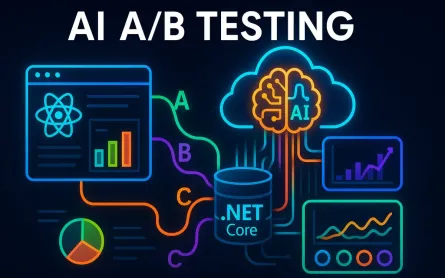
7.1 Architecting the A/B Testing Infrastructure
In production, model performance can’t be judged solely on offline metrics like RMSE or NDCG. The ultimate measure is impact on online business metrics—click-through rate (CTR), conversion rate (CVR), revenue per user, or retention rate.
A robust A/B testing framework allows us to run multiple models—champion (current best performer) and one or more challengers—in parallel, routing live traffic to each and comparing their real-world impact.
7.1.1 Serving Multiple Models
A typical architecture:
- The API gateway routes requests to a traffic splitter service.
- The splitter uses pre-defined allocation rules (e.g., 90% champion, 10% challenger).
- Both models log impressions and outcomes to the same event stream for fair comparison.
C# Traffic Allocation Example:
var rand = Random.Shared.NextDouble();
string modelVersion = rand < 0.1 ? "challenger-v2" : "champion-v1";

var response = await httpClient.PostAsJsonAsync(
    $"https://recs.api/{modelVersion}/recommend", requestPayload);
Pro Tip: Always keep at least 5–10% of traffic on the challenger long enough to detect statistically significant differences.
7.1.2 Using Feature Flagging Services
Feature flagging tools like Azure App Configuration or LaunchDarkly allow you to manage model allocation dynamically—without redeploying code.
Example:
- Define a flag
recs_model_variantwith percentage rollouts. - The API reads the flag value at runtime to decide routing.
Pitfall: Don’t mix user IDs between variants; always use consistent hashing so each user experiences only one variant during the test.
7.1.3 Measuring Success with Online Metrics
Offline metrics can mislead:
- A model with higher NDCG may overfit popular items, lowering diversity.
- A lower RMSE model may still produce lower CTR if it ranks “safe but boring” items higher.
Trade-off: Optimize for the metric that correlates with your business objective, even if it means sacrificing small amounts of offline accuracy.
7.2 Solving the Cold Start Problem in Practice
Cold start—making recommendations for new users or items—is inevitable in a live system. The strategy depends on which side of the interaction is missing.
7.2.1 New Users
For users with no history:
- Start with popularity-based recommendations (global or segment-specific).
- Gradually shift to content-based methods as soon as a few interactions are recorded.
- Store early activity in session features so even anonymous users get some personalization.
Example: In a .NET minimal API, you might fall back to trending items:
if (!userHistory.Any())
{
    var trending = await trendingService.GetTopItemsAsync();
    return Results.Ok(trending);
}
Note: Segmentation (e.g., by location or device) often yields better first-touch recommendations than pure global popularity.
7.2.2 New Items
For items with no interactions:
- Use content embeddings derived from metadata (e.g., text description, category, tags).
- Insert them into the item tower’s vector index so they can appear in candidate generation.
Pro Tip: For rich content (movies, books, songs), precompute embeddings using multimodal encoders that combine text and image features.
7.2.3 The Exploration vs. Exploitation Trade-off
Even with historical data, we need to balance:
- Exploitation – Recommending items likely to succeed based on history.
- Exploration – Trying new or less-known items to gather data and avoid stagnation.
A popular approach is the Multi-Armed Bandit algorithm, which adaptively allocates traffic to items based on their observed reward.
Python Example (simplified Epsilon-Greedy):
import random

def choose_item(items, epsilon=0.1):
    if random.random() < epsilon:
        return random.choice(items)  # Explore
    return max(items, key=lambda i: i['score'])  # Exploit
Trade-off: Too much exploration can hurt short-term metrics; too little exploration can harm long-term engagement.
7.3 Explainability, Fairness, and Bias
As recommenders influence what people see and consume, transparency and fairness become architectural responsibilities.
7.3.1 Explainability in Recommendations
Providing “Why was this recommended?” helps build trust. Architecturally, this means:
- Storing intermediate signals used in the ranking decision.
- Returning an explanation token with each recommendation.
Example: For a book recommender, you might include:
{
  "itemId": 42,
  "title": "Deep Learning for Architects",
  "reason": "Because you read 'Machine Learning Systems' and 'AI Patterns'"
}
Pro Tip: Explanation logic doesn’t need to mirror the full model internals—it can use high-level rules derived from the most influential features.
7.3.2 Recognizing and Mitigating Bias
Bias can enter through:
- Historical data – Reflecting past imbalances (e.g., underrepresentation of certain creators).
- Feedback loops – Popular items get shown more, making them even more popular.
Mitigation strategies:
- Apply re-ranking constraints to ensure diversity across categories, demographics, or sources.
- Use calibration to ensure recommendation distributions match intended proportions.
C# Re-ranking Example:
var diversified = results
    .GroupBy(r => r.Category)
    .SelectMany(g => g.Take(2))
    .ToList();
Pitfall: Over-correcting bias without testing can harm user satisfaction—always measure the effect of fairness constraints in A/B tests.
7.3.3 Balancing Fairness and Relevance
Architects must define fairness in a domain-specific way. For some platforms, fairness may mean equal exposure across categories; for others, it might mean proportional to supply or creator activity.
Trade-off: Absolute fairness can conflict with engagement metrics—find a balance that meets business, ethical, and legal requirements.
8 The Future: Where Recommender Systems Are Headed
Recommendation systems are evolving beyond static ranking pipelines into adaptive, conversational, and multi-modal intelligence layers that are woven into the user experience. Advances in large language models (LLMs), reinforcement learning, and multi-modal representation learning are reshaping both the algorithms and the architectures we deploy.
8.1 Generative and Conversational Recommendations
Generative AI opens the door to natural-language, multi-turn interactions with recommender systems. Instead of silently ranking items, the recommender becomes a dialogue partner.
8.1.1 LLMs as Recommendation Orchestrators
Large Language Models can:
- Interpret complex, natural-language requests (“Show me a thriller from the 90s, but not a horror one”).
- Query structured and unstructured data sources to find matches.
- Clarify ambiguous requests by asking follow-up questions.
Example Python Snippet Using Azure OpenAI:
from openai import AzureOpenAI

client = AzureOpenAI(api_key="...", api_base="...")

prompt = """
User: Show me a thriller movie from the 90s, but not a horror one.
System: Search in movie database with filters genre=thriller, decade=1990s, exclude horror.
"""

response = client.chat.completions.create(
    model="gpt-4",
    messages=[{"role": "system", "content": "You are a movie recommender."},
              {"role": "user", "content": prompt}]
)
print(response.choices[0].message["content"])
Pro Tip: For production, chain LLM output with a structured retrieval step (e.g., vector search) to ensure results are accurate and grounded in your catalog.
8.1.2 Multi-Turn Personalization
LLMs can maintain conversational state:
- User: “I want something light and funny.”
- System: “Do you prefer TV shows or movies?”
- User: “Movies.”
- System: Returns a curated, ranked list.
Trade-off: Conversational systems require more context management and can increase latency—consider caching intermediate conversation states.
8.2 Reinforcement Learning for Long-Term Value
Traditional recommenders optimize short-term metrics like CTR. Reinforcement Learning (RL) optimizes for lifetime value (LTV) and long-term satisfaction.
8.2.1 Why RL?
- RL treats recommendation as a sequential decision-making problem.
- The system learns a policy that maximizes cumulative reward over time.
- Rewards can include retention, subscription renewal, or lifetime spend.
8.2.2 Example: Policy Gradient for Recommendations
import torch
import torch.nn as nn
import torch.optim as optim

class PolicyNet(nn.Module):
    def __init__(self, state_dim, action_dim):
        super().__init__()
        self.fc = nn.Sequential(
            nn.Linear(state_dim, 128), nn.ReLU(),
            nn.Linear(128, action_dim), nn.Softmax(dim=-1))
    def forward(self, x):
        return self.fc(x)

policy = PolicyNet(state_dim=50, action_dim=1000)
optimizer = optim.Adam(policy.parameters(), lr=1e-3)

# Dummy training loop
for state, action, reward in data_loader:
    probs = policy(state)
    log_prob = torch.log(probs[range(len(action)), action])
    loss = -(log_prob * reward).mean()
    optimizer.zero_grad()
    loss.backward()
    optimizer.step()
Note: Offline RL can be bootstrapped from historical logs; online RL requires careful safety guards to prevent drastic performance drops.
8.2.3 Trade-offs
- RL can discover strategies missed by static models.
- But it’s sensitive to reward definition—misaligned rewards lead to undesired behavior.
8.3 Multi-Modal Recommendations
Modern recommendation engines can exploit multi-modal data—images, text, video, and audio—rather than relying on one data type.
8.3.1 Why Multi-Modal?
- For e-commerce: product images + descriptions + reviews.
- For streaming: video frames + audio transcripts + user comments.
- Improves recommendations for new items with rich media but little interaction data.
8.3.2 Example: Combining Text and Image Embeddings
import torch
from transformers import CLIPProcessor, CLIPModel

model = CLIPModel.from_pretrained("openai/clip-vit-base-patch32")
processor = CLIPProcessor.from_pretrained("openai/clip-vit-base-patch32")

inputs = processor(text=["red running shoes"], images=[image], return_tensors="pt", padding=True)
outputs = model(**inputs)
text_embeds = outputs.text_embeds
image_embeds = outputs.image_embeds

# Combine embeddings
combined = torch.cat([text_embeds, image_embeds], dim=1)
Pro Tip: Normalize all modality embeddings before combining to prevent one from dominating.
8.3.3 Architectural Considerations
- Store embeddings in a vector database that supports multi-field queries.
- Ensure retraining pipelines can refresh all modalities in sync.
Pitfall: Modalities differ in update frequency—images rarely change, but text descriptions may get updated; your refresh strategy must reflect this.
9 Conclusion: Key Takeaways for the Architect
Recommender systems are living systems that combine algorithms, infrastructure, and business alignment. An architect’s role is to ensure these components evolve cohesively.
9.1 The System is the Product
A recommendation engine is not a single model—it’s an evolving ecosystem:
- Data pipelines that adapt to new sources.
- Models retrained to capture changing tastes.
- Serving layers tuned for low latency.
- Observability loops to measure and react.
Neglecting any layer diminishes the system’s value.
9.2 An Architect’s Checklist
- Latency requirements – Can we meet the SLA with our chosen architecture?
- Real-time data – Are we ingesting and processing interactions as they happen?
- Cold start strategy – Do we have clear fallbacks for new users/items?
- A/B testing – Can we measure business value reliably in production?
- Scalability – Will our serving stack handle peak load without degradation?
Pro Tip: Revisit this checklist quarterly; architecture drift can silently erode performance.
9.3 Final Thoughts
The most successful recommender systems don’t emerge fully formed—they evolve. The journey is one of iteration: measure, learn, adjust. With a modular architecture, a commitment to observability, and a willingness to embrace new paradigms like conversational and multi-modal AI, your system can continue delivering value as both technology and user expectations change.
Trade-off: Innovation speed vs. stability—balance the urge to adopt the latest method with the need for predictable, measurable improvement.