1 Introduction: The Evolution from “If” Statements to Intelligent Decisions
Software teams have long relied on feature flags and A/B testing to control rollouts and optimize user experiences. At their simplest, feature flags are conditional statements—an if check that toggles a block of code. While effective, this approach is static and entirely dependent on manual decisions. A/B testing improves on this by splitting traffic across feature variants and measuring results, but decisions often arrive weeks later, after long debates about statistical thresholds.
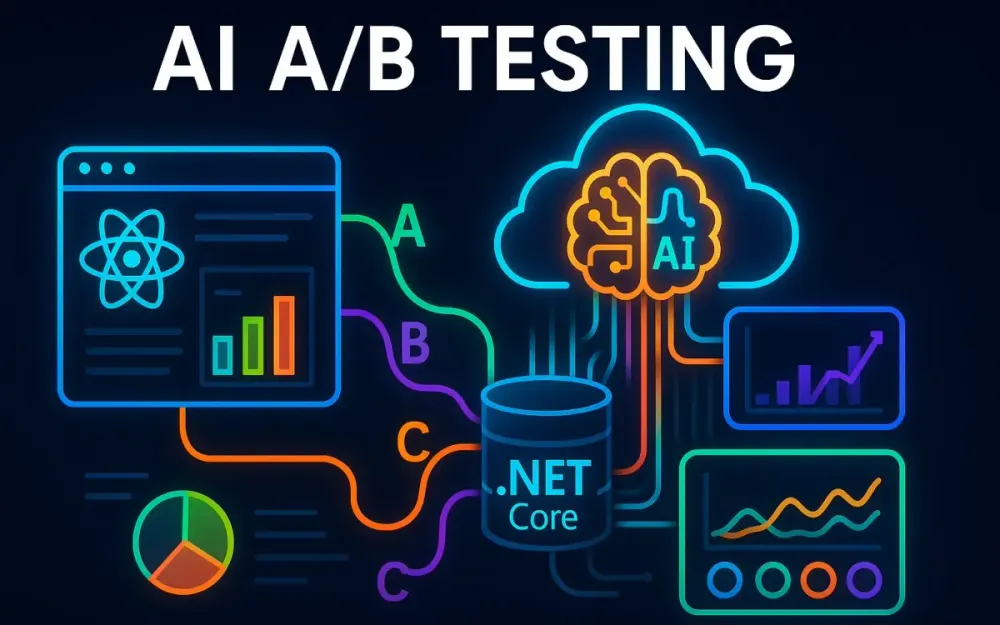
This article explores a shift from feature management as switches to feature management as learning systems. We’ll build an AI-powered A/B testing framework in ASP.NET Core that uses adaptive feature flags and multi-armed bandit algorithms (like Thompson Sampling) to reallocate traffic automatically as data arrives. The system reduces “regret”—the loss from showing underperforming variants—for example, serving fewer users a slow checkout flow once evidence shows it harms conversions. Importantly, all automation runs with override controls and ethical constraints: product owners can freeze allocation, and engineers retain kill switches to enforce guardrails.
The journey we’ll cover is a progression from static toggles → adaptive learning loop:
Toggle (if/else) → A/B Test (fixed split) → Adaptive Flags (learning loop)By the end, you’ll see how to implement this system end-to-end: ASP.NET Core APIs, Azure ML integration, and React dashboards for live monitoring.
1.1 The Problem with Traditional Feature Flags & A/B Testing
Manual Decision-Making
Conventional experiments require running tests for weeks and holding meetings to interpret p-values and confidence intervals. This slows down optimization while customers remain exposed to weaker variants.
The Cost of Exploration
Classic A/B testing splits traffic evenly until results are “statistically significant.” If Variant B underperforms, half of your users may still endure it unnecessarily.
Static Nature
Traditional flags are binary switches: on/off, true/false. They don’t adapt to behavior or change dynamically once flipped.
Analysis Paralysis
Telemetry piles up, but teams struggle to agree on which metric to prioritize. Without automation, they risk drowning in dashboards rather than acting.
Comparison: A/B vs Online Learning
| Aspect | Classic A/B Test | Online Learning (Bandits) |
|---|---|---|
| Traffic Split | Fixed, usually 50/50 | Adaptive, shifts toward winners |
| Time-to-Decision | Weeks, until significance | Continuous, real-time updates |
| User Impact | Many stuck in losing arm | Fewer exposed to poor variants |
Guardrail Metrics
To ensure safe optimization, the system monitors metrics like error rate, latency, and crash frequency. These guardrails prevent the model from chasing conversions at the cost of reliability.
1.2 The Vision: A Self-Optimizing System
Imagine a system that learns from every request. Instead of waiting for analysts, it reallocates traffic in real time toward better variants. These are adaptive feature flags—flags that evolve based on live performance data.
The architecture looks like this:
- A request arrives at an ASP.NET Core backend.
- The backend queries an Azure ML decision engine, which uses a multi-armed bandit algorithm.
- User interactions stream through Azure Event Hubs and Stream Analytics, updating the model in near real time.
- A React dashboard visualizes allocations, performance, and guardrail status.
To build trust, override points are built in: product managers can freeze allocations, SREs can trigger a kill switch, and operators can enforce sticky bucketing. Sticky bucketing ensures a user keeps the same variant—via a stable hash (e.g., Murmur3 on (experimentId,userId)) or cookie—to avoid disruptive flicker.
This reduces regret while maximizing outcomes during the experiment itself.
1.3 Who This Article Is For
This guide is written for senior developers, tech leads, and solution architects already familiar with distributed systems, machine learning basics, and ASP.NET Core. You may be using flags or A/B tests today but want to modernize your approach.
Prerequisites:
- Azure subscription
- Familiarity with Event Hubs
- Basic Python for ML workflows
- ASP.NET Core development experience
1.4 Technology Stack at a Glance
The system blends modern web, ML, and cloud services:
- Backend: ASP.NET Core 9.0 (or latest LTS) for APIs and orchestration
- Frontend: React 19 (or latest LTS) with Vite for dashboards
- ML/AI: Azure Machine Learning with Python libraries such as Scikit-learn and Vowpal Wabbit (for contextual bandits)
- Data Pipeline: Azure Event Hubs + Stream Analytics for near real-time aggregation
- Storage: Cosmos DB (low-latency), SQL Server (reporting), Blob Storage (archival)
- Config: Azure App Configuration (Feature Flags) with Microsoft.FeatureManagement
- Observability: OpenTelemetry instrumentation feeding into Azure Monitor and App Insights
- Realtime UI: SignalR for live updates, Recharts for visualization
This stack provides scalability, resilience, and observability—critical for safe and adaptive experimentation.
2 Foundational Concepts: The Building Blocks of an Intelligent System
Before diving into architecture and code, it’s important to establish the conceptual models that make adaptive feature management possible. Without this grounding, it’s easy to misapply machine learning or overlook the trade-offs of dynamic experimentation.
2.1 Modern Feature Management
Feature flags began as release toggles, decoupling code deployment from user-facing release. Mature systems expand this concept into several toggle types:
- Release Toggles: Control when a feature becomes visible to users.
- Experiment Toggles: Enable A/B or multivariate testing by serving different variants to subsets of users.
- Ops Toggles: Provide emergency kill switches.
- Permission Toggles: Restrict access by cohort, role, or subscription tier.
The Microsoft.FeatureManagement library in ASP.NET Core supports these patterns. Beyond simple booleans, it offers conditional filters that allow targeted rollouts or percentage-based allocation.
Example: targeting a percentage of users with IFeatureFilter:
{
  "FeatureManagement": {
    "BetaCheckout": {
      "EnabledFor": [
        {
          "Name": "Percentage",
          "Parameters": { "Value": 30 }
        }
      ]
    }
  }
}
if (await _featureManager.IsEnabledAsync("BetaCheckout"))
{
return View("CheckoutV2");
}This approach enables gradual rollouts without binary “all-or-nothing” switches.
When using remote providers like Azure App Configuration, two additional strategies matter:
- Hot Reload: Flags can be refreshed automatically without redeploying services.
- Caching and Consistency: Instances should cache values briefly but maintain consistency across a cluster—avoiding scenarios where half your servers see an “on” flag and half see “off.”
These patterns ensure reliable and predictable flag behavior in distributed systems.
2.2 A/B/n Testing vs Multi-Armed Bandits (MAB)
A/B Testing Refresher
Classic A/B/n testing splits traffic evenly until statistical significance is reached, then declares a winner. This provides clean results but comes at the cost of slow decisions and high exposure to losing variants.
Multi-Armed Bandits
The multi-armed bandit problem reframes the challenge: balance exploration (trying different variants) with exploitation (serving the best-known option).
Compact update rule for Bernoulli rewards with Thompson Sampling:
Variant i ~ Beta(αi, βi)
For each success: αi = αi + 1
For each failure: βi = βi + 1
This Bayesian updating mechanism naturally shifts traffic toward variants that show higher success probabilities.
When Bandits Shine
- Faster allocation to strong variants
- Reduced regret for users
- Continuous adaptation to changing behavior
When Not to Use Bandits
There are cases where bandits are inappropriate:
- Regulated user acceptance tests (UATs): Fixed exposure is required for compliance.
- Brand messaging tests: Marketing teams may need a clean, fixed-horizon comparison.
- Delayed-reward flows: In multi-page or long-funnel journeys, short-term optimization can mislead.
Bandits are powerful, but they are not universal replacements for A/B testing.
2.3 Defining “Success”: The Metrics That Matter
Optimization depends on how “success” is measured. While binary outcomes (e.g., click or no-click) are common, production systems often require richer definitions.
Binary and Beyond
- Binary rewards: Conversion = 1, abandonment = 0.
- Revenue: Use continuous models (Gamma-Poisson for counts, Gaussian for amounts).
- Multi-objective metrics: Maximize conversion while enforcing guardrails, such as error rate < 0.5% or latency < 200ms.
Data Integrity Considerations
Event streams must remain trustworthy:
- Versioned schemas: Ensure backward compatibility as fields evolve.
- Idempotency keys: Prevent double-counting when events are replayed or retried.
Example reward event schema:
{
  "experimentId": "checkout-headline",
  "variant": "B",
  "userId": "user-12345",
  "reward": 29.99,
  "currency": "USD",
  "idempotencyKey": "evt-4567-xyz",
  "schemaVersion": "2.0",
  "timestamp": "2025-09-17T10:15:00Z"
}
By supporting richer rewards and enforcing consistency rules, the system ensures that optimization is both accurate and aligned with business goals.
3 The Architectural Blueprint: Designing for Scale and Real-time
Architecting an intelligent experimentation system is not simply about adding machine learning to an API. It requires a holistic view of how requests flow, how decisions are made, and how feedback loops close in real time. The challenge lies in balancing throughput, latency, and adaptability while keeping the system observable and manageable.
3.1 High-Level System Architecture
At a container level (C4 Level 2), the system is composed of:
- React Frontend – renders variants and sends reward events.
- ASP.NET Core API – orchestrates decisions, caching, and fallback.
- Experiment Registry – a dedicated service/table for CRUD operations, lifecycle management, and role-based overrides.
- Azure ML Service – hosts the Thompson Sampling bandit model for real-time inference.
- Event Ingestion (Azure Event Hubs) – durable pipeline for user interaction events, partitioned by experimentId.
- Stream Processing – aggregates metrics, applies guardrails, and routes to hot/cold storage.
- Observability Stack – OpenTelemetry tracing, Azure Monitor, and correlation IDs across all requests.
A short request sequence looks like this:
Sequence: Decide → Render → Track
- Frontend requests a variant for
(experimentId, userId)from the API. - API applies fallback order (cache → rules engine → ML → default control).
- Variant is returned and rendered.
- User interaction triggers a reward event sent to the tracking endpoint.
- Tracking service publishes to Event Hubs (partition key = experimentId).
- Stream processing aggregates and stores results, feeding dashboards and retraining jobs.
Additional resilience strategies:
- Rate limiting at the API gateway to protect ML and backend services.
- Hedging, timeouts, and circuit breakers to keep response times predictable.
- Correlation IDs carried across decision and reward events for traceability.
This design creates a closed loop that continuously improves variant decisions while maintaining reliability and control.
Got it — the earlier 3.2 Component Deep-Dive is now heavier on narrative and lighter on technical details/code, which may make it feel uneven compared to earlier sections (like 2.1 where you included JSON + C# examples).
Here’s a more detailed and enriched version of 3.2 with illustrative examples, pseudo-code, and implementation notes.
3.2 Component Deep-Dive
Backend: ASP.NET Core API
The backend orchestrates every decision between frontend, ML, and data pipelines. To ensure low latency and predictable behavior, it applies caching, sticky assignment, and fallback logic.
Sticky Assignment with TTL Cache:
public async Task<string> GetVariantAsync(string experimentId, string userId)
{
    string cacheKey = $"{experimentId}:{userId}";
    if (_cache.TryGetValue(cacheKey, out string cachedVariant))
        return cachedVariant;

    // Stable assignment (sticky bucketing) using Murmur3 hash
    int bucket = StableHash(userId + experimentId) % 100;
    string variant = bucket < 50 ? "A" : "B"; // fallback if ML unavailable

    // Call ML service if reachable
    try
    {
        variant = await _mlClient.GetDecisionAsync(experimentId, userId);
    }
    catch (Exception)
    {
        variant = "Control"; // safe default
    }

    // Cache result for 30 minutes (configurable TTL)
    _cache.Set(cacheKey, variant, TimeSpan.FromMinutes(30));
    return variant;
}
Fallback Order:
- Cache
- Rules engine (e.g., percentage rollout, targeting by group)
- ML service (bandit decision)
- Default control variant
This ensures users always get a valid response, even if downstream services fail.
Experiment Registry
A dedicated service (backed by SQL or Cosmos DB) maintains experiment definitions and lifecycle states:
- Experiment metadata: name, description, variants, objective metric
- State transitions: Draft → Running → Paused → Archived
- Overrides: role-based permissions allow Product Managers to freeze allocation or SREs to trigger a kill switch
Example schema:
CREATE TABLE Experiments (
    ExperimentId NVARCHAR(50) PRIMARY KEY,
    Name NVARCHAR(100),
    Status NVARCHAR(20), -- Draft, Running, Paused, Archived
    Variants JSON,
    ObjectiveMetric NVARCHAR(50),
    CreatedBy NVARCHAR(50),
    CreatedAt DATETIMEOFFSET
);
Data Pipeline
Partitioning:
experimentIdis the partition key in Event Hubs, ensuring all events for an experiment land in the same partition, simplifying aggregation.
Tracking Controller Example:
[HttpPost("track")]
public async Task<IActionResult> TrackEvent([FromBody] ExperimentEvent evt)
{
    evt.IdempotencyKey ??= Guid.NewGuid().ToString();
    evt.Timestamp = DateTimeOffset.UtcNow;

    await _eventHubClient.SendAsync(evt, partitionKey: evt.ExperimentId);
    return Accepted();
}
Dead-letter + Replay:
- Malformed events → pushed to
dead-letterEvent Hub/Blob. - Replay tool allows re-ingestion after correction.
Duplicate/Late Event Strategy:
- Deduplication via
idempotencyKey. - Stream Analytics uses watermarking to tolerate late arrivals up to N minutes.
Storage Strategy
- Hot Path: Aggregates in Cosmos DB (rolling CR, latency, error rate) for dashboard queries.
- Cold Path: Full fidelity logs in Blob/Data Lake for retraining and audit.
Schema for reward events (with versioning):
{
  "schemaVersion": "2.1",
  "experimentId": "checkout-button",
  "variant": "B",
  "userId": "user-12345",
  "reward": 1,
  "idempotencyKey": "evt-78910-abc",
  "timestamp": "2025-09-17T14:30:00Z"
}
Resilience and Observability
- Rate limiting at API gateway (e.g., Azure APIM) to prevent overload.
- Hedging/timeout/circuit breakers implemented with Polly in .NET.
Policy
  .Handle<HttpRequestException>()
  .OrResult<HttpResponseMessage>(r => !r.IsSuccessStatusCode)
.CircuitBreakerAsync(5, TimeSpan.FromMinutes(1));- Correlation IDs injected into every decision and reward event for end-to-end tracing in App Insights.
Frontend (React)
The frontend integrates at two levels:
- Consumer: Queries
/api/featureflags/{experimentId}?userId=123and renders the returned variant. - Operator Dashboard: Connects via SignalR to receive live allocation/metric updates and allows lifecycle operations (pause, freeze, archive).
Example decision fetch:
const res = await fetch(`/api/featureflags/checkout?userId=${userId}`);
const { variant } = await res.json();
renderCheckout(variant);
4 Backend Implementation: The ASP.NET Core Powerhouse
Designing the backend carefully is critical. It must handle high throughput, integrate with ML services securely, and avoid becoming a bottleneck. Let’s walk through the implementation.
4.1 Setting up the Core Project
We follow a Clean Architecture approach with three primary layers:
- Core Layer: Business logic and abstractions (
ISmartFeatureFlagService,UserContext, domain entities). - Infrastructure Layer: Implementations for Azure ML calls, Event Hubs publishing, and storage access.
- API Layer: ASP.NET Core Web API controllers that expose endpoints to clients.
Solution layout:
/src
  /Experimentation.Core
  /Experimentation.Infrastructure
  /Experimentation.API
/tests
  /Experimentation.UnitTests
  /Experimentation.IntegrationTests
This separation enforces boundaries and simplifies testing.
4.2 The Smart Feature Flag Service
At the heart of the system is the Smart Feature Flag Service, which abstracts ML calls, fallbacks, and resilience policies.
public class SmartFeatureFlagService : ISmartFeatureFlagService
{
    private readonly HttpClient _httpClient;
    private readonly ILogger<SmartFeatureFlagService> _logger;

    public SmartFeatureFlagService(HttpClient httpClient, ILogger<SmartFeatureFlagService> logger)
    {
        _httpClient = httpClient;
        _logger = logger;
    }

    public async Task<string> GetVariantAsync(string experimentId, UserContext user)
    {
        var sw = Stopwatch.StartNew();
        try
        {
            var response = await _httpClient.PostAsJsonAsync("/score", new
            {
                experimentId,
                userId = user.UserId
            });

            sw.Stop();
            _logger.LogMetric("MLRequestLatencyMs", sw.ElapsedMilliseconds);

            if (!response.IsSuccessStatusCode)
                return "control"; // fallback

            var result = await response.Content.ReadFromJsonAsync<VariantDecision>();
            return result?.Variant ?? "control";
        }
        catch (Exception ex)
        {
            _logger.LogError(ex, "Error fetching variant for {ExperimentId}", experimentId);
            return "control";
        }
    }
}
Resilience with Polly
We combine retries, hedging, timeouts, and circuit breakers for robust ML calls.
services.AddHttpClient<ISmartFeatureFlagService, SmartFeatureFlagService>()
    .AddPolicyHandler(Policy.TimeoutAsync<HttpResponseMessage>(TimeSpan.FromSeconds(2)))
    .AddPolicyHandler(Policy.BulkheadAsync<HttpResponseMessage>(50, int.MaxValue))
    .AddPolicyHandler(Policy.WrapAsync(
        Policy.Handle<HttpRequestException>().OrResult(r => !r.IsSuccessStatusCode)
              .WaitAndRetryAsync(3, i => TimeSpan.FromMilliseconds(100 * i)),
        Policy.Handle<HttpRequestException>().CircuitBreakerAsync(5, TimeSpan.FromSeconds(30))));
Authentication
Tokens for the ML endpoint are requested using Managed Identity, with configurable scopes depending on the ML endpoint type.
var credential = new DefaultAzureCredential();
var token = await credential.GetTokenAsync(
    new TokenRequestContext(new[] { _config["AzureML:Scope"] }));
httpClient.DefaultRequestHeaders.Authorization =
    new AuthenticationHeaderValue("Bearer", token.Token);
4.3 High-Throughput Tracking Endpoint
Instead of creating an Event Hubs batch per request, events are placed in a Channel
[ApiController]
[Route("api/track")]
public class TrackingController : ControllerBase
{
    private readonly Channel<UserEvent> _channel;

    public TrackingController(Channel<UserEvent> channel) => _channel = channel;

    [HttpPost]
    public IActionResult Track([FromBody] UserEvent evt)
    {
        if (evt.Reward < 0 || evt.Reward > 100) // basic range check
            return BadRequest("Invalid reward");

        evt.IdempotencyKey ??= Guid.NewGuid().ToString("N");
        evt.Timestamp = DateTimeOffset.UtcNow;

        _channel.Writer.TryWrite(evt);

        return Accepted(new { traceId = HttpContext.TraceIdentifier });
    }
}
Background batching service:
public class EventHubBackgroundService : BackgroundService
{
    private readonly Channel<UserEvent> _channel;
    private readonly EventHubProducerClient _producer;

    public EventHubBackgroundService(Channel<UserEvent> channel, EventHubProducerClient producer)
    {
        _channel = channel;
        _producer = producer;
    }

    protected override async Task ExecuteAsync(CancellationToken stoppingToken)
    {
        var buffer = new List<EventData>();
        var timer = new PeriodicTimer(TimeSpan.FromSeconds(2));

        while (!stoppingToken.IsCancellationRequested)
        {
            while (_channel.Reader.TryRead(out var evt))
                buffer.Add(new EventData(JsonSerializer.SerializeToUtf8Bytes(evt)));

            if ((buffer.Count >= 50) || await timer.WaitForNextTickAsync(stoppingToken))
            {
                if (buffer.Count > 0)
                {
                    await _producer.SendAsync(buffer);
                    buffer.Clear();
                }
            }
        }
    }
}
This design ensures low per-request cost and controlled batching.
4.4 SignalR and the Dashboard
The dashboard uses SignalR for live updates, but connections must be secure and manageable.
- Authorization: Only authenticated operators can subscribe to experiment updates.
- Groups: Clients subscribe only to experiments they’re permitted to view.
- Backpressure: Apply bounded channels when broadcasting to prevent overload.
[Authorize(Roles = "Operator")]
public class ExperimentHub : Hub
{
    public Task JoinExperiment(string experimentId) =>
        Groups.AddToGroupAsync(Context.ConnectionId, experimentId);
}
When metrics update:
await _hubContext.Clients.Group(experimentId)
    .SendAsync("UpdateMetrics", payload, cancellationToken: ct);
4.5 Testing Strategy
-
Unit tests:
- Verify fallback order (cache → rules → ML → control).
- Simulate ML timeout and confirm safe default is returned.
-
Integration tests:
- Run against a fake ML endpoint returning canned responses.
- Validate event ingestion pipeline by consuming from a test Event Hub namespace.
-
Load tests:
- Simulate thousands of concurrent
POST /trackcalls to ensure batching and flush logic hold up. - Measure ingestion throughput and latency percentiles.
- Simulate thousands of concurrent
5 The AI Brain: Implementing the Bandit in Azure ML
The backend gives us the mechanics, but intelligence comes from the machine learning component. In our case, the multi-armed bandit serves as the “brain,” continuously deciding which variant to present and improving as feedback arrives. Azure Machine Learning (Azure ML) provides the platform to deploy this decision engine in a secure, scalable, and observable way.
5.1 The Machine Learning Workflow
Machine learning in production follows a loop, not a one-time script. Our system emphasizes frequent, lightweight updates rather than heavy, infrequent retrains. The cycle looks like this:
- Ingest: Reward events (success/failure, revenue amounts) stream into Event Hubs. They are processed into hot (Cosmos DB) and cold (Blob/Data Lake) storage.
- Aggregate: Windowed aggregations produce per-variant counts of successes and failures.
- Update Parameters: α and β values are recalculated incrementally or refreshed in batch jobs.
- Package State: Parameters are versioned and stored as JSON artifacts in Blob storage or registered in the Azure ML model registry.
- Deploy: A scoring service (Python script + environment) is deployed as a managed online endpoint in Azure ML.
- Serve: The ASP.NET Core backend calls the endpoint for every decision.
- Monitor: Latency, variant distribution, and parameter drift are logged and inspected in dashboards.
- Iterate: New data streams in and the cycle repeats, ensuring the system stays adaptive.
This workflow mirrors MLOps principles, but emphasizes parameter agility over heavy model complexity.
5.2 Thompson Sampling Core
At its heart, Thompson Sampling is straightforward:
- Each variant’s conversion probability is modeled as Beta(α, β).
- On each decision, a sample is drawn from every variant’s distribution.
- The variant with the highest sampled value is selected.
Parameters are updated as events arrive:
- α increases with each success (reward > 0).
- β increases with each failure (reward = 0).
Cold Start
All variants begin with α=1, β=1. This uniform prior ensures fair exploration at the beginning of an experiment.
Handling Non-Stationarity
User behavior shifts over time (seasonality, new competitors, feature fatigue). To adapt, older evidence is decayed:
# Exponential decay update
decay = 0.95  # λ factor, tuned between 0.9 and 0.99
alpha = alpha * decay + new_successes
beta  = beta  * decay + new_failures
This balances respect for historical data with agility in changing environments.
5.3 Parameter Update and Storage
Parameters don’t require heavy ML infrastructure; they are simply counts. Updates can run in a lightweight pipeline every few minutes.
from collections import defaultdict

def update_parameters(events):
    params = defaultdict(lambda: {"alpha": 1, "beta": 1})
    for e in events:
        key = f"{e['experimentId']}:{e['variant']}"
        if e["reward"] > 0:
            params[key]["alpha"] += e["reward"]
        else:
            params[key]["beta"] += 1
    return params
Storage Options
- Blob Storage / Cosmos DB: Holds current α/β values in JSON form.
- Model Registry (Azure ML): Stores versioned artifacts for governance.
- Hot Reload: The scoring service periodically pulls parameters from storage and atomically swaps them into memory without a full redeploy.
This hot-reload pattern avoids downtime and ensures rapid propagation of updated counts.
5.4 Scoring Service
For v2 managed endpoints, models are accessed from the AZUREML_MODEL_DIR mount, not from the legacy v1 azureml.core.model.
import os, json, numpy as np

def init():
    global parameters
    model_path = os.path.join(os.getenv("AZUREML_MODEL_DIR"), "params.json")
    with open(model_path) as f:
        parameters = json.load(f)

def run(raw_data):
    req = json.loads(raw_data)
    exp = req["experimentId"]

    candidates = {k: v for k,v in parameters.items() if k.startswith(exp + ":")}
    if not candidates:
        return {"variant": "control"}

    scores = {}
    for k, stats in candidates.items():
        variant = k.split(":")[1]
        a, b = stats["alpha"], stats["beta"]
        scores[variant] = np.random.beta(a, b)

    chosen = max(scores, key=scores.get)

    # Observability log (safe: no PII)
    print(json.dumps({
        "experiment": exp,
        "chosen": chosen,
        "snapshot": {v: (stats["alpha"], stats["beta"]) for v, stats in candidates.items()}
    }))

    return {"variant": chosen}
Observability
Each call records:
- Experiment ID
- Chosen variant
- α/β snapshot at decision time
- Random draw values
These logs allow offline audits, debugging, and compliance verification.
5.5 Deployment Options
Deployment is handled with the Azure ML v2 SDK:
from azure.ai.ml.entities import ManagedOnlineEndpoint, ManagedOnlineDeployment

endpoint = ManagedOnlineEndpoint(
    name="bandit-endpoint",
    auth_mode="aad_token"  # Backend authenticates with Managed Identity
)

deployment = ManagedOnlineDeployment(
    name="blue",
    endpoint_name=endpoint.name,
    model="bandit-model:1",
    environment="bandit-env:1",
    code_path="./src",
    scoring_script="score.py",
    instance_type="Standard_DS3_v2",
    instance_count=2
)
AAD Scope
The backend requests tokens using DefaultAzureCredential with a configurable scope. For most managed endpoints, the resource is https://ml.azure.com/.default, but this varies if using custom domains or private endpoints.
Hosting Choices
- ACI (Container Instances): Lightweight, low-cost, best for dev/test.
- AKS (Kubernetes Service): Scalable, resilient, recommended for production.
Blue/green deployments allow safe rollouts and rapid rollback if metrics regress.
5.6 Operational Concerns
-
Parameter Hot-Reload
- Scoring service polls Blob/Cosmos every N minutes.
- Updates swapped atomically to avoid partial state.
-
Cold Start Mitigation
- Use priors from historical experiments if available.
- Fall back to α=β=1 otherwise.
-
Decay and Drift
- Apply exponential decay to adjust quickly when user behavior shifts.
- Monitor for sudden changes in reward distributions.
-
Observability
- Track latency percentiles (p50, p95, p99) in App Insights.
- Monitor decision entropy to ensure exploration/exploitation balance.
- Enable anomaly detection on reward distributions to catch bias or errors.
5.7 Example Decision Flow
- Backend calls the bandit endpoint with
{experimentId, userId}. - Scoring service samples from variant Beta distributions.
- A variant is chosen and returned.
- Decision metadata (variant, α/β snapshot, sample draw) is logged.
- User interaction is tracked, updating α/β in the next aggregation cycle.
This closed loop—decide → observe → update → redeploy—ensures the system continuously improves without manual intervention.
6 Frontend & Visualization: The React Dashboard
A system that adapts decisions in real time must also provide a clear and responsive interface for both end users and operators. On the user side, the goal is a flicker-free, trustworthy experience. On the operator side, the goal is visibility, control, and the ability to drill into results without being overwhelmed.
6.1 Consuming Smart Flags in React
Fetching a decision must be efficient and should not introduce UI artifacts. A naïve implementation can lead to “variant flash” (the control is rendered first, then replaced once the decision arrives). To prevent this:
- Abort stale requests: Use an
AbortControllerto cancel previous fetches if the component unmounts or if dependencies change. - Skeleton first paint: Render a placeholder until the decision is available.
- Server-assisted first decision: Optionally, the backend can set a cookie on the first request so subsequent page loads can render the assigned variant immediately.
// useSmartFeature.js
import { useState, useEffect } from 'react';

export function useSmartFeature(experimentId, userId) {
  const [variant, setVariant] = useState(null);

  useEffect(() => {
    const controller = new AbortController();

    async function fetchVariant() {
      try {
        const res = await fetch(`/api/featureflags/${experimentId}?userId=${userId}`, {
          signal: controller.signal
        });
        if (!res.ok) throw new Error("Failed to fetch variant");
        const data = await res.json();
        setVariant(data.variant);
      } catch (err) {
        if (err.name !== "AbortError") {
          console.error("Smart flag fetch failed:", err);
          setVariant("control");
        }
      }
    }
    fetchVariant();

    return () => controller.abort();
  }, [experimentId, userId]);

  return { variant };
}
Usage with a skeleton paint:
function CheckoutButton({ userId }) {
  const { variant } = useSmartFeature("new-checkout-button", userId);

  if (!variant) return <Skeleton variant="rectangular" width={200} height={40} />;
  if (variant === "A") return <button>Checkout Now</button>;
  if (variant === "B") return <button>Try Our New Checkout</button>;
  return <button>Proceed to Checkout</button>;
}
This approach ensures a stable, flicker-free experience.
6.2 Event Tracking
Client-side tracking should avoid spamming the backend with redundant or low-value events.
- Debouncing: Collapse rapid interactions (e.g., repeated clicks) into a single event.
- Consent-aware: Check user’s tracking/consent state before sending.
let debounceTimer;
export function trackEvent(event) {
  if (!window.userConsented) return;

  clearTimeout(debounceTimer);
  debounceTimer = setTimeout(() => {
    fetch("/api/track", {
      method: "POST",
      headers: { "Content-Type": "application/json" },
      body: JSON.stringify(event)
    });
  }, 300); // debounce window
}
This balances data fidelity with respect for user privacy and backend efficiency.
6.3 Real-time Dashboard for Operators
The React dashboard provides operators with visibility into experiments and guardrails.
Structure
- Sidebar: List of active experiments.
- Main panel: Charts (conversion rates, allocations, guardrail metrics).
- Control panel: Buttons to pause, freeze, or end experiments.
Live Updates
SignalR streams updates into the dashboard. Each operator subscribes only to experiments they are authorized to see, and backpressure is applied for bursts.
import * as signalR from '@microsoft/signalr';

function useExperimentMetrics(experimentId) {
  const [metrics, setMetrics] = useState(null);

  useEffect(() => {
    const connection = new signalR.HubConnectionBuilder()
      .withUrl(`/experimentHub?experimentId=${experimentId}`)
      .build();

    connection.on("UpdateMetrics", data => setMetrics(data));

    connection.start().catch(err => console.error("SignalR error:", err));
    return () => connection.stop();
  }, [experimentId]);

  return metrics;
}
Operators see allocation and performance data update in near real time, without refreshing.
6.4 Cohort Analysis
Segmentation is powerful but dangerous if left unchecked. High-cardinality dimensions (e.g., every userId) can overwhelm the system and dilute insights.
Guidelines:
- Curated cohorts only: country, device type, subscription tier.
- Toggle between “All Users” and a selected cohort.
- Backend-enforced limits: queries should reject unbounded groupings.
Frontend example:
<FormControl>
  <InputLabel>Segment</InputLabel>
  <Select value={cohort} onChange={e => setCohort(e.target.value)}>
    <MenuItem value="ALL">All Users</MenuItem>
    <MenuItem value="MOBILE">Mobile Users</MenuItem>
    <MenuItem value="PREMIUM">Premium Plan</MenuItem>
  </Select>
</FormControl>
This ensures segmentation provides actionable insight without exploding into unmanageable complexity.
6.5 Key Visual Components
- Conversion chart (time-series) — shows variant trends.
- Traffic allocation pie chart — shows real-time distribution.
- Guardrail monitors — latency, error rate, crash frequency.
- Control actions — secure endpoints for pausing or terminating experiments.
The frontend is not just a monitoring tool; it is a control surface for safe, human-in-the-loop experimentation.
7 End-to-End in Action: Launching an Experiment
Having explored the building blocks, let’s walk through a complete experiment from definition to optimization. This example illustrates how backend, ML, and frontend work together in a closed loop.
7.1 Scenario: Optimizing a Registration Page Headline
Suppose we want to maximize sign-ups on a registration page. Marketing proposes three variants:
- Variant A: “Join Our Community”
- Variant B: “Get Started in 60 Seconds”
- Variant C: “Unlock Exclusive Content”
The objective is to measure which headline produces the highest conversion rate for first-time visitors.
7.2 Step-by-Step Walkthrough
Step 1 (Admin): Define the Experiment
An admin defines the experiment via a management UI or API call. Beyond variants and metrics, the definition also encodes stop conditions, holdout groups, and allocation floors to ensure safe and unbiased operation.
{
  "experimentId": "registration-headline",
  "variants": {
    "A": { "minTraffic": 0.1 },
    "B": { "minTraffic": 0.1 },
    "C": { "minTraffic": 0.1 }
  },
  "metrics": ["conversionRate"],
  "stopConditions": {
    "minImpressionsPerVariant": 500,
    "probabilityThreshold": 0.95,
    "timeCapHours": 72
  },
  "holdout": 0.05,
  "createdBy": "product-admin"
}
Key points:
- minTraffic: Guarantees each variant receives at least 10% of users, so exploration never fully stops.
- stopConditions: The experiment ends automatically if a variant has ≥95% probability of being best, or if a time cap or traffic threshold is reached.
- holdout: 5% of users are randomly held back as a control group for unbiased post-analysis.
This definition is stored in the experiment registry and initializes α=1, β=1 for each variant.
Step 2 (Developer): Implement Variants in React
Developers use the useSmartFeature hook to render whichever headline the backend chooses:
function RegistrationHeadline({ userId }) {
  const { variant } = useSmartFeature("registration-headline", userId);

  switch (variant) {
    case "A": return <h1>Join Our Community</h1>;
    case "B": return <h1>Get Started in 60 Seconds</h1>;
    case "C": return <h1>Unlock Exclusive Content</h1>;
    default:  return <h1>Welcome</h1>;
  }
}
Step 3 (Live): User Visits the Page
When a new user lands on the page, the frontend queries the backend. The backend checks cache → rules engine → ML service → default control, returning a variant. Early on, traffic splits evenly, respecting the minTraffic floors.
Step 4 (Tracking): User Signs Up
If the user registers, the frontend sends a reward event:
{
  "experimentId": "registration-headline",
  "variant": "B",
  "userId": "user-42",
  "reward": 1,
  "timestamp": "2025-09-17T15:20:00Z"
}
Events are batched by the backend and published to Event Hubs.
Step 5 (Learning): Updating Parameters
The ML service updates counts incrementally. After ~500 visits per variant, parameters may look like:
- Variant A: α=50, β=200
- Variant B: α=100, β=150
- Variant C: α=40, β=210
Variant B is trending higher.
Step 6 (Optimization): Traffic Allocation Shifts
Thompson Sampling draws more frequently from Variant B’s distribution. Allocation gradually tilts toward B, while A and C still receive their guaranteed floor traffic for ongoing exploration.
The holdout group continues receiving the baseline headline, ensuring product analysts can later compare uplift against an untouched control.
Step 7 (Monitoring and Stop Conditions)
On the dashboard, product managers observe:
- A time-series chart showing conversion rates diverging.
- A probability gauge reading “95% confidence Variant B is best.”
- A traffic allocation pie chart tilting toward B.
If stop conditions are met—sufficient impressions, probability threshold reached, or time cap exceeded—the system automatically freezes allocation. Operators can override or lock in the winner at any time.
7.3 Outcome
Within hours, the system converges on Variant B, serving it to most users while maintaining exploration and holdout traffic. Marketing gains actionable insight quickly; engineering ensures safety through guardrails; and users benefit from the most effective experience without delay.
8 Advanced Topics and Future-Proofing
Once the core system is functional, attention turns to scale, governance, and evolution. Experiments rarely run in isolation—they operate in production environments serving millions of users, under compliance requirements, and across diverse geographies. Building for the long term means designing for scale, security, and adaptability.
8.1 Scaling to Billions of Requests
Scaling experimentation frameworks is as much about infrastructure as about algorithms. When daily traffic moves into the billions, small inefficiencies become costly.
API Caching
Low-variance decisions (e.g., “all German mobile users get Variant A”) can be cached at the edge. A cache key should include the experimentId and a hash of the cohort context to ensure correct bucketing.
[ResponseCache(Duration = 30, Location = ResponseCacheLocation.Any)]
public IActionResult GetCachedVariant(string experimentId, string cohortHash)
{
    return Ok(new { experimentId, variant = "B" });
}
TTL guidance: keep values short (15–60 seconds) to balance load reduction with responsiveness to model updates.
Autoscaling the ML Service
Azure ML endpoints deployed on AKS should scale with service-level objectives (SLOs) in mind. Configure Horizontal Pod Autoscalers to monitor not only CPU but also request rate (RPS), queue depth, and P95 latency.
metrics:
- type: Pods
  pods:
    metric:
      name: request_rate
    target:
      type: AverageValue
      averageValue: 100
- type: Pods
  pods:
    metric:
      name: latency_p95_ms
    target:
      type: AverageValue
      averageValue: 200
This ensures scaling decisions reflect user experience, not just resource utilization.
Data Pipeline Efficiency
At high scale, event ingestion and aggregation dominate costs. Optimizations include:
- Batching writes into Cosmos DB.
- Partitioning Event Hubs by experimentId for ordered processing.
- Pre-aggregating in Stream Analytics (e.g., five-minute windows) instead of querying raw logs.
8.2 Security and Governance
Experimentation touches live production traffic. Strong governance ensures safety, compliance, and accountability.
Role-Based Access Control
Different roles should have different privileges. A simple policy map:
- Admin: Create, edit, delete experiments; override model allocations.
- Operator: Pause/resume experiments; view metrics; trigger kill switches.
- Viewer: Read-only access to dashboards and reports.
RBAC can be enforced via Azure AD groups mapped to ASP.NET Core policies.
Privacy and Retention
Event data often includes user identifiers. To remain compliant:
-
PII minimization: Track pseudonymous IDs instead of emails or names.
-
Retention policies:
- Hot path (Cosmos DB): retain 90 days for dashboards.
- Cold path (Blob/Data Lake): retain 13 months for compliance and audits, then purge automatically.
Lifecycle rules in Azure storage enforce these retention periods without manual cleanup.
Audit Logging
Every experiment change should leave an immutable record:
{
  "experimentId": "checkout-flow",
  "changedBy": "alice@company.com",
  "timestamp": "2025-09-17T10:42:00Z",
  "action": "Paused",
  "reason": "Error rate exceeded 1%"
}
This log can be stored in Cosmos DB or a dedicated audit table and queried during reviews.
8.3 Contextual Bandits
So far, we have treated users as a homogeneous group. In reality, behavior varies by device, geography, or subscription plan. Contextual bandits extend the framework by conditioning decisions on user context.
Benefits and Risks
- Pros: Higher personalization, better outcomes for specific cohorts.
- Cons: Data-hungry—cohorts with small sample sizes risk overfitting.
A good rule of thumb: only introduce contextual features when you have enough traffic to support them.
Offline Evaluation
Before enabling contextual bandits in production, run offline evaluations to validate performance. Techniques include:
- Inverse Propensity Scoring (IPS): Reweights logged data to estimate unbiased outcomes.
- Replay evaluation: Simulates how the bandit would have behaved using historical data.
This reduces the risk of deploying a contextual policy that overfits or underperforms.
Vowpal Wabbit Integration
Libraries like Vowpal Wabbit (VW) provide efficient contextual bandit implementations. They can be integrated into Azure ML endpoints once offline evaluation confirms stability.
9 Conclusion: The Future is Adaptive
We have traced the evolution of feature flags from static switches to self-optimizing systems. Along the way, we explored architecture, backend APIs, ML algorithms, dashboards, and advanced extensions. The result is a blueprint for building adaptive, data-driven experimentation systems that improve with every interaction.
9.1 Recap of Benefits
- Ship Faster: Features are released behind smart flags, decoupling deployment from rollout. Teams move at speed without waiting on committee decisions.
- Lower User Regret: Thompson Sampling continuously reallocates traffic toward winning variants, so fewer users are exposed to poor experiences.
- Operate Within Guardrails: Guardrail metrics, holdout groups, and override controls ensure optimization never comes at the expense of reliability or safety.
- Actionable Insights: Product and engineering teams gain real-time visibility through the React dashboard, enabling confident decisions.
9.2 Next Steps
The path to adaptive experimentation does not require a massive upfront investment. You can start small:
- Spin up an Event Hub for ingestion of reward events.
- Deploy a minimal Azure ML endpoint serving Thompson Sampling with JSON α/β parameters.
- Wire one React component (e.g., a headline or button) through the
useSmartFeaturehook. - Add a dashboard panel that visualizes allocation and conversions in real time.
A working proof of concept with these four steps can usually be built in days, not months. From there, you can expand toward contextual bandits, richer metrics, and enterprise-grade governance.
The opportunity is clear: ship faster, deliver better user experiences with less risk, and let your system learn continuously while you stay in control.