1 Executive Summary: Why Your Gateway Choice Matters
When you’re building or scaling a .NET microservices ecosystem, the question of how clients reach your services isn’t a detail you can bolt on later—it’s an architectural choice with long-term consequences. An API gateway sits at the intersection of performance, security, and developer productivity. It’s both the front door and the guardian of your distributed system. Get it right, and you empower your teams to move fast while protecting your platform. Get it wrong, and you inherit bottlenecks, vulnerabilities, and operational headaches.
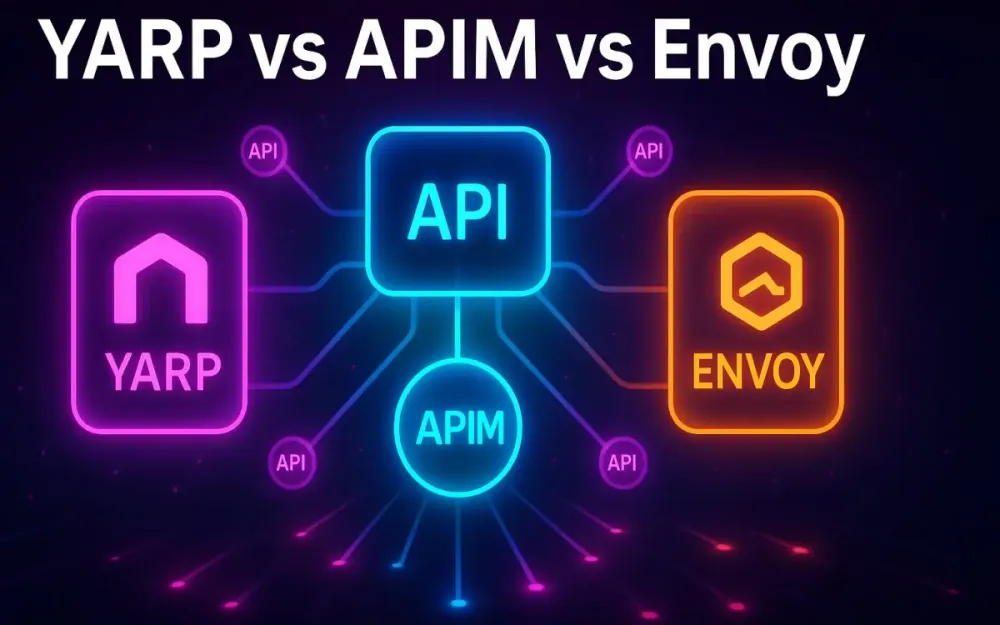
In distributed .NET environments, three gateway solutions dominate the conversation: YARP (Yet Another Reverse Proxy), Azure API Management (APIM), and Envoy Gateway. Each represents a different philosophy of control, responsibility, and integration.
YARP is a .NET-native gateway toolkit. It’s not a product but a framework you can embed in your ASP.NET Core applications. It shines when you want total control, deep extensibility, and tight integration with your .NET codebase. You can think of YARP as a custom toolbox that empowers developers to craft exactly what they need—no more, no less.
Azure API Management, by contrast, is a managed PaaS offering from Microsoft. It handles the heavy lifting: global availability, enterprise-grade security, developer portals, analytics, and lifecycle management. It’s designed for teams who value operational simplicity and governance over raw customization. If YARP is a developer’s toolkit, APIM is the enterprise IT department’s control panel.
Envoy Gateway is the Kubernetes-native contender. It builds on the Envoy Proxy—arguably the most battle-tested data plane in cloud-native infrastructure—and wraps it in Kubernetes Gateway API–driven declarative configuration. It aligns perfectly with GitOps, infrastructure-as-code, and platform engineering teams. Here, the philosophy isn’t “let developers code their own” but “treat gateway rules as cluster resources managed just like Deployments or Services.”
The core problem these tools address is consistent: managing complexity, security, and observability at the edge of your microservices architecture. But the trade-offs differ. Do you want maximum developer flexibility (YARP), minimal ops overhead with enterprise integrations (APIM), or Kubernetes-native, declarative infrastructure that scales to multi-cloud (Envoy Gateway)?
There is no single “best” gateway. The pragmatic choice depends on your team’s skills, where your workloads run, and what cross-cutting concerns dominate your requirements. This guide exists to help you make that choice with confidence.
2 The Modern .NET Architect’s Challenge: Taming Microservice Complexity
Microservices promise agility, scalability, and team autonomy. But as .NET architects and leads know, those promises come at a price: the complexity of managing dozens or hundreds of independent services, each with its own endpoints, dependencies, and scaling needs. Without a gateway strategy, you expose your clients—and your business—to brittle integrations, duplicated logic, and unnecessary risk.
2.1 What is an API Gateway? A Quick Refresher
At its simplest, an API gateway is a reverse proxy that routes incoming requests to the correct backend service. But in modern distributed systems, a gateway is far more than a router. It is simultaneously a traffic cop, a security guard, a translator, and sometimes a diplomat.
Consider three key gateway patterns that apply directly to .NET microservices:
2.1.1 Gateway Routing
The baseline responsibility. Clients send requests to a single endpoint, and the gateway dispatches them to the right backend service. For example, /orders might route to the Orders service, while /inventory routes to the Inventory service. Without a gateway, clients would need to know the address of each service—an operational and security nightmare.
{
  "Routes": [
    {
      "RouteId": "orders-route",
      "ClusterId": "orders-cluster",
      "Match": { "Path": "/orders/{**catch-all}" }
    }
  ],
  "Clusters": {
    "orders-cluster": {
      "Destinations": {
        "orders-api": { "Address": "http://orders-service:5000" }
      }
    }
  }
}
The above YARP configuration demonstrates simple routing in JSON, hiding service discovery from the client.
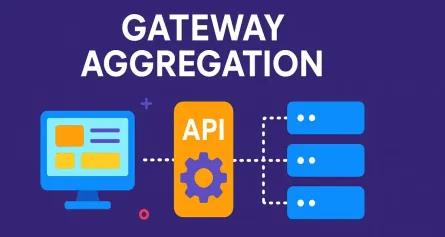
2.1.2 Gateway Aggregation
Microservices often return fragments of the data the client needs. A gateway can aggregate responses from multiple services into a single response. Imagine a mobile app showing an order history: you might fetch data from Orders, Products, and Payments. Instead of three roundtrips from the client, the gateway orchestrates one request internally and returns a unified payload.
2.1.3 Backend-for-Frontend (BFF)
Different clients often need different shapes of data. A web UI might want detailed objects, while a mobile app only needs a summary. Instead of bloating every service with presentation concerns, you create BFF gateways tailored for each client. YARP makes this especially natural since you can embed custom logic in ASP.NET Core controllers, while Envoy Gateway and APIM offer transformations at the gateway layer.
The key point: in any serious microservice deployment, the gateway is non-negotiable. Without it, you’re forcing clients to couple directly to internal topology, duplicate cross-cutting concerns, and lose the ability to evolve your architecture safely.
2.2 Cross-Cutting Concerns: The Problems Gateways Solve
Routing is the starting line, not the finish. What makes gateways essential are the cross-cutting concerns they centralize—concerns that every service needs but shouldn’t reimplement. Let’s break down the top ones.
2.2.1 Centralizing Authentication & Authorization
Every microservice should not have to parse JWT tokens, verify OAuth scopes, or validate API keys independently. A gateway provides a single enforcement point. For example:
- YARP integrates seamlessly with ASP.NET Core’s
JwtBearermiddleware. - APIM lets you drop in a
validate-jwtpolicy in XML, no code required. - Envoy Gateway uses CRDs to declare JWT validation rules.
The benefit is consistency and reduced attack surface. Clients authenticate once at the edge, and internal services can trust the gateway to enforce access control.
2.2.2 Enforcing Rate Limiting & Throttling
A burst of traffic—or worse, a DDoS attempt—can cripple your services. Gateways enforce rate limits before requests ever reach your microservices. For example:
- With YARP, you can configure ASP.NET Core’s
RateLimitermiddleware inProgram.cs. - In APIM,
rate-limit-by-keypolicies enforce quotas per user, subscription, or IP. - Envoy Gateway integrates with Lyft’s global rate limiting service for distributed enforcement.
This protects your downstream services and keeps client behavior fair.
2.2.3 Simplifying Observability
You can’t manage what you can’t measure. Gateways are natural choke points for logging requests, emitting metrics, and injecting distributed tracing headers. Whether you’re piping logs into Serilog (YARP), Application Insights (APIM), or Prometheus (Envoy), gateways give you a uniform lens into your traffic. Without them, observability becomes fragmented and inconsistent.
2.2.4 Implementing Resilience Patterns
Failures are inevitable in distributed systems. Gateways provide the place to implement resilience patterns like retries, timeouts, and circuit breakers. A client shouldn’t have to know whether the Orders service is flaky; the gateway can retry or degrade gracefully. Envoy, in particular, excels here, but YARP and APIM both support retry policies as well.
2.2.5 Decoupling Clients from Internal Service Topology
Perhaps the most underrated benefit: gateways let you change your backend without breaking clients. You can split a monolith into multiple services behind the same route, or migrate services from VMs to Kubernetes, and the client never needs to know. This decoupling is essential for long-term agility.
In short: gateways are not optional infrastructure in .NET microservices. They are the glue that turns a collection of services into a coherent platform. They manage traffic, enforce policy, and free your services to focus on business logic instead of boilerplate.
3 Meet the Contenders: A Deep Introduction
With the challenges of microservice complexity in mind, it’s time to examine the three API gateway solutions most relevant to .NET architects today: YARP, Azure API Management, and Envoy Gateway. Each brings a distinct philosophy, integration model, and operational profile. Rather than ask which is “better,” the pragmatic architect asks: which is right for my team, my infrastructure, and my business requirements? Let’s unpack them in depth.
3.1 YARP: Yet Another Reverse Proxy
YARP, or Yet Another Reverse Proxy, is not a prepackaged product but a flexible library built by Microsoft’s ASP.NET team. It positions itself as a developer-first toolkit for crafting highly performant and extensible reverse proxies inside .NET applications.
3.1.1 Core Philosophy
YARP is designed for .NET developers who want maximum control. Instead of hiding gateway logic behind a managed service, YARP exposes it as an in-process component that you own entirely. The philosophy is clear: you don’t adapt your architecture to the gateway; you adapt the gateway to your architecture. If your team thrives on custom middleware, pipelines, and explicit code, YARP feels natural.
3.1.2 Architecture
At runtime, YARP runs as part of your ASP.NET Core host. Requests come into your web server (Kestrel, IIS, or containerized ASP.NET Core), and YARP intercepts them to apply routing, transforms, and policies before forwarding traffic to destination clusters. Configuration can come from static appsettings.json, dynamic configuration providers like databases, or even runtime code.
Here’s a minimal but practical example of wiring YARP into an ASP.NET Core project:
var builder = WebApplication.CreateBuilder(args);

// Add YARP reverse proxy
builder.Services.AddReverseProxy()
    .LoadFromConfig(builder.Configuration.GetSection("ReverseProxy"));

var app = builder.Build();

// Enable middleware pipeline
app.MapReverseProxy();

app.Run();
And the matching configuration in appsettings.json:
{
  "ReverseProxy": {
    "Routes": {
      "orders": {
        "ClusterId": "ordersCluster",
        "Match": { "Path": "/orders/{**catch-all}" }
      }
    },
    "Clusters": {
      "ordersCluster": {
        "Destinations": {
          "destination1": { "Address": "http://localhost:5001" }
        }
      }
    }
  }
}
Unlike APIM or Envoy, which expect declarative policies, YARP lets you inject custom middleware directly into the pipeline for tasks like authentication, transformation, or logging.
3.1.3 Key Strengths
- Tight .NET integration: Works seamlessly with ASP.NET Core middleware, dependency injection, and configuration providers.
- Performance: Runs in-process, avoiding extra network hops or cross-service overhead.
- Extensibility: You can override almost any part of request processing, from routing to transformations.
- Cost: No licensing fees—just the compute cost of running the app.
3.1.4 Ideal Use Cases
YARP shines when:
- You need a Backend-for-Frontend tailored for specific clients (e.g., mobile vs. web).
- You’re decomposing a monolith into microservices using the strangler-fig pattern and need routing that evolves with your code.
- You require custom gateway logic that off-the-shelf products can’t support.
- You’re running primarily in .NET environments and want minimal cognitive overhead.
3.2 Azure API Management (APIM)
Azure API Management is Microsoft’s enterprise-grade API gateway service. It’s a managed PaaS offering that combines gateway functionality with lifecycle management, developer experience features, and analytics.
3.2.1 Core Philosophy
The philosophy of APIM is “enterprise-ready APIs without the operational pain.” Rather than handcrafting a gateway, you delegate to Azure. Policies, authentication, rate limiting, and transformations are all declarative and managed for you. This makes it ideal when governance, compliance, and external developer onboarding matter more than custom code.
3.2.2 Architecture
APIM operates with a clear split between control plane and data plane. The control plane is where you configure APIs, policies, and products—usually through the Azure Portal, ARM templates, Bicep files, or Terraform. The data plane is the gateway itself, which receives and processes API calls at runtime. APIM runs as a multi-tenant PaaS service, scaling based on the tier you select.
A sample policy configuration to validate a JWT looks like this:
<inbound>
  <validate-jwt header-name="Authorization" failed-validation-httpcode="401" failed-validation-error-message="Unauthorized">
    <openid-config url="https://login.microsoftonline.com/{tenant-id}/v2.0/.well-known/openid-configuration" />
    <required-claims>
      <claim name="aud">
        <value>api://orders-api</value>
      </claim>
    </required-claims>
  </validate-jwt>
  <base />
</inbound>
This snippet, placed in an API’s inbound policy, ensures all calls carry a valid Azure AD-issued JWT with the correct audience claim—no custom code required.
3.2.3 Key Strengths
- Enterprise integrations: First-class support for Azure AD, Application Insights, Log Analytics, and Key Vault.
- Policy engine: Over 50 built-in policies for authentication, transformation, caching, and resilience.
- Developer portal: Auto-generated API documentation, subscription keys, and onboarding flows.
- Managed scaling: You choose a tier (Consumption, Basic, Standard, Premium), and Microsoft handles the rest.
3.2.4 Ideal Use Cases
APIM is the go-to choice when:
- You’re running in Azure and want tight ecosystem integration.
- You need to expose APIs to partners or monetize them with subscription keys and quotas.
- You care about API lifecycle management (versioning, deprecation, governance).
- You want low-ops overhead and predictable enterprise support.
3.3 Envoy Gateway
Envoy Gateway is the Kubernetes-native entrant, built on top of the Envoy Proxy and aligned with the Kubernetes Gateway API standard.
3.3.1 Core Philosophy
Envoy Gateway assumes your workloads live in Kubernetes and your teams embrace declarative infrastructure. It prioritizes GitOps workflows, cluster-native extensibility, and multi-cloud portability. Its philosophy is clear: gateways should be cluster resources managed just like Deployments, Services, or Ingress. Configuration belongs in YAML manifests, versioned in Git, and applied through CI/CD.
3.3.2 Architecture
Envoy Gateway runs as a set of controllers inside your Kubernetes cluster. It consumes Gateway API CRDs (Gateway, HTTPRoute, BackendPolicy, etc.) and reconciles them into Envoy Proxy configurations. At runtime, traffic flows into Envoy Proxy pods, which enforce routing, policies, and observability. Scaling is achieved by adding more Envoy pods.
Here’s an example of configuring a simple route:
apiVersion: gateway.networking.k8s.io/v1beta1
kind: HTTPRoute
metadata:
  name: orders-route
spec:
  parentRefs:
  - name: my-gateway
  rules:
  - matches:
    - path:
        type: PathPrefix
        value: /orders
    backendRefs:
    - name: orders-service
      port: 80
This manifest says: traffic coming to /orders should route to the Kubernetes Service orders-service on port 80. No imperative code required.
3.3.3 Key Strengths
- Kubernetes-native: Uses the Gateway API standard, which is portable across vendors.
- Extensibility: Supports custom filters and WebAssembly plugins for advanced traffic manipulation.
- Observability: Exposes Prometheus metrics and integrates with OpenTelemetry for tracing.
- Performance: Built on Envoy, which powers some of the largest production systems in the world.
3.3.4 Ideal Use Cases
Envoy Gateway excels when:
- Your workloads already run on Kubernetes (AKS, EKS, GKE, or on-prem).
- You’re embracing GitOps and want declarative configuration versioned in source control.
- You need multi-cloud or hybrid portability, avoiding lock-in to a single vendor.
- You want to align with service mesh patterns (Istio, Linkerd) for future evolution.
4 The Ultimate Feature Showdown: A Head-to-Head Comparison
Now that we’ve introduced YARP, Azure API Management, and Envoy Gateway, it’s time to compare them directly. This is where the real architectural trade-offs become visible. Each contender approaches core gateway features differently—some rely on code-first extensibility, others on declarative policies, and some on infrastructure-native CRDs. In this section, we’ll dive into the most critical feature areas with detailed, practical examples that senior developers and architects can use as reference.
4.1 Authentication & Authorization
Authentication and authorization are non-negotiable at the edge. Each gateway implements them differently, reflecting its philosophy and integration strategy.
4.1.1 YARP
YARP leverages ASP.NET Core’s existing authentication and authorization middleware. This makes it very familiar for .NET developers, but it also means you’re responsible for wiring things up correctly. A common example is securing APIs with JWTs issued by Azure AD.
var builder = WebApplication.CreateBuilder(args);

builder.Services
    .AddAuthentication("Bearer")
    .AddJwtBearer("Bearer", options =>
    {
        options.Authority = "https://login.microsoftonline.com/{tenant-id}/v2.0";
        options.TokenValidationParameters.ValidateAudience = true;
        options.TokenValidationParameters.ValidAudience = "api://orders-api";
    });

builder.Services.AddAuthorization(options =>
{
    options.AddPolicy("OrdersRead", policy =>
        policy.RequireClaim("scope", "orders.read"));
});

builder.Services.AddReverseProxy()
    .LoadFromConfig(builder.Configuration.GetSection("ReverseProxy"));

var app = builder.Build();

app.UseAuthentication();
app.UseAuthorization();

app.MapReverseProxy().RequireAuthorization("OrdersRead");

app.Run();
Here, YARP passes only requests with valid JWTs containing the orders.read scope to the backend services. Developers can add custom policies or extend middleware pipelines as needed.
4.1.2 Azure API Management
APIM abstracts authentication into policies. You don’t write code—you configure XML snippets. This is especially powerful when working with multiple APIs requiring different authentication mechanisms. For example, validating a JWT token:
<inbound>
  <validate-jwt header-name="Authorization" require-scheme="Bearer">
    <openid-config url="https://login.microsoftonline.com/{tenant-id}/v2.0/.well-known/openid-configuration" />
    <audiences>
      <audience>api://orders-api</audience>
    </audiences>
  </validate-jwt>
  <base />
</inbound>
For API key validation, you can simply add:
<inbound>
  <validate-api-key />
  <base />
</inbound>
This makes APIM a strong fit for enterprises needing consistent enforcement across dozens of APIs with minimal developer intervention.
4.1.3 Envoy Gateway
Envoy Gateway uses Kubernetes CRDs for declarative security. For JWT validation:
apiVersion: security.policy.networking.k8s.io/v1alpha1
kind: JWTPolicy
metadata:
  name: orders-jwt
spec:
  targetRefs:
  - kind: HTTPRoute
    name: orders-route
  issuer: "https://login.microsoftonline.com/{tenant-id}/v2.0"
  audiences:
  - "api://orders-api"
For external authorization (e.g., calling an OPA sidecar or a custom .NET service):
apiVersion: security.policy.networking.k8s.io/v1alpha1
kind: AuthorizationPolicy
metadata:
  name: orders-authz
spec:
  targetRefs:
  - kind: HTTPRoute
    name: orders-route
  provider:
    extAuthz:
      serviceRef:
        name: authz-service
        namespace: security
        port: 8080
This pattern aligns with GitOps: security rules live in Git alongside your Kubernetes manifests.
4.2 Rate Limiting & Throttling
Protecting downstream services from abuse or overload requires rate limiting. Each gateway implements this in different ways.
4.2.1 YARP
In .NET 7+, rate limiting is a first-class middleware feature. You can apply it globally or per-route.
var builder = WebApplication.CreateBuilder(args);

builder.Services.AddRateLimiter(options =>
{
    options.AddPolicy("fixed", context =>
        RateLimitPartition.GetFixedWindowLimiter(
            partitionKey: context.Connection.RemoteIpAddress?.ToString(),
            factory: key => new FixedWindowRateLimiterOptions
            {
                PermitLimit = 100,
                Window = TimeSpan.FromMinutes(1)
            }));
});

var app = builder.Build();

app.UseRateLimiter();

app.MapReverseProxy().RequireRateLimiting("fixed");

app.Run();
This example limits clients by IP to 100 requests per minute.
4.2.2 Azure API Management
APIM uses policies like rate-limit-by-key and quota-by-key. Keys can be subscription IDs, IPs, or custom headers.
<inbound>
  <rate-limit-by-key calls="100" renewal-period="60"
                     counter-key="@(context.Subscription.Id)" />
  <base />
</inbound>
For quotas:
<inbound>
  <quota-by-key calls="1000" renewal-period="3600"
                counter-key="@(context.Subscription.Id)" />
  <base />
</inbound>
This approach is excellent for monetized APIs or partner integrations where you want granular, per-subscription control.
4.2.3 Envoy Gateway
Envoy Gateway uses BackendTrafficPolicy for local rate limits and can integrate with Lyft’s global rate limit service for distributed enforcement.
apiVersion: gateway.networking.k8s.io/v1alpha1
kind: BackendTrafficPolicy
metadata:
  name: orders-rate-limit
spec:
  targetRefs:
  - kind: Service
    name: orders-service
  rateLimit:
    local:
      requests: 100
      unit: minute
For global, cluster-wide enforcement:
rateLimit:
  global:
    serverRef:
      name: ratelimit
      namespace: infra
This aligns with cloud-native distributed scaling.
4.3 Request & Response Transformations
Transformations allow you to adapt APIs without changing backend services.
4.3.1 YARP
YARP supports static transforms in JSON and dynamic transforms with IHttpTransformer.
Static example:
{
  "Routes": {
    "orders": {
      "ClusterId": "ordersCluster",
      "Transforms": [
        { "PathPattern": "/api/orders/{**catch-all}" },
        { "RequestHeader": "X-Forwarded-For", "Append": "{RemoteIpAddress}" }
      ]
    }
  }
}
Dynamic example:
public class CustomTransformer : HttpTransformer
{
    public override async ValueTask TransformRequestAsync(HttpContext context,
        HttpRequestMessage proxyRequest, string destinationPrefix)
    {
        proxyRequest.Headers.Add("X-Correlation-Id", Guid.NewGuid().ToString());
        await base.TransformRequestAsync(context, proxyRequest, destinationPrefix);
    }
}
4.3.2 Azure API Management
APIM’s policy engine makes transformations straightforward.
URI rewrite:
<inbound>
  <rewrite-uri template="/api/v1/orders" />
  <base />
</inbound>
Header manipulation:
<inbound>
  <set-header name="X-Api-Version" exists-action="override">
    <value>v1</value>
  </set-header>
  <base />
</inbound>
Body transformation with Liquid templates:
<inbound>
  <set-body template="liquid">
    { "id": "{{body.orderId}}", "status": "{{body.orderStatus}}" }
  </set-body>
</inbound>
4.3.3 Envoy Gateway
Envoy Gateway relies on HTTPRoute filters.
apiVersion: gateway.networking.k8s.io/v1beta1
kind: HTTPRoute
metadata:
  name: orders-route
spec:
  parentRefs:
  - name: my-gateway
  rules:
  - matches:
    - path:
        type: PathPrefix
        value: /orders
    filters:
    - type: RequestHeaderModifier
      requestHeaderModifier:
        set:
        - name: X-Api-Version
          value: v1
For more complex body rewrites, you’d use a Wasm filter plugin.
4.4 Observability (Metrics, Logging, Tracing)
Observability is critical for debugging, compliance, and performance tuning.
4.4.1 YARP
Since YARP lives in ASP.NET Core, it integrates seamlessly with Serilog, ILogger, and OpenTelemetry.
builder.Services.AddOpenTelemetry()
    .WithTracing(t =>
    {
        t.AddAspNetCoreInstrumentation()
         .AddHttpClientInstrumentation()
         .AddJaegerExporter();
    })
    .WithMetrics(m =>
    {
        m.AddAspNetCoreInstrumentation()
         .AddPrometheusExporter();
    });
Logs and traces flow like any other .NET app, making it easy for developer-centric workflows.
4.4.2 Azure API Management
APIM provides turn-key integration with Azure Monitor. You can enable logging to Application Insights with a few clicks or via ARM:
{
  "type": "Microsoft.ApiManagement/service/diagnostics",
  "name": "[concat(parameters('apimName'), '/applicationinsights')]",
  "properties": {
    "loggerId": "[resourceId('Microsoft.ApiManagement/service/loggers', parameters('apimName'), 'appInsightsLogger')]",
    "alwaysLog": "allErrors"
  }
}
This ensures central logging and metrics with minimal configuration.
4.4.3 Envoy Gateway
Envoy Gateway exposes Prometheus metrics and integrates with OpenTelemetry.
apiVersion: telemetry.policy.networking.k8s.io/v1alpha1
kind: Telemetry
metadata:
  name: envoy-telemetry
spec:
  targetRefs:
  - kind: Gateway
    name: my-gateway
  metrics:
    prometheus: {}
  tracing:
    openTelemetry:
      collectorRef:
        name: otel-collector
        namespace: observability
This aligns with Kubernetes-native observability stacks like Prometheus, Grafana, and Jaeger.
4.5 Developer Experience & Configuration Management
The developer experience varies significantly.
4.5.1 YARP
- Code-centric: Developers configure routing in C# or JSON.
- Easy local debugging: Run the gateway alongside your services in Visual Studio or Docker Compose.
- High flexibility: You can test new policies by editing middleware directly.
4.5.2 Azure API Management
- UI-first: The Azure Portal provides a polished experience for creating APIs and policies.
- Infrastructure-as-Code: ARM, Bicep, and Terraform templates allow automation but have a learning curve.
- Policy complexity: The XML-based engine is powerful but non-intuitive for developers used to code.
4.5.3 Envoy Gateway
- GitOps-native: All configuration lives in YAML manifests.
- Tooling: Managed through
kubectlor CI/CD pipelines. - Developer dependency: Developers may need ops support unless they’re Kubernetes-savvy.
4.6 Performance & Scalability
Performance often drives gateway selection.
4.6.1 YARP
- Runs in-process with Kestrel, meaning minimal latency overhead.
- Scaling is tied to your ASP.NET Core app—scale out with App Service instances, Kubernetes pods, or VMs.
- Performance tuning is familiar: configure thread pools, connection limits, and caching.
4.6.2 Azure API Management
- Performance depends on the tier. Premium supports multi-region deployments with high throughput.
- Adds some latency due to multi-tenant architecture.
- Scaling is managed for you, but costs rise with traffic.
4.6.3 Envoy Gateway
- Envoy is battle-tested in high-traffic environments like Lyft and Google.
- Extremely low-latency C++ proxy with advanced features like connection pooling and retries.
- Horizontal scalability in Kubernetes: add more pods to scale capacity.
4.7 Cost & Total Cost of Ownership (TCO)
Beyond features, cost and operational burden are decisive.
4.7.1 YARP
- Free to use, but you pay for compute resources (App Service, VMs, Kubernetes).
- Hidden cost: developer and ops time to maintain custom gateway logic.
- Best fit when teams are already invested in .NET and comfortable with custom code.
4.7.2 Azure API Management
- Consumption tier is cheap for low traffic but scales poorly.
- Standard and Premium tiers can become expensive at scale.
- Lower operational overhead: Azure manages scaling, patching, and HA.
4.7.3 Envoy Gateway
- Software is free, but you pay for Kubernetes cluster resources and operational expertise.
- Requires a capable platform team to manage lifecycle, upgrades, and observability.
- Best suited for teams already invested in Kubernetes infrastructure.
5 The Architect’s Decision Tree: Which Gateway Should You Choose?
By now, we’ve seen the philosophies, architectures, and feature sets of YARP, Azure API Management, and Envoy Gateway. But how do you translate all of that into a concrete decision for your platform? This section provides a structured way of reasoning through the choice, not just as a list of features but as a set of architectural trade-offs. Think of it as a pragmatic decision tree for .NET architects and tech leads.
5.1 Question 1: Where Does Your Application Run?
The first and most obvious filter is the runtime environment. The infrastructure your services live in shapes which gateway is a natural fit.
5.1.1 Azure (PaaS/IaaS)
If your workloads live on Azure—whether that’s App Service, Azure Functions, AKS, or VMs—the gravitational pull of Azure API Management is strong. You’ll get immediate integrations with Azure AD, Application Insights, Key Vault, and the Azure monitoring ecosystem. More importantly, you’ll avoid the operational burden of patching and scaling your own gateway. For example, if you’re hosting a suite of APIs for external partners, APIM gives you subscriptions, developer portals, and monetization out of the box.
resource apim 'Microsoft.ApiManagement/service@2022-09-01-preview' = {
  name: 'orders-apim'
  location: resourceGroup().location
  sku: {
    name: 'Consumption'
    capacity: 0
  }
  properties: {
    publisherEmail: 'api-team@example.com'
    publisherName: 'Orders Platform'
  }
}
This simple Bicep template spins up a consumption-tier APIM instance without needing infrastructure maintenance.
5.1.2 Kubernetes (Any Cloud)
If your workloads live in Kubernetes, Envoy Gateway almost always makes sense. It integrates with the Kubernetes Gateway API, meaning routing and security rules are expressed as YAML manifests like Deployments or Services. This keeps your platform consistent with GitOps practices and cluster-native observability. A team already managing Ingress controllers, Service Mesh, or custom CRDs will find Envoy Gateway fits their existing workflows.
apiVersion: gateway.networking.k8s.io/v1beta1
kind: Gateway
metadata:
  name: orders-gateway
spec:
  gatewayClassName: envoy
  listeners:
  - name: http
    port: 80
    protocol: HTTP
With this manifest, you can declare a cluster-wide HTTP gateway in just a few lines.
5.1.3 Anywhere (.NET is Installed)
If your services run outside Azure or Kubernetes—on VMs, bare metal, or mixed environments—YARP is your most flexible option. It only requires a .NET host. You can deploy it in IIS, Docker, or any server capable of running ASP.NET Core. This universality makes YARP a safe fallback when the other two don’t align with your platform.
var builder = WebApplication.CreateBuilder(args);
builder.Services.AddReverseProxy().LoadFromConfig(builder.Configuration.GetSection("ReverseProxy"));
var app = builder.Build();
app.MapReverseProxy();
app.Run();
This snippet demonstrates how little you need to bootstrap a gateway with YARP, making it ideal for polyglot or hybrid hosting scenarios.
5.2 Question 2: Who Will Manage the Gateway?
The second key consideration is ownership. Who will take responsibility for the gateway—developers, operations, or enterprise IT?
5.2.1 Developers
If developers are directly responsible, YARP is almost always the better choice. It feels natural in the ASP.NET Core ecosystem. Developers can write custom middleware, debug locally, and treat the gateway as just another application. It’s especially attractive in teams practicing Backend-for-Frontend patterns or rapid iteration.
5.2.2 Dedicated Platform/Ops Team
If you have a dedicated ops or platform engineering team, Envoy Gateway is a strong candidate. It aligns with GitOps, declarative infrastructure, and cluster-wide observability. The gateway configuration becomes part of the Kubernetes resource model, managed by pipelines and reconciled continuously. Developers interact through PRs or configuration templates rather than directly editing gateway code.
5.2.3 Enterprise IT/Low-Ops Teams
If IT or an enterprise integration team owns the gateway, APIM is the best option. It’s low-ops, stable, and integrates into Azure governance. Non-developers can configure policies through the portal, while infrastructure-as-code templates ensure reproducibility. This minimizes the need for custom code or Kubernetes expertise.
5.3 Question 3: What Is Your Primary Requirement?
Even within the same hosting model and ownership, the why behind your gateway choice matters. Let’s map common priorities.
5.3.1 Deep Custom Logic & .NET Integration
If your main requirement is embedding business logic into the gateway—for example, calculating headers, calling external services, or running custom filters—YARP wins. You can extend with C# and .NET middleware without fighting a declarative engine.
app.MapReverseProxy(proxyPipeline =>
{
    proxyPipeline.Use(async (context, next) =>
    {
        context.Request.Headers.Add("X-Correlation-Id", Guid.NewGuid().ToString());
        await next();
    });
});
This snippet injects a correlation header into every proxied request, something trivial in YARP but awkward in APIM or Envoy.
5.3.2 Enterprise Security & API Monetization
If your priority is external-facing APIs requiring strong governance, monetization, and integration with identity providers, APIM is unmatched. Its subscription keys, quotas, and developer portal let you expose APIs as products.
<inbound>
  <rate-limit-by-key calls="1000" renewal-period="3600"
                     counter-key="@(context.Subscription.Id)" />
  <base />
</inbound>
Here, each subscription ID gets its own quota, enabling fine-grained API monetization.
5.3.3 Standardized, Declarative, Cloud-Native Routing
If your priority is declarative routing rules managed through GitOps pipelines, Envoy Gateway is the standard. It integrates naturally with Kubernetes CRDs, making API exposure a matter of applying YAML.
apiVersion: gateway.networking.k8s.io/v1beta1
kind: HTTPRoute
metadata:
  name: mobile-orders
spec:
  parentRefs:
  - name: orders-gateway
  rules:
  - matches:
    - path:
        type: PathPrefix
        value: /mobile/orders
    backendRefs:
    - name: mobile-orders-service
      port: 80
This example routes mobile-specific requests to a dedicated backend, entirely through manifests.
5.4 Question 4: How Critical Is Time-to-Market?
Speed matters. If you need a working gateway tomorrow, APIM’s consumption tier lets you spin up and configure APIs in hours. If you need fine-grained customizations and are already in .NET, YARP lets you prototype quickly. Envoy Gateway, while powerful, often requires more setup and Kubernetes alignment, making it better for teams already invested in the ecosystem rather than greenfield speed.
5.5 Question 5: What Are Your Compliance and Governance Needs?
For regulated industries—finance, healthcare, government—compliance and governance are decisive.
- YARP: You must build compliance controls yourself, from logging formats to audit trails.
- APIM: Provides built-in audit logs, Azure AD integration, and role-based access control. Strongest option for compliance-heavy environments.
- Envoy Gateway: Compliance depends on your Kubernetes cluster’s configuration. Flexible, but requires effort to integrate with policy enforcement tools like OPA or Kyverno.
5.6 Question 6: What Is Your Team’s Learning Curve Tolerance?
- Low tolerance (developers want familiar tools): YARP is the least disruptive for .NET shops.
- Medium tolerance (comfortable with Azure Portal and XML policies): APIM requires learning its policy language but not deep infrastructure knowledge.
- High tolerance (Kubernetes-savvy teams, GitOps-first): Envoy Gateway is ideal for platform engineers but steep for application developers unfamiliar with cluster concepts.
5.7 Building the Decision Guide
To make this actionable, here’s a text-based flow resembling a decision tree.
-
Where do you run your workloads?
- Azure → Start with APIM.
- Kubernetes → Start with Envoy Gateway.
- Other/Hybrid → Start with YARP.
-
Who manages the gateway?
- Developers → Prefer YARP.
- Platform/Ops → Prefer Envoy Gateway.
- Enterprise IT → Prefer APIM.
-
What’s the primary requirement?
- Custom logic → YARP.
- API monetization/security → APIM.
- Declarative GitOps routing → Envoy Gateway.
-
Additional filters:
- Need fastest time-to-market? → APIM or YARP.
- Heavy compliance needs? → APIM.
- Multi-cloud portability? → Envoy Gateway.
By walking through these questions, architects can converge on the most suitable gateway for their environment without defaulting to hype or assumptions.
5.8 Practical Example: Applying the Decision Tree
Imagine a retail company modernizing its e-commerce platform. They run their services on AKS, but their IT department is wary of developer-owned infrastructure.
- Environment: Kubernetes → Lean toward Envoy Gateway.
- Ownership: Enterprise IT, low-ops → Lean toward APIM.
- Requirement: External APIs for partners, monetized access → Strong APIM fit.
Even though they’re Kubernetes-based, APIM makes more sense for external APIs, while Envoy Gateway may still be used internally for in-cluster routing. The decision tree clarifies that a hybrid model might be best.
Another scenario: a fintech startup running services on App Service and Functions.
- Environment: Azure PaaS → APIM.
- Ownership: Developers → Could suggest YARP.
- Requirement: Regulatory compliance, strong security → APIM.
Here, APIM wins decisively, despite developers’ comfort with YARP.
5.9 Beyond a Single Choice
It’s worth noting that many mature organizations end up using more than one gateway. You might have APIM at the edge for external exposure, Envoy Gateway inside Kubernetes for internal routing, and YARP instances as BFFs tailored for specific client apps. The decision tree doesn’t lock you into one tool forever—it helps you identify the right first choice and where to layer other solutions over time.
6 Advanced Architecture: Layering Gateways without the “Two APIs” Anti-Pattern
Most teams start with one gateway. That’s a natural first step, but over time, as requirements expand and complexity grows, the “one gateway to rule them all” mindset becomes a liability. It often leads to a brittle system where every new policy, transformation, and authentication rule piles into a single bottleneck. Instead, mature architectures frequently layer gateways in a way that separates concerns, distributes responsibilities, and avoids what’s known as the “two APIs” anti-pattern.
6.1 The Myth of a Single Gateway to Rule Them All
The common temptation is to assume that one enterprise-grade gateway can handle every responsibility—from traffic ingress and DDoS protection to backend orchestration and BFF logic. The reality is less elegant. A single, monolithic gateway becomes:
- A scaling bottleneck: All requests flow through one point. Even if the gateway itself can scale, the operational risk increases dramatically.
- A single point of failure: Outages at the gateway level can take down the entire platform.
- An organizational choke point: Every change requires coordination across teams. A new header for mobile apps? That requires edits in the same place where enterprise authentication is enforced.
- A productivity drag: Gateway teams become overloaded, while frontend and backend developers are forced into slow governance processes.
The “two APIs” anti-pattern illustrates this well. Teams create two logical APIs: one that the gateway exposes to clients, and another that internal services consume. Without clear boundaries, duplication creeps in—one version of the Orders API in the gateway configuration, another in the backend. This creates drift, confusion, and unnecessary coupling.
The better approach is to embrace layered gateways. Each layer addresses a specific set of cross-cutting concerns, ensuring no single gateway becomes overburdened or misused.
6.2 Pattern 1: Edge Gateway + BFF Gateways
One of the most effective layered models is to combine a coarse-grained edge gateway with multiple fine-grained Backend-for-Frontend (BFF) gateways.
6.2.1 Architecture
At the edge, you deploy Azure API Management or Envoy Gateway. Its responsibilities include global concerns:
- Web Application Firewall (WAF) integration
- Global rate limiting and throttling
- DDoS protection
- Static routing to broad service categories
- SSL/TLS termination and certificate management
Behind the edge, each client type (web, iOS, Android, partner API) gets its own dedicated YARP gateway. These BFF gateways handle client-specific needs:
- Aggregating data from multiple microservices into a single response
- Tailoring payloads to device-specific formats
- Injecting headers or claims required by that client
- Versioning APIs independently per client
This separates responsibilities. The edge gateway ensures security and stability at the perimeter, while YARP BFFs empower frontend teams to innovate quickly.
6.2.2 Example Implementation
Suppose you run a retail platform with APIs consumed by a React web app and a native iOS app. At the edge, APIM validates JWTs and enforces rate limits:
<inbound>
  <validate-jwt header-name="Authorization">
    <openid-config url="https://login.microsoftonline.com/{tenant-id}/v2.0/.well-known/openid-configuration" />
    <audiences>
      <audience>api://retail-edge</audience>
    </audiences>
  </validate-jwt>
  <rate-limit-by-key calls="1000" renewal-period="3600" counter-key="@(context.Subscription.Id)" />
  <base />
</inbound>
Behind APIM, a YARP gateway acts as the Web BFF:
builder.Services.AddReverseProxy()
    .LoadFromConfig(builder.Configuration.GetSection("WebBffProxy"));

app.MapReverseProxy(proxyPipeline =>
{
    proxyPipeline.Use(async (context, next) =>
    {
        // Add device type for downstream services
        context.Request.Headers["X-Client-Type"] = "web";
        await next();
    });
});
Another YARP instance runs as the iOS BFF, injecting mobile-specific headers and aggregating data differently. The frontend teams control these BFFs, while the edge gateway team focuses on perimeter security.
6.2.3 Benefits
- Separation of concerns: Security policies live at the edge, client adaptations live in BFFs.
- Team autonomy: Frontend developers iterate quickly without waiting on enterprise gateway teams.
- Reduced risk: No single gateway handles everything.
- Improved security: Clients never call backend services directly; all traffic flows through controlled layers.
6.2.4 Reference Diagram
While we can’t embed an image here, picture this flow:
Clients (Web, iOS, Android)
       ↓
Edge Gateway (APIM/Envoy)
       ↓
BFF Gateways (YARP for Web, YARP for iOS, etc.)
       ↓
Microservices (Orders, Inventory, Payments)
Each layer focuses on what it does best.
6.3 Pattern 2: Kubernetes Ingress + Internal Gateway
In Kubernetes-heavy environments, another effective pattern is pairing Envoy Gateway as the ingress controller with internal YARP gateways for domain-specific abstraction.
6.3.1 Architecture
- Envoy Gateway: Handles North-South traffic (external-to-cluster). It validates authentication, terminates TLS, and routes requests to the right service namespace.
- Internal YARP gateways: Deployed as Kubernetes Deployments inside the cluster. Each internal gateway fronts a domain of services (e.g., “Customer Domain” or “Orders Domain”), abstracting service discovery and providing additional orchestration.
This pattern prevents frontend clients from coupling directly to Kubernetes Service names or internal topology.
6.3.2 Example Implementation
The Envoy Gateway ingress routes traffic into the cluster:
apiVersion: gateway.networking.k8s.io/v1beta1
kind: HTTPRoute
metadata:
  name: orders-external
spec:
  parentRefs:
  - name: envoy-ingress
  rules:
  - matches:
    - path:
        type: PathPrefix
        value: /orders
    backendRefs:
    - name: orders-internal-gateway
      port: 80
Instead of routing directly to the orders-service, requests go to a YARP-powered internal gateway.
That internal YARP gateway aggregates multiple microservices:
builder.Services.AddReverseProxy().LoadFromConfig(builder.Configuration.GetSection("OrdersDomain"));

app.MapReverseProxy(proxyPipeline =>
{
    proxyPipeline.Use(async (context, next) =>
    {
        // Apply domain-specific cross-cutting concerns
        context.Request.Headers["X-Domain"] = "Orders";
        await next();
    });
});
The configuration might route /orders to orders-service, /payments to payments-service, and aggregate both into a composite response.
6.3.3 Benefits
- Decoupling: Clients don’t know internal service names or namespaces.
- Domain boundaries: Each internal gateway represents a business domain.
- Flexibility: Internal gateways can implement retries, caching, or aggregation without bloating the ingress.
- Future-proofing: If services move to another cluster or topology changes, only the internal gateway configuration changes.
6.3.4 Reference Flow
Visualize this sequence:
External Client
     ↓
Envoy Gateway (Ingress Controller)
     ↓
Internal YARP Gateway (Domain-specific facade)
     ↓
Microservices in that Domain
This layering enforces both technical and organizational boundaries.
7 Conclusion: Making the Pragmatic Choice
After exploring core philosophies, features, and advanced patterns, the key message is clear: there is no universally “best” gateway. There are only gateways that best align with your platform, your team, and your strategic requirements.
7.1 Recap of the Core Strengths
- YARP: The Builder’s Toolkit Ideal when you need deep customization, tight .NET integration, or lightweight BFFs. It empowers developers to own their gateway logic and iterate quickly.
- APIM: The Enterprise Manager Perfect for Azure-centric organizations needing governance, external exposure, and monetization. It reduces operational overhead while delivering enterprise features.
- Envoy Gateway: The Cloud-Native Operator Best suited for Kubernetes-heavy environments where declarative configuration, scalability, and GitOps practices dominate. It positions you for future service mesh integrations.
7.2 Pragmatic Advice
Start with your platform realities and your team’s strengths. Don’t choose Envoy just because it’s cloud-native, or YARP just because it’s free. Instead, match the gateway to your most pressing requirement:
- If security, governance, and compliance dominate → APIM.
- If developer velocity and custom logic dominate → YARP.
- If platform engineering and Kubernetes dominance define your stack → Envoy Gateway.
In practice, many organizations adopt hybrid architectures. APIM at the edge, Envoy Gateway as ingress, and YARP as BFFs is a powerful combination that avoids bottlenecks and respects team boundaries.
7.3 Looking Ahead
The future of gateways is converging with service meshes. Tools like Istio and Linkerd are increasingly overlapping with gateway responsibilities, while the Kubernetes Gateway API is emerging as a unifying standard. For .NET architects, this means designing with flexibility in mind—choosing tools that solve today’s needs while leaving room to evolve tomorrow.
In other words, don’t search for a “forever gateway.” Search for a gateway strategy: a layered, adaptable approach that balances security, performance, and developer productivity. The winners in the long run will be organizations that master not just the technology but also the team structures and workflows that support it.