As microservices architectures have gained popularity, managing client interactions with numerous services has become increasingly challenging. Think about orchestrating a busy airport—thousands of passengers, dozens of airlines, multiple terminals, and complex scheduling. How do passengers efficiently find their flights without confusion? A centralized system guides everyone smoothly to the right gate.
Similarly, in software, the Gateway Routing Pattern serves as this centralized guide. This article explores this essential pattern, providing detailed insights, practical guidance, and modern C# examples to help software architects design robust, scalable systems.
1 Introduction to the Gateway Routing Pattern
1.1 Core Concept
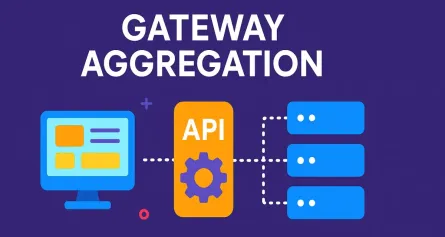
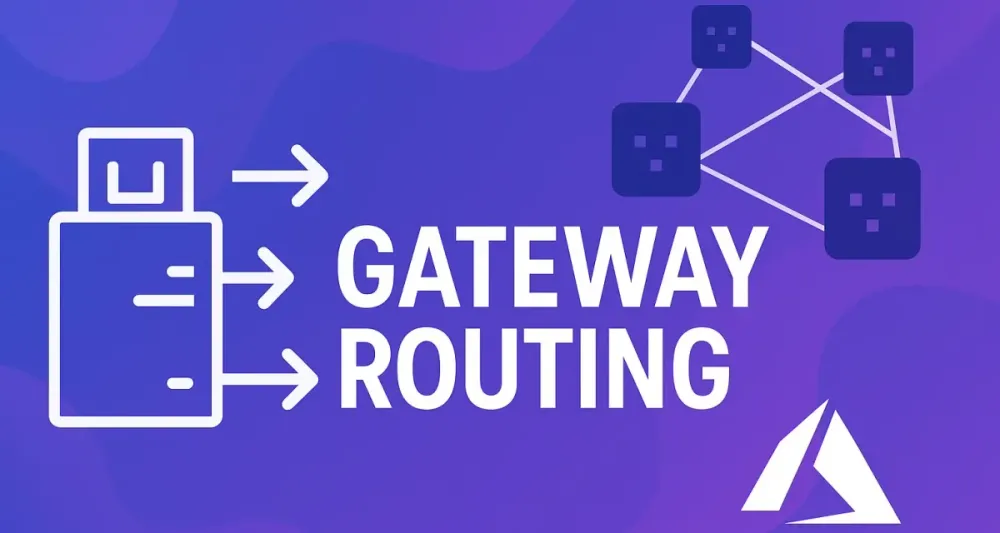
At its heart, the Gateway Routing Pattern involves using a single entry point—often referred to as an API Gateway—to route incoming requests to the appropriate backend services. Rather than clients directly connecting to various microservices, they communicate with a single endpoint. The gateway handles routing based on predefined rules and configuration.
1.2 The Problem It Solves
In microservices-based architectures, managing interactions between clients and multiple backend services introduces complexities, such as:
- Multiple Hostnames and Ports: Clients need knowledge of numerous URLs, complicating configuration.
- Service Discovery: Clients must dynamically locate services, increasing complexity and reducing stability.
- Version Management: Handling multiple API versions becomes cumbersome when each client must directly manage version awareness.
The Gateway Routing Pattern elegantly addresses these challenges by abstracting complexity behind a single interface, simplifying client-side interaction and maintaining consistent API exposure.
1.3 How It Works
When a request hits the gateway, the gateway analyzes it against a set of routing rules (such as URL paths, headers, or other metadata). Based on these rules, it forwards the request to the appropriate downstream service, processes the response, and returns it back to the client. Clients remain blissfully unaware of backend intricacies.
Consider this analogy: a receptionist in an office. Clients call a single number, and the receptionist routes calls to the right department. Clients don’t need to know internal extensions; the receptionist manages all complexities behind the scenes.
2 Core Principles and Key Components
2.1 Fundamental Principles
Three critical principles underpin the Gateway Routing Pattern:
Single Endpoint Exposure
Clients interact with only one stable endpoint, significantly simplifying configuration and interaction. No matter how many backend services exist, clients need to remember and configure just one URL.
Decoupling
The gateway ensures clients are completely decoupled from the service topology. Backend changes, new service deployments, or internal restructuring don’t directly impact client configurations or interactions.
Centralized Traffic Management
All traffic passes through the gateway, providing a single point for managing, observing, securing, and logging requests. This centralization supports enhanced observability, security, and governance.
2.2 Key Components in a .NET Ecosystem
When leveraging the Gateway Routing Pattern in .NET, three primary components form the backbone:
The Gateway
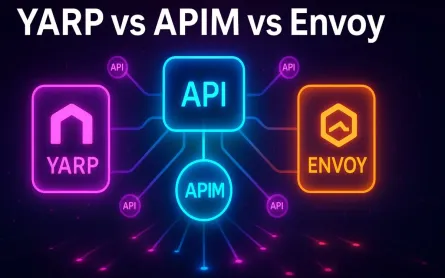
Typically, in .NET, frameworks like YARP (Yet Another Reverse Proxy), Azure API Management, or custom-built ASP.NET Core applications serve as the gateway.
Routing Table/Configuration
Defines rules that determine how requests are routed. This could be JSON/YAML files, dynamic configuration from services like Azure App Configuration, or database-backed setups.
Downstream Services
These are the individual microservices built using .NET. Each focuses on specific business logic and is unaware of the gateway’s routing logic.
3 When to Use the Gateway Routing Pattern
Choosing the right architectural patterns is as much about context as it is about technology. The Gateway Routing Pattern excels in certain environments, while in others, it may be overkill or even a hindrance. In this section, we’ll explore when it makes sense to implement this pattern, both from a business and technical perspective.
3.1 Appropriate Scenarios
Microservices-based Applications
If you’re designing or maintaining an ecosystem of microservices, the Gateway Routing Pattern is almost indispensable. Imagine a scenario where your solution has dozens of independently deployed services, each handling a specific slice of business logic. Without a gateway, clients would need to keep track of which service lives where—an administrative and operational nightmare.
By introducing a gateway, you encapsulate this complexity. Each microservice can evolve, relocate, or scale independently. Your clients—whether browser-based SPAs, mobile apps, or third-party integrators—simply connect to the gateway. Behind the curtain, requests are routed to the correct service.
APIs Exposed to External Consumers
Suppose your organization exposes APIs to partners, customers, or the wider public. With direct-to-service access, any backend reorganization or scaling could break consumer integrations. The gateway acts as a protective abstraction layer. It also enforces security policies, rate limiting, and monitoring, all in one place.
Simplifying Client Configuration
Imagine supporting multiple front-end teams, each developing against your platform’s APIs. A gateway simplifies their configuration. There’s no need for them to manage a list of URLs or maintain awareness of backend service changes. Instead, their requests are routed from a single, well-documented entry point.
3.2 Business Cases
Streamlining New Service Integration
As businesses evolve, so do their technical requirements. Adding new microservices is a common scenario—perhaps you’re launching a new feature, integrating with a third-party, or responding to regulatory requirements. The Gateway Routing Pattern allows you to wire in these new services without touching client applications. Clients continue to use the same gateway endpoint, while you evolve the backend.
Facilitating A/B Testing, Canary Releases, and Blue-Green Deployments
The pattern lends itself well to modern DevOps practices. Want to test a new version of your service with a subset of users? The gateway can route traffic based on headers, cookies, or even random assignment. This ability is invaluable for reducing risk and improving the velocity of deployments.
For blue-green deployments, where you maintain two environments and swap traffic between them, the gateway becomes the switchboard—clients don’t need to know anything about which environment is active.
Simplifying API Versioning and Lifecycle Management
Managing breaking changes in an API is complex. Instead of forcing clients to adapt immediately, the gateway can route requests based on the version specified in the URL or header. This approach allows for smooth migrations, deprecations, and co-existence of multiple API versions.
3.3 Technical Contexts Where This Pattern Shines
Routing Based on Rich Criteria
The Gateway Routing Pattern isn’t limited to URL-based routing. Modern gateways can make decisions based on HTTP headers, query parameters, authentication tokens, or even the request body (though for performance, this is less common). This flexibility is key for implementing fine-grained access policies and complex routing logic.
Load Balancing
High-traffic systems benefit from distributing requests across multiple service instances. The gateway can balance load using round-robin, least-connections, or custom algorithms. This not only improves performance but also boosts resilience by quickly rerouting around failed nodes.
Providing a Stable Endpoint During Refactoring
Suppose you’re decomposing a monolith into microservices. As you split logic into new services, the gateway continues to present a stable surface area. Old endpoints can be mapped to new services with minimal disruption.
4 Implementation with Modern .NET Libraries and Frameworks
The Gateway Routing Pattern’s core concepts remain stable, but how you implement it in .NET has evolved. Today’s landscape offers mature frameworks that make setup and management straightforward, whether you favor open-source or managed cloud solutions.
4.1 Using YARP (Yet Another Reverse Proxy): The Modern .NET Choice
YARP, short for Yet Another Reverse Proxy, is Microsoft’s modern, high-performance proxy framework for .NET. Unlike traditional proxies, YARP is designed with extensibility in mind. It can be used to build full-featured gateways, supports hot-reloadable configuration, and integrates naturally with ASP.NET Core’s ecosystem.
Introduction to YARP
Why has YARP gained traction among .NET architects? Here are a few reasons:
- Performance: Built with modern .NET performance standards, YARP is well-suited to handle large-scale, low-latency routing scenarios.
- Flexibility: YARP’s middleware model and configuration options allow for highly customizable routing, transformation, and policy enforcement.
- First-class .NET Integration: Seamlessly integrates with dependency injection, logging, configuration providers, and authentication/authorization features of ASP.NET Core.
Let’s look at a practical implementation using .NET 8.
Detailed C# Example (.NET 8)
Step 1: Setting Up the Project
Start by creating a new ASP.NET Core Web API project that will serve as your gateway.
dotnet new web -n MyGateway
cd MyGateway
dotnet add package Yarp.ReverseProxy
Step 2: Defining Static Routes in appsettings.json
The simplest YARP configuration uses a static configuration file. In your appsettings.json, define the proxy’s routes and clusters:
{
  "ReverseProxy": {
    "Routes": [
      {
        "RouteId": "ordersRoute",
        "ClusterId": "ordersCluster",
        "Match": {
          "Path": "/orders/{**catch-all}"
        }
      },
      {
        "RouteId": "inventoryRoute",
        "ClusterId": "inventoryCluster",
        "Match": {
          "Path": "/inventory/{**catch-all}"
        }
      }
    ],
    "Clusters": {
      "ordersCluster": {
        "Destinations": {
          "ordersService": {
            "Address": "https://localhost:7001/"
          }
        }
      },
      "inventoryCluster": {
        "Destinations": {
          "inventoryService": {
            "Address": "https://localhost:7002/"
          }
        }
      }
    }
  }
}
Step 3: Configuring YARP in Program.cs
Leverage the latest C# features for concise setup in Program.cs:
var builder = WebApplication.CreateBuilder(args);

builder.Services.AddReverseProxy()
    .LoadFromConfig(builder.Configuration.GetSection("ReverseProxy"));

var app = builder.Build();

app.MapReverseProxy();

app.Run();
This setup exposes a gateway at /orders/* and /inventory/*, forwarding requests to the relevant downstream services.
Step 4: Programmatic Routing for Dynamic Scenarios
Suppose you want your routes to be determined at runtime—perhaps reading from a database or an external configuration provider. With YARP, you can programmatically supply routes and clusters.
var builder = WebApplication.CreateBuilder(args);

builder.Services.AddReverseProxy()
    .LoadFromMemory(
        routes: new[]
        {
            new RouteConfig()
            {
                RouteId = "dynamicRoute",
                ClusterId = "dynamicCluster",
                Match = new RouteMatch { Path = "/dynamic/{**catch-all}" }
            }
        },
        clusters: new[]
        {
            new ClusterConfig()
            {
                ClusterId = "dynamicCluster",
                Destinations = new Dictionary<string, DestinationConfig>
                {
                    { "dynamicService", new DestinationConfig { Address = "https://localhost:8001/" } }
                }
            }
        }
    );

var app = builder.Build();

app.MapReverseProxy();

app.Run();
This dynamic approach is powerful for systems where routes and destinations may change frequently, or for multi-tenant SaaS applications.
4.2 Leveraging Azure Services: Managed Gateway Routing
While frameworks like YARP are excellent for self-hosted scenarios, many organizations prefer managed services to reduce operational overhead, improve resilience, and take advantage of advanced security features. Azure offers two major options for gateway routing:
Azure API Management (APIM)
Azure API Management is a turnkey API gateway that handles request routing, throttling, caching, and policy enforcement.
- Routing Policies: APIM allows you to define custom routing logic using policy expressions. For example, you might route all
/v2/requests to a new backend while maintaining/v1/on the legacy system. - Centralized Security: APIM supports OAuth, JWT, IP restrictions, and more—all configurable via the Azure Portal or ARM templates.
- Monitoring and Analytics: Out-of-the-box integration with Azure Monitor provides detailed insights into usage patterns and performance.
Sample Routing Policy in APIM:
You might define a policy to route requests based on the URL path:
<inbound>
  <base />
  <choose>
    <when condition="@(context.Request.OriginalUrl.Path.Contains('/v2/'))">
      <set-backend-service base-url="https://new-api.contoso.com" />
    </when>
    <otherwise>
      <set-backend-service base-url="https://legacy-api.contoso.com" />
    </otherwise>
  </choose>
</inbound>
This simple policy routes requests between two backend APIs depending on whether the path includes /v2/.
Azure Application Gateway
Azure Application Gateway is a Layer 7 load balancer with web application firewall capabilities. It supports path-based and host-based routing, SSL termination, and integration with Azure Kubernetes Service.
- Path-Based Routing: Map different URL paths to different backend pools.
- Host-Based Routing: Route traffic to specific backend pools based on the requested hostname.
Configuration is typically managed via the Azure Portal, ARM templates, or Bicep files.
Sample Path-Based Routing Rule:
Suppose you have:
/orders/*routed to your Orders backend pool./inventory/*routed to your Inventory backend pool.
In Azure Portal, you’d set up listener rules mapping these paths to the appropriate targets, keeping configuration out of code and in infrastructure.
4.3 The Open-Source Alternative: Ocelot
Not every organization wants—or needs—a managed solution. Ocelot has become a favorite among the .NET community for its simplicity, flexibility, and open-source credentials. It’s widely used in cloud-native environments and on-premises.
Quick Overview of Ocelot
- Lightweight: Ocelot’s binary is small, and its configuration is easy to understand.
- Feature-Rich: Supports rate limiting, authentication, request transformation, load balancing, and caching.
- Customizable: Extendable via .NET middleware.
C# Example: Basic Ocelot Routing
Start with a new ASP.NET Core project and add Ocelot:
dotnet add package OcelotCreate an ocelot.json configuration file in your project root:
{
  "Routes": [
    {
      "DownstreamPathTemplate": "/api/orders/{everything}",
      "DownstreamScheme": "https",
      "DownstreamHostAndPorts": [
        { "Host": "localhost", "Port": 7001 }
      ],
      "UpstreamPathTemplate": "/orders/{everything}",
      "UpstreamHttpMethod": [ "GET", "POST", "PUT", "DELETE" ]
    },
    {
      "DownstreamPathTemplate": "/api/inventory/{everything}",
      "DownstreamScheme": "https",
      "DownstreamHostAndPorts": [
        { "Host": "localhost", "Port": 7002 }
      ],
      "UpstreamPathTemplate": "/inventory/{everything}",
      "UpstreamHttpMethod": [ "GET", "POST" ]
    }
  ],
  "GlobalConfiguration": {
    "BaseUrl": "https://localhost:5000"
  }
}
Wire up Ocelot in your Program.cs:
var builder = WebApplication.CreateBuilder(args);

builder.Configuration.AddJsonFile("ocelot.json");

builder.Services.AddOcelot();

var app = builder.Build();

await app.UseOcelot();

app.Run();
Now, requests to /orders/* and /inventory/* on port 5000 are routed to the respective downstream services.
5 Advanced Gateway Routing Scenarios and Patterns
The Gateway Routing Pattern offers a strong foundation, but real-world projects often require more than simple request forwarding. Complex routing, dynamic policies, security enforcement, and support for legacy systems are just some of the scenarios modern architects face. Let’s unpack how to handle these advanced requirements within the .NET ecosystem.
5.1 Dynamic Routing and Runtime Configuration
Why Dynamic Routing?
Static configurations are straightforward but may not scale in environments where routes or services are frequently added or updated. For instance, a SaaS platform onboarding new tenants might need to register new service endpoints without redeploying the gateway.
Dynamic Routing with YARP
YARP supports reading routes and clusters from any source at runtime, such as databases, distributed caches, or cloud configuration stores.
Example: Pulling Routes from a Database
Imagine a system where your tenant onboarding process inserts new routing records in a SQL database. You could implement a custom configuration provider for YARP:
public class DatabaseProxyConfigProvider : IProxyConfigProvider
{
    public IProxyConfig GetConfig()
    {
        // Pull routes and clusters from the database
        var routes = MyDbContext.Routes.Select(...).ToList();
        var clusters = MyDbContext.Clusters.Select(...).ToList();

        return new InMemoryProxyConfig(routes, clusters, ChangeToken.None);
    }
}
Register your provider at startup:
builder.Services.AddSingleton<IProxyConfigProvider, DatabaseProxyConfigProvider>();This approach gives you live, on-demand changes to your routing topology—essential for multi-tenant or rapidly changing platforms.
5.2 Policy Enforcement and Cross-Cutting Concerns
Gateways are natural points to enforce cross-cutting concerns. These include security, throttling, request/response transformations, and more.
Authentication and Authorization
YARP and Ocelot integrate with ASP.NET Core authentication, enabling JWT validation, OAuth2 flows, or custom schemes. For example, you might require an access token for all routes:
builder.Services.AddAuthentication("Bearer")
    .AddJwtBearer("Bearer", options =>
    {
        options.Authority = "https://identity.example.com";
        options.Audience = "api";
    });

app.UseAuthentication();
app.UseAuthorization();

app.MapReverseProxy().RequireAuthorization();
With this setup, all incoming requests must be authenticated before reaching downstream services.
Rate Limiting and Throttling
Protect your services from abuse or accidental overload with rate limiting. In Ocelot, configure limits directly in ocelot.json:
"RateLimitOptions": {
  "ClientIdHeader": "Client-Id",
  "EnableRateLimiting": true,
  "Period": "1m",
  "PeriodTimespan": 1,
  "Limit": 100
}
Third-party middleware can be added to YARP or custom gateways for fine-tuned control.
Transformation and Enrichment
Gateways often need to reshape requests or responses—modifying headers, rewriting URLs, or enriching payloads. YARP supports transformation via code or configuration:
builder.Services.AddReverseProxy()
    .LoadFromConfig(...)
    .AddTransforms(builderContext =>
    {
        builderContext.AddRequestTransform(context =>
        {
            context.ProxyRequest.Headers.Add("X-Correlation-ID", Guid.NewGuid().ToString());
            return ValueTask.CompletedTask;
        });
    });
This injects a correlation ID into each outbound request—a best practice for distributed tracing.
5.3 Supporting Legacy Systems and Backend Migration
Not all systems are greenfield. Frequently, a gateway sits in front of a mix of modern microservices and legacy monolithic systems.
Example Scenario: Coexistence of Old and New
A request for /orders/v1/* might be routed to a legacy service, while /orders/v2/* is handled by your new .NET microservice. The gateway thus enables incremental migration—clients interact with a unified API, while backend transformation proceeds at your pace.
Practical Routing Example:
{
  "Routes": [
    {
      "RouteId": "orders-v1",
      "ClusterId": "legacyOrders",
      "Match": { "Path": "/orders/v1/{**catch-all}" }
    },
    {
      "RouteId": "orders-v2",
      "ClusterId": "modernOrders",
      "Match": { "Path": "/orders/v2/{**catch-all}" }
    }
  ],
  "Clusters": {
    "legacyOrders": { "Destinations": { "legacy": { "Address": "https://legacy.example.com/" } } },
    "modernOrders": { "Destinations": { "modern": { "Address": "https://localhost:7001/" } } }
  }
}
6 Observability, Monitoring, and Resilience
A gateway is a critical part of your infrastructure. It’s a single point of entry—and potentially, a single point of failure. Ensuring high availability, visibility, and rapid fault detection is vital.
6.1 Centralized Logging and Tracing
All client traffic passes through the gateway, making it the ideal place for:
- Access Logging: Recording which clients accessed which services, when, and how.
- Correlation IDs: Adding and propagating correlation identifiers so that distributed traces can be reconstructed across service boundaries.
OpenTelemetry Example in .NET:
builder.Services.AddOpenTelemetry()
    .WithTracing(t => t.AddAspNetCoreInstrumentation().AddHttpClientInstrumentation());
This configuration sends spans for every incoming and outgoing HTTP request, allowing end-to-end tracing in distributed systems.
6.2 Health Checks and Gateway Resilience
Gateway Health
Expose a health endpoint (/health) for your gateway using ASP.NET Core’s health checks:
builder.Services.AddHealthChecks();
app.MapHealthChecks("/health");
Downstream Health
Gateways like YARP and Ocelot can check the health of downstream services and automatically remove unhealthy instances from the routing table—critical for high-availability scenarios.
Retry Policies and Circuit Breakers
Wrap outbound calls with resilience policies (using Polly, for example):
builder.Services.AddHttpClient("downstream")
    .AddTransientHttpErrorPolicy(p => p.WaitAndRetryAsync(3, _ => TimeSpan.FromSeconds(2)))
    .AddTransientHttpErrorPolicy(p => p.CircuitBreakerAsync(5, TimeSpan.FromMinutes(1)));
This guards against transient errors and failing dependencies.
6.3 Security Considerations
TLS Termination
Gateways are natural places for TLS (SSL) termination, simplifying certificate management and allowing backend traffic to run over secure internal networks.
IP Whitelisting and Firewalls
Control ingress at the gateway using network security groups or middleware. Only trusted clients reach your API surface.
DDoS Protection
Managed solutions like Azure Application Gateway and API Management include built-in DDoS protection. For self-hosted setups, you’ll need to monitor and rate-limit traffic as appropriate.
7 Real-World Use Cases and Architectural Scenarios
The theory behind the Gateway Routing Pattern is compelling, but its true value emerges when applied to real business problems. Here are several scenarios where this pattern proves essential and transformative.
7.1 E-commerce Platform: Unified Routing for Modular Backends
Imagine an e-commerce solution offering rich product browsing, order management, and user accounts. Each of these concerns is implemented as a separate microservice:
- Product Service: Manages product catalog, availability, and pricing.
- Order Service: Handles order creation, processing, and tracking.
- User Service: Maintains user profiles, authentication, and preferences.
Using the Gateway Routing Pattern, you present a clean and unified API to clients (such as web or mobile apps):
- Requests to
/productsare routed to the Product Service. /orderstraffic is sent to the Order Service./usersendpoints map to the User Service.
All of this happens transparently through a single API endpoint: https://api.yourcompany.com.
Why is this powerful?
- Client Simplicity: Clients need only a single base URL and are insulated from backend changes.
- Backend Agility: Each microservice can be scaled, upgraded, or refactored independently.
- Centralized Security: The gateway can enforce authentication, logging, and traffic policies at the edge.
Sample YARP Route Configuration:
{
  "Routes": [
    {
      "RouteId": "products",
      "ClusterId": "productCluster",
      "Match": { "Path": "/products/{**catch-all}" }
    },
    {
      "RouteId": "orders",
      "ClusterId": "orderCluster",
      "Match": { "Path": "/orders/{**catch-all}" }
    },
    {
      "RouteId": "users",
      "ClusterId": "userCluster",
      "Match": { "Path": "/users/{**catch-all}" }
    }
  ]
}
7.2 API Versioning: Supporting Multiple Generations in Parallel
Modern APIs evolve. At some point, you’ll want to introduce new features, deprecate old ones, or even redesign your contracts. Suddenly, you have both /api/v1/ and /api/v2/ endpoints.
With the Gateway Routing Pattern, you can direct traffic for /api/v1/ to legacy services and /api/v2/ to new, refactored ones—all while clients use the same gateway endpoint.
Benefits:
- Smooth Transitions: Clients migrate at their own pace.
- Zero Downtime Deployments: You can deploy new versions without breaking existing consumers.
- Centralized Governance: The gateway can enforce deprecation policies, warnings, or redirects.
Example Route Config:
{
  "Routes": [
    {
      "RouteId": "v1",
      "ClusterId": "legacyCluster",
      "Match": { "Path": "/api/v1/{**catch-all}" }
    },
    {
      "RouteId": "v2",
      "ClusterId": "modernCluster",
      "Match": { "Path": "/api/v2/{**catch-all}" }
    }
  ]
}
7.3 Canary Releases: Risk-Managed Innovation
Rolling out a major new feature or a complete service rewrite? Canary releases let you direct a small percentage of real user traffic to the new version while the rest continue using the stable release. This is invaluable for catching unforeseen issues before a full launch.
How the Gateway Routing Pattern Helps:
- Header or Cookie-Based Routing: The gateway inspects headers (e.g.,
X-Canary-User) to selectively route requests. - Percentage-Based Routing: Some gateways or supporting load balancers allow you to assign traffic weights, sending 5% of requests to the canary and 95% to the stable version.
- Safe Rollback: If issues are detected, you can immediately route all traffic back to the stable service without client-side changes.
Sample YARP Custom Routing (simplified):
app.MapReverseProxy(proxyPipeline =>
{
    proxyPipeline.Use((context, next) =>
    {
        // Example: 10% traffic to canary
        var random = new Random();
        bool isCanary = random.Next(1, 11) == 1; // 1 out of 10

        context.Request.Headers.Add("X-Target-Cluster", isCanary ? "canary" : "stable");
        return next();
    });
});
8 Common Anti-Patterns and Pitfalls
The Gateway Routing Pattern is powerful, but as with any pattern, improper application can lead to more harm than good. Here are mistakes architects and teams should vigilantly avoid.
8.1 Gateway as a Monolith
A common mistake is turning the gateway into an “all-knowing” super-service by adding business logic, orchestration, and complex transformations. This results in:
- Loss of Maintainability: The gateway becomes large and difficult to evolve.
- Increased Risk: A bug in one part of the gateway can impact all traffic.
Best Practice: Keep the gateway focused on routing, cross-cutting concerns (like authentication, authorization, rate limiting), and basic transformations. Offload complex business rules and orchestration to dedicated backend services.
8.2 Configuration Sprawl
As services multiply, route configurations can balloon into unwieldy, hard-to-manage files or dashboards. This leads to errors, duplication, and difficulty in auditing changes.
Avoidance Tips:
- Use modular or hierarchical configuration files.
- Leverage programmatic route generation for dynamic scenarios.
- Document routing rules clearly.
- Regularly review and prune outdated routes.
8.3 Neglecting Performance
All requests funnel through the gateway, so inefficiencies here are multiplied. Common mistakes include:
- Running the gateway on under-provisioned infrastructure.
- Not enabling proper HTTP/2 or connection reuse.
- Using synchronous/blocking middleware.
Mitigation:
- Monitor latency and throughput with Application Insights or OpenTelemetry.
- Regularly load-test the gateway.
- Optimize middleware pipelines for async processing.
- Scale out horizontally as needed.
8.4 Single Point of Failure
Centralizing traffic at the gateway creates a critical dependency. Without high-availability design, an outage means the entire system is offline.
Preventive Measures:
- Deploy multiple gateway instances behind a load balancer.
- Use managed services with built-in failover.
- Implement automated health checks and rolling upgrades.
9 Advantages and Disadvantages
No pattern is universally perfect. Understanding the strengths and weaknesses of gateway routing helps you make informed, balanced architectural decisions.
9.1 Benefits and Advantages
Simplifies Client Implementation
Clients benefit from a single, stable entry point. There’s no need for complex service discovery or managing multiple URLs. Upgrades, refactors, and migrations can occur behind the scenes.
Enhances Backend Flexibility
Teams can independently evolve services, adopt new technologies, and refactor APIs without disrupting consumers. New endpoints or features are added at the gateway, not in every client.
Centralizes Traffic Monitoring and Control
The gateway provides a single vantage point for applying policies, collecting metrics, enforcing security, and tracing requests end to end. This accelerates troubleshooting and improves governance.
9.2 Limitations and Disadvantages
Adds Network Hop and Latency
Each request now traverses an additional network boundary, which, although usually small, can add up—especially in high-frequency, latency-sensitive workloads.
High Availability is a Must
If the gateway fails, so does access to all backend services. Investing in redundancy, monitoring, and automated failover is essential.
Risk of Complexity
The gateway itself can become a source of complexity if too many responsibilities, intricate routes, or custom policies are piled on. Configuration, upgrades, and troubleshooting may become challenging.
10 Conclusion and Best Practices for .NET Architects
Let’s close with a practical guide, distilled from experience and patterns in leading .NET environments.
10.1 Key Takeaways
- Gateway Routing is a cornerstone pattern for modern distributed systems, especially microservices and API-first architectures.
- It simplifies client interaction, boosts agility for backend teams, and offers a centralized control plane for security, traffic, and observability.
- The pattern’s power comes from limiting its responsibilities: route, enforce policies, observe, but do not orchestrate or house business logic.
10.2 Best Practices Checklist
- Separation of Concerns: Keep the gateway’s function focused on routing and cross-cutting concerns. Offload business logic.
- Automate Everything: Use CI/CD pipelines to automate gateway deployment and configuration updates.
- Health Checks: Regularly probe both the gateway and downstream services to ensure only healthy instances receive traffic.
- Leverage Managed Services: When appropriate, use Azure API Management or Azure Application Gateway to reduce operational toil and tap into advanced security and scaling features.
- Observability First: Bake in logging, tracing, and metrics from day one.
- Document Routing: Maintain clear, up-to-date documentation for routes, clusters, and policies.
10.3 The Future of Routing: Beyond the Gateway
The future is increasingly dynamic. Service mesh technologies are rising, offering fine-grained, distributed control of service-to-service traffic, security, and observability inside your datacenter or cloud.
- Gateway Routing remains critical at the system’s edge, shaping how external clients interact with your APIs.
- Service Mesh solutions like Dapr, Istio, and Linkerd complement gateways by managing internal communication, policy, and resilience.
.NET architects will benefit from understanding both approaches—using gateways for north-south (external) traffic and service meshes for east-west (internal) traffic as needed. The convergence of these patterns, along with dynamic configuration and automated management, signals an era where routing, policy, and observability are unified, programmable, and deeply integrated into application lifecycles.