1 The Strategic Value of Audit Logging in Modern .NET Architecture
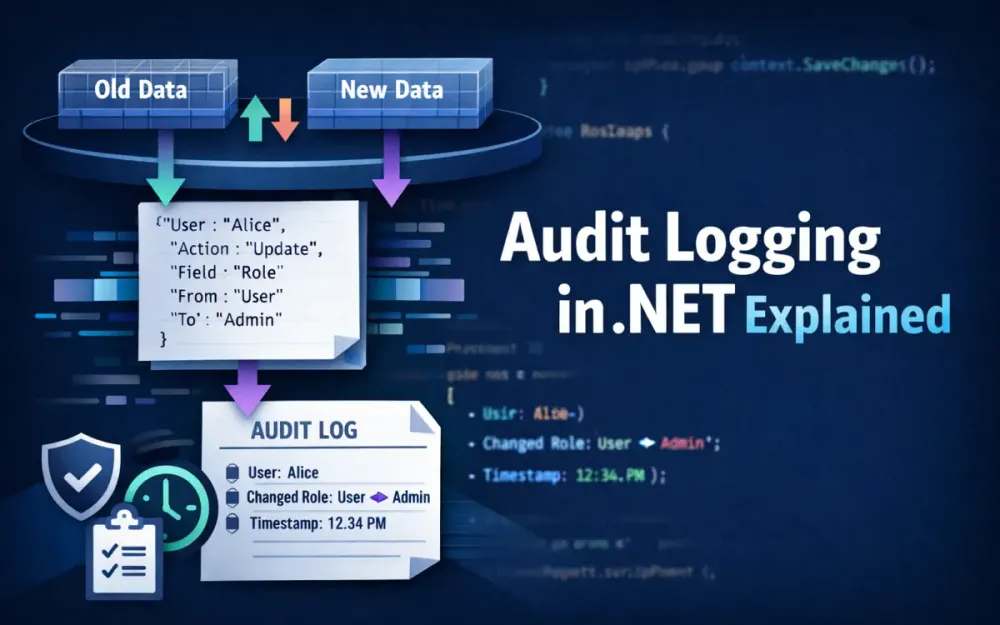
Audit logging is no longer a “nice to have” or something you add late in a project when bugs appear. In modern .NET systems—especially those handling financial data, healthcare records, or operational workflows—audit logging is a core architectural capability. It exists to answer hard questions after the fact: What changed? Who changed it? When did it happen? And can we trust that record?
A well-designed audit system does more than record changes. It ties each change to an identity, preserves historical context, supports investigations, and protects itself from tampering. This section explains why audit logging deserves first-class treatment in .NET architecture and why treating it as simple logging is no longer sufficient.
1.1 Beyond Debugging: The Compliance Mandate
For many .NET applications today, audit logging is not optional. Regulatory and contractual frameworks explicitly require it, and auditors expect systems to produce reliable, complete, and searchable audit trails. Two frameworks appear most often in real-world .NET systems: SOC 2 and HIPAA.
Both frameworks push audit logging beyond debugging and into the realm of formal controls. The question is no longer “Do we log changes?” but “Can we prove what happened in the system months later, under scrutiny?”
1.1.1 SOC 2 Requirements: Availability & Processing Integrity
SOC 2 evaluates whether a system is designed and operated in a controlled, reliable way. Audit logs directly support two Trust Services Criteria that engineering teams are commonly asked to demonstrate.
Availability
From an engineering perspective, availability is not just uptime—it is explainable uptime. Audit logs help by allowing teams to:
- Track configuration and data changes that affect system behavior
- Identify exactly when and how a breaking change was introduced
- Perform post-incident analysis with concrete evidence instead of assumptions
During a SOC 2 audit, the absence of these records is treated as a control gap, not a minor oversight.
Processing Integrity
Processing integrity focuses on whether the system behaves as designed. For this, auditors expect proof that:
- Business operations were executed as intended
- Inputs, outputs, and state changes are traceable
- Financial or transactional workflows can be reconstructed
In practice, this means auditors want to see a clear sequence showing who initiated an action, what logic ran, and what data was affected. Without an audit trail, that chain breaks.
1.1.2 HIPAA Requirements: Access Controls & Audit Controls
HIPAA raises the bar even higher for systems that handle Protected Health Information (PHI). It explicitly mandates auditability at the system level.
Access Controls (164.312(a))
Systems must ensure that:
- Every user has a unique identity
- Access attempts can be tracked per user
- Unauthorized access to PHI can be detected and investigated
Audit Controls (164.312(b))
HIPAA also requires that systems:
- Record actions taken on PHI
- Monitor creation, modification, and deletion of sensitive records
- Detect suspicious or unauthorized behavior
From a .NET perspective, this means audit logging must be built into the data access layer—not bolted on at the UI or API layer. If PHI changes cannot be traced to a specific identity, the system is out of compliance.
1.1.3 Non-Repudiation: Proving Who Did What
Non-repudiation is a practical concept with real consequences. It means that:
A user cannot credibly deny performing an action in the system.
This becomes critical in situations such as:
- Legal disputes
- Fraud investigations
- HR actions and approvals
- Financial authorization workflows
To support non-repudiation, an audit system must provide more than timestamps. It needs:
- Strong identity attribution (human or system)
- Immutable, append-only records
- Protection against modification or deletion
- High-precision timestamps
- Clear before-and-after data changes
At this point, audit logging is no longer just an engineering concern. It becomes part of the organization’s legal and compliance posture.
1.2 The “Four Ws” of Audit Data
Every useful audit record answers four basic questions. When one of these is missing, investigations become slower, riskier, and less reliable.
1.2.1 Who: Identity, IP, Tenant
The “who” answers which actor caused the change. At a minimum, capture:
- User ID – typically a GUID from the identity provider
- User name – optional, but helpful for humans reading logs
- Roles or claims – useful for understanding authorization context
- IP address or client network details
- Tenant ID – essential in multi-tenant systems
Example audit identity payload:
{
  "UserId": "a12fd9b4-2b7f-44e7-9d5b-0b10a2f98e0e",
  "IpAddress": "172.16.4.22",
  "TenantId": "contoso-prod"
}
Without a stable user identifier, audit logs lose much of their forensic value.
1.2.2 What: The Changed State
The “what” describes exactly what happened. A useful audit entry should include:
- The entity or aggregate that changed
- The operation (
Insert,Update,Delete,SoftDelete) - The values before and after the change
- Only the fields that actually changed
Capturing only deltas keeps logs smaller and easier to read.
Example:
{
  "Entity": "UserProfile",
  "EntityId": 4421,
  "Operation": "Update",
  "Changes": {
    "LastName": { "Old": "Jones", "New": "Jonas" },
    "PhoneNumber": { "Old": "555-0100", "New": "555-0111" }
  }
}
This format answers questions quickly without requiring deep knowledge of the database schema.
1.2.3 When: High-Precision Timestamps
Time matters in audits. Always record timestamps:
- In UTC
- Using high-precision types (
DateTimeOffset) - From a clock synchronized via NTP
In .NET, this should be the default:
var timestamp = DateTimeOffset.UtcNow;Local timestamps introduce ambiguity, especially when systems span regions or daylight-saving changes.
1.2.4 Where: Request Context
The “where” explains from where the change originated. This is especially important in distributed systems.
Capture:
- Application or service name
- Machine name or container identifier
- Request or correlation ID
- Environment (dev, test, prod)
Trace identifiers following the W3C TraceContext standard allow audit records to be correlated across services.
Example:
{
  "TraceId": "00-0af7651916cd43dd8448eb211c80319c-b9c7c989f97918e1-01"
}
Without this context, audit logs become isolated fragments instead of a coherent timeline.
1.3 Architectural Trade-offs
Audit logging is not free. It affects performance, storage costs, and system complexity. Choosing the right approach depends on how critical audit guarantees are for the business.
1.3.1 Synchronous vs. Asynchronous Auditing
Synchronous (Transactional)
- Audit records are written in the same database transaction
- Guarantees that data and audit log succeed or fail together
- Required for strict financial or regulatory systems
- Adds latency under heavy write load
Asynchronous (Eventual)
- Audit events are queued or written to an outbox
- Background workers persist audit logs
- Scales better under high throughput
- Requires careful design to avoid data loss
A practical decision guide:
| Requirement | Approach |
|---|---|
| Audit must never miss a change | Synchronous |
| Very high write throughput | Async / Outbox |
| Financial or approval workflows | Synchronous |
| Analytics-heavy or read-optimized auditing | Async with projection |
There is no universal answer. The choice reflects business risk tolerance.
1.3.2 Storage Format: JSON vs Relational vs Time-Series
Relational (normalized)
- Easy to query with SQL
- Rigid schema
- High storage overhead for sparse changes
JSON columns (recommended)
- Flexible schema
- Natural fit for before/after values
- Supported by SQL Server (
NVARCHAR(MAX)) and PostgreSQL (jsonb) - Well-supported by EF Core 9 JSON queries
Time-series systems (Elastic, ClickHouse)
- Extremely fast for ingestion and search
- Higher operational complexity
- Best used as secondary or analytical storage
For most .NET systems, storing audit deltas as JSON inside a relational database offers the best balance of flexibility, performance, and maintainability.
2 Foundation: Implementing Change Tracking with EF Core Interceptors
Once you agree that audit logging is a first-class architectural concern, the next question is where to implement it. In most .NET systems, the most reliable place is at the database boundary—right before changes are committed. EF Core’s interceptor pipeline gives you exactly that hook point, with full visibility into what is about to be written and what actually succeeded.
This section explains why EF Core interceptors are the right foundation for audit logging and how to use them to capture accurate, minimal change data without polluting your domain or data access code.
2.1 Why SaveChangesInterceptor Beats Override SaveChanges
A common first attempt at auditing in EF Core is to override DbContext.SaveChanges() or SaveChangesAsync(). While this works in small applications, it starts to break down as the system grows.
2.1.1 Limitations of Overriding SaveChanges
Overriding SaveChanges() tightly couples audit logic to a specific DbContext. Over time, this creates several problems:
- Audit logic is duplicated across multiple contexts
- The DbContext becomes bloated with cross-cutting concerns
- Async and sync save paths are easy to miss or implement inconsistently
- There is no clean separation between capturing changes and persisting audit records
- Pre-save and post-save behavior is difficult to reason about
In practice, teams often end up with fragile audit logic that behaves differently depending on how the DbContext is used.
2.1.2 Advantages of ISaveChangesInterceptor
EF Core’s interceptor pipeline solves these problems by design. An ISaveChangesInterceptor sits outside the DbContext and observes the save lifecycle without modifying it.
Key benefits:
- One interceptor can be reused across all DbContexts
- Clear separation between audit concerns and data access
- Explicit hooks before and after the database write
- Full support for dependency injection
- Safe access to request context (user, trace ID, tenant)
For audit logging, the most important lifecycle hooks are:
SavingChanges/SavingChangesAsyncCapture entity state and build audit events before the transaction commits.SavedChanges/SavedChangesAsyncFinalize audit logging only after the data has been successfully persisted.SaveChangesFailedOptionally record failed attempts or discard buffered audit data.
Most implementations only need the first two, which keeps the interceptor simple and predictable.
2.1.3 Save Pipeline in Practice
Conceptually, the save pipeline looks like this:
User updates entity
      ↓
EF ChangeTracker detects state changes
      ↓
SavingChangesAsync() → capture deltas
      ↓
Database transaction commits
      ↓
SavedChangesAsync() → persist audit records
This ordering is important. You capture intent before the write, but only finalize audit records after the write succeeds. That single design choice prevents many subtle consistency bugs.
2.2 Capturing the ChangeTracker State
EF Core’s ChangeTracker is the authoritative source of truth for pending changes. It already knows which entities changed, how they changed, and what their original values were. A good audit implementation simply extracts that information and reshapes it into an audit-friendly format.
2.2.1 Filtering Relevant Entity States
Not every tracked entity should generate an audit entry. Focus only on state transitions that represent meaningful persistence changes:
Track:
EntityState.AddedEntityState.ModifiedEntityState.Deleted
Ignore:
UnchangedentitiesDetachedentities- Entities explicitly marked with a
[DoNotAudit]attribute
This keeps audit logs focused and avoids noise from EF’s internal tracking behavior.
2.2.2 Base Audit Interceptor Example
The interceptor’s responsibility is narrow: inspect tracked entities, extract change data, and buffer audit events. It should not perform database writes directly.
public sealed class AuditInterceptor : SaveChangesInterceptor
{
    private readonly IAuditBuffer _buffer;
    private readonly IUserContext _userContext;

    public AuditInterceptor(IAuditBuffer buffer, IUserContext userContext)
    {
        _buffer = buffer;
        _userContext = userContext;
    }

    public override ValueTask<InterceptionResult<int>> SavingChangesAsync(
        DbContextEventData eventData,
        InterceptionResult<int> result,
        CancellationToken cancellationToken = default)
    {
        var context = eventData.Context;
        if (context == null)
            return ValueTask.FromResult(result);

        foreach (var entry in context.ChangeTracker.Entries())
        {
            if (entry.State is EntityState.Added
                or EntityState.Modified
                or EntityState.Deleted)
            {
                var auditEvent = BuildAuditEvent(entry);
                _buffer.Add(auditEvent);
            }
        }

        return ValueTask.FromResult(result);
    }
}
This interceptor does exactly one thing: capture change intent. Whether the audit events are written synchronously, queued, or sent to an outbox is a separate concern handled later in the pipeline.
2.2.3 Building the Audit Event
The goal of BuildAuditEvent is to produce a minimal, self-contained delta that matches the “Four Ws” introduced earlier: who, what, when, and where.
private static AuditEvent BuildAuditEvent(EntityEntry entry)
{
    var changes = new Dictionary<string, object?>();

    foreach (var property in entry.Properties)
    {
        if (property.Metadata.IsShadowProperty())
            continue;

        var original = property.OriginalValue;
        var current = property.CurrentValue;

        if (!Equals(original, current))
        {
            changes[property.Metadata.Name] = new
            {
                Old = original,
                New = current
            };
        }
    }

    return new AuditEvent
    {
        Entity = entry.Metadata.ClrType.Name,
        EntityId = entry.Properties
            .First(p => p.Metadata.IsPrimaryKey())
            .CurrentValue?
            .ToString(),
        Operation = entry.State.ToString(),
        TimestampUtc = DateTimeOffset.UtcNow,
        UserId = entry.Context.GetService<IUserContext>().UserId,
        Changes = changes
    };
}
This produces a compact payload that is easy to store, query, and display later. Only properties that actually changed appear in the audit record.
2.3 Snapshotting Data: The Old vs. New Problem
Audit logging only works if “before” and “after” values are captured correctly. EF Core already does most of this work for you, but it helps to understand how its state tracking behaves in different scenarios.
2.3.1 OriginalValues vs CurrentValues
For every tracked property, EF Core maintains two values:
OriginalValues– the value as loaded from the databaseCurrentValues– the value currently held in memory
This makes change detection straightforward:
-
Added entities
OriginalValuesare emptyCurrentValuesrepresent the inserted data
-
Modified entities
OriginalValuescontain the database valuesCurrentValuescontain the updated values
-
Deleted entities
OriginalValuescontain the full pre-delete stateCurrentValuesare often default or null
Understanding this behavior is essential when reconstructing history or building time-travel queries later.
2.3.2 Handling Shadow Properties
Shadow properties exist in the EF model but not in the CLR type. They are commonly used for metadata such as:
LastUpdatedByLastUpdatedAt- Soft-delete flags
- Row version columns
Even though they are not part of the entity class, they still represent persisted state and often matter for audits.
if (property.Metadata.IsShadowProperty())
{
    var databaseValues = entry.GetDatabaseValues();
    var original = databaseValues?.GetValue<object>(property.Metadata.Name);

    // include original value in audit delta
}
Ignoring shadow properties can lead to incomplete or misleading audit records, especially in systems with soft deletes or automated metadata updates.
2.3.3 High-Performance Serialization
Audit systems tend to serialize a large number of small objects. Using reflection-based serialization adds unnecessary overhead. System.Text.Json source generators provide a simple optimization that scales well under load.
Define a serialization context:
[JsonSerializable(typeof(AuditEvent))]
public partial class AuditSerializerContext : JsonSerializerContext
{
}
Use it when serializing audit events:
var json = JsonSerializer.Serialize(
    auditEvent,
    AuditSerializerContext.Default.AuditEvent);
Benefits of this approach:
- No runtime reflection
- Fewer allocations
- Predictable serialization performance
- Safer under high concurrency
At scale, this small optimization makes a noticeable difference.
3 Advanced Data Modeling: Storing Audit Trails Efficiently
Capturing audit events correctly is only half the job. How you store those events determines whether the audit system remains fast, affordable, and useful over time—or becomes a liability that slows the entire application. Poor schema choices lead to bloated tables, slow queries, and painful migrations. Good schema choices turn audit data into a long-term asset that supports investigations, reporting, and compliance without constant rework.
This section walks through the most common storage approaches and explains why most modern .NET systems settle on a JSON-based audit model.
3.1 The Schema Dilemma: EAV vs JSON vs Temporal Tables
There is no shortage of ways to store audit data. Most teams encounter three options early on: entity-attribute-value (EAV), temporal tables, and JSON-based schemas. Each solves a different problem, and choosing the wrong one often shows up months later when audit queries become slow or incomplete.
3.1.1 Option A: SQL Server Temporal Tables
SQL Server temporal tables automatically keep a full history of each row. Every update creates a new version, and SQL Server manages the history table for you.
What they do well
- Zero application code required for versioning
- Built-in support for querying historical state
- Easy to answer questions like “What did this row look like last Tuesday?”
Where they fall short
- No user attribution (no UserId, IP address, or request context)
- No concept of why a change happened
- Only full snapshots, not deltas
- Storage grows quickly for frequently updated rows
- Hard to align with business-level audit questions
Temporal tables are useful when you care about data evolution but not about actors or intent. That makes them a poor fit for compliance-driven audit logging, where who and why matter just as much as what.
3.1.2 Option B: JSON Columns (Recommended)
A JSON-based audit schema stores structured metadata in columns and change details as JSON. This approach aligns well with how EF Core exposes change data and how audit queries are typically written.
Typical storage choices:
- SQL Server:
NVARCHAR(MAX) - PostgreSQL:
jsonb
Why this works well
- Schema is flexible and easy to evolve
- Natural fit for before/after deltas
- Sparse changes don’t waste storage
- Works well with EF Core 9 JSON querying
- Easy to serialize and deserialize in .NET
Trade-offs to be aware of
- JSON fields require intentional indexing
- Querying nested values needs discipline and tooling
- Poorly structured JSON can become hard to reason about
For most .NET systems that need detailed, attributed audit logs, JSON-based storage offers the best balance between flexibility, performance, and maintainability.
3.2 Designing the AuditLog Table
A good audit table separates identity and context from change data. The goal is to make common queries fast while keeping the schema stable as requirements evolve.
3.2.1 Recommended Table Structure
A practical audit table includes a small set of strongly typed columns plus a JSON payload for deltas:
CREATE TABLE AuditLog (
    Id            BIGINT IDENTITY PRIMARY KEY,
    Entity        NVARCHAR(200)      NOT NULL,
    EntityId      NVARCHAR(200)      NOT NULL,
    Operation     NVARCHAR(50)       NOT NULL,
    UserId        NVARCHAR(200)      NULL,
    TimestampUtc  DATETIMEOFFSET    NOT NULL,
    TraceId       NVARCHAR(200)      NULL,
    Changes       NVARCHAR(MAX)      NOT NULL,
    TenantId      NVARCHAR(200)      NULL,
    Source        NVARCHAR(200)      NULL
);
This structure reflects how audit logs are actually queried:
- “Show me changes for this entity”
- “What did this user do today?”
- “What changed during this request?”
- “Reconstruct this record at a point in time”
3.2.2 Primary Key Strategy
The primary key choice has real performance implications.
BIGINT (IDENTITY or SEQUENCE)
- Naturally ordered by insertion time
- Efficient clustered index
- Smaller index footprint
- Simple and predictable
GUID
- Larger index size
- Poor locality when used as clustered key
- Slower inserts under heavy load
ULID
- Chronologically sortable
- Useful in distributed systems
- Requires custom generation logic
For most audit tables, a monotonically increasing BIGINT is the simplest and most efficient choice. It aligns naturally with append-only audit behavior.
3.2.3 Indexing for Real Queries
Audit tables grow quickly, so indexes must reflect actual access patterns.
Common filters include:
- Entity and EntityId
- Time ranges
- UserId
- TenantId (in multi-tenant systems)
Recommended indexes:
CREATE INDEX IX_AuditLog_Entity_EntityId
    ON AuditLog (Entity, EntityId);

CREATE INDEX IX_AuditLog_TimestampUtc
    ON AuditLog (TimestampUtc);

CREATE INDEX IX_AuditLog_UserId
    ON AuditLog (UserId);
Avoid over-indexing. Audit tables are write-heavy, and every extra index slows ingestion.
3.3 Handling Relationship Changes
Auditing simple entities is straightforward. Relationships are where most audit systems start to lose clarity if they are not designed carefully.
3.3.1 Many-to-Many Relationships
EF Core represents many-to-many changes as inserts and deletes on join tables such as UserRoles, ProductCategories, or PostTags. From a database perspective, this is correct. From an audit perspective, it is often misleading.
Raw audit entry:
Row added to ProductCategoryJoinWhat auditors and users actually want to see:
Product 33 was assigned Category "Hardware"To achieve this, you typically need to:
- Detect join-table changes in the interceptor
- Resolve foreign keys back to domain entities
- Translate low-level operations into business-level meaning
This translation is extra work, but it dramatically improves the usefulness of audit logs during reviews and investigations.
3.3.2 Owned Types and Value Objects
Value objects in DDD—such as Address, Money, or PersonName—are stored inline with the owning entity. EF Core treats changes to owned types as part of the parent row update.
From an audit perspective, this means:
- Nested properties may change without the root entity appearing “modified”
- You must detect changes at the property level
- Deltas should preserve the nested structure
Example delta:
{
  "Address": {
    "City": { "Old": "Austin", "New": "Dallas" },
    "PostalCode": { "Old": "73301", "New": "75201" }
  }
}
Producing this output usually requires comparing serialized snapshots or performing manual JSON diffs. While this adds complexity, it preserves the semantic meaning of the change and makes audit history far easier to understand.
4 Performance & Scalability: Handling High-Volume Traffic
Once audit logging is in place, performance becomes the next concern. In low-traffic systems, writing an audit row alongside the main data change may seem harmless. In production systems processing thousands of writes per second, that same approach quickly becomes a bottleneck. Serialization costs, additional inserts, and index maintenance all compete with the primary workload.
This section focuses on patterns that allow audit logging to scale without slowing down the core application. The goal is simple: never let audit logging block business operations, while still guaranteeing that every change is recorded reliably.
4.1 The Outbox Pattern for Audit Logs
The Outbox Pattern is widely used to decouple transactional work from asynchronous processing without sacrificing consistency. For audit logging, it provides a safe way to capture audit intent inside the same transaction as the data change, while deferring expensive work such as JSON processing, hashing, or cross-service communication.
4.1.1 Why the Outbox Pattern Fits Audit Logging
The main cost of audit logging is not detecting changes—it is persisting them. Writing directly to the AuditLog table inside SaveChanges() means:
- One or more additional inserts per entity change
- Extra index updates on a rapidly growing table
- Longer transaction duration
- Higher risk of lock contention under load
The Outbox Pattern avoids this by writing small, lightweight records during the main transaction and pushing the heavy work to a background processor. This keeps the critical path fast and predictable.
4.1.2 Designing the Outbox Table
An audit outbox table should be minimal. Its job is to act as a reliable handoff point, not a reporting store.
Typical columns include:
- A sequential identifier
- The serialized audit payload
- Creation timestamp
- A processing flag
Example schema:
CREATE TABLE AuditOutbox (
    Id BIGINT IDENTITY PRIMARY KEY,
    Payload NVARCHAR(MAX) NOT NULL,
    CreatedUtc DATETIMEOFFSET NOT NULL,
    Processed BIT NOT NULL DEFAULT 0
);
This table is append-only and short-lived. Records are removed or marked processed once handled.
4.1.3 Writing to the Outbox from the Interceptor
The interceptor buffers audit events during SavingChangesAsync. After the main transaction commits, those buffered events are written to the Outbox in SavedChangesAsync.
public override async ValueTask<InterceptionResult<int>> SavedChangesAsync(
    SaveChangesCompletedEventData eventData,
    InterceptionResult<int> result,
    CancellationToken ct = default)
{
    var context = eventData.Context;
    if (context == null)
        return result;

    var pendingEvents = _buffer.Drain();

    foreach (var auditEvent in pendingEvents)
    {
        context.Set<AuditOutboxRecord>().Add(new AuditOutboxRecord
        {
            Payload = JsonSerializer.Serialize(
                auditEvent,
                AuditSerializerContext.Default.AuditEvent),
            CreatedUtc = DateTimeOffset.UtcNow
        });
    }

    await context.SaveChangesAsync(ct);
    return result;
}
This keeps the audit system transactional without slowing down the original save operation.
4.1.4 Processing the Outbox in the Background
A hosted background service periodically reads unprocessed outbox records and converts them into durable audit log entries.
public sealed class AuditOutboxProcessor : BackgroundService
{
    private readonly IServiceScopeFactory _scopeFactory;

    public AuditOutboxProcessor(IServiceScopeFactory scopeFactory)
    {
        _scopeFactory = scopeFactory;
    }

    protected override async Task ExecuteAsync(CancellationToken ct)
    {
        while (!ct.IsCancellationRequested)
        {
            using var scope = _scopeFactory.CreateScope();
            var db = scope.ServiceProvider.GetRequiredService<AppDbContext>();

            var batch = await db.AuditOutbox
                .Where(x => !x.Processed)
                .OrderBy(x => x.Id)
                .Take(500)
                .ToListAsync(ct);

            if (batch.Count == 0)
            {
                await Task.Delay(2000, ct);
                continue;
            }

            foreach (var row in batch)
            {
                var auditEvent = JsonSerializer.Deserialize(
                    row.Payload,
                    AuditSerializerContext.Default.AuditEvent);

                if (auditEvent == null)
                    continue;

                db.AuditLog.Add(new AuditLog
                {
                    Entity = auditEvent.Entity,
                    EntityId = auditEvent.EntityId,
                    Operation = auditEvent.Operation,
                    UserId = auditEvent.UserId,
                    Changes = JsonSerializer.Serialize(auditEvent.Changes),
                    TimestampUtc = auditEvent.TimestampUtc,
                    TraceId = auditEvent.TraceId,
                    TenantId = auditEvent.TenantId
                });

                row.Processed = true;
            }

            await db.SaveChangesAsync(ct);
        }
    }
}
This design isolates high-volume audit ingestion from the main transactional workload while preserving consistency guarantees.
4.2 High-Throughput Buffering with System.Threading.Channels
While the Outbox Pattern moves persistence out of the request path, the interceptor still runs synchronously. Under extreme load, even writing to the Outbox can introduce pressure. Channels provide a second layer of decoupling by buffering audit events entirely in memory before they ever reach the database.
4.2.1 Why Channels Work Well with Interceptors
EF Core interceptors execute inline with application logic. Any blocking operation there directly affects request latency. Channels allow the interceptor to:
- Push audit events into memory in microseconds
- Avoid database calls entirely
- Let background workers control batching and persistence
This approach is especially effective when combined with bulk insert strategies.
4.2.2 Configuring a Bounded Channel
A bounded channel prevents unbounded memory usage if the database slows down.
var channelOptions = new BoundedChannelOptions(10_000)
{
    SingleReader = false,
    SingleWriter = false,
    FullMode = BoundedChannelFullMode.Wait
};

var auditChannel = Channel.CreateBounded<AuditEvent>(channelOptions);
This configuration ensures:
- Controlled memory usage
- Natural backpressure under extreme load
- Safe concurrent writes from multiple DbContexts
4.2.3 Writing to the Channel
The interceptor’s responsibility is reduced to a single operation:
await _auditChannel.Writer.WriteAsync(auditEvent, ct);In most cases, this write completes immediately and does not block application threads.
4.2.4 Draining the Channel Efficiently
A background consumer drains the channel in batches and writes audit logs in bulk.
public sealed class AuditChannelConsumer : BackgroundService
{
    private readonly Channel<AuditEvent> _channel;
    private readonly IServiceScopeFactory _scopeFactory;

    public AuditChannelConsumer(
        Channel<AuditEvent> channel,
        IServiceScopeFactory scopeFactory)
    {
        _channel = channel;
        _scopeFactory = scopeFactory;
    }

    protected override async Task ExecuteAsync(CancellationToken ct)
    {
        while (await _channel.Reader.WaitToReadAsync(ct))
        {
            using var scope = _scopeFactory.CreateScope();
            var db = scope.ServiceProvider.GetRequiredService<AppDbContext>();

            var batch = new List<AuditLog>(500);

            while (batch.Count < 500 && _channel.Reader.TryRead(out var evt))
            {
                batch.Add(new AuditLog
                {
                    Entity = evt.Entity,
                    EntityId = evt.EntityId,
                    Operation = evt.Operation,
                    UserId = evt.UserId,
                    Changes = JsonSerializer.Serialize(evt.Changes),
                    TimestampUtc = evt.TimestampUtc
                });
            }

            if (batch.Count > 0)
                await db.BulkInsertAsync(batch, ct);
        }
    }
}
Batching reduces round trips and index churn, which is critical at scale.
4.2.5 Using SqlBulkCopy for Extreme Throughput
When audit volume becomes extreme, SqlBulkCopy provides the highest throughput possible on SQL Server.
using var bulkCopy = new SqlBulkCopy(connection)
{
    DestinationTableName = "AuditLog"
};

await bulkCopy.WriteToServerAsync(dataTable, ct);
This approach is common in systems handling payments, inventory movement, or IoT data streams.
4.3 Cold Storage and Archival Strategies
Audit logs grow continuously. Without a retention strategy, even a well-designed audit table becomes expensive and slow over time. Scalability is not just about ingestion—it is also about long-term storage.
4.3.1 Partitioning by Time
Partitioning the audit table by date keeps recent data fast while making old data easy to manage.
Benefits include:
- Fast range queries on recent data
- Efficient deletion or archival of old partitions
- Reduced index size for active partitions
Example partition function in SQL Server:
CREATE PARTITION FUNCTION AuditRangePF (DATETIMEOFFSET)
AS RANGE RIGHT FOR VALUES
(
  '2024-01-01',
  '2024-04-01',
  '2024-07-01',
  '2024-10-01'
);
Partitioning aligns naturally with time-based retention policies.
4.3.2 Moving Data to Cold Storage
After a defined retention period (often 90 or 180 days), audit logs can be moved out of the primary database.
Common destinations include:
- Azure Blob Storage
- AWS S3
- Azure Data Lake
- Archive tables in a secondary database
Example archival job:
INSERT INTO AuditLogArchive
SELECT *
FROM AuditLog
WHERE TimestampUtc < DATEADD(month, -6, SYSUTCDATETIME());

DELETE FROM AuditLog
WHERE TimestampUtc < DATEADD(month, -6, SYSUTCDATETIME());
This keeps the primary audit table small and responsive.
4.3.3 Columnar Storage for Long-Term Analytics
For long-term retention and analytics, columnar formats such as Parquet offer excellent compression and query performance.
await using var stream = File.Create("audit_2023_01.parquet");
ParquetWriter.Write(table, stream);
Storing archived audit logs in Parquet allows teams to run compliance reports and historical analysis at a fraction of the storage cost.
5 Meeting Compliance: Security, Redaction, and Integrity
Once audit logging is in place and scalable, the next concern is trust. Compliance frameworks do not just ask whether you log changes—they ask whether those logs are safe to store, safe to share with auditors, and safe from tampering. Systems that handle PHI, PII, or financial data must treat audit records as sensitive assets in their own right.
This section focuses on three areas that auditors care about most: redaction, immutability, and accurate attribution. Getting these right is often the difference between a smooth audit and a painful remediation cycle.
5.1 PII and PHI Redaction (HIPAA Focus)
Audit logs often outlive the data they describe. Storing raw sensitive values in those logs creates unnecessary risk and can expand the scope of compliance obligations. As a rule, audit logs should describe that a sensitive field changed, not what the sensitive value was.
Fields such as Social Security numbers, medical notes, passwords, and bank account numbers should never appear in clear text in an audit trail.
5.1.1 Defining a Redaction Attribute
A simple and explicit approach is to mark sensitive properties directly in the model. This keeps redaction rules close to the data definition and makes intent obvious to future maintainers.
[AttributeUsage(AttributeTargets.Property)]
public sealed class RedactAttribute : Attribute
{
}
Apply the attribute to any property that must not be logged verbatim:
public class Patient
{
    public int Id { get; set; }

    [Redact]
    public string SocialSecurityNumber { get; set; } = string.Empty;

    [Redact]
    public string MedicalNotes { get; set; } = string.Empty;
}
This approach scales well because it works consistently across entities, interceptors, and serializers.
5.1.2 Respecting Redaction in the Interceptor
When building audit deltas, the interceptor checks for the [Redact] attribute and replaces values with a constant placeholder.
private static bool IsRedacted(PropertyEntry property)
{
    var info = property.Metadata.PropertyInfo;
    return info != null && info.GetCustomAttribute<RedactAttribute>() != null;
}
Use this check when constructing deltas:
var redacted = IsRedacted(property);

changes[property.Metadata.Name] = new
{
    Old = redacted ? "***REDACTED***" : property.OriginalValue,
    New = redacted ? "***REDACTED***" : property.CurrentValue
};
This ensures that sensitive data never leaves memory and never reaches the audit table, backups, or analytics pipelines.
5.1.3 When Selective Redaction Is Essential
Redaction is especially important in these scenarios:
- Patient identifiers and clinical notes in healthcare systems
- Passwords, secrets, and tokens in identity platforms
- Account and card numbers in financial applications
- Internal configuration values that expose infrastructure details
A useful rule of thumb: if you would not show the value on a support screen, it does not belong in an audit log.
5.2 Ensuring Immutability (Tamper-Proofing)
An audit trail that can be edited or deleted is not an audit trail—it is just another table. Compliance standards expect audit records to be append-only and resistant to tampering, even by privileged users. Achieving this requires both application-level and database-level protections.
5.2.1 Hash Chaining for Tamper Detection
One common technique is to chain audit records together using cryptographic hashes. Each record includes:
- A hash of its own payload
- The hash of the previous record
This creates a verifiable chain where any modification breaks the sequence.
public static string ComputeHash(string input)
{
    using var sha = SHA256.Create();
    var bytes = Encoding.UTF8.GetBytes(input);
    return Convert.ToHexString(sha.ComputeHash(bytes));
}
When writing a new audit record:
auditLog.PreviousHash = lastHash;
auditLog.Hash = ComputeHash(auditLog.Payload + lastHash);
If a row is altered or removed, downstream verification fails immediately. This does not prevent tampering, but it makes tampering detectable, which is what auditors care about.
5.2.2 Database-Level Protections
Application logic alone is not enough. The database must enforce immutability as well.
Common protections include:
- Denying
UPDATEandDELETEpermissions - Using triggers to block modifications
- Restricting audit inserts to a dedicated role
Example permission lockdown:
DENY UPDATE, DELETE ON AuditLog TO AppUser;Additional safety via trigger:
CREATE TRIGGER AuditLog_Immutable
ON AuditLog
INSTEAD OF UPDATE, DELETE
AS
BEGIN
    THROW 50001, 'AuditLog records are immutable.', 1;
END;
This ensures that even accidental scripts or maintenance jobs cannot alter audit history.
5.2.3 Separation of Duties
In regulated environments, technical controls are paired with process controls.
Typical separation looks like this:
- The application can insert audit records but cannot modify them
- DBAs can manage storage and performance but cannot change audit data
- Security or compliance teams control retention and access policies
This reduces the risk of insider threats and satisfies audit expectations around governance.
5.3 Context Propagation
Audit logs are only as useful as the context they capture. Every record should clearly identify who performed the action and under what execution context. This becomes more challenging as systems introduce background jobs, message queues, and distributed services.
5.3.1 Capturing User Identity with IHttpContextAccessor
In request-driven flows, user identity is typically available through claims. A small abstraction keeps this logic out of the interceptor itself.
public sealed class HttpUserContext : IUserContext
{
    private readonly IHttpContextAccessor _httpContextAccessor;

    public HttpUserContext(IHttpContextAccessor httpContextAccessor)
    {
        _httpContextAccessor = httpContextAccessor;
    }

    public string? UserId =>
        _httpContextAccessor.HttpContext?
            .User?
            .FindFirst("sub")?
            .Value;
}
This allows the interceptor to remain infrastructure-focused and unaware of authentication details.
5.3.2 Handling System and Background Actions
Not all changes originate from HTTP requests. Background jobs, scheduled tasks, and message consumers still need to be auditable.
A common approach is to assign a well-known system identity:
public string UserId =>
    _httpContextAccessor.HttpContext?
        .User?
        .FindFirst("sub")?
        .Value
    ?? "SYSTEM";
This makes it clear whether a change was user-driven or system-driven, which is critical during investigations.
5.3.3 Propagating Trace Identifiers
In distributed systems, a user ID alone is not enough. Correlation identifiers allow audit records to be tied back to logs, traces, and metrics across services.
Capture trace context when available:
var traceId = Activity.Current?.TraceId.ToString() ?? "none";
var spanId  = Activity.Current?.SpanId.ToString()  ?? "none";
Including these values in the audit log allows teams to reconstruct full execution paths during incident response or forensic analysis.
6 Querying History: Making Audit Logs Useful
Capturing audit data is necessary, but it is not the end goal. The real value of an audit system shows up later—when someone needs to understand what the system looked like yesterday, why a value changed, or who touched a record during an incident window. At that point, audit logs stop being infrastructure and start being a core diagnostic and compliance tool.
As audit data grows, querying it becomes a discipline of its own. This section focuses on three practical concerns: reconstructing historical state, making audit queries fast enough to use, and presenting changes in a way that humans can understand.
6.1 Reconstructing Historical State
Audit systems built on deltas record how data changed, not full snapshots of what it was. That keeps storage small and flexible, but it means reconstructing history requires replaying changes. This is often called a “time travel” query: showing the state of a record as it existed at a specific moment.
This capability is common in financial systems, healthcare applications, and regulated workflows where historical accuracy matters.
6.1.1 Rebuilding State by Applying Deltas
Assume each audit record stores a JSON object representing only the fields that changed. To reconstruct an entity at time T, you:
- Load all audit records for that entity up to time T
- Sort them chronologically
- Apply each delta in order to an empty or base instance
A simplified forward-replay implementation looks like this:
public async Task<T> ReconstructAsync<T>(
    string entityId,
    DateTimeOffset atTime)
    where T : class, new()
{
    var auditEvents = await _db.AuditLog
        .Where(a =>
            a.Entity == typeof(T).Name &&
            a.EntityId == entityId &&
            a.TimestampUtc <= atTime)
        .OrderBy(a => a.TimestampUtc)
        .ToListAsync();

    var instance = new T();

    foreach (var audit in auditEvents)
    {
        var changes = JsonSerializer.Deserialize<
            Dictionary<string, ChangeDelta>>(audit.Changes);

        if (changes == null)
            continue;

        foreach (var change in changes)
        {
            var property = typeof(T).GetProperty(change.Key);
            if (property == null)
                continue;

            property.SetValue(instance, change.Value.New);
        }
    }

    return instance;
}

public sealed record ChangeDelta(object? Old, object? New);
This approach is simple and reliable. It works well when audit volume per entity is reasonable and is often sufficient for administrative tools or compliance reporting.
6.1.2 Using Snapshots to Speed Up Time Travel
Replaying hundreds or thousands of deltas for every request is rarely acceptable in an interactive UI. A common optimization is to introduce periodic snapshots.
A snapshot captures the full entity state at a known point in time. Reconstruction then becomes:
- Load the most recent snapshot before time T
- Apply only the deltas that occurred after the snapshot
Example of selecting the nearest snapshot:
var snapshot = await _db.AuditSnapshots
    .Where(s =>
        s.EntityId == entityId &&
        s.CreatedUtc <= atTime)
    .OrderByDescending(s => s.CreatedUtc)
    .FirstOrDefaultAsync();
Once loaded, only a small number of deltas need to be applied. This pattern dramatically reduces reconstruction time and makes time travel practical even for heavily edited entities.
Snapshots are usually generated asynchronously (daily or weekly) and stored separately from the main audit log.
6.1.3 Reverse Reconstruction from Current State
In some scenarios, you already have the current entity state loaded and want to move backward through history. This is common in audit UIs where users click “previous version” repeatedly.
Reverse reconstruction applies the old values instead of the new ones:
foreach (var audit in auditsReverseOrder)
{
    foreach (var change in audit.ChangesDict)
    {
        currentState[change.Key] = change.Value.Old;
    }
}
This approach avoids loading snapshots and works well for short navigations through recent history.
6.2 Optimization for Read-Heavy Scenarios
Audit data tends to be write-heavy at first, but over time it becomes read-heavy. Compliance reviews, analytics dashboards, and security investigations all place sustained query pressure on the audit store. Without planning, this quickly leads to slow queries and unhappy users.
6.2.1 CQRS Projection into a Search Engine
Relational databases are excellent at transactional consistency but less suited for free-text search and exploratory queries. For audit use cases like “find all changes involving this value,” projecting audit logs into a search engine is often the right move.
A background worker reads new audit records and indexes them into Elasticsearch or OpenSearch.
public sealed class AuditSearchProjection : BackgroundService
{
    private readonly IElasticClient _elastic;
    private readonly IServiceScopeFactory _scopeFactory;

    public AuditSearchProjection(
        IElasticClient elastic,
        IServiceScopeFactory scopeFactory)
    {
        _elastic = elastic;
        _scopeFactory = scopeFactory;
    }

    protected override async Task ExecuteAsync(CancellationToken ct)
    {
        while (!ct.IsCancellationRequested)
        {
            using var scope = _scopeFactory.CreateScope();
            var db = scope.ServiceProvider.GetRequiredService<AppDbContext>();

            var pending = await db.AuditLog
                .Where(a => !a.Indexed)
                .OrderBy(a => a.Id)
                .Take(500)
                .ToListAsync(ct);

            if (pending.Count == 0)
            {
                await Task.Delay(2000, ct);
                continue;
            }

            foreach (var audit in pending)
            {
                await _elastic.IndexDocumentAsync(audit, ct);
                audit.Indexed = true;
            }

            await db.SaveChangesAsync(ct);
        }
    }
}
Once indexed, you can support queries that are difficult or expensive in SQL:
- “Show all changes where address fields contain ‘Austin’”
- “Find salary increases above 10%”
- “List everything user X touched last week”
This keeps the relational database focused on durability and consistency.
6.2.2 Querying JSON Directly with EF Core 9
When audit queries are structured and predictable, EF Core 9’s JSON support allows you to stay entirely in SQL while still querying inside JSON documents.
Example: find salary changes greater than 10 percent:
var results = await _db.AuditLog
    .Where(a => a.Entity == "Employee")
    .Where(a =>
        EF.Functions.JsonValue(a.Changes, "$.Salary.New") != null)
    .Where(a =>
        (
            EF.Functions.JsonValue(a.Changes, "$.Salary.New").AsDecimal() -
            EF.Functions.JsonValue(a.Changes, "$.Salary.Old").AsDecimal()
        ) /
        EF.Functions.JsonValue(a.Changes, "$.Salary.Old").AsDecimal()
        > 0.10m)
    .ToListAsync();
This approach works well for reports, alerts, and dashboards where the query shape is known in advance.
6.2.3 Aggregation-Oriented Projections
For recurring reports, computing results on the fly is inefficient. Instead, generate aggregate tables such as:
- Number of changes per entity per day
- Most frequently changed properties
- User activity counts by hour or role
These aggregates are refreshed periodically and allow reporting tools to operate without scanning raw audit data.
6.3 The User Interface
Even the best audit backend fails if users cannot understand the output. Audit UIs are used by auditors, support engineers, and sometimes business users. Clarity matters more than completeness.
6.3.1 Designing a Useful History View
A practical history view usually includes:
- A chronological timeline of changes
- Filters by date range and user
- Clear operation labels (Created, Updated, Deleted)
- A way to compare versions
Example list entry:
2024-01-14 14:33 UTC — Updated by John Smith
    • Email: old → new
    • Status: Pending → Approved
Each entry should answer the “Four Ws” without forcing users to read raw JSON.
6.3.2 Visualizing Diffs Clearly
Color and layout matter more than people expect.
Common conventions:
- Green for added values
- Red for removed values
- Yellow for modified values
- Gray for unchanged context
Example diff payload:
{
  "PhoneNumber": {
    "Old": "555-0100",
    "New": "555-0111"
  }
}
Simple React rendering:
<td className="changed">
  {delta.Old} → {delta.New}
</td>
The goal is immediate comprehension, not perfect fidelity.
6.3.3 Replaying Historical Versions
A strong audit UI lets users click a timestamp and view the entity as it existed at that moment. Under the hood, this uses the reconstruction logic described earlier. From a user’s perspective, it feels like version control for data—and it is one of the most valuable features an audit system can offer.
7 Leveraging Open Source: Audit.NET
Not every team wants—or needs—to build a full audit pipeline from scratch. In many .NET systems, the audit requirements are well understood, the performance profile is moderate, and the main goal is to get reliable audit coverage quickly. In those cases, using a mature open-source library can be a sensible trade-off.
Audit.NET is one of the most widely used auditing libraries in the .NET ecosystem. It provides a broad set of features out of the box and integrates cleanly with EF Core and ASP.NET Core. While it does not replace a custom solution in every scenario, it can significantly reduce implementation time for teams with standard auditing needs.
7.1 Introduction to Audit.NET
Audit.NET is designed around a simple idea: capture structured audit events at well-defined points in the application and route them to a configurable storage provider. Instead of writing interceptors, serializers, and persistence logic yourself, you configure how Audit.NET listens and where it writes.
Out of the box, Audit.NET supports:
- EF Core entity change tracking
- ASP.NET Core request and response auditing
- Custom, code-driven audit events
- File, SQL Server, MongoDB, and Azure Cosmos DB providers
- Enrichment with environment, user, and request metadata
The library handles common infrastructure concerns—such as serialization and provider routing—so application code stays focused on business logic.
7.1.1 How Audit.NET Integrates with EF Core
Audit.NET hooks directly into EF Core’s save pipeline. When SaveChanges() or SaveChangesAsync() is called, it inspects the ChangeTracker and produces audit events automatically.
It captures, by default:
- Entity and table names
- Primary key values
- Old and new property values
- The type of operation (Insert, Update, Delete)
- Transaction boundaries
This means you can get basic entity-level auditing without writing a custom SaveChangesInterceptor. For many applications, that alone covers the majority of audit requirements.
7.2 Configuration and Providers
Audit.NET is configured almost entirely through a fluent API. You decide how audit events are shaped and where they are stored. This makes it easy to experiment or adapt as requirements change.
7.2.1 Configuring the EF Core Provider
A typical setup maps EF Core changes into a custom AuditLog entity, similar to the one described earlier in this article.
Audit.Core.Configuration.Setup()
    .UseEntityFramework(ef => ef
        .AuditTypeMapper(_ => typeof(AuditLog))
        .AuditEntityAction<AuditLog>((eventEntry, efEntry, auditLog) =>
        {
            auditLog.Entity = efEntry.Table;
            auditLog.EntityId = efEntry.PrimaryKey.First().Value?.ToString();
            auditLog.Operation = efEntry.Action;
            auditLog.Changes = JsonSerializer.Serialize(efEntry.ColumnValues);
            auditLog.TimestampUtc = DateTimeOffset.UtcNow;
        })
        .IgnoreMatchedProperties(false));
With this configuration:
- Audit.NET listens for EF Core changes
- For each change, it creates an
AuditLoginstance - The populated entity is persisted using EF Core
This approach mirrors the custom interceptor pattern discussed earlier, but with much less code.
7.2.2 Switching Storage Providers Without Code Changes
One of Audit.NET’s strengths is its provider model. You can redirect audit output to different storage backends by changing configuration only.
For example, to write audit events to files:
Audit.Core.Configuration.Setup()
    .UseFileLogProvider(cfg => cfg
        .Directory(@"C:\AuditLogs")
        .FilenameBuilder(ev =>
            $"{ev.EventType}-{DateTime.UtcNow:yyyyMMddHHmmss}.json"));
Or to write directly to Azure Cosmos DB:
Audit.Core.Configuration.Setup()
    .UseAzureCosmos(cfg => cfg
        .Endpoint(cosmosEndpoint)
        .Key(cosmosKey)
        .Database("AuditDb")
        .Container("AuditEvents"));
This flexibility is useful during early phases of a project or when storage requirements evolve over time. It also makes Audit.NET attractive for teams that want to defer storage decisions until later.
7.3 Pros vs. Cons
Audit.NET is neither a silver bullet nor a shortcut to compliance. Like any abstraction, it trades control for convenience. The key is understanding when that trade-off makes sense.
7.3.1 When Audit.NET Is a Good Fit
Audit.NET works well in these situations:
- Audit requirements are straightforward and well defined
- Performance requirements are moderate
- The team wants rapid implementation with minimal infrastructure code
- JSON-based audit storage is sufficient
- There is no need for custom hash chaining or strict immutability guarantees
- Prototypes, internal tools, or early-stage products
In these cases, Audit.NET can save weeks of development effort and still deliver a solid audit trail.
7.3.2 When a Custom Interceptor Is the Better Choice
A custom solution is usually the better option when:
- Audit logs must be strictly immutable and tamper-evident
- Redaction rules are complex or highly domain-specific
- Audit throughput is very high (tens of thousands of events per second)
- Outbox, channel-based buffering, or bulk insert patterns are required
- Domain-driven design introduces deeply nested value objects
- Compliance requires precise control over storage and retention behavior
In these environments, the additional control provided by a custom interceptor-based pipeline outweighs the convenience of a generic library.
Audit.NET is best viewed as a strong baseline, not a universal solution. Many teams even start with Audit.NET and later replace it with a custom implementation once requirements become clearer or stricter.
8 Future-Proofing and Conclusion
By the time an audit logging system is in production, it is already behind the system it is observing. Data volumes grow, services split, regulations change, and new risks appear. Teams that treat audit logging as a one-time implementation often find themselves retrofitting controls later—usually under audit pressure.
Forward-looking teams design audit logging as an evolving capability. The same data used today for compliance and debugging can tomorrow support anomaly detection, automated investigations, and governance workflows. This final section looks at where audit systems are heading and closes with a practical checklist to assess whether an implementation is truly production-ready.
8.1 AI and Anomaly Detection
Modern audit logs are structured, high-volume, and time-ordered. That makes them well suited for statistical analysis and machine learning. You do not need complex models to extract value—simple anomaly detection can already surface behavior that would be difficult to spot manually.
In practice, AI does not replace audits. It prioritizes them by pointing humans to the few events that deserve attention.
8.1.1 Patterns Worth Detecting
Most useful audit anomalies are behavioral, not semantic. Examples that teams commonly monitor include:
- A user modifying far more records than their historical baseline
- Sensitive updates coming from a new IP address or region
- Access outside normal working hours for a role
- Sudden spikes in deletes or relationship changes
- Repeated edits to the same sensitive field in a short time window
None of these indicate a problem by themselves. Together, they help security and compliance teams focus their reviews.
8.1.2 A Practical Anomaly Detection Workflow
A typical workflow looks like this:
- Aggregate audit data into simple features (for example: changes per user per hour, distinct entities touched, IP changes).
- Train an unsupervised model to learn “normal” behavior.
- Run scoring as a background process or stream.
- Assign a severity score to unusual activity.
- Surface results through alerts or dashboards for review.
This keeps AI usage narrow, explainable, and auditable—important for regulated environments.
8.1.3 Lightweight Example with ML.NET
ML.NET provides simple building blocks for anomaly detection without introducing heavy infrastructure.
var pipeline = mlContext.AnomalyDetection.Trainers.RandomizedPca(
    featureColumnName: "Features",
    rank: 3);

var model = pipeline.Fit(trainingData);

var scoredData = model.Transform(newData);
In practice, Features might include values such as:
- Number of changes in a time window
- Ratio of updates to reads
- Count of distinct entities modified
- Frequency of sensitive-field updates
The output is not a verdict—it is a signal. Human review remains essential.
8.1.4 From Passive Logs to Active Signals
When anomaly scoring runs continuously, audit logs stop being passive records and start acting as security sensors. Teams can flag suspicious behavior close to real time, rather than discovering issues weeks later during a review. This is often where audit logging delivers its highest long-term value.
8.2 Summary Checklist for Architects
A complete audit logging solution spans far more than change capture. The checklist below summarizes what experienced teams verify before considering an audit system “done.”
-
Capture
- EF Core interceptors reliably capture Added, Modified, and Deleted states.
- Sensitive fields are explicitly marked for redaction.
-
Performance
- Audit writes are decoupled from request paths (Outbox or Channels).
- Bulk insert strategies are used where volume is high.
-
Storage
- JSON-based schema stores deltas efficiently.
- Indexes align with real query patterns.
- Tables are partitioned by time where supported.
-
Security
- Audit records are append-only and immutable.
- Database permissions and triggers prevent modification.
- Hash chaining is implemented where tamper detection is required.
-
Context
- User identity, trace ID, and execution context are consistently captured.
- System-initiated actions are clearly distinguished from user actions.
-
Querying
- Historical reconstruction (“time travel”) is supported.
- Read-heavy workloads use projections or search indexes when needed.
-
User Experience
- History views are chronological and easy to scan.
- Diffs highlight what changed without exposing sensitive data.
- Previous versions can be viewed without manual reconstruction.
-
Governance
- Retention and archival policies are automated.
- Cold storage is used for long-term history.
- Access to audit data is restricted and reviewed.
-
Intelligence
- Anomaly detection or behavioral baselining is available for critical systems.
- Alerts are explainable and reviewed by humans.
-
Testing and Recovery
- Automated tests validate delta capture, redaction, and immutability.
- Backup and recovery plans include audit data.
- Verification tooling exists to detect tampering or gaps.
A well-designed audit logging system is not an afterthought or a compliance checkbox. It is a core architectural capability that supports trust, accountability, and long-term system health. When done well, it quietly protects the system every day—and is only noticed when it saves you.