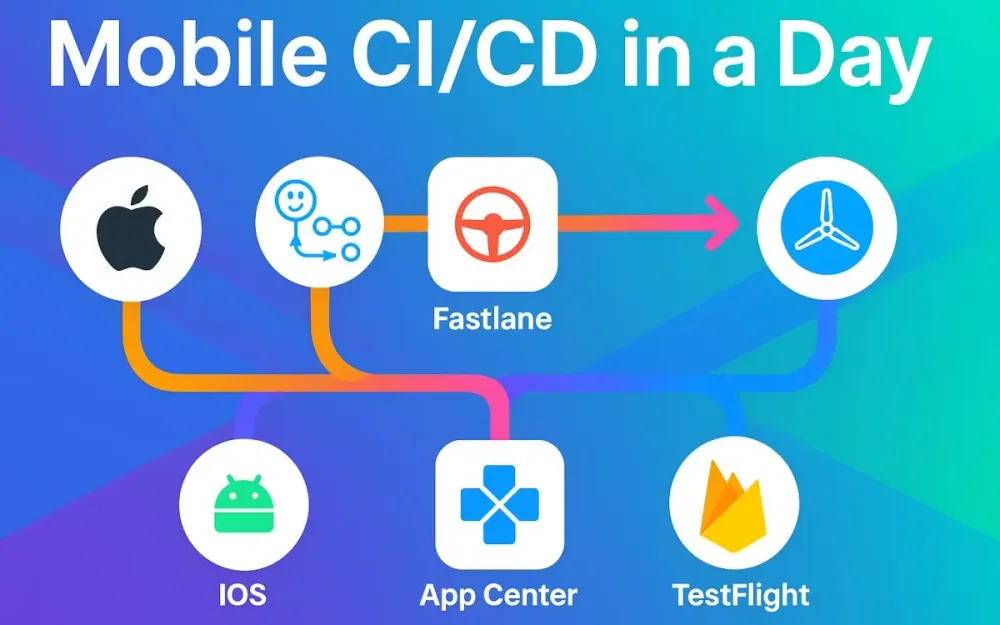
1 Why “Mobile CI/CD in a Day” (and what changed in 2025)
In simply one workday you’ll go from a code push → to build → test → sign → distribute → store-submit a mobile app. That’s the promise: Mobile CI/CD in a Day. In this article you’ll build a reference pipeline using GitHub Actions + fastlane + store distribution best‐practices, which you can fork and adapt. We’ll walk from first principles to detailed code examples. But before diving into the how, let’s answer the why: why now, what changed in 2025, and what constraints you (as senior dev/tech lead/architect) must consider.
1.1 The goal: from push to tested, signed, distributed, and submitted in one workday
Imagine: your engineer merges a feature branch, the CI kicks off, unit & UI tests pass, artifacts are signed, sent to your beta testers, and after approval the build goes live (or starts its rollout) in the store – all without manual intervention. That’s the goal. Why is this so powerful?
- It reduces manual build nightmares (no more ad-hoc “someone please archive and upload” weekends).
- It reduces lead time for features and bug-fixes — testers see build changes quickly.
- It builds confidence: each commit is validated, artifacts are reproducible, traceable.
- For regulated environments (finance/healthcare), it means enforceable gates (built/tested/sign/distribute) and auditability. In short: you want your mobile team to deliver as reliably and quickly as web backend teams, and that means CI/CD for mobile.
1.2 The new landscape
The mobile delivery landscape has shifted significantly in recent years — especially heading into and through 2025. These shifts influence how your pipeline must be structured.
1.2.1 App Center retirement and implications for beta distribution and build hosting (alternatives at a glance)
Visual Studio App Center (often known simply as “App Center”) has long been used for build hosting, distribution and diagnostics of mobile apps. However, many teams are de-prioritising it (or facing uncertainty about longevity) and shifting toward modern alternatives for beta distribution and build pipelines. Key implications:
- If you were using App Center for build hosting or tester distribution, you’ll need to migrate to alternatives.
- Beta distribution (i.e., sharing builds with QA/testers before store submit) must be planned: common alternatives include Firebase App Distribution (cross-platform), TestFlight (iOS internal/external), and Google Play tracks (internal/beta) for Android.
At a glance:
- Firebase App Distribution – works for Android & iOS, good for rapid QA/tester drops.
- TestFlight – Apple’s built-in beta distribution, good also for internal/external testers on iOS.
- Play tracks (Internal, Closed, Open) – built into Google Play, good for Android tester distribution and rollout control.
As a pipeline architect, you’ll choose a combination of these rather than relying on a deprecated service.
1.2.2 2025 policy & tooling milestones that shape pipelines
There are some hard deadlines and tooling shifts that every mobile pipeline must consider in 2025:
- App Store / Apple: Apple increasingly mandates builds built with recent tools. For example uploads may need to be built with Xcode 16 and targeting iOS 18 SDK (or higher) by a certain date. That means your macOS runner and tooling matrix must support the new Xcode version.
- Google Play: Google has a “target API” requirement: new apps and updates must target API level 35 by August 31, 2025. That means your Android Gradle config, compileSdkVersion, targetSdkVersion must satisfy it, and your CI must block merges where target API < 35. These deadlines mean your pipeline can’t be “some old setup that used to work” — you must plan for up-to-date tooling, keep your SDK versions aligned, and enforce CI checks accordingly.
1.3 Target audience & constraints (Sr devs/leads/architects; regulated teams; mono-repo vs multi-repo)
This guide is written for you: senior developers, technical leads, solution architects. You are responsible for designing robust pipelines that scale, that meet regulation/tracking, and are extensible across platforms (iOS + Android). Some constraints you might face:
- Regulated teams: You may need audit logs, manual approvals, environment segregation (dev → QA → prod), compliance with security policies.
- Mono-repo vs multi-repo: Are you maintaining iOS and Android in one monolithic repo (shared code, flavors) or separate repos? The pipeline must reflect that. In a mono-repo you might build multiple platforms in the same workflow; in a multi-repo you might have separate workflows per platform.
- Toolchain variety: Teams might support multiple flavors, variants (free vs premium), multiple SDKs/backwards compatibility, multiple stores/countries. The pipeline must accommodate matrix builds.
- Team size / reuse: As a lead you want a pipeline architecture that can be copied/forked across multiple apps, not bespoke one-offs.
1.4 What you will build today: a reference pipeline you can fork and scale
By the end of this guide you will have:
- A reference architecture for a mobile CI/CD pipeline using GitHub Actions + fastlane that handles iOS + Android.
- Folder structure and workflow layout: reusable workflows and caller workflows.
- Concrete YAML/fastlane code snippets: build/test/sign/distribute (beta) and submit to store.
- A matrix build across platforms/variants.
- Concrete patterns for secrets management, environment gating, concurrency/caching. You’ll be able to fork this pipeline for your team, adapt it (for flavors, tracks, stores), and scale it out.
2 Reference Architecture & Prereqs (runners, secrets, environments)
Before jumping into workflow files and code, we need to establish the foundations: runner choices, secrets and environment governance, org-level policies, caching, concurrency, and the toolchain matrix your pipeline will support. This section builds our mental model of the architecture.
2.1 Runner choices
When you run CI/CD with GitHub Actions, you choose which “runner” (machine image) you run on. For mobile builds you’ll decide between GitHub-hosted runners and self-hosted runners, and the choice influences speed, cost, compatibility.
2.1.1 GitHub-hosted macOS images (image policy, macos-latest → macOS 15 migration, Xcode support) and when to pin
GitHub offers hosted macOS images (macos-latest which currently maps to e.g. macOS 14/15). These are convenient: no setup, free minutes (within limit), built-in Xcode tools. However:
- Hosted images may update underlying OS/Xcode versions automatically; you might get unintended tool upgrades.
- For reproducibility you may want to pin to a specific image (
macos-12,macos-13) or check the version. - For iOS builds you must ensure the hosted image supports the required Xcode version (e.g., Xcode 16 for iOS 18 SDK).
- If you rely on new M-series chips, macOS changes, you might face delays waiting for GitHub to update the hosted runner.
Thus: Use
runs-on: macos-latestwhen you’re comfortable with automatic updates (and test accordingly), otherwise pin to a known version and plan for upgrades.
2.1.2 Larger/M2 Pro runners (when you need parallel UI tests or faster pods/cocoapods/gradle)
If your team runs heavy tasks (parallel UI tests, large multi-module builds, heavy Gradle tasks, large CocoaPods), consider:
- Self-hosted runners (e.g., Mac mini M2 in your datacentre/cloud) to get consistent performance.
- Or managed Mac runners with larger compute (some CI services allow “macOS M2 Pro” machines). Trade-offs: cost vs control vs maintenance. For day-one reference you’ll use GitHub-hosted, but design for extension.
2.2 Secrets & governance with GitHub Environments (per‐env secrets, required reviewers, approvals, deployment protection rules)
Security and governance are important. With GitHub you can use Environments to control secrets and deployments.
- Create environments (e.g.,
dev,qa,beta,prod) and bind secrets to each environment (e.g.,APP_STORE_CONNECT_API_KEY_DEV,PLAY_SERVICE_ACCOUNT_JSON_BETA). - Use required reviewers: configure environment so that deployments to
prodmust be approved by a lead/architect. - Use deployment protection rules: restrict which branches/tags can trigger the environment.
- Within your workflow YAML you reference
environment: prodand secrets scoped therein. This ensures per-environment segmentation, better audit trails, and supports regulated pipelines. For example:
jobs:
  deploy-prod:
    runs-on: ubuntu-latest
    environment:
      name: prod
      url: https://…   # optional
    steps:
      …
      env:
        PLAY_SERVICE_ACCOUNT_JSON: ${{ secrets.PLAY_SERVICE_ACCOUNT_JSON_PROD }}
2.3 Organization‐level policies: branch protection & status checks (release branches, tags)
Beyond workflow configuration, at the org/repo level you want to enforce:
- Branch protection rules: e.g.,
mainandrelease/*cannot be directly pushed; PRs must pass status checks (CI jobs). - Status checks: workflows for build/test must be passing before merge.
- Tagging and release strategies: e.g., merges to
maintrigger production builds, tags likev*trigger store submission. - Approval gates: e.g., require specific reviewers before
prodenvironment run. These policies ensure discipline and make the pipeline reliable and traceable.
2.4 Artifacts, caches, and concurrency guardrails (actions/cache, build artifacts, concurrency groups)
Performance and maintainability require caching, artifacts handling, and concurrency control. Some key patterns:
- Use
actions/cache@v3(or similar) to cache dependencies (CocoaPods, Gradle caches, SPM) so builds are faster. - Store build artifacts (for example
.ipa,.aab, dSYMs, mapping files) usingactions/upload-artifactso you can retrieve results or attach to release. - Use concurrency groups in GitHub Actions to prevent multiple overlapping builds on same branch or tag:
concurrency:
  group: ${{ github.ref }}-ci
cancel-in-progress: true- Configure artifact retention, clean-up policies, and ensure caches don’t explode. These guardrails ensure efficiency, cost-control, and avoid build queue overload.
2.5 Toolchain matrix you’ll support (iOS + Android; debug/release; PR vs main)
Finally you need to define the toolchain matrix your pipeline must cover. For mobile apps you typically have:
- Platforms: iOS, Android
- Build variants: debug, release (maybe “qa” or “internal”)
- PR vs main vs release branch: PR builds may just lint/test; main builds may publish beta; release builds to store.
- Flavours / flavors: e.g., free vs pro, consumer vs enterprise. Mapping this: your CI should support a matrix configuration (for example build iOS on macOS, Android on Ubuntu) and reuse the workflow as much as possible. Takeaways for Section 2
- Choose the right runner and pin versions when stability matters.
- Use GitHub Environments to manage secrets and deployment approvals.
- Enforce branch protection and status checks to safeguard your release path.
- Use caching, artifact handling, concurrency to keep CI fast and efficient.
- Build a flexible matrix so your pipeline supports both platforms, variants and stages.
3 Repo Bootstrap & Workflow Layout (start simple → reusable)
Now that we have the foundation, let’s bootstrap the repository and lay out the workflow architecture. The goal is: start simple (a working pipeline) → then refactor into reusable workflows you can scale across apps.
3.1 Folder & file conventions
A well-structured repo helps maintainability. Here are the conventions we’ll adopt.
3.1.1 .github/workflows/ structure: caller vs reusable workflows (YAML interfaces: inputs, secrets)
In .github/workflows/ we’ll have:
- Caller workflows: high-level files triggered by events (e.g.,
push,pull_request,release) that orchestrate jobs and call reusable workflows. - Reusable workflows: stand-alone YAML files defining a job template. They accept
inputsandsecretsand can be called from multiple caller workflows usingworkflow_call. Example structure:
.github/
  workflows/
    mobile-ci.yml          # Caller
    ios-ci.yml              # Reusable
    android-ci.yml          # Reusable
In ios-ci.yml:
on:
  workflow_call:
    inputs:
      scheme:
        type: string
      export_method:
        type: string
        default: app-store
    secrets:
      ASC_API_KEY:
        required: true
jobs:
  build:
    runs-on: macos-latest
    steps:
      …
3.1.2 fastlane/ layout: Fastfile, Appfile, Matchfile; shared lanes for build/test/distribute/submit
In your mobile project (or root for mono-repo) you’ll have a fastlane directory with:
fastlane/
  Fastfile
  Appfile
  Matchfile       # for iOS code signing
  android/
    Fastfile      # optional per-platform
AppfileAppfile: defines app identifier, platform-specific metadata.Matchfile: for iOS code signing profiles/certs via fastlane match.Fastfile: defines lanes (e.g.,test:unit,build:release,distribute:beta,submit:store). This structure keeps configs modular and shareable across lanes.
3.2 Minimal “hello-pipeline” to prove runners + caches
Before building the full pipeline, start with a minimal workflow to prove everything works:
mobile-ci.yml (caller) triggers on push to main, checks out code, sets up runner, runs a simple build/test step, uses caching. Once this works (fast, green build) you can safely expand.
For example:
name: Hello Mobile CI
on:
  push:
    branches:
      - main
jobs:
  hello:
    runs-on: ubuntu-latest
    steps:
      - uses: actions/checkout@v4
      - name: Cache Gradle
        uses: actions/cache@v3
        with:
          path: ~/.gradle/caches
          key: gradle-cache-${{ hashFiles('**/*.gradle*') }}
      - name: Build placeholder
        run: echo "Build works!"
Once validated, you know your runner and repo are connected. Then add actual fastlane or Gradle/Xcode steps.
3.3 Patterns to scale quickly
Once the minimal pipeline is working, you can scale to support full matrix builds, platform variants, etc.
3.3.1 Matrix build & test across OS/SDK/Flavors
Use GitHub Actions matrix strategy to build across combinations:
strategy:
  matrix:
    platform: [ios, android]
    variant: [debug, release]
jobs:
  build:
    runs-on: ${{ matrix.platform == 'ios' && 'macos-latest' || 'ubuntu-latest' }}
    steps:
      …
This lets you run multiple jobs in parallel (e.g., iOS debug + release, Android debug + release) and catch issues early. You may also split by SDK versions, flavours, etc.
3.3.2 Reusable mobile-ci workflow with typed inputs (platform, track, scheme, flavor)
Define a reusable workflow mobile-ci.yml that accepts typed inputs:
on:
  workflow_call:
    inputs:
      platform:
        type: string
      track:
        type: string
        default: beta
      scheme:
        type: string
      flavor:
        type: string
        default: default
    secrets:
      APP_CREDENTIALS:
        required: true
jobs:
  main:
    runs-on: …
    steps:
      - name: Build
        run: …
      - name: Distribute
        run: …
Caller workflows pass in appropriate values. This promotes reuse, less duplication, easier maintenance.
3.4 (Snippet) Caller → reusable workflow skeleton with inputs/secrets and a basic matrix
Here’s a compact YAML skeleton to illustrate:
# .github/workflows/caller-mobile.yml
name: Mobile CI/CD
on:
  push:
    branches: [ main ]
  pull_request:
    branches: [ main ]
jobs:
  ios-job:
    uses: ./.github/workflows/ios-ci.yml
    with:
      scheme: MyApp
      export_method: app-store
      track: production
    secrets:
      ASC_API_KEY: ${{ secrets.ASC_API_KEY_PROD }}
  android-job:
    uses: ./.github/workflows/android-ci.yml
    with:
      variant: release
      track: production
    secrets:
      PLAY_SERVICE_ACCOUNT_JSON: ${{ secrets.PLAY_SERVICE_ACCOUNT_JSON_PROD }}
# .github/workflows/ios-ci.yml
on:
workflow_call:
inputs:
scheme:
type: string
export_method:
type: string
default: app-store
track:
type: string
default: beta
secrets:
ASC_API_KEY:
required: true
jobs:
build-ios:
runs-on: macos-latest
steps:
- uses: actions/checkout@v4
… install pods, cache, fastlane lane …# .github/workflows/android-ci.yml
on:
workflow_call:
inputs:
variant:
type: string
default: release
track:
type: string
default: beta
secrets:
PLAY_SERVICE_ACCOUNT_JSON:
required: true
jobs:
build-android:
runs-on: ubuntu-latest
steps:
- uses: actions/checkout@v4
… setup JDK, cache gradle, build + fastlane lane …With that skeleton in place, you are ready to fill in the detailed build/test/sign/distribute lanes (which we’ll cover in subsequent sections).
4 iOS Track: build, test, sign, beta, submit (fastlane)
Now that your repository and reusable workflow structure are in place, we’ll dive into the iOS pipeline. This section connects GitHub Actions with fastlane to cover the full lifecycle: build, test, sign, distribute, and submit. The goal: every iOS build—from a pull request or a main branch merge—should automatically produce tested, signed .ipa artifacts ready for TestFlight or App Store submission.
4.1 Build & unit tests
4.1.1 Xcodebuild flags, simulator boot, parallelization basics
Building and testing iOS apps in CI centers around xcodebuild. The command-line interface offers precise control over schemes, SDKs, and simulators, letting you replicate Xcode GUI behavior in a headless environment.
At its simplest, a build command looks like this:
xcodebuild -workspace MyApp.xcworkspace \
  -scheme MyApp \
  -sdk iphonesimulator \
  -configuration Debug \
  -destination 'platform=iOS Simulator,name=iPhone 15' \
  clean build
For test runs:
xcodebuild test \
  -workspace MyApp.xcworkspace \
  -scheme MyApp \
  -destination 'platform=iOS Simulator,name=iPhone 15,OS=18.0' \
  -parallel-testing-enabled YES \
  -resultBundlePath build/TestResults
Parallel testing is a powerful feature: when enabled, xcodebuild shards test targets across multiple simulators concurrently, drastically reducing build time. However, it increases flakiness if your tests rely on shared resources (e.g., a database file, keychain item, or static mock server). Always ensure your tests are isolated or make use of unique test identifiers.
4.1.2 Swift Testing/XCTest parallel vs serialized traits; when to disable parallel for flaky sets
With Xcode 16 and Swift 6, Swift Testing coexists with XCTest, offering async-first and structured concurrency improvements. Yet the old pitfalls remain: if your suite accesses shared state or UI, you may need to disable parallelization selectively.
You can do this at test target level:
final class UserSessionTests: XCTestCase {
  override class var defaultTestSuite: XCTestSuite {
    let suite = super.defaultTestSuite
    suite.isParallelizable = false
    return suite
  }
}
or via CLI:
xcodebuild test -parallel-testing-enabled NOA practical pattern: run logic/unit tests in parallel, then rerun the small set of integration/UI-related tests in a serialized mode to isolate flaky cases. Combine this with CI-level retries or quarantined test lists to maintain build stability.
4.1.3 (Snippet) YAML job: setup Xcode, cache SPM/CocoaPods, build & unit test
Here’s a representative GitHub Actions job for iOS unit tests:
# .github/workflows/ios-ci.yml (excerpt)
jobs:
  build-test:
    runs-on: macos-latest
    steps:
      - uses: actions/checkout@v4

      - name: Setup Ruby
        uses: ruby/setup-ruby@v1
        with:
          ruby-version: 3.3

      - name: Cache CocoaPods
        uses: actions/cache@v3
        with:
          path: |
            ~/Library/Caches/CocoaPods
            Pods
          key: pods-${{ hashFiles('Podfile.lock') }}

      - name: Install dependencies
        run: |
          gem install bundler:2.5.10
          bundle install
          bundle exec pod install

      - name: Build & Unit Tests
        run: |
          xcodebuild test \
            -workspace MyApp.xcworkspace \
            -scheme MyApp \
            -destination 'platform=iOS Simulator,name=iPhone 15,OS=18.0' \
            -parallel-testing-enabled YES \
            -resultBundlePath build/TestResults
This example ensures dependencies are cached, pods installed, and test bundles generated for later upload as artifacts.
4.2 UI tests at scale
4.2.1 Local simulators (parallel testing) and when to fan out jobs; pitfalls seen on CI
Running UI tests in CI requires careful balancing of reliability vs speed. macOS runners support launching multiple simulators concurrently, but in practice more than 2–3 often triggers simulator boot issues or resource exhaustion.
Pitfalls you’ll see:
- Simulators fail to boot on first attempt → always add retries.
- Xcode 16’s
xcodebuild test-without-buildinghelps reuse compiled code, avoiding redundant rebuilds. - Simulator reuse between jobs causes cache contamination; clean DerivedData for UI test jobs.
When scaling, use GitHub’s matrix fan-out: shard UI test targets or feature groups into parallel jobs that each run a subset of tests, then aggregate results.
4.2.2 Maestro for E2E flows; running in Actions (action + emulator/simulator)
While XCTest covers native UI tests, Maestro offers a lightweight YAML-driven framework for E2E (end-to-end) scenarios that mimic user flows across multiple screens. It’s open-source, cross-platform, and integrates easily with GitHub Actions.
Example Maestro flow (maestro/flows/login.yaml):
appId: com.example.myapp
---
- launchApp
- tapOn: "Login"
- inputText: "user@example.com"
- tapOn: "Next"
- inputText: "SuperSecret!"
- tapOn: "Sign In"
- assertVisible: "Welcome back"
Run Maestro on CI with:
- name: Run Maestro tests
  uses: mobile-dev-inc/maestro-action@v2
  with:
    flow: maestro/flows/login.yaml
Maestro runs the app on a local simulator, logs screenshots, and outputs reports. It’s ideal for sanity checks across app updates.
4.2.3 (Snippet) Maestro flow + Actions step
Combine everything for clarity:
jobs:
  ui-tests:
    runs-on: macos-latest
    steps:
      - uses: actions/checkout@v4
      - name: Setup Xcode & Dependencies
        run: |
          bundle install
          bundle exec pod install
      - name: Build for UI Tests
        run: |
          xcodebuild build-for-testing \
            -workspace MyApp.xcworkspace \
            -scheme MyAppUITests \
            -sdk iphonesimulator
      - name: Run Maestro E2E
        uses: mobile-dev-inc/maestro-action@v2
        with:
          flow: maestro/flows/smoke.yaml
This ensures functional verification after each main build.
4.3 Code signing at speed
4.3.1 fastlane match with Git-backed certs/profiles; app-specific passwords vs API keys
Code signing is traditionally the most brittle part of iOS CI. fastlane match simplifies it by storing signing certificates and provisioning profiles in a private Git repo, synchronized across all CI machines and developers.
Best practice:
- Create a separate private repo (e.g.,
myorg/certificates-ios). - Run
fastlane match initlocally, push certificates, and share access tokens via GitHub Secrets. - Prefer App Store Connect API keys over app-specific passwords (Apple deprecated traditional account-based authentication).
Example Matchfile:
git_url("git@github.com:myorg/certificates-ios.git")
type("appstore")
app_identifier(["com.example.myapp"])
username("ios-bot@example.com")
storage_mode("git")
api_key_path("fastlane/AuthKey_ABCD1234.p8")
4.3.2 (Snippet) lanes: certs:sync, build:release (gym)
Fastfile lanes example:
lane :certs_sync do
  match(type: "appstore", readonly: true)
end

lane :build_release do
  certs_sync
  gym(
    scheme: "MyApp",
    export_method: "app-store",
    output_directory: "build",
    output_name: "MyApp.ipa"
  )
end
Invoke this from CI:
bundle exec fastlane build_releaseThis produces a signed .ipa ready for distribution.
4.4 Beta distribution without App Center
4.4.1 TestFlight via upload_to_app_store (deliver) for internal testers
With App Center deprecated, TestFlight becomes the default for distributing iOS betas. The fastlane deliver and upload_to_app_store actions handle uploading the signed .ipa to App Store Connect.
lane :distribute_testflight do
  build_release
  upload_to_app_store(
    skip_screenshots: true,
    skip_metadata: true,
    beta_app_review_info: {
      contact_email: "qa@example.com",
      contact_first_name: "QA",
      contact_last_name: "Lead",
      contact_phone: "+15551234",
      notes: "Automated build"
    }
  )
end
This lane uploads the binary for internal testers immediately; external testers follow after Apple’s beta review.
4.4.2 Firebase App Distribution for cross-platform QA; GitHub Action usage
If your testers span both Android and iOS, Firebase App Distribution offers a unified dashboard. Use the GitHub Action maintained by Firebase to upload artifacts.
- name: Distribute iOS to Firebase
  uses: wzieba/Firebase-Distribution-Github-Action@v1
  with:
    appId: ${{ secrets.FIREBASE_IOS_APP_ID }}
    token: ${{ secrets.FIREBASE_TOKEN }}
    groups: ios-qa
    file: build/MyApp.ipa
The action can attach release notes and notify testers automatically.
4.4.3 (Snippet) YAML + lane: export IPA → upload to Firebase/TestFlight
Here’s an integrated workflow segment:
jobs:
  distribute-ios:
    runs-on: macos-latest
    steps:
      - uses: actions/checkout@v4
      - name: Setup fastlane
        run: bundle install
      - name: Build IPA
        run: bundle exec fastlane build_release
      - name: Upload to TestFlight
        if: github.ref == 'refs/heads/main'
        run: bundle exec fastlane distribute_testflight
      - name: Upload to Firebase QA
        if: github.ref != 'refs/heads/main'
        uses: wzieba/Firebase-Distribution-Github-Action@v1
        with:
          appId: ${{ secrets.FIREBASE_IOS_APP_ID }}
          token: ${{ secrets.FIREBASE_TOKEN }}
          groups: ios-qa
          file: build/MyApp.ipa
This ensures every merge triggers the correct distribution path.
4.5 Store submission
4.5.1 App Store Connect deliverables (metadata, screenshots, privacy details) with fastlane actions
To automate store submission, leverage fastlane deliver. It can handle binary uploads, metadata (localized descriptions, keywords), screenshots, and privacy manifests.
Example lane:
lane :submit_appstore do
  upload_to_app_store(
    force: true,
    skip_screenshots: false,
    skip_metadata: false,
    automatic_release: false
  )
end
This uploads the build for manual release after review. Combine with metadata stored under fastlane/metadata/ for traceability.
4.5.2 Approvals via GitHub environments before submission
Protect production submissions with environment approvals. For instance, only allow submission when a lead approves the deployment to prod:
jobs:
  submit:
    environment:
      name: prod
      url: https://appstoreconnect.apple.com/apps/12345
    runs-on: macos-latest
    steps:
      - uses: actions/checkout@v4
      - name: Submit to App Store
        run: bundle exec fastlane submit_appstore
GitHub will pause this job until the prod environment reviewers approve.
4.5.3 (Snippet) lane: submit:appstore + gated deployment job
Combined example:
lane :submit_appstore do
  certs_sync
  build_release
  deliver(
    submit_for_review: true,
    automatic_release: false
  )
end
This ties into the gated prod environment job for secure releases.
5 Android Track: build, test, sign, beta, submit
Android pipelines parallel iOS but differ in toolchain specifics—Gradle, keystores, and Play Store interactions. The aim is consistent: automate from build to release using GitHub Actions + fastlane.
5.1 Build & unit tests
5.1.1 Gradle configuration (flavors, BuildConfig, caching); Kotlin/JVM matrix
Modern Android projects use Gradle’s build flavors and variants to handle environment differences. Configure caches smartly for CI to reduce cold-start times:
gradle.properties
org.gradle.caching=true
org.gradle.parallel=true
org.gradle.jvmargs=-Xmx4g
app/build.gradle.kts excerpt:
android {
    flavorDimensions += "tier"
    productFlavors {
        create("dev") { applicationIdSuffix = ".dev" }
        create("beta") { applicationIdSuffix = ".beta" }
        create("prod") { }
    }
}
Matrix builds let you test across flavors:
strategy:
  matrix:
    variant: [devDebug, betaRelease]
5.1.2 (Snippet) YAML job: setup JDK, cache Gradle/Android SDK, assemble & unit test
jobs:
  build-test:
    runs-on: ubuntu-latest
    steps:
      - uses: actions/checkout@v4

      - name: Setup JDK
        uses: actions/setup-java@v4
        with:
          distribution: temurin
          java-version: 21

      - name: Cache Gradle
        uses: actions/cache@v3
        with:
          path: |
            ~/.gradle/caches
            ~/.gradle/wrapper
          key: gradle-${{ hashFiles('**/*.gradle*', '**/gradle-wrapper.properties') }}

      - name: Build and Test
        run: ./gradlew clean assembleDebug testDebugUnitTest --stacktrace
This compiles, runs unit tests, and prepares .apk artifacts.
5.2 UI & device tests
5.2.1 Emulator-based UI tests in Actions (headless tips)
GitHub’s Ubuntu runners can boot an Android emulator headlessly. You can script the entire process:
- name: Start emulator
  uses: reactivecircus/android-emulator-runner@v2
  with:
    api-level: 35
    target: google_apis
    arch: x86_64
    script: ./gradlew connectedDebugAndroidTest
Tips:
- Disable animations via
adb shell settings put global window_animation_scale 0. - Use smaller emulator skins to speed boot.
- Always stop the emulator after test completion to free memory.
5.2.2 Firebase Test Lab at scale with Flank; why it’s great for PR gating
For scalable, parallel device testing, Firebase Test Lab (FTL) is unmatched. The open-source Flank tool orchestrates FTL tests concurrently across devices and OS versions, producing JUnit XML and video artifacts. Integrating Flank allows you to run full UI suites on real devices without overloading CI runners—ideal for pull-request gates or nightly builds.
5.2.3 (Snippet) Flank YAML + Actions invocation
flank.yml:
gcloud:
  app: app/build/outputs/apk/debug/app-debug.apk
  test: app/build/outputs/apk/androidTest/debug/app-debug-androidTest.apk
  results-bucket: gs://my-flank-results
  device:
    - model: Pixel8
      version: 14
      locale: en
flank:
  max-test-shards: 4
  num-test-runs: 1
  output-style: single
GitHub Actions job:
- name: Run Firebase Test Lab via Flank
  run: |
    curl -sL https://github.com/Flank/flank/releases/download/v24.01.1/flank.jar -o flank.jar
    java -jar flank.jar firebase test android run -c flank.yml
  env:
    GOOGLE_APPLICATION_CREDENTIALS: ${{ secrets.PLAY_SERVICE_ACCOUNT_JSON }}
5.3 Signing
5.3.1 Keystore management, Play App Signing, and secure secret mounting
For Android, signing involves keystores. Best practice is to use Play App Signing, letting Google manage the production signing key while you sign locally with an upload key. Store keystores as encrypted base64 in GitHub Secrets and decode during CI:
- name: Decode Keystore
  run: |
    echo "${{ secrets.ANDROID_KEYSTORE_BASE64 }}" | base64 --decode > mykey.keystore
Then sign in gradle.properties:
MYAPP_STORE_FILE=mykey.keystore
MYAPP_KEY_ALIAS=mykeyalias
MYAPP_STORE_PASSWORD=${{ secrets.KEYSTORE_PASSWORD }}
MYAPP_KEY_PASSWORD=${{ secrets.KEY_PASSWORD }}
Ensure these secrets are restricted to deployment environments only.
5.4 Beta distribution
5.4.1 Internal App Sharing link automation (upload_to_play_store_internal_app_sharing)
Fastlane provides upload_to_play_store_internal_app_sharing, which uploads an .apk or .aab to Play’s Internal App Sharing (IAS) and returns a shareable link.
lane :distribute_ias do
  upload_to_play_store_internal_app_sharing(
    apk: "app/build/outputs/apk/release/app-release.apk"
  )
end
It’s instantaneous—ideal for quick QA verification.
5.4.2 Firebase App Distribution for testers (Action inputs & credentials)
For broader tester pools, Firebase App Distribution unifies Android and iOS releases.
- name: Distribute Android build
  uses: wzieba/Firebase-Distribution-Github-Action@v1
  with:
    appId: ${{ secrets.FIREBASE_ANDROID_APP_ID }}
    token: ${{ secrets.FIREBASE_TOKEN }}
    groups: android-qa
    file: app/build/outputs/apk/release/app-release.apk
The Firebase token should be a short-lived CLI token stored per environment.
5.4.3 (Snippet) lane: distribute:ias and/or distribute:firebase
Fastfile integration:
lane :distribute_firebase do
  gradle(task: "assembleRelease")
  firebase_app_distribution(
app: ENV["FIREBASE_ANDROID_APP_ID"],
testers: "[qa@example.com](mailto:qa@example.com)",
release_notes: "Automated QA build"
)
end
You can invoke either lane depending on branch: IAS for quick previews, Firebase for full QA rollout.
5.5 Store submission
5.5.1 fastlane supply tracks (internal/alpha/beta/production), release notes, in-app updates
For final Play Store submission, use fastlane supply, which integrates with Google Play Developer API to upload .aab, manage release notes, and configure rollout tracks.
lane :submit_play do
  upload_to_play_store(
    track: "production",
    release_status: "inProgress",
    rollout: 0.1, # 10% staged rollout
    aab: "app/build/outputs/bundle/release/app-release.aab",
    whats_new: {
      "en-US" => "Bug fixes and performance improvements."
    }
  )
end
Include localized whatsnew files under fastlane/metadata/android/en-US/changelogs/.
5.5.2 2025 target API policy gating in CI (block merges if not API 35 timeline-ready)
Google enforces target API policies annually. In 2025, all updates must target API 35. Automate compliance checks in CI so merges failing this criterion block before release:
grep "targetSdkVersion 35" app/build.gradle.kts || \
  (echo "❌ Must target API 35"; exit 1)
Include this as a pre-merge check in your workflow to prevent policy violations from shipping.
5.5.3 (Snippet) lane: submit:play with rollout & user fraction
Full production-ready example:
lane :submit_play do
  gradle(task: "bundleRelease")
  upload_to_play_store(
    track: "production",
    rollout: 0.25,
    aab: "app/build/outputs/bundle/release/app-release.aab",
    json_key: ENV["PLAY_SERVICE_ACCOUNT_JSON"],
    skip_upload_images: true,
    skip_upload_screenshots: true
  )
end
Triggered via environment-gated CI:
jobs:
  submit-android:
    environment:
      name: prod
      url: https://play.google.com/console
    runs-on: ubuntu-latest
    steps:
      - uses: actions/checkout@v4
      - name: Submit to Play Store
        run: bundle exec fastlane submit_play
This ensures controlled rollout with traceable approvals.
6 Cross-Cutting Concerns: security, speed, reliability
By now, your pipelines for iOS and Android can build, test, sign, and deploy. But long-term success depends on cross-cutting engineering practices: how securely secrets are handled, how quickly builds run, how reliably tests behave, and how observability and cost are managed. These factors distinguish a “works on my CI” setup from a production-grade mobile delivery system.
6.1 Secrets handling & zero-trust
6.1.1 GitHub environment secrets, masked logs, short-lived tokens; per-env access controls
Modern pipelines follow a zero-trust model: nothing permanent lives on the runner, and every credential has minimal scope and lifetime. GitHub Environments provide granular control. Each environment can have its own secrets (e.g., ASC_API_KEY, PLAY_SERVICE_ACCOUNT_JSON, FIREBASE_TOKEN) and required reviewers before deployments can access them.
Example configuration for an environment-scoped job:
jobs:
  deploy-prod:
    runs-on: ubuntu-latest
    environment:
      name: prod
      url: https://appstoreconnect.apple.com/
    permissions:
      contents: read
      id-token: write
    steps:
      - name: Decode Play Service Account
        run: echo "${{ secrets.PLAY_SERVICE_ACCOUNT_JSON }}" > service-account.json
Sensitive logs should be masked automatically, but you can further prevent leakage by redacting debug outputs or using ::add-mask:: directives when echoing dynamic data:
echo "::add-mask::$FIREBASE_TOKEN"Short-lived tokens (e.g., GitHub OIDC → AWS/GCP credentials) ensure that access is ephemeral. Never use long-lived JSON keys where federated identity is available.
6.1.2 Storing App Store Connect API keys / Play JSON credentials safely
For App Store Connect, prefer using API keys instead of Apple ID credentials. Store the .p8 file base64-encoded in a secret:
cat AuthKey_ABC123.p8 | base64 | pbcopyThen decode during CI:
- name: Write ASC API key
  run: |
    echo "${{ secrets.ASC_API_KEY_P8_BASE64 }}" | base64 --decode > fastlane/AuthKey_ABC123.p8
Fastlane reads this file via the api_key_path in the Appfile or Matchfile.
For Google Play, the JSON service account credential follows a similar pattern. Never commit it to the repo. You can mount it temporarily:
- name: Setup Play credentials
  run: |
    echo "${{ secrets.PLAY_SERVICE_ACCOUNT_JSON }}" > play.json
  env:
    GOOGLE_APPLICATION_CREDENTIALS: play.json
Follow the principle of least privilege — separate keys for QA, beta, and production, each scoped to their respective Play Console roles.
6.2 Parallelization & throughput
6.2.1 Matrix fan-out; split-by-test timing; shard UI tests; artifact fan-in
High throughput is achieved not by buying faster hardware alone, but by designing the workflow to parallelize intelligently. GitHub’s matrix strategy can fan out across OS versions, SDKs, or test shards. For example, to shard iOS UI tests:
strategy:
  matrix:
    shard: [1, 2, 3, 4]
steps:
  - name: Run shard
    run: xcodebuild test -only-testing:"UITests/Shard${{ matrix.shard }}"
On Android, combine Gradle’s --tests argument with timing-based partitioning from previous runs to balance load:
./gradlew testDebugUnitTest --tests "*Login*" Artifacts (e.g., reports, screenshots) can be collected and merged using actions/upload-artifact and downstream fan-in jobs:
- name: Upload Results
  uses: actions/upload-artifact@v4
  with:
    name: ui-results-${{ matrix.shard }}
    path: build/reports/tests/
Later, a “report-aggregate” job downloads all artifacts to generate a unified dashboard.
6.2.2 When to choose larger/M2 Pro runners vs more jobs
Adding parallel jobs reduces latency but increases total minutes consumed. Sometimes a larger runner (e.g., macOS M2 Pro with 4x CPU) completes tasks 50–60% faster, lowering total runtime cost despite higher per-minute pricing.
Decision criteria:
- Use larger runners when tasks are CPU-heavy (Gradle builds, Cocoapods resolution, Swift compilation).
- Use more parallel jobs when tasks are independent (test shards, multi-flavor builds).
- Combine both: fan out test shards on standard runners but reserve M2 Pros for final release builds.
Benchmark by enabling GitHub’s job telemetry and track wall-clock vs compute-minute efficiency.
6.3 Flaky-test triage playbook
6.3.1 Gradle Test Retry plugin (automated reruns, build health signals)
Flaky tests erode trust in CI. On Android, integrate the Gradle Test Retry Plugin to automatically rerun failing tests once or twice before marking a failure.
build.gradle.kts:
plugins {
    id("org.gradle.test-retry") version "1.6.0"
}
tasks.withType<Test>().configureEach {
    retry {
        maxRetries.set(2)
        failOnPassedAfterRetry.set(false)
    }
}
This ensures transient device or network issues don’t cause spurious red builds. Combine with reporting tools like Gradle Enterprise or Firebase Test Lab results for visibility into chronic offenders.
6.3.2 XCTest/Swift Testing: repetitions, targeted retries, quarantines; disabling parallel where needed
For iOS, XCTest doesn’t natively support retries, but you can wrap it with shell logic or use the new Swift Testing repetitionPolicy.
Example wrapper:
set -e
for i in 1 2; do
  xcodebuild test -scheme MyAppTests && break || echo "Retry $i..."
done
Alternatively, mark unstable suites with a @FlakyTest custom annotation and skip them on main builds until fixed. Quarantining reduces noise while keeping metrics intact.
Parallelization can amplify flakiness — disable it selectively via:
xcodebuild test -parallel-testing-enabled NO -only-testing:"UITests/LoginFlowTests"6.3.3 Device-farm runs via Flank; surfacing flakes by model/OS
Flank’s aggregated test matrix results expose flakiness by device model or OS version. Parse its JSON reports and push flaky signal counts into metrics dashboards. Example snippet:
jq '.matrix | map(select(.outcome == "Flaky")) | length' flank-results.jsonYou can automatically quarantine a test if it’s flaky across two consecutive runs by combining this metric with GitHub Checks annotations.
6.3.4 (Snippet) Gradle test-retry config; shell wrapper to re-run failing XCUITests
Android:
tasks.withType<Test> {
    retry {
        maxRetries.set(3)
        failOnPassedAfterRetry.set(false)
    }
}
iOS:
#!/bin/bash
MAX_RETRIES=3
for i in $(seq 1 $MAX_RETRIES); do
  xcodebuild test -scheme UITests -destination 'platform=iOS Simulator,name=iPhone 15' && break
done
These simple retry patterns dramatically improve perceived CI stability.
6.4 Observability & governance
6.4.1 Promotion via GitHub environments (dev → beta → prod) with manual approvals & change controls
Every reliable pipeline encodes promotion flow: code isn’t built differently for production, it’s promoted through gated environments. GitHub Environments natively support this. Example flow:
devenvironment auto-deploys on every merge.betatriggers only after QA approval.prodrequires manual reviewer sign-off and verified artifact promotion.
Workflow outline:
jobs:
  promote-beta:
    environment:
      name: beta
      reviewers: ['qa-lead']
  promote-prod:
    needs: promote-beta
    environment:
      name: prod
      reviewers: ['release-manager']
Each environment can link to release notes and compliance documents for full traceability.
6.4.2 Build artifacts (symbols, mapping, dSYMs), provenance, SBOM basics
To support crash analytics and compliance, always upload debug symbols (.dSYM for iOS, mapping.txt for Android) alongside your builds.
Example artifact upload step:
- name: Upload dSYM to Firebase Crashlytics
  run: |
    export GOOGLE_APPLICATION_CREDENTIALS=play.json
    fastlane upload_symbols_to_crashlytics
For provenance, integrate GitHub’s artifact attestations to cryptographically sign builds. This helps prove where and when a binary was produced.
Finally, generate a Software Bill of Materials (SBOM) using tools like cyclonedx-gradle-plugin or spdx-sbom-generator for dependencies. Regulators increasingly require this transparency for distributed apps.
6.5 Cost & minute burn: caching, dependency pruning, runner choice, schedule hygiene
CI minute optimization is both financial and environmental. Typical waste sources: redundant dependency fetches, unused build variants, and unthrottled schedules.
Strategies:
- Caching: Persist Gradle, SPM, and Pods caches with intelligent keys; avoid
restore-keyscollisions that invalidate caches prematurely. - Dependency pruning: Remove transitive dependencies or unused Pods to cut compilation time.
- Runner choice: For long-running tests, self-hosted runners amortize cost; for light PR jobs, GitHub-hosted ephemeral runners reduce idle expense.
- Schedule hygiene: Avoid hourly cron jobs that rebuild unchanged code. Instead, trigger nightly smoke runs and cache hits using workflow conditions:
if: github.event_name != 'schedule' || github.ref == 'refs/heads/main'Measure cost by analyzing per-job duration in GitHub’s usage reports; target <15 minutes average wall time for routine builds.
7 Putting It Together: the “Day-1” Reference Pipeline
7.1 End-to-end flowchart (push → PR → tests → signed artifacts → beta → gated submit)
At this point, the flow looks like this:
- Push/PR opened → triggers matrix build for both platforms.
- Unit + UI tests run; results aggregated.
- Signed artifacts (.ipa / .aab) built and uploaded as GitHub artifacts.
- Beta distribution triggered (Firebase/TestFlight).
- Gated submission: GitHub environment approval required → App Store / Play Store release.
Each step outputs structured logs, artifacts, and metrics, forming a reproducible pipeline.
7.2 (Snippet) Top-level caller workflow that triggers platform-specific reusable workflows
# .github/workflows/mobile.yml
name: Mobile CI/CD
on:
  push:
    branches: [main]
  pull_request:
    branches: [main]
jobs:
  ios:
    uses: ./.github/workflows/ios-ci.yml
    with:
      scheme: MyApp
      export_method: app-store
      track: beta
    secrets:
      ASC_API_KEY: ${{ secrets.ASC_API_KEY_PROD }}
  android:
    uses: ./.github/workflows/android-ci.yml
    with:
      variant: release
      track: beta
    secrets:
      PLAY_SERVICE_ACCOUNT_JSON: ${{ secrets.PLAY_SERVICE_ACCOUNT_JSON_PROD }}
This single entry point orchestrates both platform pipelines in parallel.
7.3 (Snippet) Reusable iOS workflow (inputs: scheme, export method, beta channel, submit)
# .github/workflows/ios-ci.yml
on:
  workflow_call:
    inputs:
      scheme: {type: string}
      export_method: {type: string, default: app-store}
      track: {type: string, default: beta}
      submit: {type: boolean, default: false}
    secrets:
      ASC_API_KEY: {required: true}
jobs:
  ios:
    runs-on: macos-latest
    steps:
      - uses: actions/checkout@v4
      - name: Install dependencies
        run: bundle install && pod install
      - name: Build & Test
        run: bundle exec fastlane test
      - name: Sign & Build IPA
        run: bundle exec fastlane build_release
      - name: Distribute
        if: inputs.track == 'beta'
        run: bundle exec fastlane distribute_testflight
      - name: Submit to App Store
        if: inputs.submit == true
        run: bundle exec fastlane submit_appstore
7.4 (Snippet) Reusable Android workflow (inputs: variant, track, beta channel, submit)
# .github/workflows/android-ci.yml
on:
  workflow_call:
    inputs:
      variant: {type: string}
      track: {type: string, default: beta}
      submit: {type: boolean, default: false}
    secrets:
      PLAY_SERVICE_ACCOUNT_JSON: {required: true}
jobs:
  android:
    runs-on: ubuntu-latest
    steps:
      - uses: actions/checkout@v4
      - name: Setup JDK
        uses: actions/setup-java@v4
        with:
          java-version: 21
          distribution: temurin
      - name: Build & Unit Test
        run: ./gradlew clean assemble${{ inputs.variant }} test${{ inputs.variant }}UnitTest
      - name: Distribute to Firebase
        if: inputs.track == 'beta'
        uses: wzieba/Firebase-Distribution-Github-Action@v1
        with:
          appId: ${{ secrets.FIREBASE_ANDROID_APP_ID }}
          token: ${{ secrets.FIREBASE_TOKEN }}
          file: app/build/outputs/apk/release/app-release.apk
      - name: Submit to Play Store
        if: inputs.submit == true
        run: bundle exec fastlane submit_play
7.5 (Snippet) Common steps: version bump, changelog, release notes, GitHub Release
Versioning should be automated. Use a reusable action or fastlane lane to bump builds and generate changelogs from commits:
- name: Bump version & generate changelog
  run: |
    npm install -g conventional-changelog-cli
    conventional-changelog -p angular -i CHANGELOG.md -s
    git commit -am "chore: version bump [skip ci]"
    git tag v$(date +%Y.%m.%d.%H%M)
    git push --follow-tags
- name: Create GitHub Release
  uses: softprops/action-gh-release@v2
  with:
    tag_name: ${{ github.ref_name }}
    files: build/**/*
This aligns CI-generated releases with store submissions for audit consistency.
7.6 (Checklist) What to toggle on day 2–7 (analytics/crash reporting SDKs, observability, canary rollout)
After day one setup, refine your pipeline over the next week:
- Enable analytics SDK symbol uploads (Crashlytics, Sentry).
- Add SBOM generation for compliance.
- Introduce canary rollouts via Play staged rollout or phased App Store release.
- Integrate performance metrics: measure build/test durations over time.
- Add automated rollback triggers if post-release crash rate spikes.
- Harden approvals by adding multi-reviewer gates for production deploys.
Each toggle adds maturity without disrupting day-one flow.
8 Snippet Catalog (copy-paste starters)
8.1 GitHub Actions
8.1.1 Reusable workflow interface with inputs & secrets (typed) and matrix usage
on:
  workflow_call:
    inputs:
      platform: {type: string}
      flavor: {type: string, default: release}
    secrets:
      APP_KEY: {required: true}
jobs:
  build:
    strategy:
      matrix:
        platform: [ios, android]
    runs-on: ${{ matrix.platform == 'ios' && 'macos-latest' || 'ubuntu-latest' }}
8.1.2 iOS caller & reusable YAML (build → unit/UI → sign → TestFlight/Firebase → submit)
jobs:
  ios:
    uses: ./.github/workflows/ios-ci.yml
    with:
      scheme: MyApp
      track: beta
      submit: false
    secrets:
      ASC_API_KEY: ${{ secrets.ASC_API_KEY_PROD }}
8.1.3 Android caller & reusable YAML (build → unit/UI/Flank → sign → IAS/Firebase → submit)
jobs:
  android:
    uses: ./.github/workflows/android-ci.yml
    with:
      variant: release
      track: production
      submit: true
    secrets:
      PLAY_SERVICE_ACCOUNT_JSON: ${{ secrets.PLAY_SERVICE_ACCOUNT_JSON_PROD }}
8.2 fastlane
8.2.1 Fastfile lanes: certs:sync, build:debug, build:release, test:ui, distribute:, submit:
lane :test_ui do
  run_tests(scheme: "UITests", device: "iPhone 15")
end
lane :distribute_firebase do
  firebase_app_distribution(app: ENV["FIREBASE_APP_ID"], groups: "qa")
end
lane :submit_play do
  upload_to_play_store(track: "production", rollout: 0.25)
end
8.2.2 Matchfile & Appfile examples (API key auth)
# Matchfile
git_url("git@github.com:myorg/certs.git")
type("appstore")
api_key_path("fastlane/AuthKey_ABCD1234.p8")

# Appfile
app_identifier("com.example.myapp")
apple_id("ios-bot@example.com")
api_key_path("fastlane/AuthKey_ABCD1234.p8")
8.3 Testing helpers
8.3.1 Maestro flow example and GitHub Action step
- name: Run E2E with Maestro
  uses: mobile-dev-inc/maestro-action@v2
  with:
    flow: maestro/flows/smoke.yaml
8.3.2 Flank YAML for Firebase Test Lab (Android/iOS) + artifact publishing
gcloud:
  app: build/app-release.apk
  test: build/app-test.apk
  device: [{model: Pixel8, version: 14}]
flank:
  max-test-shards: 5
  output-style: single
8.4 Reliability
8.4.1 Gradle test-retry config (maxRetries, failOnPassedAfterRetry=false)
retry {
    maxRetries.set(3)
    failOnPassedAfterRetry.set(false)
}
8.4.2 Shell wrapper for targeted XCUITest re-runs with result parsing
for suite in LoginTests PaymentTests; do
  retries=0
  until xcodebuild test -only-testing:$suite || [ $retries -eq 2 ]; do
    retries=$((retries+1))
    echo "Retrying $suite ($retries)..."
  done
done
This catalog completes the “Mobile CI/CD in a Day” implementation — a practical, reusable foundation combining GitHub Actions, fastlane, Firebase, and TestFlight. From security to speed to observability, it gives senior engineers a blueprint to build confidently and deploy continuously.