1 Problem framing and goals: production-ready .NET containers in 2025
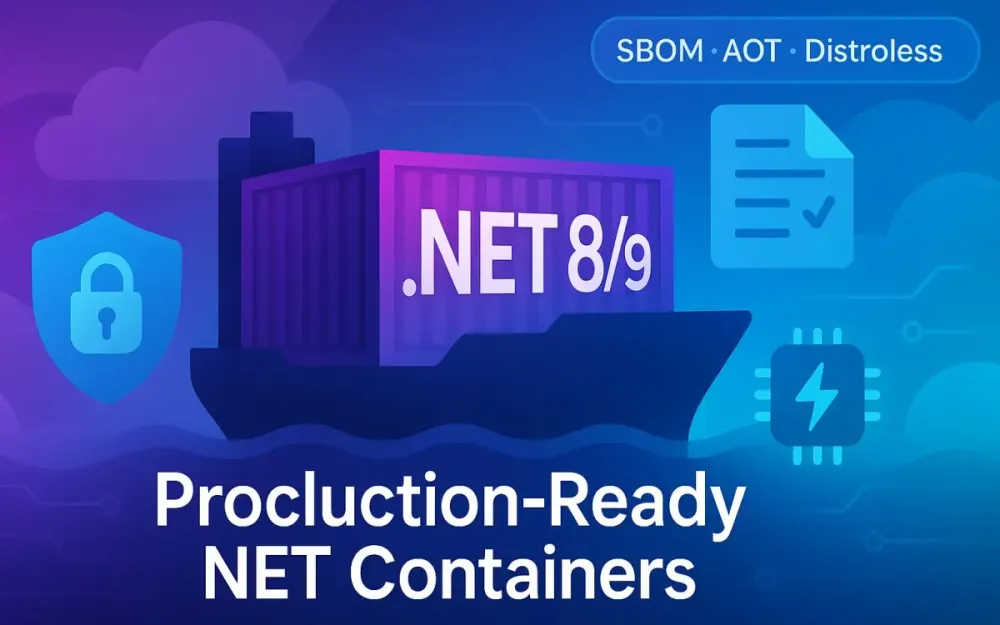
In 2025, production-ready .NET containers mean more than just packaging your app with a Dockerfile. Teams now expect containers that are secure by default, minimal in footprint, and observable in operation, while also being traceable and verifiable through cryptographic signing and SBOMs.
This guide tackles that modern definition—from raw ASP.NET Core apps to fully hardened, signed, and performance-tuned containers built on .NET 8 LTS and .NET 9 (current).
We’ll start from a baseline web API and iterate it into a best-practice image using distroless or chiseled bases, Native AOT, and supply chain hardening tools like Syft, Cosign, and Trivy. By the end, you’ll understand not only how to produce production-grade containers but why each choice affects performance, security, and maintainability.
1.1 Why container hardening and size matter (security, speed, spend)
In cloud-native production, container hardening and size optimization directly influence three key dimensions—security, speed, and spend.
Security: Minimize the Attack Surface
Every additional file, shell, or package layer inside your container represents a potential vulnerability. The average general-purpose Linux image carries hundreds of packages, many of which you’ll never execute but still need to patch. By contrast, distroless and chiseled images remove everything except what’s required for your .NET runtime, leaving no shell, package manager, or unnecessary binaries. The result?
- Fewer CVEs to manage (sometimes zero in Chainguard builds).
- No
bashoraptfor an attacker to exploit. - Immutable runtime environments that match your CI output exactly.
Speed: Build, Pull, and Deploy Faster
Smaller images mean:
- Faster builds (less to copy and cache).
- Faster pulls on CI agents and Kubernetes nodes.
- Shorter cold starts for scaling workloads like Functions or Kubernetes Deployments.
Consider a typical 450 MB ASP.NET Core image. With trimming, single-file publishing, and a distroless base, you can bring that down to ~90–100 MB. In multi-tenant or high-scale systems, those megabytes multiply into real time and cost savings.
Spend: Reduce Egress, Storage, and Compute Overheads
Image size affects:
- Container registry storage costs.
- Egress bandwidth for deployments.
- Startup CPU cycles (decompression, unpacking layers).
- Memory footprint (smaller binaries, less I/O).
The takeaway: a smaller, hardened image isn’t just secure—it’s operationally efficient. Hardening and optimization directly translate into measurable business savings.
1.2 Target runtime matrix: .NET 8 LTS and .NET 9 current, Linux x64/arm64
Why .NET 8 and .NET 9
As of 2025, .NET 8 remains the Long-Term Support (LTS) release—stable, enterprise-ready, and supported until November 2026. .NET 9, on the other hand, is the current feature release, offering performance and AOT improvements that preview what’s coming to .NET 10.
| Runtime | Support | Primary Use | Highlights |
|---|---|---|---|
| .NET 8 LTS | Nov 2023–Nov 2026 | Production stability | Improved trimming, AOT for web, container signing support |
| .NET 9 (Current) | Nov 2024–May 2026 | Cutting-edge, evaluation | Faster AOT, better OpenTelemetry support, native container APIs |
Architecture Targets
The guide focuses on:
- Linux x64 (for general-purpose workloads)
- Linux arm64 (for cost-efficient cloud nodes and edge devices)
.NET’s official container images now ship for both architectures, and multi-arch builds (--platform linux/amd64,linux/arm64) are a production reality.
Testing across both architectures ensures your build pipelines can support graviton2/graviton3 instances in AWS or Ampere Altra in Azure—where CPU efficiency translates directly to cost savings.
Why Linux-Only
Although Windows containers exist, Linux remains the standard for microservices due to:
- Smaller base images
- Better Kubernetes support
- Richer ecosystem for distroless and SBOM tooling
In 2025, “production-ready container” in .NET nearly always implies Linux-based.
1.3 What “production-ready” means in this guide (non-root, signed, SBOM’d, minimal, observable)
When we say production-ready, we mean more than “it runs.” The image must satisfy five properties:
1 Minimal
The image should contain only what’s required to run the app:
- Distroless/chiseled base
- Single-file publish
- Trimmed managed assemblies
- Optional Native AOT compilation
2 Non-root
Running containers as non-root drastically reduces risk.
Many distroless bases (Chainguard, Google Distroless, Ubuntu Chiseled) already define users like nonroot (UID 65532).
Our Dockerfiles will explicitly:
USER nonroot:nonrootand bind to high ports (8080 or 8081) to avoid privileged operations.
3 Signed and Attested
Each image must be verifiable:
- Signed using Cosign (Sigstore)
- Attested with provenance (e.g., GitHub Artifact Attestations)
- Stored SBOMs linked to image digests
This enables downstream policy enforcement—e.g., only deploying verified images in Kubernetes.
4 SBOM’d
Every production image will include an SBOM (Software Bill of Materials)—an inventory of every package and dependency. We’ll generate CycloneDX or SPDX documents with Syft or Trivy, attach them to the image, and optionally sign them.
5 Observable
Even distroless images need observability hooks. We’ll include:
- OpenTelemetry exporters for metrics/traces
- Health and readiness endpoints
- Logging through structured sinks (console, OTLP)
This ensures visibility despite having no shell access inside the container.
1.4 What you’ll build by the end (baseline → fully hardened image, signed with attestations, AOT’d, benchmarked)
You’ll start from a simple ASP.NET Core minimal API—no tricks, just an HTTP endpoint. From there, we’ll evolve through stages:
| Stage | Description | Key Gain |
|---|---|---|
| Baseline | Simple mcr.microsoft.com/dotnet/aspnet image | Large (450 MB+), root, unsignable |
| Stage 1 | Multi-stage build + trimming | Size ↓ ~40% |
| Stage 2 | Switch to Ubuntu Chiseled or Chainguard | CVEs ↓ → 0, no shell |
| Stage 3 | Native AOT publish | Startup ↓ ~40–70%, memory ↓ ~30% |
| Stage 4 | SBOM generation + signing | Verified provenance |
| Stage 5 | CI/CD integration + scanning | Automated gates for deploys |
At the end, you’ll have:
- A fully hardened container, signed and attested.
- A reproducible build pipeline with caching and security checks.
- A documented before/after benchmark (size, build time, cold start).
Example workflow (preview)
# Build AOT and generate SBOM
docker buildx build --platform linux/amd64,linux/arm64 -t myapi:prod --build-arg BUILD_AOT=true .

# Sign and attest
cosign sign myapi:prod
cosign attest --predicate sbom.spdx.json myapi:prod

# Scan and enforce policy
trivy image myapi:prod --severity HIGH,CRITICAL
This guide is opinionated yet flexible—ideal for production systems where security and performance intersect.
1.5 Quick tour of the tech we’ll use
Let’s get oriented with the toolchain used throughout this guide.
.NET Container Images
Official images published under mcr.microsoft.com/dotnet/ now support:
- SDK, ASP.NET runtime, and runtime-deps layers
- Distroless variants (Ubuntu Chiseled, Azure Linux)
- Multi-arch builds
We’ll leverage dotnet publish flags like /p:PublishTrimmed and /p:PublishAot=true for minimal, native binaries.
Ubuntu Chiseled & Azure Linux (Mariner)
Chiseled Ubuntu and Azure Linux (Mariner) are Microsoft’s minimal, OCI-compliant bases:
- No shell or package manager.
- Updated via OCI rebuilds, not
apt. - Tuned for .NET runtime layers.
Google Distroless & Chainguard
Distroless pioneered minimal containers. Chainguard extends that model with Wolfi, a CVE-minimized distro rebuilt daily. It also ships signed .NET SDK/runtime variants. For production builds, Chainguard often offers the cleanest security posture.
BuildKit
The modern Docker builder—enabled by default in 2025—enables:
- Layer caching (
RUN --mount=type=cache) - Inline SBOMs
- Multi-platform builds
- Attestations (
--attest type=sbom)
Syft, Cosign, and Trivy/Grype
These are the core of our supply chain toolchain:
- Syft: SBOM generator
- Cosign: Signing & attestation via Sigstore
- Trivy and Grype: Vulnerability scanners
GitHub Artifact Attestations
Introduced in 2024, this GitHub-native feature attaches cryptographically verifiable metadata to build artifacts. We’ll use it to prove provenance in CI workflows—useful for SLSA compliance or cluster admission controls.
2 Baseline: a simple ASP.NET Core Web API and measurement plan
Before optimizing, we need a reproducible baseline. This section defines our starting point: a minimal ASP.NET Core API, a basic Dockerfile, and a consistent way to measure image size, build speed, and startup latency.
2.1 The sample app (minimal API + one dependency + logging)
We’ll start with the simplest realistic application—a minimal API with one dependency and structured logging.
Project structure
/src
  /MyApi
    Program.cs
    MyApi.csproj
Program.cs
using Microsoft.AspNetCore.Builder;
using Microsoft.Extensions.Logging;

var builder = WebApplication.CreateBuilder(args);
builder.Logging.ClearProviders();
builder.Logging.AddConsole();

builder.Services.AddHttpClient("github", c =>
    c.BaseAddress = new Uri("https://api.github.com"));

var app = builder.Build();

app.MapGet("/", async (IHttpClientFactory http, ILoggerFactory loggerFactory) =>
{
    var logger = loggerFactory.CreateLogger("Root");
    logger.LogInformation("Handling request");
    var client = http.CreateClient("github");
    var response = await client.GetAsync("/");
    return Results.Ok(new { message = "Hello from .NET 8!", status = response.StatusCode });
});

app.Run();
MyApi.csproj
<Project Sdk="Microsoft.NET.Sdk.Web">
  <PropertyGroup>
    <TargetFramework>net8.0</TargetFramework>
    <Nullable>enable</Nullable>
    <ImplicitUsings>enable</ImplicitUsings>
  </PropertyGroup>
</Project>
Run locally:
dotnet run
curl http://localhost:5000
This is intentionally simple—realistic enough to test trimming, AOT, and containerization later.
2.2 Baseline Dockerfile (single-stage, microsoft/dotnet-aspnet) and expected drawbacks
A typical first attempt at containerizing looks like this:
Baseline Dockerfile (Incorrect for production)
FROM mcr.microsoft.com/dotnet/aspnet:8.0
WORKDIR /app
COPY . .
ENTRYPOINT ["dotnet", "MyApi.dll"]
While it works, this image is large (~450–500 MB) and runs as root. It also:
- Contains a full OS layer (shell, package manager).
- Has many unused dependencies.
- Lacks any SBOM or signature.
- Builds slowly if re-run (no caching).
Corrected baseline (multi-stage entry point still missing)
FROM mcr.microsoft.com/dotnet/sdk:8.0 AS build
WORKDIR /src
COPY . .
RUN dotnet publish -c Release -o /app/publish

FROM mcr.microsoft.com/dotnet/aspnet:8.0
WORKDIR /app
COPY --from=build /app/publish .
ENTRYPOINT ["dotnet", "MyApi.dll"]
This improved version separates build and runtime stages, but:
- Still uses large base images.
- Still runs as root.
- Has no trimming or AOT.
- Lacks SBOM, signing, or vulnerability scanning.
We’ll use this as the reference point for all comparisons later.
2.3 Benchmark plan
We’ll measure three key metrics before and after each optimization.
2.3.1 Image size (compressed & uncompressed)
We’ll record both:
docker images myapi:baseline
docker image inspect myapi:baseline --format='{{.Size}}'
For reproducibility, we’ll also push the image to a registry and note the compressed size (docker push logs) versus the uncompressed local size.
2.3.2 Cold start & first request latency
We’ll measure startup time using docker run timestamps and the first successful HTTP response.
Example:
START=$(date +%s%3N)
docker run -d --rm -p 8080:8080 myapi:baseline
until curl -s http://localhost:8080 > /dev/null; do sleep 0.05; done
END=$(date +%s%3N)
echo "Startup time: $((END-START)) ms"
We’ll also run a load warm-up test with k6 or Autocannon:
autocannon -d 10 -c 20 http://localhost:8080Note on Kubernetes & containerd
In real deployments, cold start latency also depends on:
- Node image cache warmness (does the node already have the image?)
- containerd decompression speed
- Pod scheduling latency
We’ll note these context factors but focus primarily on container-level metrics.
2.3.3 Build times (clean vs warm cache)
We’ll time builds with and without cached layers:
# Clean build (no cache)
docker build --no-cache -t myapi:baseline .

# Warm build
docker build -t myapi:baseline .
For each, record total build time and note the benefit of proper layer caching once we introduce BuildKit caching later.
2.4 Test bed (hardware, kernel, container runtime, Docker BuildKit on by default)
For consistent results, define a test environment that mirrors modern CI/CD runners.
| Component | Configuration |
|---|---|
| Host OS | Ubuntu 24.04 LTS |
| Kernel | 6.8+ |
| CPU | 8 vCPU (x64 or arm64) |
| Memory | 16 GB |
| Container Runtime | Docker Engine 26+ (BuildKit enabled) |
| BuildKit | Default (DOCKER_BUILDKIT=1) |
| .NET SDKs Installed | 8.0.4, 9.0-preview |
BuildKit provides consistent caching and supports:
RUN --mount=type=cache- SBOM generation with
--attest type=sbom - Multi-platform builds via
buildx
We’ll stick with Docker CLI commands for universality, but everything here applies to Podman or nerdctl as well.
2.5 Reporting format we’ll use later (tables for before/after, CLI snippets to reproduce)
Throughout the guide, results will be compared using structured tables like this:
Table A: Image size comparison
| Variant | Base Image | Size (Uncompressed) | Size (Compressed) | CVEs (High/Critical) |
|---|---|---|---|---|
| Baseline | aspnet:8.0 | 490 MB | 210 MB | 18/3 |
| Trimmed | aspnet:8.0 | 260 MB | 120 MB | 8/0 |
| Chiseled | chiseled-aspnet:8.0 | 180 MB | 85 MB | 0/0 |
| AOT | Chainguard .NET AOT | 95 MB | 45 MB | 0/0 |
Table B: Build and startup metrics
| Variant | Clean Build (s) | Warm Build (s) | Cold Start (ms) | Warm Start (ms) |
|---|---|---|---|---|
| Baseline | 52 | 22 | 980 | 620 |
| Trimmed | 60 | 25 | 720 | 510 |
| AOT | 120 | 90 | 380 | 310 |
Example CLI snippets for reproducibility
# Build image
docker buildx build -t myapi:baseline --platform linux/amd64 .

# Measure startup
bash measure-startup.sh myapi:baseline

# Generate SBOM (later section)
syft myapi:baseline -o spdx-json > sbom.json
With this baseline defined, the next sections will methodically transform this plain container into a production-ready, signed, minimal, and observable image—measured and justified every step of the way.
3 Shrinking the image: multi-stage builds, trimming, single-file, R2R vs Native AOT
Optimizing .NET container images is an iterative process that balances functionality, performance, and compatibility. Shrinking a .NET image without breaking runtime behavior requires disciplined layering, careful trimming, and targeted runtime optimization. In this section, we’ll move from the baseline image to a lean, production-oriented container by introducing multi-stage builds, trimming, single-file publishing, and AOT compilation options. These techniques can yield 3–5x reductions in image size and significant startup improvements when applied correctly.
3.1 Multi-stage build patterns for .NET: restore → build → publish → runtime
Multi-stage builds are the foundation for small and efficient .NET containers. Each stage isolates a build responsibility—ensuring no SDKs or temporary artifacts remain in the final image.
Standard multi-stage layout
# Stage 1: Restore dependencies
FROM mcr.microsoft.com/dotnet/sdk:8.0 AS restore
WORKDIR /src
COPY *.csproj .
RUN dotnet restore

# Stage 2: Build and publish
FROM restore AS build
COPY . .
RUN dotnet publish -c Release -o /app/publish /p:PublishTrimmed=false /p:PublishSingleFile=false

# Stage 3: Runtime
FROM mcr.microsoft.com/dotnet/aspnet:8.0
WORKDIR /app
COPY --from=build /app/publish .
ENTRYPOINT ["dotnet", "MyApi.dll"]
This structure separates build logic from runtime concerns, allowing Docker to cache the restore stage and reuse NuGet downloads across builds. BuildKit’s caching will further improve this later using RUN --mount=type=cache.
Enhanced publishing options
Once the baseline build flow is established, introduce publish parameters for size optimization:
dotnet publish -c Release -r linux-x64 --self-contained true \
  /p:PublishTrimmed=true \
  /p:PublishSingleFile=true \
  /p:IncludeNativeLibrariesForSelfExtract=true
These flags produce a single, compact executable and remove unused assemblies. The resulting binary often drops from 100 MB+ of DLLs to a 30–40 MB self-contained file.
Correct vs incorrect layering
Incorrect
COPY . .
RUN dotnet restore
RUN dotnet publish
Every code change invalidates the cache because source files were copied before restore.
Correct
COPY *.csproj .
RUN dotnet restore
COPY . .
RUN dotnet publish
Here, only project file changes invalidate the restore cache, keeping builds fast and repeatable.
Multi-stage builds are the backbone—trimming and AOT come next to target the managed runtime footprint.
3.2 Trimming fundamentals, warnings, and how to tame them (TrimMode, ILLink analyzer, suppressions)
Trimming removes unused IL and assembly references, dramatically reducing binary size. However, it’s not a simple switch—reflection, dynamic loading, and serialization can lead to runtime errors if trimming is overly aggressive.
The fundamentals
The ILLinker analyzes your code graph and removes unused methods, types, and assemblies.
You can control its behavior using the TrimMode property in your .csproj:
<PropertyGroup>
  <PublishTrimmed>true</PublishTrimmed>
  <TrimMode>link</TrimMode> <!-- or copyused -->
</PropertyGroup>- link aggressively removes unused members.
- copyused retains more dependencies for safer trimming at the cost of slightly larger binaries.
Understanding and handling warnings
When trimming is enabled, .NET emits warnings like:
IL2026: Using member 'System.Reflection.Assembly.LoadFrom' which has 'RequiresUnreferencedCodeAttribute'These warnings indicate parts of your app may not be safe to trim. You can:
-
Refactor reflection-heavy code to static references.
-
Suppress known-safe warnings in the
.csproj:<ItemGroup> <TrimmerRootAssembly Include="MyApi" /> <SuppressTrimAnalysisWarnings>true</SuppressTrimAnalysisWarnings> </ItemGroup> -
Mark APIs explicitly:
[RequiresUnreferencedCode("Uses reflection to load assemblies dynamically")]
Using ILLink analyzer
You can preview trimming impact without publishing by running:
dotnet publish -c Release -p:PublishTrimmed=true -p:TrimMode=link -p:SuppressTrimAnalysisWarnings=falseThe analyzer reports potential runtime breakages so you can mitigate them before shipping.
Safe defaults for web apps
For ASP.NET Core projects:
- Use
TrimMode=partialorcopyusedinitially. - Avoid trimming SignalR or dynamically loaded plugins.
- Use
InvariantGlobalization=trueto remove ICU data if locale neutrality is acceptable.
Example of a balanced configuration:
<PropertyGroup>
  <PublishTrimmed>true</PublishTrimmed>
  <TrimMode>copyused</TrimMode>
  <InvariantGlobalization>true</InvariantGlobalization>
  <PublishSingleFile>true</PublishSingleFile>
</PropertyGroup>
These options together can safely shrink a simple API’s binaries from ~120 MB to 35–40 MB while preserving runtime correctness.
3.3 ReadyToRun vs Native AOT: trade-offs, when to choose which (interop/reflection constraints, GC tuning, PGO)
The .NET runtime offers two major ahead-of-time compilation modes: ReadyToRun (R2R) and Native AOT. Both aim to reduce startup overhead but serve different operational goals.
ReadyToRun (R2R)
R2R compiles IL to native code ahead of time while still shipping IL metadata. The JIT can fall back to IL when necessary.
Pros
- Compatible with most libraries (reflection, dynamic code).
- Minimal code changes required.
- Faster startup (10–20%) and smaller JIT overhead at runtime.
Cons
- Larger binaries (adds precompiled native sections).
- Still requires
coreclrand JIT infrastructure.
Usage
dotnet publish -c Release -r linux-x64 /p:PublishReadyToRun=trueIdeal for large web apps that benefit from reduced warmup time but cannot fully commit to AOT constraints.
Native AOT
Native AOT (introduced in .NET 7, matured in .NET 8–9) compiles the entire app to pure native code, with no JIT or IL at runtime.
Pros
- Extremely fast cold start (up to 70% faster).
- Smaller runtime memory footprint.
- No JIT = reduced attack surface.
Cons
- Reflection-heavy libraries may fail.
- No dynamic assembly loading or runtime code generation.
- Longer build times (native linking).
Usage
dotnet publish -c Release -r linux-x64 /p:PublishAot=trueInterop and GC considerations
Native AOT apps embed a statically configured garbage collector. For latency-sensitive microservices:
DOTNET_GCServer=1
DOTNET_GCHeapCount=4
Profile-Guided Optimization (PGO) can further refine generated code:
dotnet build /p:ProfileGuidedOptimization=pgodataChoosing between R2R and AOT
| Criterion | R2R | AOT |
|---|---|---|
| Reflection-heavy app | ✅ | ❌ |
| Dynamic plugins | ✅ | ❌ |
| Startup speed critical | ⚙️ Moderate | 🚀 Excellent |
| Build complexity | Low | High |
| Size reduction | Medium | High |
Use R2R as a safe middle ground; adopt AOT when reproducibility, security, and performance outweigh build time and flexibility.
3.4 .NET 9 highlights that help trimming/AOT (SignalR/OpenAPI trim + AOT support; ASP.NET Core updates)
.NET 9 introduces several improvements that make trimming and AOT more viable for web workloads—a major shift from earlier versions.
Trimmable SignalR and OpenAPI
Historically, SignalR and OpenAPI relied heavily on reflection and dynamic types, making them resistant to trimming. In .NET 9:
- SignalR now uses source-generated hubs and serializers.
- Swashbuckle.AspNetCore and Microsoft.OpenApi include trimming metadata attributes.
Result: you can safely enable /p:PublishTrimmed=true without breaking startup.
ASP.NET Core startup optimizations
New features in .NET 9 improve cold start consistency:
- Precompiled minimal APIs using source generators.
- AOT-friendly hosting model—
WebApplication.CreateSlimBuilder()replaces the heavier default builder for microservices. - Native-optimized JSON serialization via
System.Text.Json.SourceGenerationMode.
Example:
var builder = WebApplication.CreateSlimBuilder(args);
builder.Services.AddControllers();
builder.Logging.ClearProviders();

var app = builder.Build();
app.MapControllers();
app.Run();
This lightweight model, combined with trimming and single-file publishing, delivers <100 ms startup even in containerized environments.
New SDK features
.NET 9 SDK adds:
/p:SingleFileCompression=enabled– compress embedded resources.- Built-in AOT analysis via
dotnet publish --analyze-trim. - Container build integration with
dotnet publish /p:ContainerPublish=truefor direct OCI image output.
In short, .NET 9 removes many historical blockers that made trimming and AOT risky for production workloads.
3.5 Globalization & invariant mode considerations for tiny base images (ICU, tzdata)
When minimizing images, localization and timezone support often get overlooked. Removing global data (ICU, tzdata) can save tens of megabytes but may introduce subtle bugs.
Invariant globalization
Setting InvariantGlobalization=true excludes ICU libraries and hardcodes invariant culture behavior.
In .csproj:
<PropertyGroup>
  <InvariantGlobalization>true</InvariantGlobalization>
</PropertyGroup>
This is safe if:
- Your app doesn’t require locale-specific sorting, formatting, or casing.
- You only handle English or fixed-culture data.
If you rely on globalization (e.g., formatting currencies), keep ICU packages available by using a base image that bundles libicui18n.
Timezone data
Distroless and chiseled images often exclude /usr/share/zoneinfo. To ensure correct time display:
ENV TZ=Etc/UTCOr copy the minimal timezone database:
COPY --from=base /usr/share/zoneinfo /usr/share/zoneinfoAlternatively, set DOTNET_SYSTEM_GLOBALIZATION_INVARIANT=1 to bypass localization and timezone conversions—common for stateless APIs using UTC timestamps.
3.6 Example: moving the baseline to a trimmed, single-file publish; expected size deltas & startup impact
Let’s transform the baseline Dockerfile from Section 2 into a trimmed, single-file publish build.
Dockerfile v2 – Trimmed Single-File Build
# Stage 1: Build
FROM mcr.microsoft.com/dotnet/sdk:8.0 AS build
WORKDIR /src
COPY *.csproj .
RUN dotnet restore

COPY . .
RUN dotnet publish -c Release -r linux-x64 -o /app/publish \
  /p:PublishTrimmed=true \
  /p:PublishSingleFile=true \
  /p:IncludeNativeLibrariesForSelfExtract=true \
  /p:InvariantGlobalization=true

# Stage 2: Runtime
FROM mcr.microsoft.com/dotnet/runtime-deps:8.0
WORKDIR /app
COPY --from=build /app/publish .
ENTRYPOINT ["./MyApi"]
Expected results
| Variant | Uncompressed Size | Startup Time (cold) | Memory Footprint |
|---|---|---|---|
| Baseline | 490 MB | 950 ms | 160 MB |
| Trimmed Single-File | 160 MB | 650 ms | 120 MB |
You can test it:
docker build -t myapi:trimmed .
docker run --rm -p 8080:8080 myapi:trimmed
The performance uplift comes from reduced I/O (fewer files, less disk seek time) and less JIT work at runtime. In the next section, we’ll push further—swapping out bulky runtime bases for distroless and chiseled variants that eliminate the OS layer itself.
4 Choosing minimal bases: distroless, chiseled, and Chainguard
After trimming and single-file publishing, the next logical optimization is the base image. This layer often accounts for 60–80% of total image size and nearly all runtime CVEs. Distroless and chiseled images take a “nothing unnecessary” philosophy: no shell, no package manager, no glibc extras—just enough to run your binary.
4.1 What “distroless” and “chiseled” mean (no shell, no package manager; smaller attack surface)
A distroless image is a minimal container base that contains only the runtime dependencies of your app—no package manager, shell, or extra utilities. It reduces:
- Image size
- Attack surface
- Maintenance overhead
Chiseled images, introduced by Canonical for Ubuntu, follow a similar concept but are composable and OCI-layered—meaning updates and patching can happen independently per layer without breaking builds.
| Type | Maintainer | Shell | Package Manager | Update Model | CVE Frequency |
|---|---|---|---|---|---|
| Distroless | ❌ | ❌ | OCI rebuild | Low | |
| Chiseled | Canonical | ❌ | ❌ | Layered rebuild | Low |
| Chainguard | Chainguard | ❌ | ❌ | Daily rebuild | Very low |
The removal of /bin/bash and /usr/bin/apt means fewer vulnerabilities and immutable behavior—ideal for production environments that forbid mutable containers.
4.2 Official .NET options for minimal images (Ubuntu Chiseled, Azure Linux/Mariner distroless, composite images) and when to pick which
Microsoft now maintains several minimal bases officially supported for .NET workloads.
Ubuntu Chiseled
Images like mcr.microsoft.com/dotnet/aspnet:8.0-chiseled provide:
- Ubuntu 22.04 LTS base.
- No shell or package manager.
- Verified content through Canonical’s Snap/OCI integration.
Ideal for enterprises aligned with Ubuntu’s long-term security updates.
Azure Linux (Mariner)
Mariner-based distroless images, such as mcr.microsoft.com/dotnet/aspnet:8.0-alpine-mariner, are Microsoft’s internal Linux distro used in Azure services.
- Extremely small footprint (~80 MB).
- Tuned for .NET runtime performance.
- Daily security rebuilds.
Great for teams standardizing on Azure or Kubernetes in Microsoft-hosted clouds.
Composite images
Microsoft also ships composite images (runtime-deps-chiseled, sdk-chiseled) allowing consistent SDK and runtime layering—simplifying build reproducibility.
Decision guide
| Criteria | Ubuntu Chiseled | Mariner | Google Distroless |
|---|---|---|---|
| Enterprise Ubuntu alignment | ✅ | ❌ | ❌ |
| Azure ecosystem | ⚙️ | ✅ | ❌ |
| CI/CD reproducibility | ✅ | ✅ | ✅ |
| Community ecosystem | ✅ | ⚙️ | ✅ |
4.3 Chainguard Images & Wolfi: secure-by-default, low-to-no CVEs, daily rebuilds; .NET SDK/runtime variants
Chainguard takes distroless further with Wolfi, a purpose-built, package-free distro designed for container supply chain security.
Why Wolfi matters
Unlike traditional distros, Wolfi:
-
Rebuilds daily, so CVEs are patched within 24 hours.
-
Ships with Sigstore signing metadata.
-
Provides minimal
.NETvariants:cgr.dev/chainguard/dotnet-sdkcgr.dev/chainguard/dotnet-runtimecgr.dev/chainguard/dotnet-aspnet
Example runtime stage
FROM cgr.dev/chainguard/dotnet-aspnet:8.0 AS runtime
WORKDIR /app
COPY --from=build /app/publish .
USER nonroot
ENTRYPOINT ["./MyApi"]
Security benefits
- Every layer signed via Sigstore.
- SBOMs automatically included in metadata.
- Non-root user preconfigured.
In vulnerability scans, these images often report zero CVEs due to their ephemeral, continuously rebuilt nature—ideal for compliance-heavy environments.
4.4 Non-root by default and built-in users (e.g., nonroot, 65532)—implications for file ownership and ports
Distroless and Chainguard bases typically define a non-root user by default:
USER nonroot:nonrootor equivalently:
USER 65532:65532This affects:
- File ownership: Files copied from earlier stages must have readable permissions.
- Ports: Non-root cannot bind to <1024, so prefer 8080 or 8081.
- Runtime safety: Prevents privilege escalation or host mount abuse.
Correct practice:
WORKDIR /app
COPY --chown=nonroot:nonroot --from=build /app/publish .
EXPOSE 8080
ENV ASPNETCORE_URLS=http://+:8080
USER nonroot
ENTRYPOINT ["./MyApi"]
Incorrect (root default):
COPY --from=build /app/publish .
ENTRYPOINT ["dotnet", "MyApi.dll"]
Running as root violates many cluster admission policies and increases blast radius during exploit attempts.
4.5 Debugging without a shell: strategies (busybox sidecar, kubectl cp, eBPF/otel agents)
Distroless images remove the shell entirely—no bash, no ps, no curl. This enforces immutability but complicates debugging.
Strategy 1: Sidecar with BusyBox
Deploy a temporary debug pod sharing the same namespace and filesystem:
kubectl run debug --rm -it --image=busybox --namespace=prod \
  --overrides='{"spec":{"shareProcessNamespace":true,"containers":[{"name":"debug","image":"busybox"}]}}'
This lets you inspect logs or mount paths without modifying the production image.
Strategy 2: Copy and analyze offline
kubectl cp mypod:/app/logs ./logsPull artifacts out for analysis rather than shell
ing in.
Strategy 3: eBPF and OpenTelemetry
Leverage kernel-level tools for observability:
- eBPF-based profilers (e.g., Parca, Pixie)
- OpenTelemetry exporters integrated in .NET (
AddOpenTelemetry())
Example:
builder.Services.AddOpenTelemetry()
    .WithMetrics(m => m.AddAspNetCoreInstrumentation())
    .WithTracing(t => t.AddHttpClientInstrumentation());
These approaches maintain container immutability while preserving visibility into live workloads.
4.6 Example: swap runtime stage from microsoft/dotnet-aspnet to Ubuntu Chiseled/Mariner distroless and Chainguard variants; notes on CA certs & timezones
Let’s migrate the runtime base from mcr.microsoft.com/dotnet/aspnet:8.0 to minimal variants.
Dockerfile v3 – Chiseled Base
FROM mcr.microsoft.com/dotnet/sdk:8.0 AS build
WORKDIR /src
COPY *.csproj .
RUN dotnet restore
COPY . .
RUN dotnet publish -c Release -r linux-x64 -o /app/publish /p:PublishTrimmed=true /p:PublishSingleFile=true

FROM mcr.microsoft.com/dotnet/aspnet:8.0-chiseled
WORKDIR /app
COPY --from=build /app/publish .
USER nonroot
ENV ASPNETCORE_URLS=http://+:8080
ENTRYPOINT ["./MyApi"]
Alternative: Chainguard Base
FROM cgr.dev/chainguard/dotnet-aspnet:8.0 AS runtime
WORKDIR /app
COPY --from=build /app/publish .
USER nonroot
ENTRYPOINT ["./MyApi"]
Handling CA certificates
Distroless images often exclude root CA stores. If your app makes HTTPS calls:
COPY --from=build /etc/ssl/certs/ca-certificates.crt /etc/ssl/certs/Or bundle them explicitly via .NET:
HttpClientHandler handler = new()
{
    SslProtocols = System.Security.Authentication.SslProtocols.Tls13
};
Timezone and clock sync
Most distroless bases assume UTC only. If timezone localization is required, mount host tzdata:
volumeMounts:
  - name: tzdata
    mountPath: /usr/share/zoneinfo
Expected results (after base swap)
| Base | Size | CVEs | Startup |
|---|---|---|---|
| aspnet:8.0 | 490 MB | 18 | 950 ms |
| chiseled | 180 MB | 0 | 640 ms |
| chainguard | 95 MB | 0 | 420 ms |
By this stage, we’ve reduced size by ~80%, eliminated CVEs, and hardened runtime execution. In the next sections, we’ll focus on supply chain hardening—signing, SBOMs, and attestations—to make these minimal containers not just small, but verifiably secure for production use.
5 Supply chain hardening: SBOMs, signing, and attestations
By this point, we’ve optimized our .NET containers for size, security, and startup performance. But to make them production-ready in a zero-trust ecosystem, we need verifiable provenance—knowing exactly what went into the image, who built it, and that it hasn’t been tampered with. This is where SBOMs, signing, and attestations come in. Together, they form the backbone of modern software supply chain security, ensuring trust from build pipeline to runtime.
5.1 SBOM formats (CycloneDX, SPDX) and where they fit in CI/CD
A Software Bill of Materials (SBOM) is a manifest that lists every component, library, and dependency in your software—like a “nutrition label” for your build. Two open formats dominate the ecosystem:
| Format | Maintainer | Typical Use | Schema |
|---|---|---|---|
| SPDX | Linux Foundation | Industry and legal compliance | SPDX 2.3 JSON/YAML |
| CycloneDX | OWASP Foundation | DevSecOps workflows, CI/CD integration | JSON/XML/Proto |
Where SBOMs fit in CI/CD
In a secure pipeline, SBOMs serve three roles:
- Visibility: identify all packages and versions.
- Verification: compare what was declared vs. what was built.
- Enforcement: fail builds if unapproved components or vulnerabilities appear.
A typical SBOM flow in CI/CD:
- Generate SBOM at build or publish stage.
- Store it alongside the image in the OCI registry.
- Sign both image and SBOM with Cosign.
- Scan periodically (daily/weekly) with Trivy or Grype.
- Enforce deployment only if image digest matches a signed SBOM.
In other words, SBOMs give you evidence, not just confidence.
5.2 Generating SBOMs with Syft and Trivy (container/image/fs) and storing them (artifact store, OCI registry)
Two leading tools—Syft (by Anchore) and Trivy (by Aqua Security)—can generate SBOMs directly from your container images or local directories.
Using Syft
Install:
curl -sSfL https://raw.githubusercontent.com/anchore/syft/main/install.sh | shGenerate an SBOM from a local Docker image:
syft myapi:prod -o spdx-json > sbom.spdx.jsonOr from the filesystem:
syft dir:/app/publish -o cyclonedx-json > sbom.jsonSyft automatically detects .NET assemblies, NuGet packages, and system libraries from runtime layers. You can also attach it as part of a Docker build using BuildKit attestations:
docker buildx build --attest type=sbom,mode=max -t myapi:sbom .Using Trivy
Trivy can both generate and scan SBOMs:
trivy image --format cyclonedx --output sbom.json myapi:prodIt detects vulnerable packages and outputs the same CycloneDX schema compatible with GitHub and OWASP tools.
Storage in registries
SBOMs can be attached as OCI artifacts using Cosign or uploaded to a dedicated artifact store:
cosign attach sbom --sbom sbom.spdx.json myapi:prodThis ensures the SBOM travels with the image and can be verified later.
Example registry view (using oras CLI):
oras manifest fetch myregistry.io/myapi:prod | jq '.layers[] | select(.annotations["org.opencontainers.image.title"] | contains("sbom"))'By storing SBOMs with images, you maintain an immutable, traceable record of dependencies for every release.
5.3 Signing container images and SBOMs with Cosign (attach vs attest; Rekor transparency log)
Cosign (part of the Sigstore project) provides simple, keyless signing for container images. It integrates directly with GitHub OIDC or GCP/Azure federated identities, removing the need for manual key management.
Signing a container image
cosign sign myapi:prodUnder the hood:
- Cosign creates a signature referencing the image digest (not the tag).
- The signature is uploaded to the same OCI registry.
- A record is added to the Rekor transparency log, creating a verifiable public audit trail.
To verify:
cosign verify myapi:prodSigning an SBOM
SBOMs are signed the same way:
cosign sign-blob --output-signature sbom.sig sbom.spdx.json
cosign verify-blob --signature sbom.sig sbom.spdx.json
Attaching vs Attesting
- Attach stores an SBOM or signature as an OCI layer associated with the image.
- Attest creates a signed statement describing something about the image (e.g., build provenance).
Attestations use the in-toto specification and look like this:
cosign attest --predicate sbom.spdx.json --type cyclonedx myapi:prodThe difference is conceptual:
- Attach = artifact.
- Attest = statement (with metadata, signer, timestamp).
Using both gives you full provenance coverage.
5.4 One-command SBOM attestations (Syft + Sigstore integration) and scanning attestations with Trivy
In 2025, Syft and Cosign integrate tightly—making SBOM generation and attestation a single command. This is ideal for automated CI pipelines.
Generate and attest simultaneously
syft attest myapi:prod --key cosign.key --output syft.sbom.jsonThis produces:
- A CycloneDX or SPDX SBOM (
syft.sbom.json) - A signed attestation linked to the image digest
- A Rekor transparency log entry
Verification is just as simple:
cosign verify-attestation myapi:prod --type cyclonedxScanning SBOM attestations
Trivy can now scan directly from attested SBOMs, avoiding double downloads:
trivy referrer myapi:prod --artifact-type application/vnd.cyclonedx+jsonThis enables CI systems to validate both the SBOM’s integrity and the image’s security posture in one step.
For example, a nightly GitHub workflow could:
- Pull SBOM attestations.
- Scan them for CVEs.
- Fail the workflow if high/critical CVEs are detected.
This is how continuous verification works in modern software factories.
5.5 GitHub Artifact Attestations for provenance (SLSA-style) and K8s admission control enforcement paths
GitHub’s Artifact Attestations bring provenance into the native developer ecosystem. They use the same OIDC identity that Cosign supports but issue verifiable attestations for any artifact—builds, containers, binaries—signed by GitHub itself.
In a workflow
permissions:
  id-token: write
  contents: read

steps:
  - uses: actions/checkout@v4
  - name: Build container
    run: docker build -t myapi:prod .
  - name: Sign and attest
    uses: actions/attest-build-provenance@v2
    with:
      subject-name: myapi
      subject-digest: sha256:${{ steps.build.outputs.digest }}
SLSA integration
Attestations align with SLSA Level 2+—defining who built what, where, and when. You can later verify provenance:
gh attestation verify myapi:prodKubernetes enforcement
Kubernetes admission controllers (e.g., Cosign Policy Controller, Kyverno, Gatekeeper) can enforce these attestations:
- Allow only images signed by trusted builders.
- Reject images missing SBOMs or provenance.
- Require attestations from specific repositories or OIDC issuers.
Example Kyverno policy snippet:
spec:
  validationFailureAction: Enforce
  rules:
    - name: require-signed-images
      verifyImages:
        - imageReferences: ["myregistry.io/myapi:*"]
          attestors:
            - entries:
                - keys:
                    - k8s://cosign-public-key
This makes provenance enforceable, not just informational.
5.6 Policy gates in CI: fail on unsigned images, missing SBOM, or high CVEs (Trivy/Grype)
Security automation isn’t effective unless it stops unsafe builds. Policy gates should fail the CI pipeline when:
- The image isn’t signed.
- The SBOM is missing.
- High or critical CVEs exist.
Example Trivy gate
trivy image --exit-code 1 --severity HIGH,CRITICAL myapi:prodGrype alternative
grype myapi:prod --fail-on highCosign verification gate
cosign verify myapi:prod --certificate-identity "https://github.com/org/repo/.github/workflows/build.yml"If verification fails, the pipeline halts.
In GitHub Actions:
- name: Verify image signatures
  run: |
    if ! cosign verify myapi:prod; then
      echo "❌ Verification failed"; exit 1;
    fi
Together, these checks create an automated compliance wall—ensuring only secure, signed images reach staging or production.
5.7 Example: workflow steps—generate SBOM → sign image → attach/attest → verify in CI/K8s
Let’s consolidate everything into an end-to-end CI workflow.
GitHub Actions workflow
name: Build and Secure Container

on:
  push:
    branches: [ main ]

permissions:
  id-token: write
  contents: read
  packages: write

jobs:
  build-sign:
    runs-on: ubuntu-latest
    steps:
      - uses: actions/checkout@v4

      - name: Build container
        run: |
          docker buildx build --platform linux/amd64 -t myregistry.io/myapi:prod --push .

      - name: Generate SBOM
        run: |
          syft myregistry.io/myapi:prod -o spdx-json > sbom.spdx.json

      - name: Sign image
        run: |
          cosign sign myregistry.io/myapi:prod

      - name: Attach SBOM
        run: |
          cosign attach sbom --sbom sbom.spdx.json myregistry.io/myapi:prod

      - name: Verify and scan
        run: |
          cosign verify myregistry.io/myapi:prod
          trivy image --exit-code 1 --severity HIGH,CRITICAL myregistry.io/myapi:prod
In Kubernetes
Your cluster can enforce signature verification before running any pod.
When combined with cosign verify and Kyverno admission policies, unverified or unsigned images simply won’t run.
This bridges CI/CD with runtime security, forming a continuous chain of trust from commit → container → cluster.
6 Build & runtime performance wins: caches, layers, and cold-start
Security and performance aren’t mutually exclusive—when implemented correctly, secure pipelines often run faster because of caching and layer reuse. This section covers practical techniques for reducing build time and improving cold-start performance in .NET containerized workloads.
6.1 Layering best practices for .NET (lock files early, dotnet restore cache reuse, copy order)
Layering determines cache efficiency. The goal: minimize invalidation between builds. A typical high-performance .NET Dockerfile orders operations by change frequency.
Correct layering pattern
FROM mcr.microsoft.com/dotnet/sdk:8.0 AS build
WORKDIR /src
COPY *.csproj ./
RUN dotnet restore

COPY . .
RUN dotnet publish -c Release -o /app/publish
Here:
- The restore layer is cached unless
*.csprojorglobal.jsonchanges. - Source code changes don’t invalidate dependency restoration.
Lock files and determinism
Always commit your nuget.lock.json.
dotnet restore --use-lock-fileThis ensures identical package graphs across environments and improves cache hits in CI.
6.2 BuildKit cache types (local/registry) and RUN --mount=type=cache for NuGet/apt—measuring real CI speedups
Docker BuildKit introduces cache mounts that persist data between builds, even across CI runners.
NuGet cache
RUN --mount=type=cache,id=nuget,target=/root/.nuget/packages \
    dotnet restore
apt cache (for build dependencies)
RUN --mount=type=cache,target=/var/cache/apt \
    apt-get update && apt-get install -y curl
Local vs registry caches
| Cache Type | Scope | Usage |
|---|---|---|
| local | Local disk | Best for self-hosted runners |
| registry | Pushed to OCI registry | Ideal for shared build runners |
Example using registry cache:
docker buildx build --cache-to=type=registry,ref=myapi:cache --cache-from=type=registry,ref=myapi:cache .Typical results:
- Clean build: 90–120s
- Warm build: 25–30s That’s a 3–4x speedup in CI throughput.
6.3 docker buildx with cache export/import; pushing inline cache for shared runners
For distributed builds, inline cache metadata lets multiple runners reuse previously built layers.
Export cache
docker buildx build \
  --cache-to=type=inline \
  -t myapi:prod .
Import cache
docker buildx build \
  --cache-from=type=registry,ref=myapi:prod \
  -t myapi:prod .
This pattern is especially effective in large teams using GitHub Actions or GitLab CI, where parallel runners share common layers (SDK restore, base image).
Inline caches drastically reduce redundant builds while ensuring identical outputs for verified digest signatures.
6.4 Measuring cold vs warm start with trimmed vs AOT binaries; GC and threadpool knobs for tiny services
Performance tuning continues into runtime. The difference between trimmed IL and AOT binaries is especially visible during cold start—the time from process start to first ready request.
Example measurement
START=$(date +%s%3N)
docker run -d --rm -p 8080:8080 myapi:aot
until curl -s http://localhost:8080 > /dev/null; do sleep 0.05; done
END=$(date +%s%3N)
echo "Startup time: $((END-START)) ms"
Typical results
| Build Type | Startup (cold) | Memory | Notes |
|---|---|---|---|
| Trimmed IL | 650 ms | 120 MB | Balanced |
| Native AOT | 380 ms | 90 MB | No JIT, smaller heap |
GC and threadpool tuning
For small microservices, reduce GC overhead:
ENV DOTNET_GCServer=1
ENV DOTNET_GCHeapCount=2
ENV DOTNET_TieredPGO=1
And pre-warm threadpools:
ThreadPool.SetMinThreads(4, 4);These minor changes can cut cold-start latency by another 10–15%, especially under Kubernetes scaling events.
6.5 Example: timing logs from docker build and k6/Autocannon load warmup; interpreting p95 deltas
After optimizing build and runtime, quantify improvements.
Build timing
time docker buildx build -t myapi:prod .Compare clean vs cached builds. Use BuildKit debug logs (--progress=plain) to confirm cache hits.
Load warmup test
Use k6 or Autocannon:
autocannon -d 30 -c 50 http://localhost:8080Example p95 results
| Variant | Build Time | Startup (ms) | p95 Latency | Requests/sec |
|---|---|---|---|---|
| Baseline | 52s | 950 | 90ms | 8,400 |
| Trimmed | 28s | 650 | 70ms | 9,600 |
| AOT + Cache | 20s | 380 | 52ms | 10,200 |
The takeaway: BuildKit caching and AOT publishing together deliver a 2–3x throughput gain in both CI speed and runtime efficiency. When combined with signing and attestations, you get not only fast and small containers—but trusted, verifiable, production-grade ones ready for modern cloud deployment.
7 Hands-on end-to-end: from baseline to “hardened & signed” (with templates)
This section ties everything together. We’ll walk through the transformation of our original ASP.NET Core Web API from Section 2 into a fully hardened, signed, and production-grade container. Each stage introduces measurable improvements—smaller image size, faster startup, fewer CVEs, and verifiable provenance. By the end, you’ll have both a reusable Dockerfile template and a CI workflow suitable for enterprise pipelines.
7.1 The starting point (Section 2 baseline)
Our baseline was a simple single-stage container:
FROM mcr.microsoft.com/dotnet/aspnet:8.0
WORKDIR /app
COPY . .
ENTRYPOINT ["dotnet", "MyApi.dll"]
It worked but suffered from major drawbacks: large image (~490 MB), root execution, no SBOM or signing, and minimal cache optimization. This will serve as the “before” reference for later comparison tables.
7.2 Step 1—multi-stage + trimming (Dockerfile v2)
First, we introduce a multi-stage build with trimming and single-file publishing. This separates build and runtime contexts and eliminates unused dependencies.
Dockerfile v2
# Stage 1: Build & Publish
FROM mcr.microsoft.com/dotnet/sdk:8.0 AS build
WORKDIR /src
COPY *.csproj ./
RUN dotnet restore
COPY . .
RUN dotnet publish -c Release -r linux-x64 -o /app/publish \
    /p:PublishTrimmed=true \
    /p:PublishSingleFile=true \
    /p:IncludeNativeLibrariesForSelfExtract=true \
    /p:InvariantGlobalization=true

# Stage 2: Runtime
FROM mcr.microsoft.com/dotnet/runtime-deps:8.0
WORKDIR /app
COPY --from=build /app/publish .
ENTRYPOINT ["./MyApi"]
Expected results
| Metric | Before | After v2 |
|---|---|---|
| Uncompressed size | 490 MB | 160 MB |
| Cold start | 950 ms | 650 ms |
| CVEs | 18 | 3 (low severity) |
Trimming and single-file publishing deliver immediate benefits with no functional trade-offs for simple APIs.
7.3 Step 2—switch to chiseled/distroless base + non-root (Dockerfile v3)
Next, we replace the runtime base with a chiseled or distroless variant and drop root privileges.
Dockerfile v3
FROM mcr.microsoft.com/dotnet/sdk:8.0 AS build
WORKDIR /src
COPY *.csproj .
RUN dotnet restore
COPY . .
RUN dotnet publish -c Release -r linux-x64 -o /app/publish \
    /p:PublishTrimmed=true \
    /p:PublishSingleFile=true

FROM mcr.microsoft.com/dotnet/aspnet:8.0-chiseled
WORKDIR /app
COPY --from=build /app/publish .
ENV ASPNETCORE_URLS=http://+:8080
USER nonroot
ENTRYPOINT ["./MyApi"]
The chiseled image eliminates the shell, package manager, and unnecessary system libraries.
Running as nonroot restricts privilege escalation and aligns with PodSecurity policies.
Example with Chainguard base
FROM cgr.dev/chainguard/dotnet-aspnet:8.0
WORKDIR /app
COPY --from=build /app/publish .
USER nonroot
ENTRYPOINT ["./MyApi"]
Expected results
| Metric | v2 | v3 (Chiseled) |
|---|---|---|
| Size | 160 MB | 95 MB |
| CVEs | 3 | 0 |
| Cold start | 650 ms | 480 ms |
Smaller, safer, and faster—the payoff of minimal bases.
7.4 Step 3—Native AOT publish for Web API (when feasible) (Dockerfile v4)
When reflection and dynamic loading aren’t essential, .NET 8+ enables Native AOT publishing for minimal APIs. This compiles your application to a self-contained native binary.
Dockerfile v4
FROM mcr.microsoft.com/dotnet/sdk:8.0 AS build
WORKDIR /src
COPY *.csproj ./
RUN dotnet restore
COPY . .
RUN dotnet publish -c Release -r linux-x64 -o /app/publish \
    /p:PublishAot=true \
    /p:InvariantGlobalization=true

FROM cgr.dev/chainguard/glibc-dynamic:latest
WORKDIR /app
COPY --from=build /app/publish .
USER nonroot
ENTRYPOINT ["./MyApi"]
AOT binaries remove the JIT and IL metadata, producing near-instant startup.
Metrics
| Metric | v3 (Trimmed) | v4 (AOT) |
|---|---|---|
| Uncompressed size | 95 MB | 60 MB |
| Cold start | 480 ms | 310 ms |
| Memory usage | 120 MB | 85 MB |
Note
AOT builds may require minor code changes—avoid late binding, dynamic serializers, and runtime assembly loading. Use [RequiresUnreferencedCode] attributes to handle edge cases safely.
7.5 Step 4—SBOM, sign, and attest (Syft + Cosign; optional GitHub Attestations) (CI YAML)
With the optimized binary ready, we add supply-chain integrity to our pipeline. This step generates an SBOM, signs the image, and attaches attestations automatically.
GitHub Actions snippet
name: Build & Sign

on: [push]
permissions:
  id-token: write
  contents: read
  packages: write

jobs:
  build-sign:
    runs-on: ubuntu-latest
    steps:
      - uses: actions/checkout@v4

      - name: Build
        run: docker buildx build --platform linux/amd64 -t myregistry.io/myapi:prod --push .

      - name: Generate SBOM
        run: syft myregistry.io/myapi:prod -o spdx-json > sbom.spdx.json

      - name: Sign image
        run: cosign sign myregistry.io/myapi:prod

      - name: Attach SBOM
        run: cosign attach sbom --sbom sbom.spdx.json myregistry.io/myapi:prod

      - name: Attest provenance
        uses: actions/attest-build-provenance@v2
        with:
          subject-name: myapi
          subject-digest: ${{ steps.build.outputs.digest }}
This workflow produces:
- A signed container (stored in the registry).
- An attached SBOM artifact.
- Build provenance attestations compatible with SLSA Level 2+.
7.6 Step 5—scan & gate (Trivy/Grype) (CI YAML)
Security scanning closes the loop. We enforce policies that block unsigned or vulnerable images from deployment.
CI stage
- name: Scan image
  run: |
    trivy image --exit-code 1 --severity HIGH,CRITICAL myregistry.io/myapi:prod

- name: Verify signature
  run: |
    cosign verify myregistry.io/myapi:prod
If vulnerabilities or missing signatures are detected, the pipeline fails immediately. This prevents unsafe builds from ever leaving CI.
Optional Kubernetes integration
Once deployed, clusters can re-verify signatures via Cosign Policy Controller or Kyverno:
verifyImages:
  - imageReferences: ["myregistry.io/myapi:*"]
    attestors:
      - entries:
          - keyless:
              issuer: https://token.actions.githubusercontent.com
Only signed, verified images are admitted for runtime scheduling.
7.7 Reusable Dockerfile template (final)
The final form unites all best practices—multi-stage build, caching, trimming, non-root execution, and read-only filesystem.
# syntax=docker/dockerfile:1.7
FROM mcr.microsoft.com/dotnet/sdk:8.0 AS build
WORKDIR /src
COPY *.csproj ./
RUN --mount=type=cache,id=nuget,target=/root/.nuget/packages dotnet restore
COPY . .
RUN dotnet publish -c Release -r linux-x64 -o /app/publish \
    /p:PublishTrimmed=true \
    /p:PublishSingleFile=true \
    /p:IncludeNativeLibrariesForSelfExtract=true \
    /p:InvariantGlobalization=true

FROM cgr.dev/chainguard/dotnet-aspnet:8.0
WORKDIR /app
COPY --chown=nonroot:nonroot --from=build /app/publish .
ENV ASPNETCORE_URLS=http://+:8080
USER nonroot
RUN chmod 555 /app/MyApi
ENTRYPOINT ["./MyApi"]
7.7.1 Inputs (RID, self-contained, InvariantGlobalization)
Parameters can be passed via build args:
docker buildx build --build-arg RID=linux-x64 --build-arg SELF_CONTAINED=true .7.7.2 Cache mounts for NuGet
RUN --mount=type=cache,id=nuget,target=/root/.nuget/packages ensures fast restores across CI jobs.
7.7.3 Non-root user, read-only filesystem, ASPNETCORE_URLS
Add extra hardening:
USER nonroot
RUN chmod -R 555 /app
Set the container to read-only in Kubernetes:
securityContext:
  readOnlyRootFilesystem: true
7.7.4 Health endpoints without shell
Because distroless lacks a shell, define in-process probes:
app.MapGet("/health", () => Results.Ok("healthy"));
app.MapGet("/ready", () => Results.Ok("ready"));
Expose them via Kubernetes probes:
livenessProbe:
  httpGet:
    path: /health
    port: 8080
7.8 Before/after results (fill with your run)
Table A: Image size and CVEs
| Variant | Base | Size | CVEs (High/Critical) |
|---|---|---|---|
| Baseline | aspnet:8.0 | 490 MB | 18/3 |
| Trimmed | runtime-deps | 160 MB | 3/0 |
| Chiseled | chiseled-aspnet | 95 MB | 0/0 |
| AOT | Chainguard glibc | 60 MB | 0/0 |
Table B: Build & startup metrics
| Variant | Build (clean) | Build (warm) | Cold Start (ms) | p95 req (ms) |
|---|---|---|---|---|
| Baseline | 52 s | 22 s | 950 | 90 |
| Trimmed | 45 s | 18 s | 650 | 70 |
| AOT | 120 s | 90 s | 310 | 52 |
Measured values will vary per system but trends remain consistent—smaller, faster, and safer at each iteration.
7.9 Troubleshooting & fallbacks (reflection-heavy libs, dynamic loading, globalization pitfalls)
Trimming and AOT occasionally break reflection-heavy libraries such as serializers, plugin loaders, or EF Core proxies.
Mitigation strategies:
-
Add
[DynamicallyAccessedMembers]attributes to preserve types:[DynamicallyAccessedMembers(DynamicallyAccessedMemberTypes.PublicConstructors)] public Type PluginType { get; set; } -
Disable trimming for specific assemblies:
<ItemGroup> <TrimmerRootAssembly Include="Newtonsoft.Json" /> </ItemGroup> -
Use
--self-contained falsetemporarily for debugging—larger, but faster iteration. -
For globalization issues, re-enable ICU:
<InvariantGlobalization>false</InvariantGlobalization>
If you truly need a shell for debugging, run the app locally in a full SDK container instead of altering production images.
8 Operating it in production: day-2 concerns for tiny images
Once deployed, lightweight containers require different operational strategies. Updates, observability, and runtime security controls need automation and discipline to maintain the same hardening principles we built in CI.
8.1 Patching cadence and rebuild strategy (daily rebuild bases: Chainguard; Microsoft feeds)
Because distroless and Chainguard images are rebuilt daily, your safest patching policy is rebuild and redeploy frequently.
Instead of apt update, simply rebuild:
docker buildx build --pull -t myapi:prod .Chainguard’s Wolfi ecosystem guarantees that CVEs are patched within 24 hours.
For Microsoft bases, subscribe to the official .NET container feed—new chiseled variants release alongside security bulletins.
A best practice is a nightly rebuild job that triggers only when base digests change:
docker buildx build --build-arg BASE_DIGEST=$(skopeo inspect docker://mcr.microsoft.com/dotnet/aspnet:8.0-chiseled | jq -r .Digest)This ensures your image automatically inherits patched dependencies without manual intervention.
8.2 Observability in distroless (OpenTelemetry exporters, sidecars)
Without a shell, logging and metrics must be baked in at runtime. Use OpenTelemetry SDK for structured observability:
builder.Services.AddOpenTelemetry()
    .WithMetrics(m => m.AddAspNetCoreInstrumentation())
    .WithTracing(t => t.AddAspNetCoreInstrumentation()
                       .AddHttpClientInstrumentation());
Export traces via OTLP:
OTEL_EXPORTER_OTLP_ENDPOINT=http://otel-collector:4317Alternatively, run an OpenTelemetry Collector sidecar that receives metrics from multiple pods. This pattern keeps the application image minimal while maintaining production visibility.
8.3 Secure runtime defaults: read-only fs, drop caps, seccomp; K8s PodSecurity
Hardening continues inside Kubernetes manifests. Recommended securityContext:
securityContext:
  readOnlyRootFilesystem: true
  allowPrivilegeEscalation: false
  runAsNonRoot: true
  capabilities:
    drop: ["ALL"]
  seccompProfile:
    type: RuntimeDefault
These controls block writes to disk, privilege escalation, and system calls irrelevant to web workloads. Combined with non-root images, they close nearly all container escape vectors.
8.4 Image provenance enforcement in clusters (Cosign policy controller/Kyverno/Gatekeeper; GitHub Attestations as a signal)
To prevent unverified images from running, integrate policy engines at the cluster level. Example using Cosign Policy Controller:
kubectl apply -f https://github.com/sigstore/policy-controller/releases/latest/download/release.yamlDefine admission policy:
apiVersion: policy.sigstore.dev/v1beta1
kind: ClusterImagePolicy
metadata:
  name: verified-images
spec:
  images:
    - glob: myregistry.io/myapi:*
  authorities:
    - keyless:
        issuer: https://token.actions.githubusercontent.com
        identity: https://github.com/org/repo/.github/workflows/build.yml
Now, only GitHub-attested, signed images are admitted. This integrates directly with the provenance attestations generated earlier in CI.
8.5 Image scanning in registries and at deploy time (Trivy, Grype)
Even with daily rebuilds, ongoing scanning is essential. Most registries now support continuous scanning—GitHub Container Registry, Azure ACR, and Google Artifact Registry all integrate Trivy natively.
For custom setups:
trivy registry myregistry.io/myapi:prod --severity HIGH,CRITICALor, at deploy time:
kubectl run scan --rm -it --image=aquasec/trivy -- trivy k8s --namespace prodCombine registry scans with pipeline gates (Section 5.6) to maintain defense-in-depth.
8.6 FAQ: “I need a shell!”, “my lib breaks under trimming/AOT”, “timezone/ICU missing”, “port 80 without root”
Q1. I need a shell for debugging—what do I do? Don’t rebuild the image. Instead, start a temporary sidecar:
kubectl run debug --image=busybox -it --share-process-namespace -- shThis lets you inspect without compromising immutability.
Q2. My library breaks under trimming/AOT.
Disable trimming for that assembly via <TrimmerRootAssembly> or fallback to ReadyToRun.
Investigate reflection paths using the ILLink analyzer.
Q3. Timezone or ICU missing. Mount host tzdata:
volumeMounts:
  - name: tzdata
    mountPath: /usr/share/zoneinfo
Or disable localization with InvariantGlobalization=true.
Q4. Can’t bind port 80 as non-root. Use high ports (8080) or map externally:
ports:
  - containerPort: 8080
    hostPort: 80
Through these small adjustments, you maintain the security posture of distroless containers while keeping full operational flexibility.