1 The Platform Engineering Shift: Why .NET Teams Need a Portal
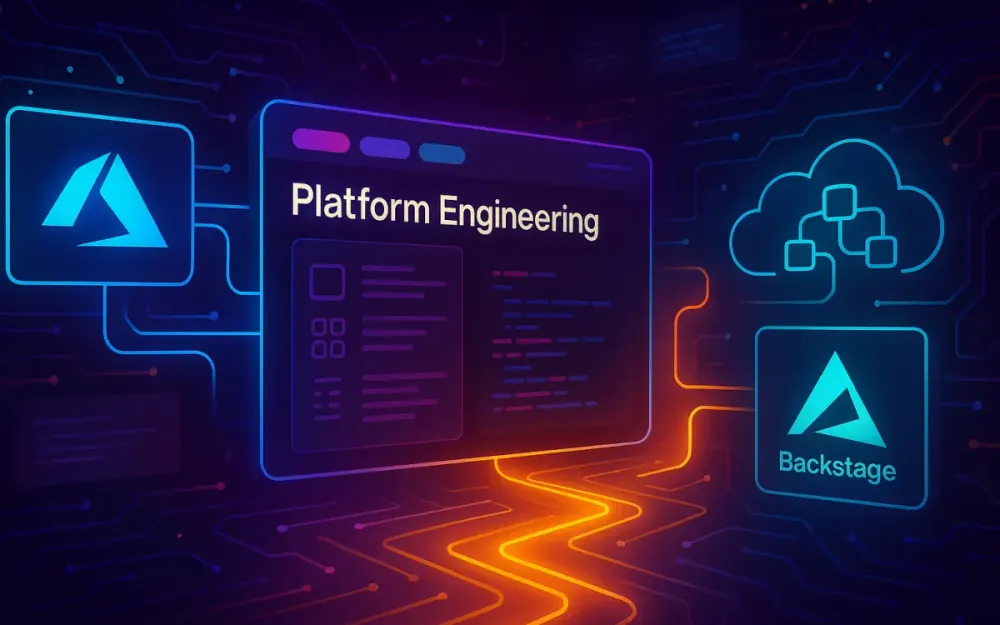
Modern .NET teams ship to Azure faster than ever, but the operational surface area keeps expanding. Each new microservice introduces more pipelines, resource groups, monitoring dashboards, compliance requirements, and service-to-service wiring. Without a consistent internal platform, developers spend more time navigating Azure than writing code. This is the gap platform engineering aims to close. In this article we’ll walk through the foundations of building a modern Internal Developer Platform (IDP) on Backstage with Azure, and we’ll start shaping a reusable “Golden Path” for .NET teams using azd, GitHub Actions/Azure DevOps, and production-ready scaffolding.
1.1 Defining the “Cognitive Load” Problem
Nearly every .NET engineer I work with experiences the same friction: writing C# is the easy part; everything around it is the struggle. The symptoms are so common that people start to treat them as normal, but they are a sign of excessive cognitive load.
1.1.1 Managing Azure Resources Is Not a Developer Job
A typical .NET microservice might own:
- An Azure Container App or App Service
- A Key Vault
- A Managed Identity
- A Log Analytics workspace
- A SQL or Cosmos DB instance
- Azure Monitor alerts
- A virtual network or private endpoints
Every team reinvents the same Terraform/Bicep/ARM patterns. When something breaks—private endpoint out of sync, identity misconfigured—developers become accidental cloud admins.
1.1.2 The Hidden Cost of YAML Pipelines
Pipeline configuration has become tribal knowledge. Many .NET teams work with three pipeline definitions simultaneously:
- GitHub Actions for source builds
- Azure DevOps Pipelines for older services
- Container build pipelines inside Azure
Most of these pipelines have long, brittle YAML files that were copied from a teammate years ago. Developers rarely understand all the steps; they just hope the build passes.
1.1.3 Compliance Drift Happens Constantly
Azure’s security posture changes fast. Regions get deprecated, TLS versions evolve, API versions expire. Without automation, compliance drift becomes inevitable. By the time a team realizes something is outdated, hundreds of services may need remediation.
What we end up with is a maze of one-off decisions. That is the core cognitive load problem—developers carry too much operational responsibility.
1.2 The Solution: Internal Developer Platforms (IDP)
An IDP reframes the developer experience by codifying infrastructure and operations behind clear interfaces. Unlike service desks or ticket queues, a real platform acts as a product, not a gatekeeping function.
1.2.1 Backstage as the Developer-Facing Portal
Backstage provides:
- A unified UI for service catalogs
- Software templates for creating new services
- Self-service actions for Day 2 operations
- Built-in authentication and auditability
- Plugin extensibility for Azure, CI/CD, Documentation, APIs, Cost, and more
Developers don’t need to open the Azure Portal or hunt for the right pipeline anymore. Backstage centralizes everything in one place.
1.2.2 Azure as the Infrastructure Provider
Azure is still your cloud, but the platform abstracts it. Instead of clicking through the portal or writing Bicep from scratch, developers use:
- Backstage Templates to generate project scaffolding
- Azure Developer CLI (
azd) to provision and deploy environments - GitHub Actions or Azure DevOps Pipelines to orchestrate automation
Developers focus on business logic. The platform handles resource naming, security defaults, tagging, and governance.
1.3 The “Golden Path” Philosophy
The Golden Path is the core of platform engineering. You give developers a paved road—the recommended, supported way to build and deploy software. The key insight is that the Golden Path is not restrictive. It is optional by definition. Teams can take a dirt road if needed, but the paved road should be so smooth and productive that almost no one wants to leave it.
1.3.1 Developers Want Empowerment, Not Control
When I talk to engineers who fear “platform teams,” their fear is almost always about losing autonomy. But a Golden Path increases autonomy:
- Teams ship faster.
- Best practices come built-in.
- Compliance and security happen automatically.
- Infrastructure is consistent across services.
The path doesn’t stop experimentation—experimentation just becomes safer.
1.4 High-Level Architecture
A successful IDP on Azure follows a layered design. Backstage is the entry point; Azure is the execution environment; CI/CD performs orchestration.
1.4.1 Portal Layer: Backstage
Backstage is typically deployed to Azure in one of two ways:
- Azure Container Apps – Simpler, easier scaling, lower operational overhead.
- AKS (Azure Kubernetes Service) – Better for enterprises that need deep network control.
The Backstage app hosts:
- Software Templates
- Service Catalog
- TechDocs
- CI/CD dashboards
- Azure resource views
- Plugin integrations
1.4.2 Orchestration Layer: GitHub Actions or Azure DevOps Pipelines
Backstage never talks directly to Azure for provisioning. Instead, it triggers workflows. Both GitHub Actions and Azure DevOps work well:
- GitHub integrates best with open-source and cloud-native workflows.
- Azure DevOps remains a strong choice for enterprises with existing governance.
1.4.3 Provisioning Layer: Azure Developer CLI (azd)
azd standardizes infrastructure and deployments through:
azure.yaml– project configuration- Environment directories (e.g.,
.azure/dev) - Bicep/Terraform for IaC
- Opinionated defaults (naming, authentication, etc.)
It removes most manual Azure setup steps.
1.4.4 Workload Layer: .NET 8/9, Blazor, Aspire
Modern .NET workloads fit perfectly into a platform approach:
- .NET 8/9 Web APIs for services
- Blazor Hybrid or Server for UIs
- .NET Aspire for distributed application modeling, dependencies, and Observability
Backstage becomes the metadata system; Aspire becomes the runtime graph.
2 Setting Up the Foundation: Backstage on Azure
Before you can deliver Golden Paths, Backstage must be production-ready in Azure. These steps establish a stable base.
2.1 Prerequisites & Tooling
A Backstage environment requires a handful of tools. The versions below reflect what I’ve seen work well for .NET and Azure teams.
2.1.1 Essential Tools
- Node.js (>= 20.x) – Required for Backstage and plugin builds.
- Yarn (>= 3.x) – Official Backstage build tooling.
- .NET SDK 8 or 9 – For building and testing the workloads you’ll scaffold.
- Azure CLI + Azure Developer CLI (
azd) – Deployment and provisioning. - Docker Desktop – To build container images for Backstage.
You’ll also need access to:
- An Azure subscription
- An Azure AD tenant (Microsoft Entra ID)
- Either GitHub or Azure DevOps
2.2 Scaffolding the Backstage App
Creating a Backstage app is straightforward. Run:
npx @backstage/create-app@latestYou’ll be prompted for:
- Application name
- Package manager (choose Yarn)
- Template version
This generates a monorepo with:
- A frontend (
packages/app) - A backend (
packages/backend) - Plugin directories
- Configuration files (
app-config.yamland variants)
2.2.1 Remove Unnecessary Plugins for .NET-Focused Teams
Backstage ships with plugins that some .NET organizations don’t need. For example:
- CircleCI
- Jenkins
- Some Kubernetes dashboards
Remove them to reduce UI noise.
A typical cleanup:
yarn workspace app remove @backstage/plugin-jenkins
yarn workspace backend remove @backstage/plugin-jenkins-backend
Then update packages/app/src/App.tsx to remove the imported plugin routes.
The goal is to add only Azure- and GitHub/Azure DevOps–centric plugins so the portal aligns with the .NET platform.
2.3 Authentication with Microsoft Entra ID (Azure AD)
Backstage needs a secure authentication provider. For Azure-based enterprises, Entra ID is the obvious choice.
2.3.1 Step 1: Create an App Registration
In the Azure Portal:
-
Go to “App registrations.”
-
Create a new app named
backstage-portal. -
Set Redirect URI to:
http://localhost:7000/api/auth/microsoft/handler/frame- And production URLs once deployed.
-
Generate a client secret.
-
Record:
- Client ID
- Tenant ID
- Client secret
2.3.2 Step 2: Install the Microsoft Auth Module
In the Backstage backend:
yarn workspace backend add @backstage/plugin-auth-backend-module-microsoft-provider2.3.3 Step 3: Configure app-config.yaml
Add the following section:
auth:
  environment: development
  providers:
    microsoft:
      development:
        clientId: ${MICROSOFT_CLIENT_ID}
        clientSecret: ${MICROSOFT_CLIENT_SECRET}
        tenantId: ${MICROSOFT_TENANT_ID}
backend:
  auth:
    keys:
      - secret: ${BACKEND_SECRET}
These environment variables are injected during local dev or deployment.
Developers will now sign in using their corporate Entra ID accounts.
2.4 Integrating Azure DevOps or GitHub Plugins
You want Backstage to show your build pipelines, repo metadata, pull requests, and test results.
2.4.1 Azure DevOps Plugin
Install:
yarn workspace app add @backstage-community/plugin-azure-devops
yarn workspace backend add @backstage-community/plugin-azure-devops-backend
Then configure:
azureDevOps:
  host: dev.azure.com
  organization: my-org
  token: ${AZURE_DEVOPS_PAT}
Alternatively, use Managed Identity when Backstage runs inside Azure.
2.4.2 GitHub Plugin
Install:
yarn workspace app add @backstage/plugin-github-actions
yarn workspace backend add @backstage/plugin-github-actions-backend
Configuration:
integrations:
  github:
    - host: github.com
      token: ${GITHUB_TOKEN}
This enables:
- Build status widgets
- Workflow logs
- Repository browsing
- Pull request views
2.5 Persistence: Moving to Azure Database for PostgreSQL
SQLite works for demos but not for any real deployment. Backstage stores catalog entities, ingestion state, scaffolder jobs, and plugin metadata. PostgreSQL is the recommended production database.
2.5.1 Create Azure Database for PostgreSQL
Use Azure CLI:
az postgres flexible-server create \
  --resource-group platform-rg \
  --name backstage-db \
  --location eastus \
  --admin-user platform \
  --admin-password MySecurePassword123!
2.5.2 Configure Backstage Backend
In app-config.production.yaml:
backend:
  database:
    client: pg
    connection:
      host: ${POSTGRES_HOST}
      user: ${POSTGRES_USER}
      password: ${POSTGRES_PASSWORD}
      database: backstage
This gives you a durable, scalable database for Backstage.
3 Building the “Golden Path”: Scaffolding with Backstage & azd
Once Backstage is up, it’s time to create the most important platform capability: service scaffolding. This is where developers create a new .NET service in minutes rather than days.
3.1 The Strategy: Wrap azd Templates as Backstage Software Templates
.NET teams often use azd init and azd up manually. Backstage lets you wrap these workflows inside a formal template with parameters and automation.
The flow becomes:
-
Developer clicks Create Component.
-
Developer picks
.NET Web API (Golden Path). -
Developer fills in project name, region, team.
-
Backstage generates a new repo.
-
A CI workflow executes:
azd provisionazd deploy
-
Azure infrastructure and the running service appear in the catalog.
This turns service creation into a self-service experience.
3.2 Creating a .NET “Starter Kit” Template
You need a base repo that represents the best practices your org supports.
3.2.1 Project Structure Example
/src
  /MyService.Api
    Program.cs
    appsettings.json
    Serilog.json
    OpenTelemetry.cs
/bicep
  main.bicep
azure.yaml
3.2.2 Add Logging, Telemetry, and DI Defaults
A typical Program.cs:
var builder = WebApplication.CreateBuilder(args);

builder.Host.UseSerilog((ctx, cfg) =>
{
    cfg.ReadFrom.Configuration(ctx.Configuration);
});

builder.Services.AddOpenTelemetry()
    .WithTracing(x => x.AddAspNetCoreInstrumentation())
    .WithMetrics(x => x.AddRuntimeInstrumentation());

builder.Services.AddControllers();

var app = builder.Build();

app.MapControllers();

app.Run();
3.2.3 Add the azure.yaml
This file makes the repo azd aware.
name: dotnet-api-starter
infra:
  provider: bicep
  path: ./bicep
services:
  api:
    project: ./src/MyService.Api
    language: csharp
    host: containerapp
Teams now get a fully functional .NET 9 Web API with operational best practices baked in.
3.3 Writing the Backstage Template (template.yaml)
This file lives in your Backstage repo under templates/dotnet-api/template.yaml.
3.3.1 Template Parameters
parameters:
  - title: Project Settings
    properties:
      name:
        type: string
        description: Service name
      owner:
        type: string
        description: Microsoft 365 Group owning the service
      region:
        type: string
        enum: [eastus, centralus, westeurope]
      dotnetVersion:
        type: string
        enum: ["8.0", "9.0"]
3.3.2 Template Steps
steps:
  - id: fetch-base
    name: Download base .NET template
    action: fetch:template
    input:
      url: https://github.com/myorg/dotnet-api-starter

  - id: publish
    name: Create GitHub repo
    action: publish:github
    input:
      repoUrl: github.com?repo=${{ parameters.name }}

  - id: register
    name: Register service in Backstage
    action: catalog:register
    input:
      catalogInfoUrl: https://github.com/myorg/${{ parameters.name }}/blob/main/catalog-info.yaml
Backstage now knows how to create a fully configured service.
3.4 The “Provisioning” Action Inside CI/CD
When the repository is created, you want Azure infrastructure to come online automatically.
3.4.1 GitHub Action Example
In the starter template, add .github/workflows/provision.yml:
name: Provision and Deploy

on:
  workflow_dispatch:
  push:
    branches:
      - main

jobs:
  provision:
    runs-on: ubuntu-latest
    steps:
      - uses: actions/checkout@v4

      - name: Install AZD
        uses: azure/setup-azd@v1

      - name: Provision infrastructure
        run: azd provision --environment dev --no-prompt

      - name: Deploy app
        run: azd deploy --environment dev --no-prompt
On first push, the new service is live in Azure.
3.4.2 Azure DevOps Alternative
In azure-pipelines.yml:
steps:
  - task: AzureCLI@2
    inputs:
      scriptType: bash
      scriptLocation: inlineScript
      inlineScript: |
        azd provision --environment dev --no-prompt
        azd deploy --environment dev --no-prompt
This pipeline can also fail builds if the service violates Azure governance policies.
4 The Service Catalog: Visibility and Ownership
The Service Catalog is the backbone of how developers see, understand, and interact with everything they’ve built. Before the catalog, teams constantly asked, “Where does this service live?” or “Who owns this container app?” Once each service is represented as a catalog entity, ownership stops being a mystery. The catalog normalizes metadata across .NET services and brings Azure resources, APIs, documentation, and dependencies together in one place. These next sections build on the scaffolding created earlier and move toward a complete service experience.
4.1 The catalog-info.yaml Standard
A catalog entity is a small YAML file stored at the root of each repository. It describes the service in a way Backstage can ingest. This file becomes the single source of truth for ownership, lifecycle state, API documentation, tags, and relationships. The goal is consistency across all .NET repos so that developers navigating Backstage immediately know what to expect.
4.1.1 Anatomy of a Catalog File
Below is a typical catalog file for a .NET API. It includes identity metadata, entity ownership, and classification details that support search, filtering, and automated reviews:
apiVersion: backstage.io/v1alpha1
kind: Component
metadata:
  name: orders-api
  description: Handles order creation and lifecycle operations
  tags:
    - dotnet
    - webapi
    - production
spec:
  type: service
  lifecycle: production
  owner: team-orders@contoso.com
  system: ecommerce
  providesApis:
    - orders-api
  consumesApis:
    - inventory-api
The tags field helps teams quickly filter by technology or environment. Many organizations include domain tags like ecommerce, payments, or backoffice. Lifecycle values such as experimental, production, and deprecated are useful when assessing portfolio health.
4.1.2 API Entity for OpenAPI
Most .NET APIs expose Swagger/OpenAPI. A corresponding API entity goes alongside the Component:
apiVersion: backstage.io/v1alpha1
kind: API
metadata:
  name: orders-api
spec:
  type: openapi
  lifecycle: production
  owner: team-orders@contoso.com
  definition:
    $text: ./swagger/v1/swagger.json
When Backstage ingests both entities, the UI links the API to the service page automatically. Developers see the documentation without searching for a running instance.
4.2 Visualizing Azure Resources
After creating a catalog, the next step is showing the Azure infrastructure tied to each service. Developers often need quick answers like “Is my Container App healthy?” or “Which Key Vault holds my secrets?” Without leaving Backstage, they can inspect these through the Azure Resources plugin.
4.2.1 Installing the Plugin
Install the plugin in the frontend:
yarn workspace app add @vippsno/plugin-azure-resourcesInstall the backend module:
yarn workspace backend add @vippsno/plugin-azure-resources-backendThen expose it in packages/backend/src/index.ts by registering the plugin router.
4.2.2 Linking Azure Resources to Entities
Each catalog entity includes annotations that point Backstage to Azure. A common pattern is mapping the resource group:
metadata:
  annotations:
    azure.com/resource-group: rg-orders-prod
    azure.com/subscription-id: ${SUBSCRIPTION_ID}
Once this is added, the Resources tab on the component’s page shows live container health, Key Vault access policies, and database status. Developers begin to use Backstage instead of the Azure Portal for most day-to-day activity, which reduces context switching significantly.
4.2.3 Example View
When a developer navigates to the Orders API service page, they might see:
- Container App revision health
- CPU and memory utilization
- SQL Database DTU usage
- Key Vault access logs
- Any active Azure Resource Health alerts
This visibility immediately changes how teams troubleshoot issues and understand their systems.
4.3 API Discovery
API discovery is often overlooked until teams hit growth. Multiple squads publish endpoints, contracts drift, and documentation spreads across multiple places. Backstage solves this by tying API definitions to service entities and rendering the documentation via the API Docs plugin.
4.3.1 Publishing Swagger from .NET
In a .NET 8/9 Web API, ensure Swagger is generated at build:
var builder = WebApplication.CreateBuilder(args);

builder.Services.AddEndpointsApiExplorer();
builder.Services.AddSwaggerGen();

var app = builder.Build();

app.UseSwagger();
app.UseSwaggerUI();

app.MapControllers();

app.Run();
Configure the Swagger output path so Backstage can reference it:
app.UseSwagger(c =>
{
    c.RouteTemplate = "swagger/v1/swagger.json";
});
4.3.2 Backstage API Docs Integration
In the catalog’s API entity, reference the file:
spec:
  definition:
    $text: ./swagger/v1/swagger.json
Backstage reads the file directly from the repo. When the API evolves, the documentation updates during the next catalog ingestion cycle. This creates a reliable API browser for internal teams.
4.4 Dependency Mapping
Microservice ecosystems often become opaque as they scale. Backstage helps teams visualize dependencies using consumesApis, providesApis, and dependsOn fields. This is especially useful when onboarding new team members or troubleshooting cascading failures.
4.4.1 Adding Dependency Metadata
In the Orders API example:
spec:
  dependsOn:
    - component:inventory-api
    - resource:sql-orders
  consumesApis:
    - inventory-api
In the Inventory API:
spec:
  providesApis:
    - inventory-api
4.4.2 Visual Graphs
Once defined, Backstage’s System and Component views generate relationship diagrams. Engineers can see upstream and downstream systems, which makes impact analysis much easier during deployments or breaking changes.
5 Automated Governance & Policy as Code
Governance becomes more effective when it is codified and automated rather than enforced through meetings and manual reviews. A mature platform makes secure defaults the baseline and exposes compliance posture without requiring teams to chase policy documents.
5.1 Shifting Governance Left
Shifting governance left means developers encounter policy feedback when it matters—during code changes—not after deployments. Backstage accelerates this by embedding compliance signals directly into service pages. Azure Policies, linters, pipeline gates, and Tech Insights all contribute to this feedback loop.
This reduces the back-and-forth that occurs when security teams manually review pull requests or analyze deployments. Instead of blocking releases with late-stage findings, teams treat compliance as a continuous practice.
5.2 Integration with Azure Policy
Azure Policy enforces rules across resources—such as requiring diagnostics settings, disallowing public networks, enforcing TLS versions, and tagging standards. Embedding these checks directly into the azd templates means developers inherit compliance automatically.
5.2.1 Embedding Policy as Code in Bicep
Below is a snippet that assigns a built-in policy to a resource group inside the main.bicep file:
resource rg 'Microsoft.Resources/resourceGroups@2021-04-01' existing = {
  name: resourceGroupName
}

resource policyAssignment 'Microsoft.Authorization/policyAssignments@2021-06-01' = {
  name: 'enforce-https'
  properties: {
    displayName: 'Enforce HTTPS for App Services'
    policyDefinitionId: '/providers/Microsoft.Authorization/policyDefinitions/enforce-appservice-https'
    scope: rg.id
  }
}
Developers don’t need to know about the policy; the platform applies it consistently.
5.2.2 Surfacing Policy Violations in Backstage
The Azure Resources plugin can read Azure Resource Graph queries that surface security recommendations. Backstage can show:
- non-HTTPS endpoints
- storage accounts with public access
- container apps missing Dapr annotations
- unsupported API versions
These appear in the component’s Resource tab, offering context without forcing developers into Azure Security Center.
5.3 The Compliance Scorecard
Compliance shouldn’t feel like a burden. The scorecard approach shows a small number of simple checks for each service and assigns a status like Pass/Fail/Warning. Backstage has two common paths: TechDocs for static scorecards or the Tech Insights plugin for dynamic evaluations.
5.3.1 Defining Service Checks
A Tech Insights check might examine repository files, pipeline contents, or Azure resource configuration.
Example check: “Does the service use a supported .NET version?”
checks:
  - id: dotnet-version
    name: Validate .NET runtime
    type: code
    targetFile: src/MyService.Api/MyService.Api.csproj
    pattern: "net8.0"
Example check: “Does the repo define CODEOWNERS?”
checks:
  - id: codeowners-present
    type: fileExists
    path: CODEOWNERS
5.3.2 Presenting Results
The scorecard appears on each service page. Teams see:
- Policy alignment
- Missing documentation
- Deprecated frameworks
- Unencrypted resources
This transparency helps teams self-correct without waiting for quarterly audits.
5.4 Azure DevOps Pipeline Gates
Pipeline gates help enforce organizational rules during CI/CD. When Backstage displays pipeline results, teams see compliance status alongside build and test outcomes.
5.4.1 Pipeline Gate Example
A gate blocking deployments to disallowed regions:
- task: AzureCLI@2
  inputs:
    scriptType: bash
    inlineScript: |
      allowedRegions=("eastus" "westeurope")
      if [[ ! " ${allowedRegions[@]} " =~ " ${REGION} " ]]; then
        echo "Region not allowed by policy"
        exit 1
      fi
5.4.2 Surfacing Results in Backstage
With the Azure DevOps plugin configured earlier, the Backstage service page shows:
- Latest build state
- Test coverage graphs
- Pipeline gate failures
- Linked pipeline logs
This tight integration makes failures actionable instead of mysterious.
6 Self-Service Infrastructure: Beyond “Hello World”
Once the Golden Path is in place, teams begin asking for enhancements. Maybe they want Redis caching, a private endpoint, or additional logging sinks. The challenge is enabling this without opening the door to ad-hoc infrastructure patterns. Backstage solves this through scoped, template-driven automation.
6.1 “Day 2” Operations
Day 2 operations extend the initial provisioning of a service. Instead of modifying Bicep manually, developers trigger guided actions through Backstage. These actions often create pull requests that update infrastructure safely and predictably.
Typical Day 2 operations include:
- Adding a caching layer
- Adding new Azure Monitor alerts
- Adding a queue or topic
- Updating scaling rules
These are changes that should follow the same governance and structure as Day 0 provisioning.
6.2 Custom Actions in Backstage
A custom Backstage Scaffolder action allows teams to automate infrastructure changes in a reusable and auditable way. One common example is adding Redis to an existing .NET API.
6.2.1 Creating the Action
In packages/backend/src/plugins/scaffolder/actions/addRedisAction.ts:
import { createTemplateAction } from '@backstage/plugin-scaffolder-node';

export const addRedisAction = createTemplateAction<{
  repoPath: string;
}>({
  id: 'infra:add-redis',
  schema: {
    input: {
      type: 'object',
      properties: {
        repoPath: {
          type: 'string',
        },
      },
    },
  },
  async handler(ctx) {
    const bicepPath = `${ctx.input.repoPath}/bicep/main.bicep`;
    const redisSnippet = `
resource redis 'Microsoft.Cache/redis@2023-01-01' = {
  name: 'redis-${ctx.workspaceId}'
  location: resourceGroup().location
  properties: {
    sku: {
      name: 'Basic'
      family: 'C'
      capacity: 0
    }
  }
}
`;

    await ctx.fs.appendFile(bicepPath, redisSnippet);
    await ctx.createPullRequest({
      title: 'Add Redis cache',
      body: 'This PR adds a Redis instance using standard configuration.',
    });
  },
});
Register the action in the backend index file.
6.2.2 End-to-End Flow
The developer selects Add Redis from the service’s actions menu. Backstage:
- Fetches the repo
- Edits
main.bicep - Creates a PR
- CI validates and merges
azd provisionapplies the infra update
This pattern enforces consistency and guardrails around infrastructure evolution.
6.3 Managing Secrets
Secrets are always tricky. The key principle is that Backstage should never hold secrets directly. Instead, it references where they live—almost always Azure Key Vault.
6.3.1 Referencing Key Vault in the Catalog
Add annotations to link to the correct vault:
metadata:
  annotations:
    azure.com/keyvault-uri: https://kv-orders-prod.vault.azure.net/
Backstage does not manage or read secrets; it only points developers to the right place.
6.3.2 Accessing Secrets in .NET via Managed Identity
In your .NET app:
var client = new SecretClient(
    new Uri(kvUrl),
    new DefaultAzureCredential());

KeyVaultSecret secret = await client.GetSecretAsync("RedisPassword");
Managed Identity ensures no credentials are stored in the repo.
6.4 Environment Management
Most services have multiple environments. Representing them in the catalog helps teams understand deployment targets and relationships.
6.4.1 Modeling Environments as Components
Each environment can be its own Component with a shared System:
apiVersion: backstage.io/v1alpha1
kind: Component
metadata:
  name: orders-api-dev
spec:
  type: service
  lifecycle: development
  owner: team-orders
  system: ecommerce
And production:
metadata:
  name: orders-api-prod
spec:
  lifecycle: production
6.4.2 Relating Environments
Use dependsOn to link environments to the core service definition:
spec:
  dependsOn:
    - component:orders-api
This lets Backstage visualize environment progression and state. It’s particularly useful when combined with Tech Insights for environment-specific compliance checks.
7 Cost Attribution & Observability
As teams add services, environments, and shared clusters, costs become harder to trace. Azure makes it easy to deploy resources but harder to understand who owns what. When a team sees a sudden spike in their monthly spend, they often don’t know which component caused it. Backstage helps bring this information into a place developers already use. Connecting cost data and observability to service pages creates clarity and helps teams make better decisions about scaling and architecture.
7.1 The Cost Problem: “Who owns this expensive AKS cluster?”
Large Azure environments tend to accumulate shared infrastructure—AKS clusters, Container Apps environments, Log Analytics workspaces, managed databases, and storage accounts. Without consistent tagging and attribution, costs get lost in generic subscriptions or shared resource groups. When invoices appear, architects are left trying to trace resources manually.
Tags are the simplest way to tie infrastructure to ownership. During azd provision, the platform applies tags like:
owner=team-ordersenvironment=productionsystem=ecommerce
These tags allow cost systems to group charges by team or domain. Backstage then pulls this data and shows it in a format that developers can understand. Instead of searching Azure Cost Management, they view costs directly on the service overview page.
7.2 Implementing Backstage Cost Insights
The Cost Insights plugin provides charts and breakdowns inside Backstage. While AWS and GCP have adapters, Azure requires a custom integration. This is where a CostInsightsClient comes in. It acts as the backend service that queries Azure Cost Management APIs and transforms the response into the format the plugin expects.
7.2.1 Installing the Plugin
Install the community Cost Insights plugin:
yarn workspace app add @backstage-community/plugin-cost-insights
yarn workspace backend add @backstage-community/plugin-cost-insights-backend
Register the backend router in packages/backend/src/index.ts.
7.2.2 Creating the Azure Cost Client
Backstage expects a client with a specific interface. Below is a simplified example of an Azure-backed implementation:
import { CostInsightsClient } from '@backstage-community/plugin-cost-insights-backend';
import { DefaultAzureCredential } from '@azure/identity';
import { CostManagementClient } from '@azure/arm-costmanagement';

export class AzureCostInsightsClient implements CostInsightsClient {
  private readonly client: CostManagementClient;

  constructor(subscriptionId: string) {
    const credential = new DefaultAzureCredential();
    this.client = new CostManagementClient(credential);
    this.subscriptionId = subscriptionId;
  }

  async getDailyCost(startDate: string, endDate: string) {
    const scope = `/subscriptions/${this.subscriptionId}`;
    const query = {
      type: 'Usage',
      timeframe: 'Custom',
      dataSet: {
        granularity: 'Daily',
        timeframe: 'Custom',
        filter: {
          and: [
            { dimensions: { name: 'UsageDate', operator: 'OnOrAfter', values: [startDate] }},
            { dimensions: { name: 'UsageDate', operator: 'OnOrBefore', values: [endDate] }},
          ],
        },
      },
    };

    const result = await this.client.query.usage(scope, query);
    return result.rows.map(r => ({
      date: r[0],
      cost: r[1],
    }));
  }
}
This example queries Azure Cost Management for daily spend. In production, you would expand this to handle grouping, services, and amortization.
7.2.3 Grouping Costs by Owner Tag
Backstage requires a breakdown by “project” or “group.” Azure exposes tags as dimensions in cost queries. Each service provisioned through the Golden Path already carries the owner tag, making attribution simple.
A grouping query would look like:
{
  dataSet: {
    granularity: 'Daily',
    grouping: [
      { type: 'Dimension', name: 'TagOwner' }
    ]
  }
}
The cost plugin then displays each team’s spend relative to others. Developers can open their service page and immediately see what they are paying for and how their consumption trends over time.
7.3 Observability Dashboard
Observability data is another essential part of a service page. Developers should not need to open separate Azure dashboards to see request rates, errors, or latency. A simple dashboard embedded in Backstage gives them operational awareness without switching tools.
7.3.1 Connecting Application Insights
Most .NET services already emit telemetry through Application Insights. The platform configures this automatically in the starter template, so integrating with Backstage only requires linking the instance through annotations.
metadata:
  annotations:
    azure.com/app-insights-id: appinsights-orders-prod
With the ID known, Backstage can render dashboards or embed iframes that point to pre-built visualizations.
7.3.2 Example: Embedding a Dashboard
Azure offers “Shared Dashboard” URLs for Application Insights. These can be embedded in Backstage:
metadata:
  annotations:
    backstage.io/techdocs-ref: dir:.
    dashboard.azure.com/iframe-url: https://portal.azure.com/#blade/AppInsightsExtension/OverviewBlade/...
A simple plugin page can load the iframe in a panel. Developers see request throughput, failure rates, and dependency duration charts directly on their service overview.
7.3.3 Linking to Transaction Search
For deeper troubleshooting, the service page can include a link to Application Insights Transaction Search filtered by application_Name or the environment:
metadata:
  annotations:
    azure.com/app-insights-transaction-search: https://portal.azure.com/#blade/AppInsightsExtension/AppMapBlade/...
This gives teams one-click access to traces, exceptions, dependencies, and performance bottlenecks.
8 Rolling Out & Scaling the Platform
Building the platform is only half the work. The real challenge is rolling it out across the organization and running it as a product. Adoption grows when the platform evolves with team needs, and when teams feel empowered to contribute improvements. This section focuses on how to scale the platform beyond the initial launch.
8.1 The InnerSource Model
A successful platform encourages teams to build on top of it. Instead of the platform team becoming a bottleneck, the organization treats templates, plugins, and scaffolders as shared assets. This mirrors the open-source model but with internal tooling.
Teams can contribute:
- New language templates (Python, Go, Java)
- Specialized .NET templates (CQRS/EventStore, minimal APIs, Aspire-based microservices)
- Migration templates for legacy .NET Framework apps
- Templates for scheduled workloads, data pipelines, or event-driven systems
Each contribution follows the same review workflow. The platform team reviews the template for quality, security, and consistency. Once approved, it becomes available through Backstage’s “Create Component” page.
8.1.1 Example: Team Adds a Data Science Template
Suppose the Data Science team builds a Python-based template with notebook initialization, MLflow tracking, and Azure ML integration. They define:
- A new software template
- A set of parameters for dataset paths and compute size
- A Bicep module for provisioning Azure ML workspaces
Once merged, any team can create ML workloads without starting from scratch.
8.2 Adoption Metrics
Platform engineering succeeds when teams use the paved road. Tracking adoption helps identify friction points and bottlenecks. Backstage provides telemetry hooks that integrate easily with PostHog or Google Analytics.
8.2.1 Tracking Template Usage
Each time a developer uses a Golden Path template, the platform captures an event such as:
event: scaffolder_template_start
template: dotnet-api-starter
You can track:
- Most used templates
- Drop-off rates during template execution
- Time spent in Backstage pages
- Which plugins teams interact with
8.2.2 Example PostHog Integration
Add the analytics script in the Backstage frontend:
import posthog from 'posthog-js';

posthog.init('YOUR_KEY', { api_host: 'https://app.posthog.com' });
Wrap Backstage routes to send events on page navigation. This helps the platform team understand how developers actually use the portal.
8.3 Future-Proofing
A platform isn’t static. New Azure services, .NET releases, and tooling trends require continuous adaptation. Two areas growing quickly are AI-assisted development and .NET Aspire’s component model.
8.3.1 Copilot-Assisted Scaffolding
Microsoft has been integrating Copilot deeply into Azure management. It’s now possible to imagine a Backstage template that:
- Auto-fills resource names based on conventions
- Suggests scaling rules
- Generates sample API endpoints
- Adds default alerts based on workload type
Copilot could also help developers configure Backstage templates with natural language input (“Create a .NET API with Redis and a queue in West Europe”).
8.3.2 The Role of .NET Aspire
Aspire offers a more structured way to define distributed apps. Aspire components express dependencies—databases, caches, queues, services—in code. This aligns naturally with Backstage’s catalog model.
For example, a simple Aspire component might look like:
var builder = DistributedApplication.CreateBuilder(args);

var cache = builder.AddRedis("cache");
var api = builder.AddProject<Projects.OrdersApi>("orders-api")
                 .WithReference(cache);

builder.Build().Run();
Backstage could ingest Aspire’s manifest and auto-populate relationships in the catalog without additional YAML. This reduces duplication and prevents drift between code and metadata.
8.4 Conclusion
At this point, the platform delivers meaningful value for developers and architects. The Golden Path lets teams create production-ready services with minimal friction. Backstage ties together service ownership, documentation, pipelines, costs, and observability. Azure handles provisioning, policy enforcement, and runtime management. Combined, they reduce cognitive load and centralize the developer experience.
Platform engineering succeeds when teams feel empowered, not constrained. With Backstage and Azure working together, developers ship faster while architects retain the governance they need. The result is a healthier engineering culture—one where paved roads guide teams toward secure, consistent, and well-observed applications without sacrificing autonomy.