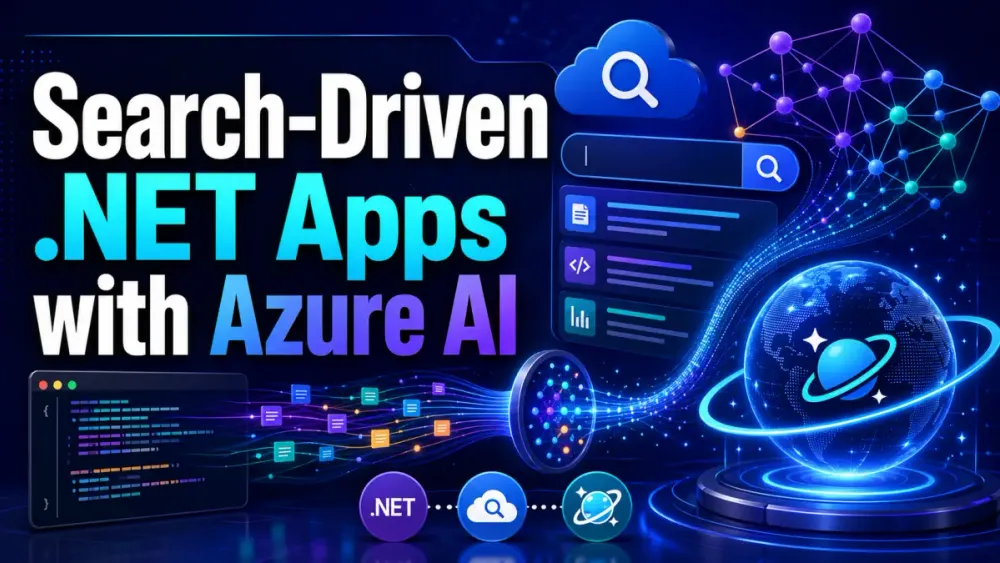
1 Search-Driven Applications in .NET with Azure AI Search, Cosmos DB, and Vector Embeddings
Search used to mean matching words in a textbox against words in a database or index. That model still matters, especially for exact part numbers, SKU codes, legal terms, and named entities. But modern search-driven applications need more than keyword lookup. Users now ask natural language questions, describe intent vaguely, upload documents, compare products, and expect the system to understand meaning.
This article covers the foundation and architecture for building search-driven applications in .NET using Azure AI Search, Azure Cosmos DB for NoSQL, and vector embeddings. The focus is practical: how to think about the architecture, where each service fits, how vector data should be stored, and what trade-offs matter before writing production code. The requested scope is sections 1, 2, and 3 from the supplied outline.
1.1 From Lexical to Semantic: The Paradigm Shift
Traditional search engines are built around lexical retrieval. They index terms, normalize text, apply analyzers, and rank results based on how well query terms match indexed terms. This works well when users know the right words to type.
For example, a user searching a product catalog for:
noise cancelling headphoneswill usually get good results if product descriptions contain the same phrase.
But a user might search for:
headphones for working on flightsA pure keyword engine may miss relevant products if the indexed description says “active noise cancellation,” “travel mode,” or “airplane cabin optimization” but not “working on flights.” Semantic search closes this gap by representing text as vectors and comparing meaning rather than only matching terms.
Azure AI Search supports hybrid search, where full-text search and vector search run together in a single request. Microsoft describes this as a query that combines text search and vector queries, runs them in parallel, and merges the results using Reciprocal Rank Fusion.
1.1.1 The limitations of traditional keyword matching (BM25)
BM25 and similar lexical ranking approaches are still useful. They are explainable, efficient, and strong for exact matching. In enterprise systems, this matters for fields like:
SKU: LAP-DEL-7420
Contract ID: ACS-2026-001
Error code: 0xA00F4244
Policy name: ConditionalAccess-India-US-MFA
The weakness appears when user language and indexed language diverge.
Incorrect approach:
Only index product title and description, then expect users to search with exact product vocabulary.Better approach:
Use lexical search for exact signals and vector search for semantic recall.Recommended approach:
Use hybrid search:
- keyword search for precision
- vector search for meaning
- metadata filters for business constraints
- semantic ranking for final relevance ordering
The practical issue is not that BM25 is obsolete. The issue is that BM25 alone does not understand intent. It sees terms, not concepts. A query like “laptop for running Visual Studio and Docker” should match machines with enough CPU, memory, and developer-focused specs, even when the words “Visual Studio” or “Docker” are not present.
1.1.2 Understanding vector embeddings, dense retrieval, and similarity search
A vector embedding is a numeric representation of content. Text such as a product description, support article, contract clause, or knowledge-base answer is converted into an array of floating-point numbers. Similar concepts produce vectors that are close together in vector space.
A simplified document model might look like this:
{
  "id": "prod-10045",
  "tenantId": "contoso",
  "type": "product",
  "title": "Business Travel Headset",
  "description": "Wireless headset with active noise cancellation and long battery life.",
  "category": "Audio",
  "price": 189.99,
  "embedding": [0.014, -0.021, 0.883, -0.119]
}
In a real implementation, the embedding would usually have hundreds or thousands of dimensions, depending on the embedding model. The search engine compares the query embedding with document embeddings and returns the nearest matches.
This is called dense retrieval because the vector contains dense numeric information about semantic meaning. It is different from sparse lexical retrieval, where the index tracks individual terms and their frequencies.
The trade-off is clear:
| Retrieval method | Strength | Weakness |
|---|---|---|
| Lexical search | Exact terms, filters, explainability | Misses semantic matches |
| Vector search | Conceptual similarity | Can return plausible but imprecise matches |
| Hybrid search | Balances recall and precision | Requires tuning |
| Semantic ranking | Improves final ordering | Adds cost and latency |
Azure AI Search can combine vector fields with textual and numeric fields in the same index, allowing filters, facets, sorting, scoring profiles, and semantic ranking to work with vector retrieval.
1.2 Anatomy of a Modern Product Catalog and Knowledge Base
A modern search system rarely indexes one clean table. It usually combines structured data, semi-structured content, and unstructured documents.
A product catalog may contain:
Product master data
Specifications
Images
User reviews
Inventory status
Price and discount rules
Compatibility information
Support documents
Warranty terms
A knowledge base may contain:
PDFs
Markdown files
HTML articles
Troubleshooting guides
Release notes
Ticket history
Meeting notes
Architecture documents
The design challenge is deciding what should live in the operational database, what should live in the search index, and what should be embedded.
A common production pattern is:
Cosmos DB:
- system of record for domain entities
- product, document, tenant, permissions, workflow state

Azure AI Search:
- optimized retrieval index
- searchable text
- vector embeddings
- filterable metadata
- retrievable snippets or chunks

Blob Storage:
- original files
- PDFs, images, attachments, exports

API layer:
- query orchestration
- security trimming
- result hydration
- telemetry
This split avoids forcing one service to do everything.
1.2.1 Handling multimodal data, dense descriptions, and user reviews
Search quality often improves when you index more than the product title. For a product catalog, useful search text may include:
title
short description
long description
category
features
specifications
review summaries
support tags
compatibility notes
But dumping everything into one giant field is not always the best design. Long content should be chunked. Short fields should stay as metadata. Highly structured fields should remain filterable.
For example:
{
  "id": "kb-article-884",
  "tenantId": "fabrikam",
  "sourceType": "knowledgeArticle",
  "title": "Troubleshooting Azure VPN Tunnel Failures",
  "chunkId": "kb-article-884-003",
  "chunkText": "IKE Phase 1 mismatches commonly occur when encryption, integrity, DH group, or lifetime settings differ between Azure and the firewall.",
  "tags": ["azure", "vpn", "ike", "networking"],
  "securityGroups": ["NetworkOps", "CloudEngineering"],
  "lastUpdatedUtc": "2026-04-20T14:30:00Z"
}
This structure supports semantic search while still allowing precise filtering:
tenantId eq 'fabrikam'
securityGroups/any(g: g eq 'NetworkOps')
sourceType eq 'knowledgeArticle'
For multimodal data, such as images and diagrams, the pattern is usually to extract descriptive text, captions, OCR output, or model-generated summaries, then embed that text. Azure AI Search integrated vectorization supports embedding during indexing and query pipelines, and Microsoft notes that chunking is not mandatory but is usually necessary for larger documents because embedding models have token input limits.
1.3 The Technology Stack
For .NET teams, a strong Azure-native search architecture usually combines:
ASP.NET Core Web API
Azure Cosmos DB for NoSQL
Azure AI Search
Azure OpenAI or another embedding provider
Semantic Kernel
Polly
Application Insights / OpenTelemetry
Managed Identity
Private Endpoints
The important point is separation of responsibility. Cosmos DB should not become a full-text search engine for every query pattern. Azure AI Search should not become the source of truth for domain state. The API should hide this complexity from consumers.
1.3.1 Why combine Azure AI Search with Azure Cosmos DB for NoSQL?
Cosmos DB is a strong fit for operational data: product entities, tenant-aware documents, user-specific state, personalization, workflow status, and event-driven updates. It supports flexible JSON documents, partitioning, global distribution, and request-unit-based throughput planning.
Azure AI Search is a strong fit for retrieval: full-text search, vector search, hybrid search, facets, scoring profiles, semantic ranking, and index-oriented query performance. Microsoft positions Azure AI Search as an information retrieval platform for RAG and generative AI applications, including vector and hybrid search with semantic ranking.
A practical division looks like this:
Cosmos DB stores the truth.
Azure AI Search stores the retrieval shape.
ASP.NET Core controls query behavior.
This distinction matters during updates. Product price, inventory status, document permissions, and workflow state may change frequently. Search indexes can lag behind unless you design synchronization carefully. That is why many production systems re-hydrate the final result from Cosmos DB after search returns candidate IDs.
1.3.2 Harnessing .NET 9 and ASP.NET Core for high-performance backend APIs
.NET 9 is a good fit for this style of application because the API layer needs efficient async I/O, dependency injection, typed configuration, background workers, and cloud-native observability. EF Core 9 also made important improvements to the Azure Cosmos DB provider, with Microsoft noting extensive work and high-impact breaking changes in the provider.
A typical API request flow looks like this:
1. User submits natural language query.
2. API validates tenant and user permissions.
3. API generates or receives query embedding.
4. API executes hybrid search against Azure AI Search.
5. API applies filters and security trimming.
6. API rehydrates full entities from Cosmos DB.
7. API returns ranked, explainable results.
Minimal ASP.NET Core endpoint shape:
app.MapPost("/search", async (
    SearchRequest request,
    ISearchService searchService,
    CancellationToken cancellationToken) =>
{
    if (string.IsNullOrWhiteSpace(request.Query))
    {
        return Results.BadRequest("Query is required.");
    }

    var results = await searchService.SearchAsync(request, cancellationToken);
    return Results.Ok(results);
});
The endpoint stays thin. Query construction, embeddings, retries, and hydration belong in application services.
2 Architectural Blueprint for the Search Experience
A good search architecture starts with the user experience, not the index. Ask what the user is trying to do.
For a product catalog, the user may want to:
find
compare
filter
sort
recommend
ask questions
For a knowledge base, the user may want to:
troubleshoot
summarize
locate policy
ask a natural language question
trace source material
The architecture should support all of these without turning the API into a collection of special-case queries.
2.1 High-Level System Architecture
A production-ready search-driven application normally has four layers:
Ingestion layer
Storage layer
Indexing layer
API/query layer
The ingestion layer receives product feeds, document uploads, CMS updates, support articles, and review data. The storage layer persists the authoritative entity in Cosmos DB and original files in Blob Storage. The indexing layer converts data into a search-optimized structure. The API layer handles user queries, security, ranking behavior, and result hydration.
2.1.1 Component workflow overview: Ingestion, Storage, Indexing, and the API layer
A practical workflow:
1. Product or document is created.
2. Raw entity is saved to Cosmos DB.
3. Original file, if any, is saved to Blob Storage.
4. Change event is emitted or detected.
5. Text is normalized and chunked.
6. Embeddings are generated.
7. Search index is updated.
8. User query executes against Azure AI Search.
9. Final entity is loaded from Cosmos DB.
10. API returns ranked results with source references.
A simplified ingestion model in C#:
public sealed record CatalogDocument
{
    public required string Id { get; init; }
    public required string TenantId { get; init; }
    public required string Title { get; init; }
    public required string Description { get; init; }
    public required string Category { get; init; }
    public string[] Tags { get; init; } = [];
    public float[]? DescriptionVector { get; init; }
    public DateTimeOffset UpdatedUtc { get; init; }
}
Recommended production rule:
Do not place every field in the search index just because it exists in Cosmos DB.Instead, choose fields by query behavior:
| Field type | Store in Cosmos DB | Store in Azure AI Search |
|---|---|---|
| Entity ID | Yes | Yes |
| Tenant ID | Yes | Yes, filterable |
| Full description | Yes | Maybe |
| Chunk text | Maybe | Yes |
| Vector embedding | Maybe | Yes |
| Price | Yes | Yes, filterable/sortable |
| Permissions | Yes | Yes, filterable |
| Internal audit trail | Yes | Usually no |
2.2 The RAG (Retrieval-Augmented Generation) Connection
RAG is not only a chatbot pattern. It is a retrieval architecture. The model should answer using grounded, retrieved data instead of relying only on its training data.
In this architecture, Azure AI Search acts as the retrieval layer. Cosmos DB acts as the system of record. The LLM receives only the retrieved, permission-trimmed content needed for the answer.
This matters because enterprise users will ask questions like:
Which firewall models support our current site-to-site VPN design?
Why did this product rank higher?
Show the latest policy paragraph about soft deletes.
Find similar incidents from the last 90 days.
A safe RAG pipeline looks like this:
User question
-> authenticate and authorize
-> retrieve candidate chunks
-> apply tenant and permission filters
-> re-rank
-> build grounded prompt
-> generate answer with citations
-> log query, sources, and latency
2.2.1 Positioning the search catalog as the grounding memory fabric for AI agents
For AI agents, the search index becomes the grounding memory fabric. The agent should not freely browse all application data. It should retrieve only approved, filtered, relevant content.
This design reduces three common risks:
Hallucination:
The model answers from retrieved facts, not guesses.

Data leakage:
The retrieval layer applies tenant and document-level security.

Operational drift:
The index is refreshed from current operational data.
Azure AI Search semantic ranker can also improve final relevance by re-ranking search results using Microsoft language understanding models.
2.3 Recommended Open-Source Libraries and Tooling
The .NET ecosystem now has practical libraries for this architecture. The goal is not to add frameworks for the sake of it. Use libraries where they simplify orchestration, resilience, and local development.
2.3.1 Orchestrating AI models and prompts with Semantic Kernel
Semantic Kernel is useful when the application needs to coordinate prompts, model calls, tools, plugins, memory, or multi-step AI workflows.
A basic search-assisted service might use Semantic Kernel to:
classify query intent
extract filters from natural language
build a grounded prompt
call an LLM with retrieved context
format the final response
Example use case:
User query:
"Show laptops under $1,500 that are good for software development."

Semantic interpretation:
category = "Laptop"
maxPrice = 1500
intent = "product_search"
semanticQuery = "software development laptop with strong CPU and memory"
Do not use Semantic Kernel to bypass deterministic business logic. If the user says “under $1,500,” the price filter should be enforced as structured logic, not trusted as generated prose.
2.3.2 Designing transient fault tolerance using Polly
Search-driven systems call multiple remote services: embedding endpoints, Cosmos DB, Azure AI Search, storage, and sometimes LLM APIs. Transient failures are normal.
Polly is widely used in .NET for retries, circuit breakers, timeouts, fallback, and bulkhead isolation. The important point is to make retry behavior intentional.
Recommended retry approach:
Retry short transient failures.
Do not retry validation errors.
Use timeouts for embedding calls.
Use circuit breakers for downstream degradation.
Log retry count and final outcome.
Example:
builder.Services
    .AddHttpClient<IEmbeddingClient, AzureOpenAiEmbeddingClient>()
    .AddStandardResilienceHandler();
For custom policies, keep them close to the service boundary and avoid retry storms.
2.3.3 Cost optimization in local development using Ollama and llama.cpp (for offline embedding testing)
Local models are useful during development when teams want to test chunking, retrieval flow, and query behavior without paying for every embedding request.
Use local embedding testing when:
validating chunk size
testing schema design
checking nearest-neighbor behavior
running offline demos
building repeatable integration tests
Do not assume local embedding quality matches production embedding models. Local models are excellent for development workflow, but final relevance testing should use the same embedding model planned for production.
A local development configuration might look like:
{
  "Embedding": {
    "Provider": "Ollama",
    "Model": "nomic-embed-text",
    "Endpoint": "http://localhost:11434"
  }
}
Then switch to Azure OpenAI or another approved provider in production using environment-specific configuration.
3 Data Persistence and Vector Management in Cosmos DB
Cosmos DB can store both domain data and vectors. That does not automatically mean every search should run directly in Cosmos DB. The decision depends on query shape, scale, latency, filtering, and whether you need full-text features such as facets, scoring profiles, semantic ranking, and hybrid retrieval.
Use Cosmos DB vector search when you want vectors close to operational data and your query pattern is mostly entity-centric. Use Azure AI Search when the application needs a dedicated retrieval engine with hybrid search and advanced ranking.
3.1 Designing the NoSQL Schema for Search
A good Cosmos DB schema starts with access patterns.
For a multi-tenant product catalog, common access patterns might be:
Get product by ID
List products by tenant and category
Update inventory status
Find related products
Sync changed products into search index
Apply document-level security
Partitioning matters. A common partition key is:
/tenantIdThis is usually a reasonable starting point for SaaS applications where tenant isolation and query routing matter. For very large tenants, hierarchical or synthetic partition strategies may be needed.
3.1.1 Structuring the product catalog or knowledge document payload
A practical Cosmos DB document:
{
  "id": "prod-10045",
  "tenantId": "contoso",
  "entityType": "product",
  "title": "Business Travel Headset",
  "description": "Wireless headset with active noise cancellation and long battery life.",
  "category": "Audio",
  "price": 189.99,
  "currency": "USD",
  "tags": ["headset", "travel", "noise-cancelling"],
  "search": {
    "normalizedText": "business travel headset wireless active noise cancellation long battery life",
    "descriptionVector": [0.014, -0.021, 0.883]
  },
  "security": {
    "visibility": "internal",
    "allowedGroups": ["Sales", "Support"]
  },
  "updatedUtc": "2026-04-25T10:15:00Z"
}
Recommended practice:
Keep vectors in a predictable path.
Keep security metadata close to the entity.
Keep search-specific fields grouped.
Avoid duplicating large raw documents inside every entity.
For large knowledge documents, store the parent document and chunks separately:
Document:
id = doc-9001

Chunks:
id = doc-9001-chunk-0001
id = doc-9001-chunk-0002
id = doc-9001-chunk-0003
That design makes partial re-indexing easier and prevents very large Cosmos DB documents.
3.2 Leveraging Cosmos DB Vector Indexing (Latest Capabilities)
Azure Cosmos DB for NoSQL supports vector search and vector indexes, including flat, quantizedFlat, and DiskANN. Microsoft documentation states that flat supports up to 505 dimensions, while quantizedFlat and DiskANN support vectors up to 4,096 dimensions. It also notes that quantizedFlat and DiskANN require at least 1,000 indexed vectors for accurate quantization; otherwise, queries may fall back to full scan with higher RU charges.
3.2.1 Native vector search within Cosmos DB: Comparing DiskANN vs. quantizedFlat index types
The index type should match the workload.
| Index type | Use when | Trade-off |
|---|---|---|
flat | Small vector sets, exact recall | 505-dimension limit, brute-force |
quantizedFlat | Moderate scale, lower RU than flat | Slight recall loss due to compression |
DiskANN | Large-scale approximate nearest neighbor search | Async index behavior, tuning required |
Microsoft describes flat as brute-force with 100% recall, while quantizedFlat stores compressed vectors and can reduce latency, throughput, and RU cost compared with flat, with possible accuracy loss.
Example vector policy shape:
{
  "vectorEmbeddingPolicy": {
    "vectorEmbeddings": [
      {
        "path": "/search/descriptionVector",
        "dataType": "float32",
        "distanceFunction": "cosine",
        "dimensions": 1536
      }
    ]
  },
  "indexingPolicy": {
    "automatic": true,
    "indexingMode": "consistent",
    "includedPaths": [
      { "path": "/*" }
    ],
    "excludedPaths": [
      { "path": "/search/descriptionVector/*" }
    ],
    "vectorIndexes": [
      {
        "path": "/search/descriptionVector",
        "type": "DiskANN"
      }
    ]
  }
}
The vector field is excluded from regular indexing because vector indexing is configured separately.
3.2.2 Dimension limits, quantization, and RU (Request Unit) cost considerations
Vector dimensions directly affect storage and write cost. Larger vectors mean larger documents, more index work, and more network payload.
Production considerations:
Use the smallest embedding model that gives acceptable relevance.
Avoid embedding fields that users never search.
Do not regenerate embeddings unless searchable text changes.
Batch writes where possible.
Monitor RU consumption during ingestion.
Separate hot transactional writes from bulk indexing jobs.
Microsoft’s Cosmos DB vector documentation also warns that vector indexing and search are not supported on accounts with shared throughput, and once enabled on a container, vector indexing and search cannot be disabled.
This is an architectural decision, not a small configuration toggle.
3.3 Storing Entities with EF Core
EF Core can be useful when the team wants familiar repository patterns, LINQ, unit-of-work style abstractions, and consistent domain modeling. But Cosmos DB is still a document database. Avoid designing the model as if it were SQL Server.
Microsoft’s EF Core Cosmos DB provider documentation explicitly notes that the provider is maintained as part of EF Core and that EF Core 9 introduced significant provider changes.
3.3.1 Configuring the Cosmos DB provider in EF Core for advanced queries
Example configuration:
public sealed class CatalogDbContext : DbContext
{
    public DbSet<CatalogDocument> CatalogDocuments => Set<CatalogDocument>();

    public CatalogDbContext(DbContextOptions<CatalogDbContext> options)
        : base(options)
    {
    }

    protected override void OnModelCreating(ModelBuilder modelBuilder)
    {
        modelBuilder.Entity<CatalogDocument>(entity =>
        {
            entity.ToContainer("catalog");
            entity.HasPartitionKey(x => x.TenantId);
            entity.HasKey(x => x.Id);

            entity.Property(x => x.Id).ToJsonProperty("id");
            entity.Property(x => x.TenantId).ToJsonProperty("tenantId");
        });
    }
}
Dependency injection:
builder.Services.AddDbContext<CatalogDbContext>(options =>
{
    options.UseCosmos(
        accountEndpoint: builder.Configuration["Cosmos:Endpoint"]!,
        accountKey: builder.Configuration["Cosmos:Key"]!,
        databaseName: "SearchCatalog");
});
For production, prefer managed identity where supported by your chosen SDK path and deployment model. Avoid storing account keys in application settings.
3.3.2 Persisting vector arrays securely alongside standard domain properties
A domain model can include vectors, but be careful with accidental exposure.
public sealed class CatalogDocument
{
    public required string Id { get; set; }
    public required string TenantId { get; set; }
    public required string Title { get; set; }
    public required string Description { get; set; }
    public required string Category { get; set; }

    public SearchPayload Search { get; set; } = new();
    public SecurityPayload Security { get; set; } = new();
}

public sealed class SearchPayload
{
    public string? NormalizedText { get; set; }
    public float[]? DescriptionVector { get; set; }
}

public sealed class SecurityPayload
{
    public string Visibility { get; set; } = "internal";
    public string[] AllowedGroups { get; set; } = [];
}
API response DTO:
public sealed record CatalogSearchResultDto(
    string Id,
    string Title,
    string Description,
    string Category,
    double Score);
Notice that the vector is not returned. Embeddings are internal retrieval infrastructure, not user-facing data.
Recommended pattern:
Entity model may contain vectors.
Search index may contain vectors.
API DTOs should not expose vectors.
Logs should not dump vectors.
Security filters should run before LLM prompt construction.
This keeps the architecture clean: Cosmos DB manages operational state, Azure AI Search manages retrieval, and the .NET API controls orchestration, security, and final response shaping.
4 Building the Search Engine with Azure AI Search
At this stage, Cosmos DB holds the operational data and the API has a clean boundary for retrieval. The next step is shaping Azure AI Search so it can answer real application queries without forcing every request into the same pattern. The search index should not be a dump of the Cosmos DB document. It should be a query-optimized projection: enough text for relevance, enough metadata for filtering, enough identifiers for hydration, and enough vector fields for semantic recall.
Azure AI Search supports keyword, vector, and hybrid search patterns in the same service. Hybrid search is especially useful because it runs text and vector retrieval together and merges the result sets, rather than making the application choose one strategy up front. Microsoft documents this as a single query request that combines full-text search and vector queries, executes them in parallel, and merges results using Reciprocal Rank Fusion.
4.1 Structuring the Search Index
The index should reflect how users search, not how developers store data. A product entity in Cosmos DB may contain pricing history, inventory snapshots, audit fields, and internal workflow state. Most of that does not belong in the search index. The search index should contain fields needed for retrieval, filtering, sorting, scoring, and response display.
A practical index shape for the earlier catalog example:
{
  "name": "catalog-search-index",
  "fields": [
    { "name": "id", "type": "Edm.String", "key": true, "filterable": true },
    { "name": "tenantId", "type": "Edm.String", "filterable": true },
    { "name": "entityId", "type": "Edm.String", "filterable": true },
    { "name": "chunkId", "type": "Edm.String", "filterable": true },
    { "name": "sourceType", "type": "Edm.String", "filterable": true, "facetable": true },
    { "name": "title", "type": "Edm.String", "searchable": true },
    { "name": "chunkText", "type": "Edm.String", "searchable": true },
    { "name": "category", "type": "Edm.String", "filterable": true, "facetable": true },
    { "name": "tags", "type": "Collection(Edm.String)", "filterable": true, "facetable": true },
    { "name": "allowedGroups", "type": "Collection(Edm.String)", "filterable": true },
    { "name": "lastUpdatedUtc", "type": "Edm.DateTimeOffset", "filterable": true, "sortable": true },
    {
      "name": "contentVector",
      "type": "Collection(Edm.Single)",
      "searchable": true,
      "dimensions": 1536,
      "vectorSearchProfile": "catalog-vector-profile"
    }
  ]
}
The important design decision is to index chunks, not only parent documents. A single product record may be fine as one document, but long support articles, PDFs, and policy documents should be split into smaller searchable units. The parent entity remains in Cosmos DB. The search index stores smaller retrieval records that point back to the parent.
4.1.1 Combining vector, lexical, and filterable metadata fields for maximum query flexibility
A strong search index supports multiple query styles without schema changes. A user might search naturally, filter by category, restrict by tenant, and sort by freshness in one request. That means the index needs searchable text, vector fields, and filterable metadata.
Recommended field split:
Searchable:
title, chunkText, normalizedText

Vector:
contentVector

Filterable:
tenantId, category, sourceType, allowedGroups, lastUpdatedUtc

Retrievable:
title, chunkText, entityId, chunkId

Not retrievable:
internal scoring fields, raw embeddings when not needed
The filterable fields are not optional in enterprise systems. They enforce tenant boundaries, document-level access, lifecycle status, geography, catalog visibility, and product eligibility. Vector search improves recall, but metadata keeps the results valid.
A basic C# model for index documents:
public sealed class CatalogSearchDocument
{
    public string Id { get; set; } = default!;
    public string TenantId { get; set; } = default!;
    public string EntityId { get; set; } = default!;
    public string ChunkId { get; set; } = default!;
    public string SourceType { get; set; } = default!;
    public string Title { get; set; } = default!;
    public string ChunkText { get; set; } = default!;
    public string Category { get; set; } = default!;
    public string[] Tags { get; set; } = [];
    public string[] AllowedGroups { get; set; } = [];
    public DateTimeOffset LastUpdatedUtc { get; set; }
    public ReadOnlyMemory<float> ContentVector { get; set; }
}
The API should treat this as an internal retrieval model. It should not leak index structure directly to front-end consumers.
4.2 Implementing Integrated Vectorization
There are two common ways to generate embeddings. The first is application-managed vectorization, where the .NET service calls the embedding model and sends vectors to the index. The second is integrated vectorization, where Azure AI Search performs vectorization during indexing and, where configured, at query time. Microsoft describes integrated vectorization as an extension of both indexing and query pipelines that can generate vectors during indexer-driven indexing and during queries.
Integrated vectorization is useful when the content pipeline already uses indexers and skillsets. It reduces custom glue code and keeps chunking, enrichment, and embedding closer to the indexing process. The trade-off is that operational teams must understand Azure AI Search skillsets, index projections, data source connections, and model deployment permissions.
4.2.1 Automating the chunking and embedding pipeline natively within Azure AI Search
For large documents, chunking is usually necessary because embedding models have input token limits. Azure AI Search skillsets can perform enrichment steps after content extraction, including chunking and embedding generation. Microsoft’s skillset documentation describes skillsets as operations that generate vector and textual content from raw documents, including chunking, embedding, OCR, entity recognition, and related enrichment steps.
A simplified skillset concept:
{
  "name": "catalog-skillset",
  "skills": [
    {
      "@odata.type": "#Microsoft.Skills.Text.SplitSkill",
      "name": "split-content",
      "textSplitMode": "pages",
      "maximumPageLength": 2000,
      "pageOverlapLength": 200,
      "inputs": [
        { "name": "text", "source": "/document/content" }
      ],
      "outputs": [
        { "name": "textItems", "targetName": "chunks" }
      ]
    },
    {
      "@odata.type": "#Microsoft.Skills.Text.AzureOpenAIEmbeddingSkill",
      "name": "embed-content",
      "resourceUri": "https://my-openai-resource.openai.azure.com",
      "deploymentId": "text-embedding-3-small",
      "modelName": "text-embedding-3-small",
      "dimensions": 1536,
      "inputs": [
        { "name": "text", "source": "/document/chunks/*" }
      ],
      "outputs": [
        { "name": "embedding", "targetName": "contentVector" }
      ]
    }
  ]
}
This is not a complete production skillset, but it shows the intent. The source content is split into chunks, and each chunk receives an embedding. The resulting records can then be projected into an index designed for chunk-level retrieval.
4.2.2 Configuring the vectorizer and Azure OpenAI/external endpoint connections
A vectorizer is used when Azure AI Search needs to create a query vector from user text at query time. Microsoft’s Azure OpenAI vectorizer connects Azure AI Search to an embedding model deployed in Azure OpenAI or Microsoft Foundry Models, and the data is processed in the geography where the model is deployed.
A simplified vector search configuration:
{
  "vectorSearch": {
    "algorithms": [
      {
        "name": "catalog-hnsw",
        "kind": "hnsw"
      }
    ],
    "profiles": [
      {
        "name": "catalog-vector-profile",
        "algorithm": "catalog-hnsw",
        "vectorizer": "catalog-openai-vectorizer"
      }
    ],
    "vectorizers": [
      {
        "name": "catalog-openai-vectorizer",
        "kind": "azureOpenAI",
        "azureOpenAIParameters": {
          "resourceUri": "https://my-openai-resource.openai.azure.com",
          "deploymentId": "text-embedding-3-small",
          "modelName": "text-embedding-3-small"
        }
      }
    ]
  }
}
In production, use managed identity wherever possible. Avoid placing API keys in index definitions, scripts, or CI/CD logs. Also validate region alignment between Azure AI Search, Azure OpenAI, and the data residency requirements of the workload.
4.2.3 Utilizing Secondary Indexes for granular chunking retrieval against large documents
For large documents, a secondary chunk index is often cleaner than mixing parent and chunk records in one index. The parent index stores document-level metadata. The chunk index stores retrievable passages. This pattern helps when the application needs both “find documents” and “answer from passages.”
Example:
catalog-parent-index
- entityId
- title
- category
- tenantId
- documentSummary
- lastUpdatedUtc

catalog-chunk-index
- chunkId
- entityId
- chunkText
- contentVector
- pageNumber
- sectionHeading
- allowedGroups
The API can first search the chunk index, group hits by entityId, and then hydrate the parent records from Cosmos DB. This avoids returning ten chunks from the same long PDF as ten unrelated search results.
5 State Synchronization: Cosmos DB to Azure AI Search
Search quality depends on synchronization. If Cosmos DB says a product is discontinued but Azure AI Search still returns it as available, users will lose trust quickly. This becomes harder when catalog updates are frequent, documents are large, and access permissions change independently from content.
There are two common patterns: pull and push. Pull uses Azure AI Search indexers to read from Cosmos DB. Push uses application code, usually triggered by Cosmos DB change feed, to update the search index directly.
5.1 The Challenge of Incremental Updates
Incremental updates are not only about new records. The system must handle changed descriptions, changed prices, changed permissions, deleted documents, reclassified categories, and regenerated embeddings. Each change type has different indexing impact.
A title update may only require one search document update. A PDF replacement may require deleting old chunks, generating new chunks, embedding them, and uploading a new set of chunk records. A permissions update may require updating hundreds of chunks without changing the text.
5.1.1 Dealing with stale search data in highly transactional catalog systems
Staleness is usually acceptable for some fields and unacceptable for others. A product description that lags by five minutes may be fine. A security group update or legal hold flag should not lag casually. Treat these differently.
Recommended approach:
Low-risk fields:
description, tags, summaries

Medium-risk fields:
price, availability, status

High-risk fields:
tenantId, allowedGroups, visibility, compliance flags
For high-risk fields, consider rehydrating from Cosmos DB and applying final validation before returning results. Even when the index contains allowedGroups, the API can perform a final authorization check against the source entity.
5.2 Approach A: Pull Architecture via Indexers
Azure AI Search indexers can import content from Cosmos DB for NoSQL into a search index. Microsoft documents a standard flow of creating a data source, creating an index, and creating an indexer, with data extraction occurring when the indexer runs.
This approach is useful when the data shape is predictable and the indexing schedule does not need near-real-time behavior. It also reduces application code because the search service handles the pull process.
5.2.1 Configuring Azure AI Search Indexers targeting Cosmos DB
A simplified data source definition:
{
  "name": "catalog-cosmos-datasource",
  "type": "cosmosdb",
  "credentials": {
    "connectionString": "AccountEndpoint=https://example.documents.azure.com:443/;Database=SearchCatalog"
  },
  "container": {
    "name": "catalog",
    "query": "SELECT * FROM c WHERE c.entityType = 'product'"
  },
  "dataChangeDetectionPolicy": {
    "@odata.type": "#Microsoft.Azure.Search.HighWaterMarkChangeDetectionPolicy",
    "highWaterMarkColumnName": "_ts"
  }
}
The _ts field is commonly used for change tracking because Cosmos DB updates it when a document changes. The indexer can use that value to detect new or changed records. Avoid overly broad queries if the container stores multiple entity types. Keep the indexer focused on the records it must project.
5.2.2 Managing high-water marks, change tracking, and soft deletes
Change detection handles inserts and updates, but deletion needs explicit design. If a document disappears from Cosmos DB, the indexer does not automatically know how to remove its search document unless deletion tracking is configured. For many systems, soft delete is cleaner than physical delete.
Example soft-delete shape:
{
  "id": "prod-10045",
  "tenantId": "contoso",
  "entityType": "product",
  "title": "Business Travel Headset",
  "isDeleted": true,
  "deletedUtc": "2026-04-25T12:40:00Z"
}
Then configure deletion detection so the indexer removes or excludes those records. The key rule is to make deletion observable. A physical delete without a change event creates orphaned search records.
5.3 Approach B: Push Architecture via Cosmos DB Change Feed
The push model gives the application more control. Cosmos DB change feed provides a persistent record of changes in a container, and changes can be processed asynchronously and incrementally across consumers.
This is a better fit when the application needs custom chunking, conditional indexing, complex embedding workflows, or near-real-time updates.
5.3.1 Building real-time, event-driven syncs utilizing Azure Functions
Azure Functions can consume Cosmos DB change feed using a Cosmos DB trigger. Microsoft notes that the trigger listens for inserts and updates across partitions, but it does not include deletions directly.
Example Azure Function:
public sealed class CatalogIndexFunction
{
    private readonly SearchClient _searchClient;
    private readonly IEmbeddingService _embeddingService;

    public CatalogIndexFunction(
        SearchClient searchClient,
        IEmbeddingService embeddingService)
    {
        _searchClient = searchClient;
        _embeddingService = embeddingService;
    }

    [Function("CatalogIndexFunction")]
    public async Task Run(
        [CosmosDBTrigger(
            databaseName: "SearchCatalog",
            containerName: "catalog",
            Connection = "CosmosConnection",
            LeaseContainerName = "leases",
            CreateLeaseContainerIfNotExists = true)]
        IReadOnlyList<CatalogDocument> changes,
        CancellationToken cancellationToken)
    {
        foreach (var item in changes)
        {
            if (item.IsDeleted)
            {
                await _searchClient.DeleteDocumentsAsync(
                    "entityId",
                    new[] { item.Id },
                    cancellationToken: cancellationToken);

                continue;
            }

            var vector = await _embeddingService.EmbedAsync(
                item.Description,
                cancellationToken);

            var document = new CatalogSearchDocument
            {
                Id = $"{item.TenantId}-{item.Id}",
                TenantId = item.TenantId,
                EntityId = item.Id,
                ChunkId = "main",
                SourceType = "product",
                Title = item.Title,
                ChunkText = item.Description,
                Category = item.Category,
                Tags = item.Tags,
                AllowedGroups = item.AllowedGroups,
                LastUpdatedUtc = item.UpdatedUtc,
                ContentVector = vector
            };

            await _searchClient.MergeOrUploadDocumentsAsync(
                new[] { document },
                cancellationToken: cancellationToken);
        }
    }
}
This example keeps the flow direct. Production code should batch records, handle poison messages, and avoid embedding unchanged text.
5.3.2 Implementing batching and retry logic for robust, high-volume ingestion
For high-volume ingestion, avoid one search call per changed item. Batch documents and use retry policies around search upload and embedding calls. Also separate embedding failures from indexing failures so one bad document does not block the entire feed.
Example batching pattern:
var uploadBatch = new List<CatalogSearchDocument>();

foreach (var item in changes)
{
    if (!item.SearchTextChanged && item.MetadataOnlyChanged)
    {
        uploadBatch.Add(MapMetadataOnly(item));
        continue;
    }

    var vector = await embeddingService.EmbedAsync(item.Description, cancellationToken);
    uploadBatch.Add(MapFullDocument(item, vector));
}

foreach (var batch in uploadBatch.Chunk(500))
{
    await searchClient.MergeOrUploadDocumentsAsync(
        batch,
        cancellationToken: cancellationToken);
}
The operational rule is simple: indexing should be recoverable. Store enough state to replay changes, regenerate embeddings, and rebuild the index when schema or model choices change.
6 Developing the .NET 9 API Layer for Search Abstraction
The API layer protects the rest of the application from search engine complexity. Front-end clients should not need to know whether the request became lexical search, vector search, hybrid search, semantic ranking, or Cosmos DB hydration. They should send a domain-level request and receive a domain-level response.
This abstraction also makes testing easier. You can test query construction, filtering, authorization, result hydration, and fallback behavior without requiring every test to call Azure AI Search.
6.1 Structuring the ASP.NET Core Web API
A clean API design separates controllers or endpoints from search orchestration. Keep endpoint code small. Put query construction in one service, embedding in another, and hydration in another.
Example request contract:
public sealed record CatalogSearchRequest(
    string TenantId,
    string Query,
    string[] UserGroups,
    string? Category,
    decimal? MaxPrice,
    int PageSize = 10);
Example response contract:
public sealed record CatalogSearchResponse(
    IReadOnlyList<CatalogSearchResultDto> Results,
    int Count,
    string SearchMode);
The SearchMode value is useful for diagnostics. It can say Hybrid, KeywordOnly, VectorOnly, or Fallback.
6.1.1 Setting up Dependency Injection for Azure Search SDKs and Cosmos clients
Dependency injection should configure shared clients once. Do not create new SearchClient or CosmosClient instances per request.
builder.Services.AddSingleton(sp =>
{
    var endpoint = new Uri(builder.Configuration["Search:Endpoint"]!);
    var indexName = builder.Configuration["Search:IndexName"]!;
    var credential = new DefaultAzureCredential();

    return new SearchClient(endpoint, indexName, credential);
});

builder.Services.AddSingleton(sp =>
{
    var endpoint = builder.Configuration["Cosmos:Endpoint"]!;
    return new CosmosClient(endpoint, new DefaultAzureCredential());
});

builder.Services.AddScoped<ICatalogSearchService, CatalogSearchService>();
builder.Services.AddScoped<ICatalogHydrationService, CatalogHydrationService>();
builder.Services.AddScoped<IEmbeddingService, EmbeddingService>();
In local development, use developer credentials or local secrets. In Azure, use managed identity and assign only the roles the application needs.
6.2 Abstracting Query Complexity
A domain query should be built from business intent. The API should translate that intent into search options, filters, vector queries, and ranking settings.
6.2.1 Designing a fluent search builder pattern for domain-driven queries
A builder keeps query rules consistent:
public sealed class CatalogSearchBuilder
{
    private readonly List<string> _filters = new();

    public CatalogSearchBuilder ForTenant(string tenantId)
    {
        _filters.Add($"tenantId eq '{tenantId}'");
        return this;
    }

    public CatalogSearchBuilder InCategory(string? category)
    {
        if (!string.IsNullOrWhiteSpace(category))
            _filters.Add($"category eq '{category}'");

        return this;
    }

    public CatalogSearchBuilder AllowedForGroups(IEnumerable<string> groups)
    {
        var groupFilter = string.Join(" or ",
            groups.Select(g => $"allowedGroups/any(x: x eq '{g}')"));

        if (!string.IsNullOrWhiteSpace(groupFilter))
            _filters.Add($"({groupFilter})");

        return this;
    }

    public string BuildFilter() => string.Join(" and ", _filters);
}
In production, escape values safely and avoid raw string composition where user-provided values can break filter syntax. The example shows the design pattern, not the final security implementation.
6.2.2 Using Semantic Kernel to translate natural language user input into structured metadata filters
Semantic Kernel can help extract structured intent, but the API must validate the result. For example, the model can suggest category = Audio, but the API should check that Audio is an allowed category.
Example output contract:
public sealed record SearchIntent(
    string SemanticQuery,
    string? Category,
    decimal? MaxPrice,
    string[] RequiredTags);
The application can then combine model-assisted parsing with deterministic enforcement:
var intent = await intentParser.ParseAsync(request.Query, cancellationToken);

var filter = new CatalogSearchBuilder()
    .ForTenant(request.TenantId)
    .InCategory(intent.Category)
    .AllowedForGroups(request.UserGroups)
    .BuildFilter();
This keeps LLM output useful but bounded.
6.3 Implementing API Resiliency
Search requests depend on multiple services, so failures should degrade predictably. If embedding generation fails, the API may fall back to keyword search. If semantic ranking is unavailable, the API may return hybrid results without reranking. If Cosmos DB hydration fails, the API should not return incomplete sensitive data.
6.3.1 Configuring Polly pipelines for rate-limiting, throttling, and embedding endpoint timeouts
A practical resilience setup includes timeout, retry, and circuit breaker policies. Keep timeouts short enough to protect the user experience.
builder.Services.AddResiliencePipeline("embedding-pipeline", pipeline =>
{
    pipeline.AddTimeout(TimeSpan.FromSeconds(8));

    pipeline.AddRetry(new RetryStrategyOptions
    {
        MaxRetryAttempts = 2,
        Delay = TimeSpan.FromMilliseconds(300),
        BackoffType = DelayBackoffType.Exponential
    });

    pipeline.AddCircuitBreaker(new CircuitBreakerStrategyOptions
    {
        FailureRatio = 0.5,
        MinimumThroughput = 20,
        BreakDuration = TimeSpan.FromSeconds(30)
    });
});
The fallback path should be explicit:
try
{
    return await hybridSearch.ExecuteAsync(request, cancellationToken);
}
catch (EmbeddingUnavailableException)
{
    return await keywordSearch.ExecuteAsync(request, cancellationToken);
}
Do not hide degraded behavior. Log it, expose it in telemetry, and include internal diagnostics so relevance issues can be explained later.
6.4 Mapping and Data Hydration
Search results should usually be treated as candidates. The index can return IDs, snippets, scores, and highlights, but the authoritative entity should come from Cosmos DB when the response depends on current state.
6.4.1 Re-hydrating full domain entities from EF Core post-search (when the index only holds metadata/chunks)
A typical hydration flow:
public async Task<IReadOnlyList<CatalogSearchResultDto>> HydrateAsync(
    IReadOnlyList<SearchDocumentHit> hits,
    string tenantId,
    CancellationToken cancellationToken)
{
    var entityIds = hits.Select(x => x.EntityId).Distinct().ToArray();

    var entities = await _db.CatalogDocuments
        .Where(x => x.TenantId == tenantId && entityIds.Contains(x.Id))
        .ToListAsync(cancellationToken);

    var entityMap = entities.ToDictionary(x => x.Id);

    return hits
        .Where(hit => entityMap.ContainsKey(hit.EntityId))
        .Select(hit =>
        {
            var entity = entityMap[hit.EntityId];

            return new CatalogSearchResultDto(
                entity.Id,
                entity.Title,
                entity.Description,
                entity.Category,
                hit.Score);
        })
        .ToList();
}
This final step protects correctness. If the index is slightly stale, Cosmos DB becomes the final source for status, permissions, price, and display fields. It also gives the API one place to enforce response shaping, remove internal fields, and produce consistent DTOs for clients.
7 Relevance Tuning and Production Engineering
Once the first version works, the harder work begins: making results consistently useful under real traffic. Search relevance is not a one-time configuration. It changes as catalogs grow, users search in unexpected ways, documents age, and new content types are added. Treat relevance as an operational concern with telemetry, controlled experiments, and clear rollback options.
7.1 Tuning Relevance and Profiles
A production search system should support different relevance behavior for different use cases. A product search page may prioritize availability, price range, and category match. A knowledge-base assistant may prioritize freshness, source authority, and passage quality. The same index can serve both, but the API should select scoring behavior based on intent.
Azure AI Search scoring profiles can boost fields, apply freshness functions, or influence ranking using numeric and date fields. Semantic ranking can then re-score the highest-ranked candidates using Microsoft language understanding models, which is most useful for descriptive and informational text. Microsoft notes that semantic ranking is query-side functionality and can be added to an existing index without rebuilding it.
7.1.1 Adjusting lexical weights and vector similarity thresholds based on business rules
Do not tune only for average relevance. Tune for the cases the business cares about. For example, exact SKU matches should beat semantically similar products. A current policy document should beat an archived document unless the user explicitly asks for historical material.
Example scoring profile concept:
{
  "name": "catalog-business-profile",
  "text": {
    "weights": {
      "title": 4,
      "category": 2,
      "chunkText": 1
    }
  },
  "functions": [
    {
      "type": "freshness",
      "fieldName": "lastUpdatedUtc",
      "boost": 1.5,
      "interpolation": "linear",
      "freshness": {
        "boostingDuration": "P90D"
      }
    }
  ]
}
In the API layer, business rules can also reject weak semantic matches before hydration:
var acceptedHits = searchResults
    .Where(x => x.Score >= request.MinimumScore)
    .Where(x => !x.IsArchived || request.IncludeArchived)
    .Take(request.PageSize)
    .ToList();
The threshold should not be hardcoded forever. Start with a conservative value, review failed searches, and tune by category. Some categories need broad semantic recall; others require exactness.
7.1.2 Establishing telemetry for A/B testing search configurations
Search telemetry should capture more than latency and errors. It should show what users searched for, what was returned, what they clicked, whether they refined the query, and whether no results were returned. This gives the team a relevance feedback loop without guessing.
A practical telemetry event:
_activitySource.StartActivity("CatalogSearch")?.SetTag("search.mode", response.SearchMode)
    .SetTag("search.tenant", request.TenantId)
    .SetTag("search.category", request.Category)
    .SetTag("search.result_count", response.Results.Count)
    .SetTag("search.experiment", experimentName)
    .SetTag("search.used_semantic_ranker", usedSemanticRanker);
A/B testing does not need to be complex at first. Route 10% of traffic to a new scoring profile, compare click-through and refinement rates, and keep a manual review set for important queries. Do not rely only on user clicks; users may click the wrong result because the right result was absent.
7.2 Performance and Cost Management
Search cost is usually spread across multiple services: Azure AI Search replicas and partitions, Cosmos DB RU consumption, embedding calls, storage, network transfer, and telemetry volume. Optimizing one layer while ignoring the others can move cost rather than reduce it.
7.2.1 Normalizing vector lengths and managing embedding token limits
Vector length should match the embedding model and index configuration. If the model returns 1,536 dimensions, the index field must be configured for that dimension count. Changing models later can require a new vector field or full re-indexing, so treat model selection as part of schema design.
Chunking also affects cost. Very small chunks increase index size and embedding calls. Very large chunks reduce retrieval precision and can exceed model input limits. Azure AI Search documentation notes that integrated vectorization can handle chunking and embedding in an indexer pipeline when using supported data sources and skillsets.
Example chunk guard:
public static IReadOnlyList<string> CreateChunks(string text, int maxChars = 2500)
{
    return text
        .Split("\n\n", StringSplitOptions.RemoveEmptyEntries)
        .Aggregate(new List<string>(), (chunks, paragraph) =>
        {
            if (chunks.Count == 0 || chunks[^1].Length + paragraph.Length > maxChars)
                chunks.Add(paragraph);
            else
                chunks[^1] += "\n\n" + paragraph;

            return chunks;
        });
}
This is simple, but it prevents uncontrolled document expansion. For legal, policy, or technical documents, preserve section headings inside chunks because headings often carry important retrieval context.
7.2.2 Infrastructure sizing and avoiding hidden RU/bandwidth costs
Hidden cost often appears during re-indexing. A full rebuild can read large volumes from Cosmos DB, call embedding endpoints for every chunk, write thousands of search documents, and then hydrate results during validation. Plan rebuilds as controlled jobs, not casual deployments.
A safer rebuild flow:
# Create a new index version
az search index create \
  --service-name my-search-service \
  --name catalog-v2 \
  --fields @index-fields.json

# Run backfill job into the new index
dotnet run --project tools/CatalogBackfill -- --target-index catalog-v2

# Swap API configuration after validation
az appconfig kv set \
  --name my-appconfig \
  --key Search:IndexName \
  --value catalog-v2
Use index versioning when changing schema, vector dimensions, chunking strategy, or scoring behavior. It gives you a rollback path and avoids breaking live queries.
7.3 Security and Multi-Tenancy
Security must be part of the retrieval design, not added after the index is built. If the index contains mixed tenant data, every query must include tenant filters. If documents have group-level permissions, every query must include permission filters. The LLM should never receive content the user was not authorized to retrieve.
7.3.1 Implementing document-level security and metadata trimming for Enterprise catalogs
Azure AI Search lists document-level access control as a feature that can filter results a user is not authorized to see when permission metadata is available from supported data sources. Even when using custom security metadata, the same principle applies: permissions must be represented in the index and enforced again in the API when required.
Example secure filter construction:
var groupFilters = userGroups
    .Select(g => $"allowedGroups/any(x: x eq '{EscapeOData(g)}')");

var filter = string.Join(" and ", new[]
{
    $"tenantId eq '{EscapeOData(tenantId)}'",
    $"({string.Join(" or ", groupFilters)})",
    "isDeleted eq false"
});
Metadata trimming also matters. Do not return internal tags, security groups, scoring details, or hidden notes unless the caller needs them. Search results should be shaped for the user, not for debugging convenience.
7.3.2 Utilizing Managed Identities and Private Endpoints across the architecture
Managed identities reduce secret handling between Azure services. Azure AI Search supports managed identities for connecting to other Azure resources using Microsoft Entra authentication and role-based access control. Private endpoints can also restrict access so clients connect to Azure AI Search through a virtual network instead of the public internet.
A production baseline:
Use managed identity for service-to-service authentication.
Disable public network access where the architecture supports it.
Use private endpoints for Search, Cosmos DB, Storage, and Azure OpenAI.
Store configuration in App Configuration or Key Vault.
Log authorization failures without logging sensitive document content.
This protects both the source data and the retrieval layer.
8 Conclusion and Future-Proofing the Architecture
Search-driven applications are becoming the access layer for enterprise knowledge. The strongest designs separate operational truth, retrieval optimization, and API orchestration. That separation keeps the system flexible when relevance tuning, model selection, or security requirements change.
8.1 Summary of the Implementation Journey
The architecture started with Cosmos DB as the system of record, Azure AI Search as the retrieval engine, and ASP.NET Core as the orchestration layer. From there, the design added vector embeddings, hybrid retrieval, semantic ranking, change-feed synchronization, result hydration, and production controls.
The practical rule is simple:
Store authoritative data in Cosmos DB.
Retrieve candidates from Azure AI Search.
Validate and hydrate through the API.
Tune relevance using telemetry.
Protect every query with tenant and permission filters.
This gives senior .NET teams a maintainable foundation for product search, knowledge search, and RAG-style applications.
8.2 Preparing for Scale and Ecosystem Evolution
Future-proofing does not mean chasing every new feature. It means designing seams where change is likely: embedding models, index versions, ranking profiles, chunking strategy, and AI orchestration. Keep those choices configurable and observable.
Use interfaces around embedding providers, search clients, and intent parsing:
public interface IEmbeddingService
{
    Task<ReadOnlyMemory<float>> EmbedAsync(
        string input,
        CancellationToken cancellationToken);
}

public interface ISearchOrchestrator
{
    Task<CatalogSearchResponse> SearchAsync(
        CatalogSearchRequest request,
        CancellationToken cancellationToken);
}
This makes it easier to test locally, switch providers, and rebuild indexes without rewriting the API.
8.2.1 Anticipating upcoming enhancements in .NET 10 and the Azure AI ecosystem
By 2026, .NET 10 is already documented by Microsoft as bringing ASP.NET Core improvements such as OpenAPI enhancements, minimal API updates, improved diagnostics, and Identity passkey support. Those improvements matter for search APIs because they strengthen the surrounding platform: better API contracts, better diagnostics, and better authentication patterns.
Azure AI Search is also continuing to expand around vector search, semantic ranking, and agentic retrieval. Microsoft’s current documentation lists vector search for text, images, and multilingual content, hybrid execution, integrated vectorization, semantic ranker, and agentic retrieval updates.
The safest architecture is the one that expects change:
Version your indexes.
Log relevance outcomes.
Keep model configuration externalized.
Protect source data independently from the index.
Design rebuild jobs before you need them.
That is what turns search from a feature into a durable application capability.