As software architects, we face a recurring challenge: ensuring our systems are secure, maintainable, and scalable. Enter the Gatekeeper Pattern—a dedicated, trusted component that acts as a gate, carefully checking every request before allowing it to reach sensitive resources. But what exactly is a Gatekeeper, and why should you consider using it?
Let’s dive deep into this robust architectural pattern, exploring its core principles, real-world use cases, and practical examples using the latest C# features and frameworks.
1 The Gatekeeper Pattern: An Introduction
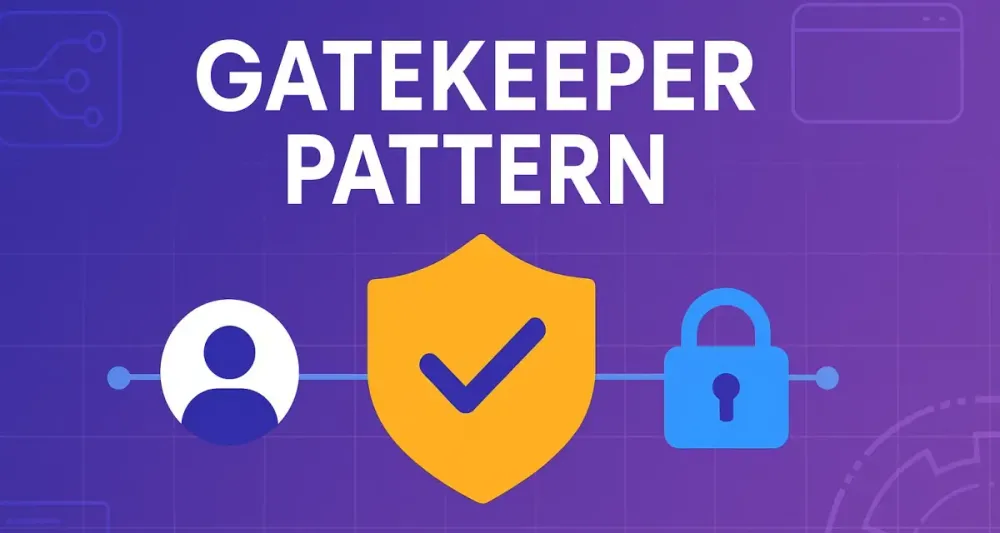
Imagine you have a secure vault containing valuable documents. You wouldn’t give everyone keys directly, right? Instead, you’d station a trusted guard at the entrance to verify credentials, enforce rules, and manage access—only allowing authorized individuals to enter. This trusted guard is exactly what the Gatekeeper Pattern embodies in software architecture.
1.1 Core Concept
At its essence, the Gatekeeper Pattern introduces a dedicated intermediary—a gatekeeper service—positioned between clients and protected resources. Its primary responsibilities include validating, sanitizing, authenticating, and authorizing incoming requests before they reach your core application or services.
By creating a single point of validation, this pattern significantly reduces complexity in downstream services and enhances security and maintainability.
1.2 The “Why”: Addressing Common Problems
You might wonder, why bother adding another layer of complexity? The short answer: simplicity and security at scale.
Backend applications frequently face these common challenges:
- Cross-cutting concerns: Authentication, authorization, input validation, and rate limiting, repeatedly implemented across multiple services, leading to duplicated logic.
- Security vulnerabilities: Risks associated with inadequate validation and inconsistent enforcement across different components.
- Complexity and maintainability: Difficulty managing various access-control mechanisms scattered throughout numerous services.
The Gatekeeper Pattern tackles these issues head-on, ensuring uniform, centralized management of these critical functions. By offloading repetitive, complex logic to one specialized component, backend services become leaner and more focused solely on business logic.
1.3 Gatekeeper vs. API Gateway: Clarifying the Distinction
You may have encountered the concept of an API Gateway, which sounds similar to a Gatekeeper. Indeed, an API Gateway is a type of Gatekeeper, but it’s important to understand their distinctions clearly:
- API Gateway: Typically provides broad functionality, including routing, load balancing, request aggregation, and API management in addition to security checks.
- Gatekeeper: More specifically focused on security-related tasks such as authentication, authorization, validation, and sanitization. A Gatekeeper can be more specialized and lightweight, dedicated purely to validating requests for specific applications or services.
Think of an API Gateway as a multifunctional concierge at a luxury hotel, whereas a Gatekeeper is more like a dedicated security guard, solely focused on ensuring safe entry.
2 Core Principles and Key Components
Let’s explore the foundational principles behind the Gatekeeper Pattern and its main components in greater detail.
2.1 Single, Hardened Entry Point
The critical idea behind a Gatekeeper is to establish a single, fortified entry point. This point enforces stringent security policies, ensuring all traffic must pass rigorous checks before entering your protected services. Centralizing these functions simplifies security monitoring, auditing, and compliance.
2.2 Decoupling
By offloading security concerns from business logic, the Gatekeeper enables clearer separation of duties. The business logic remains streamlined, free of tangled validation code, thus significantly improving maintainability and allowing for easier future enhancements or changes.
2.3 Key Components
To effectively implement the Gatekeeper Pattern, understand these three main components clearly:
The Gatekeeper Service
- A dedicated, lightweight service that intercepts and validates requests.
- Typically implemented as middleware, reverse proxy, or a dedicated microservice.
The Protected Resource
- The backend service, API, microservice, or legacy system protected by the Gatekeeper.
- Has significantly simplified responsibilities thanks to validation being offloaded.
The Trust Boundary
- Represents a logical or physical boundary marking the secure perimeter the Gatekeeper enforces.
- Ensures requests passing beyond this boundary have been thoroughly vetted.
3 Architectural Use Cases: When to Deploy a Gatekeeper
When should you adopt the Gatekeeper Pattern? Let’s review specific scenarios in software architecture where this pattern shines:
3.1 Protecting Legacy Systems
Legacy applications are notoriously difficult—and risky—to change. Yet, securing and validating requests to them often becomes a critical need. Here, the Gatekeeper excels, adding robust security layers without altering the legacy codebase.
Example Scenario:
Imagine a banking system written decades ago, unable to handle modern authentication methods. Implementing a Gatekeeper allows modern OAuth2-based authentication to validate requests before they reach this legacy system, greatly enhancing security.
3.2 Securing Microservices
In microservice architectures, uniform validation and authentication quickly become overwhelming when implemented independently in each microservice. A Gatekeeper centralizes these tasks, ensuring consistent application across all services.
Example Scenario:
An e-commerce platform with dozens of microservices can employ a Gatekeeper to centrally validate JSON Web Tokens (JWT) and enforce rate limiting, significantly simplifying each microservice’s logic.
3.3 Offloading Expensive Validation
Some validations, such as schema checks, can be resource-intensive. Performing these tasks centrally via a Gatekeeper reduces load and complexity on backend services, improving overall performance and scalability.
Example Scenario:
A data-intensive analytics service requiring thorough JSON schema validation for incoming requests can offload these checks to the Gatekeeper, freeing resources for analytical tasks.
3.4 Enforcing Fine-Grained Access Control
Complex authorization rules are often challenging for backend services to manage individually. A Gatekeeper can handle intricate authorization logic centrally.
Example Scenario:
A healthcare application needs precise, role-based access control for patient data. Centralizing this responsibility within a Gatekeeper simplifies compliance management and improves security assurance.
Practical C# Example: Implementing a Simple Gatekeeper Service
Let’s walk through a simplified example in C#, using .NET 8’s minimal APIs and the latest language features to demonstrate implementing a Gatekeeper.
Setup: Minimal API Gatekeeper
// Program.cs (.NET 8 Minimal API Example)
using Microsoft.AspNetCore.Authentication.JwtBearer;
using Microsoft.IdentityModel.Tokens;

var builder = WebApplication.CreateBuilder(args);

// Add JWT authentication services
builder.Services.AddAuthentication(JwtBearerDefaults.AuthenticationScheme)
    .AddJwtBearer(options =>
    {
        options.TokenValidationParameters = new TokenValidationParameters
        {
            ValidateIssuer = true,
            ValidIssuer = "https://trustedissuer.com",
            ValidateAudience = true,
            ValidAudience = "api_audience",
            ValidateLifetime = true,
            ValidateIssuerSigningKey = true,
            IssuerSigningKey = new SymmetricSecurityKey("YourSecureSigningKeyHere"u8.ToArray())
        };
    });

var app = builder.Build();

app.UseAuthentication();
app.UseAuthorization();

// Gatekeeper endpoint
app.MapPost("/validate", async (HttpContext context) =>
{
    if (context.User.Identity is not { IsAuthenticated: true })
        return Results.Unauthorized();

    // Additional validation logic here
    return Results.Ok("Request validated by Gatekeeper");
});

app.Run();
Explanation:
- Uses JWT Bearer tokens for authentication.
- Configures minimal APIs for simplicity.
- Centralizes authentication logic within a single endpoint.
- Easily extendable for additional validation logic (schema validation, rate limiting, etc.).
4 Implementation in .NET: A Practical Guide
.NET has matured into a platform well-suited for robust middleware and service orchestration. If you’re building enterprise-grade applications—or even lightweight APIs—.NET’s extensibility makes it an excellent fit for implementing the Gatekeeper Pattern.
Let’s break down the two most relevant approaches for software architects:
- Lightweight validation using ASP.NET Core Middleware
- Advanced, production-grade solutions with YARP (Yet Another Reverse Proxy)
4.1 The .NET Toolkit for Building Gatekeepers
ASP.NET Core Middleware: The Gatekeeper’s Core Building Block
ASP.NET Core’s middleware pipeline is a powerful abstraction. It processes every HTTP request flowing into your application. Middleware can authenticate, log, validate, modify, or even block requests entirely. By leveraging this pipeline, you can implement a custom Gatekeeper directly in your web application—without external dependencies.
Benefits:
- Lightweight and performant
- Deep integration with ASP.NET Core’s authentication, authorization, and dependency injection
- Complete control over request and response flows
YARP (Yet Another Reverse Proxy): A Purpose-Built Gatekeeper Framework
YARP, an open-source reverse proxy library from Microsoft, elevates what’s possible with a Gatekeeper. It’s designed for scenarios where you need advanced routing, dynamic configuration, load balancing, or the ability to run your Gatekeeper as a stand-alone reverse proxy in front of many backend services.
Why choose YARP?
- Extremely customizable and extensible
- Supports dynamic routing, clustering, load balancing, and rich transformation pipelines
- Can serve as a centralized security and validation layer for microservices or even monolithic systems
Are you facing a scenario with multiple APIs or services behind a single public endpoint? YARP is purpose-built for this.
4.2 Implementation Pattern 1: A Lightweight Validation Gatekeeper
This pattern fits situations where you need to quickly enforce validation or security on incoming requests—perhaps in front of a legacy system or a small group of microservices. It is minimal, with little overhead, but can be extended over time.
Architecture: The Validation-First Pipeline
Here’s how it works:
- Every incoming HTTP request passes through your custom middleware.
- The middleware checks for required authentication or headers (e.g., JWT, API keys).
- Invalid requests are immediately rejected (short-circuiting the pipeline).
- Validated requests continue down the pipeline to backend logic or further middleware.
C# Code Example: Custom Middleware Gatekeeper
Let’s walk through a practical C# example that checks for a custom HTTP header and validates a JWT token. We’ll use .NET 8 and minimal APIs, emphasizing modern, idiomatic code.
Step 1: Define the Middleware
public class GatekeeperMiddleware
{
    private readonly RequestDelegate _next;

    public GatekeeperMiddleware(RequestDelegate next)
    {
        _next = next;
    }

    public async Task InvokeAsync(HttpContext context)
    {
        // Example: Require a custom header for legacy API key authentication
        if (!context.Request.Headers.TryGetValue("X-Api-Key", out var apiKey) ||
            apiKey != "YourSuperSecretKey")
        {
            context.Response.StatusCode = StatusCodes.Status401Unauthorized;
            await context.Response.WriteAsync("Unauthorized: Missing or invalid API Key.");
            return; // Short-circuit the pipeline
        }

        // Example: Optional - Validate JWT if present
        var bearer = context.Request.Headers.Authorization.FirstOrDefault();
        if (!string.IsNullOrEmpty(bearer) && bearer.StartsWith("Bearer "))
        {
            // Pseudo-code: Add your JWT validation logic here or delegate to the framework
            // (In practice, use built-in JWT middleware for real implementations)
        }

        await _next(context); // Pass request to next middleware/component
    }
}
Step 2: Register Middleware in Your Pipeline
var builder = WebApplication.CreateBuilder(args);
var app = builder.Build();

// Add Gatekeeper middleware as the first layer
app.UseMiddleware<GatekeeperMiddleware>();

app.MapGet("/protected", () => "Hello, authenticated user!");

// Start the app
app.Run();
What’s Happening?
- The Gatekeeper middleware inspects each incoming request.
- If the required API key is missing or incorrect, it blocks the request and returns a 401.
- Valid requests pass through to downstream endpoints.
- The middleware is extensible—add logging, rate-limiting, or complex validation rules as needed.
Advantages:
- Ideal for enforcing quick, straightforward security requirements.
- Minimal performance overhead.
- Keeps your validation logic in one place, outside of core business endpoints.
Limitations:
- If your system grows, or you need request routing, load balancing, or cross-service authentication, this pattern may become difficult to maintain at scale. That’s where YARP shines.
4.3 Implementation Pattern 2: An Advanced Gatekeeper with YARP
For more demanding requirements, especially with multiple backend services, a mature reverse proxy solution is the better approach. YARP empowers you to build a centralized, highly-configurable Gatekeeper service that handles routing, security, request/response transformation, and more.
Architecture: YARP as a Centralized, Policy-Driven Gatekeeper
Visualize this:
- Clients interact with a single public endpoint.
- YARP Gatekeeper intercepts, authenticates, and transforms requests.
- Routing sends validated traffic to the correct protected backend service or API.
This model gives you tremendous flexibility to implement cross-cutting policies and modify the flow without touching downstream code.
C# and Configuration: Real-World YARP Gatekeeper
Step 1: Define Your Routes and Clusters
Routes and clusters define what paths your Gatekeeper handles and where requests are forwarded.
Create or extend your appsettings.json:
{
  "ReverseProxy": {
    "Routes": [
      {
        "RouteId": "api_route",
        "ClusterId": "api_cluster",
        "Match": {
          "Path": "/api/{**catch-all}"
        },
        "Transforms": [
          {
            "RequestHeaderRemove": "X-Untrusted-Header"
          }
        ]
      }
    ],
    "Clusters": {
      "api_cluster": {
        "Destinations": {
          "api_service": {
            "Address": "https://your-internal-api/"
          }
        }
      }
    }
  }
}- This route matches all
/api/*requests and forwards them to an internal API service. - The transformation removes a potentially harmful header.
Step 2: Configure YARP and Authentication in Program.cs
using Yarp.ReverseProxy;
using Microsoft.AspNetCore.Authentication.JwtBearer;
using Microsoft.IdentityModel.Tokens;

var builder = WebApplication.CreateBuilder(args);

// Configure JWT Authentication
builder.Services.AddAuthentication(JwtBearerDefaults.AuthenticationScheme)
    .AddJwtBearer(options =>
    {
        options.TokenValidationParameters = new TokenValidationParameters
        {
            ValidateIssuer = true,
            ValidIssuer = "https://trustedissuer.com",
            ValidateAudience = true,
            ValidAudience = "api_audience",
            ValidateLifetime = true,
            ValidateIssuerSigningKey = true,
            IssuerSigningKey = new SymmetricSecurityKey("YourSecureSigningKeyHere"u8.ToArray())
        };
    });

// Add YARP reverse proxy
builder.Services.AddReverseProxy()
    .LoadFromConfig(builder.Configuration.GetSection("ReverseProxy"));

var app = builder.Build();

// Add authentication and authorization middleware
app.UseAuthentication();
app.UseAuthorization();

// Example: Custom transformation logic
app.Use(async (context, next) =>
{
    // Remove or sanitize incoming headers
    context.Request.Headers.Remove("X-Forwarded-For");

    // You can enrich the request with additional data here if needed
    await next();
});

app.MapReverseProxy();

app.Run();
Adding Custom Transformations (Programmatic Approach)
Sometimes, you need more than what can be expressed in configuration files. YARP lets you add custom transformations in code.
// In Program.cs or a dedicated configuration service
builder.Services.AddReverseProxy()
    .LoadFromConfig(builder.Configuration.GetSection("ReverseProxy"))
    .AddTransforms<CustomTransformProvider>();

// Define the transformation provider
public class CustomTransformProvider : ITransformProvider
{
    public void Apply(TransformBuilderContext context)
    {
        context.AddRequestTransform(async transformContext =>
        {
            // Example: Add a header before forwarding
            transformContext.ProxyRequest.Headers.Add("X-Gatekeeper-Checked", "true");

            // Optionally, remove sensitive headers
            transformContext.ProxyRequest.Headers.Remove("X-Internal-Token");

            await Task.CompletedTask;
        });
    }
}
Integrating Policies
With YARP, you can tie authentication and authorization directly into the proxy pipeline. For example, require authentication for all proxied requests:
app.UseAuthentication();
app.UseAuthorization();

// Optionally, add policy requirements on specific routes
app.MapReverseProxy().RequireAuthorization("YourCustomPolicy");
Define your policy in the builder.Services.AddAuthorization configuration. This approach brings the power of ASP.NET Core policies—claims, roles, and custom requirements—into your Gatekeeper.
Practical Considerations and Best Practices
-
Security First: Treat your Gatekeeper as a critical security asset. Harden it, monitor it, and apply the same vigilance as you would to a firewall or WAF.
-
Performance: Benchmark middleware and YARP setups under load. Watch for latency, especially with complex validation or transformation logic.
-
Observability: Add logging, tracing, and metrics to your Gatekeeper for real-time monitoring and forensics. ASP.NET Core and YARP integrate seamlessly with distributed tracing systems and logging frameworks.
-
Scaling: Both approaches scale horizontally. YARP in particular is designed for high-throughput, cloud-native deployments.
-
Extensibility: Architect your Gatekeeper to allow new validations, policies, or transformations to be added without significant code changes.
5 Security Considerations for Architects
The moment you introduce a Gatekeeper into your architecture, you’re not just simplifying validation or centralizing access—you’re elevating this component to the role of primary guardian. Its compromise means the compromise of everything behind it. Security, therefore, must be fundamental, not optional.
5.1 Hardening the Gatekeeper
A Gatekeeper is now your most exposed—and valuable—asset. Harden it with the same rigor you’d apply to a production database or a root authentication server. What does this mean in practice?
-
Minimize the Attack Surface: Only expose the necessary ports and endpoints. Avoid enabling features, protocols, or interfaces that aren’t required for your use case. If your Gatekeeper is built on ASP.NET Core, disable unnecessary middleware, management ports, or diagnostics unless you have a compelling operational reason to keep them.
-
Enforce Least Privilege: Run the Gatekeeper process with the lowest possible privileges. For example, on Linux, never run as root. On Windows, assign a dedicated service account with minimal permissions.
-
Vulnerability Management: Keep dependencies and frameworks up to date. A vulnerability in a reverse proxy or middleware can open a door to your entire backend ecosystem.
-
Comprehensive Logging: Implement structured, tamper-resistant logging. Track authentication failures, suspicious patterns, and denied access attempts. Remember, logging is not just for compliance—it’s your forensic tool during an incident.
-
Proactive Monitoring: Use health probes, alerts, and metrics. Integrate with your SIEM (Security Information and Event Management) or log aggregation platform. Set up anomaly detection for unusual request rates or error spikes.
5.2 Securing the “Last Mile”
It’s common for architects to secure the public edge, but overlook the private connection between the Gatekeeper and backend services—the so-called “last mile.” This segment is just as critical.
-
Enforce End-to-End Encryption: Use TLS/SSL for all communications, even on internal networks. Don’t assume your private cloud or on-premises data center is inherently safe; lateral movement after a breach is a real threat.
-
Mutual Authentication: Where possible, use client certificates or mTLS (mutual TLS) to authenticate both the Gatekeeper and backend services. This ensures only legitimate parties communicate, minimizing the risk of impersonation.
-
Private Networking: Restrict backend services to listen only on internal interfaces or virtual networks inaccessible from the broader internet. This isolates them from direct attack.
-
Rotate Secrets and Certificates Regularly: Use automated tools to rotate secrets and certificates, reducing the window of opportunity for attackers.
5.3 Preventing Bypass
No matter how secure your Gatekeeper, if attackers can access backend services directly, your security posture is compromised. The architecture must enforce that all requests traverse the Gatekeeper.
-
Network Segmentation and Firewalls: Configure network policies, security groups, or firewalls so backend services only accept traffic from known Gatekeeper IPs or subnets.
-
Zero Trust Policies: Assume breach. Even internal network segments should require authentication and authorization.
-
Service Mesh Controls: If you’re using a service mesh (like Istio or Linkerd), configure ingress/egress rules so services accept only validated traffic from the Gatekeeper’s mesh identity.
-
Disable Public Exposure: Never allow backend services to have public IP addresses or DNS entries unless absolutely necessary. Routinely audit your cloud or network environment for exceptions.
6 Common Pitfalls and Anti-Patterns
It’s not enough to know how to build a Gatekeeper—you must also recognize how not to build one. Here are the traps that even experienced teams can fall into.
6.1 The Bloated Gatekeeper
The Gatekeeper is a perfect home for authentication, validation, and authorization. But what happens when developers begin to offload actual business decisions to it?
-
Symptom: Complex workflows, decision-making, or application-specific logic migrates into the Gatekeeper.
-
Consequence: The Gatekeeper becomes a monolith. Changes are slow and risky. The surface area for bugs expands, and the blast radius of failures increases.
-
Solution: Draw a strict boundary: the Gatekeeper is for cross-cutting concerns only. Core business logic belongs to backend services.
Example: If you find order-processing rules or pricing calculations creeping into Gatekeeper code, pause. Refactor that logic back where it belongs.
6.2 Neglecting Performance
A Gatekeeper introduces another network hop and processing step. If not engineered carefully, it can degrade system performance.
-
Common Mistake: Failing to benchmark the impact of the Gatekeeper on end-to-end latency, especially as authentication and validation rules grow.
-
Impact: Increased response times, poor user experience, timeouts, and even resource exhaustion under load.
-
Mitigation: Profile and monitor the Gatekeeper under realistic workloads. Scale out horizontally (more instances), use efficient algorithms, and avoid unnecessary synchronous operations. Monitor memory, CPU, and I/O utilization.
6.3 Inadequate Logging and Monitoring
The Gatekeeper sees every request and decision. If you don’t instrument it well, you’re missing a major observability opportunity.
-
Typical Oversight: Logging only success paths or failing to capture context (like client identity, request details, rejection reasons).
-
Result: Troubleshooting becomes guesswork. Security incidents might go unnoticed until it’s too late.
-
Remedy: Log every rejected request, authentication failure, and anomaly. Use correlation IDs to trace requests through the system. Export logs to a central platform, and use dashboards to monitor trends and spikes.
7 Evaluating the Trade-offs: Advantages vs. Limitations
Every architectural pattern has a cost. The Gatekeeper is no exception. Here’s how to evaluate its fit for your organization.
7.1 Advantages
Centralized Security & Control
The most immediate advantage is a single location to enforce cross-cutting concerns. Want to update JWT validation parameters or roll out a new API key policy? You can do so in one place, without deploying changes to every backend service.
Improved Resilience
With a hardened Gatekeeper, malicious traffic—like brute-force attempts or malformed payloads—can be absorbed and blocked before reaching fragile backend systems. This limits the damage of denial-of-service attempts or exploits.
Enables Modernization
Perhaps the most strategic benefit: the Gatekeeper enables safe, staged modernization. By wrapping legacy systems in a protective layer, you can expose new interfaces (REST, GraphQL, gRPC), add modern authentication, and migrate to cloud environments without rewriting legacy code.
7.2 Limitations
Potential for a Bottleneck
If not properly designed and scaled, the Gatekeeper can limit throughput. All client traffic must pass through it, so network, CPU, and memory resources must be provisioned for peak loads—not just averages.
Single Point of Failure
If the Gatekeeper goes down, everything it protects becomes unavailable. Even highly-available clusters must be tested for failover and disaster scenarios. Redundancy, load balancing, and robust monitoring are essential.
Increased Latency
An extra hop, validation, and possible transformation add unavoidable latency to each request. While this is often only a few milliseconds, it can add up—especially for chatty client applications or low-latency use cases.
8 Conclusion: Best Practices and Final Recommendations
A Gatekeeper, done well, can transform the maintainability and security posture of your systems. But it’s only as good as the discipline you bring to its design and operation.
8.1 Keep it Lean
Focus your Gatekeeper on routing and cross-cutting concerns—not business rules. Use configuration, policies, and modular code so changes can be made quickly, safely, and predictably. Complexity is the enemy of reliability. If a feature doesn’t belong in every request, it probably doesn’t belong in your Gatekeeper.
8.2 Automate Everything
Gatekeeper deployment and configuration should be automated using infrastructure-as-code, configuration management, and continuous delivery pipelines. Manual configuration or patching leads to drift, outages, and vulnerabilities. Aim for idempotent, version-controlled deployments with repeatable rollbacks.
Tip: Store critical configuration (like routing rules or security policies) in source control and automate its rollout with validation tests.
8.3 Embrace Observability
Your Gatekeeper is the lens through which all application traffic passes. Leverage this by capturing logs, metrics, and traces. Analyze them regularly—not just after incidents. Use these insights to spot trends, detect attacks, and optimize performance.
Recommendations:
- Use distributed tracing (e.g., OpenTelemetry) to correlate requests through the Gatekeeper to backend services.
- Alert on abnormal patterns: spikes in authentication failures, traffic from new locations, or sudden performance degradation.
- Share insights with both security and application teams.