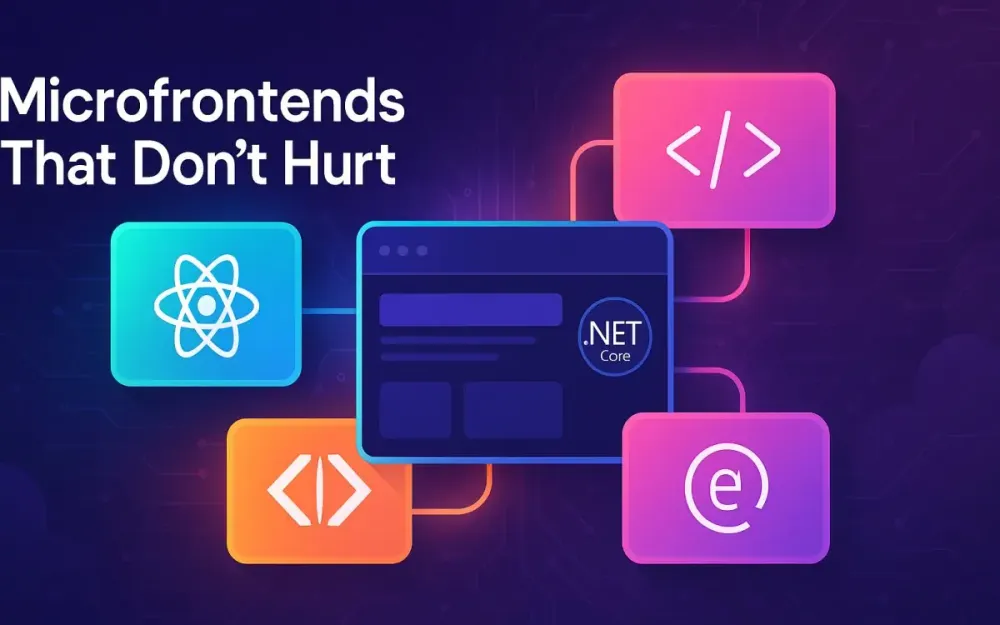
1 Set the Stage: Microfrontends That Don’t Hurt
Microfrontends are one of those architectural ideas that sound deceptively simple: “split the frontend by business domain, let teams deploy independently.” Yet, in practice, they often hurt more than they help. You get bloated bundles, inconsistent user experiences, and coordination overhead that makes independent deploys a fantasy. This guide is about the version of microfrontends that don’t hurt—the ones that scale both technically and organizationally. We’ll ground everything in practical, modern tooling: Module Federation for runtime composition, Web Components for framework-agnostic design systems, and Backend-for-Frontend (BFF) contracts built on ASP.NET Core for each team’s edge API.
This isn’t about selling microfrontends—it’s about making them survivable for teams that already need them.
1.1 What Problem Are We Actually Solving?
At scale, frontends rot faster than backends. As teams grow, so do coordination costs, deployment coupling, and ownership ambiguity. The core problem microfrontends address is team autonomy—allowing feature teams to ship value independently, on their own cadence, without waiting for a central “frontend release train.”
1.1.1 Team Autonomy and Decentralized Ownership
A team responsible for “Orders” should own everything from its UI through its BFF down to its domain APIs. That ownership boundary lets them evolve safely. If your architecture requires another team to coordinate every deploy, you’ve already lost autonomy.
For example, in a typical monolithic SPA:
- A single CI/CD pipeline builds everything.
- A small CSS change can invalidate caches for unrelated pages.
- One React upgrade can block multiple teams for weeks.
Microfrontends shift this dynamic. Each team ships a versioned artifact—a remote module, a Web Component library, a BFF container—that integrates at runtime. Ownership becomes local, and failures stay local too.
1.1.2 Independent Deploys and Parallel Work
Independent deploys mean that the “Checkout” team can push a UI fix without waiting for “Catalog” to finish testing their feature. When paired with runtime composition, deploys are truly decoupled: no shared build step, no dependency lockstep. CI pipelines run per team, publishing new remotes that the host shell picks up via a manifest.
Parallel work also extends to experimentation. Teams can safely A/B test UI variants or try out new frameworks (say, React 19 vs Vue 3) without a platform-wide migration.
1.1.3 Long-Lived Code Ownership
Code longevity matters. Monoliths often encourage “hit-and-run” coding—teams touch shared areas without long-term responsibility. By splitting ownership, teams stay accountable for their UI’s lifecycle: accessibility, performance, observability, and upgrades. Each remote or BFF becomes a durable boundary of responsibility.
1.2 When Microfrontends Are a Bad Fit
Like all distributed systems, microfrontends add complexity. For small teams or simple apps, the cure can be worse than the disease.
1.2.1 Premature Split
If you only have one or two teams, splitting too early just multiplies your CI/CD and coordination overhead. A single monolithic frontend is faster and simpler until coordination pain is real. A good heuristic: if multiple teams cannot deploy independently without merge conflicts or step-on-toes code reviews, you may be ready.
1.2.2 Low Domain Complexity
If your app’s domain doesn’t map cleanly to independent verticals (e.g., “dashboard,” “settings,” “notifications”), a microfrontend split might be artificial. The seams must follow business boundaries—not pages, routes, or frameworks. Otherwise, you’ll just end up with fragmented codebases that don’t align with how your organization works.
1.2.3 Heavy Client-Side Integration Risk
Microfrontends push integration to the browser. That means potential for version mismatches, bundle bloat, and inconsistent state. If your UI requires tight synchronous coordination (like real-time collaboration apps or heavy shared state), runtime composition can introduce jitter and unexpected race conditions. You’ll need strong runtime isolation and careful event contracts.
1.3 Architectural Goals for This Article’s Approach
We’ll focus on a pragmatic hybrid: runtime composition using Module Federation, a shared design system via Web Components, and typed BFF contracts built on ASP.NET Core.
1.3.1 Runtime Composition via Module Federation
Instead of rebuilding the entire frontend for each change, we dynamically load remote modules at runtime. Each team publishes a standalone bundle (e.g., ordersRemoteEntry.js), which the host app imports dynamically. This avoids version lockstep and allows fast rollback or hotfixes per team.
1.3.2 Shared Design System via Web Components
Design systems often become shared dependencies that force coupled upgrades. Web Components, by contrast, give teams framework-agnostic primitives that encapsulate styling and behavior. React, Angular, or plain JS apps can all use the same <sl-button> or <ds-modal> component.
1.3.3 BFF per Team on ASP.NET Core
Each team owns a Backend-for-Frontend (BFF) service that:
- Shapes data for its specific UI.
- Hides internal APIs and backend fragmentation.
- Handles authentication and token management securely at the edge.
ASP.NET Core is ideal for this role: it’s performant, well-integrated with OpenAPI tooling, and plays nicely with reverse proxies like YARP.
1.3.4 Typed Contracts Across the Stack
Strong typing between BFFs and frontends prevents runtime surprises. We’ll use OpenAPI as the single source of truth, auto-generating TypeScript clients that align perfectly with .NET controllers. Add runtime validation (e.g., with Zod), and you get safety even across federated boundaries.
1.4 The “Don’t Hurt” Principles
Microfrontends fail when they become a coordination nightmare. The antidote is a handful of principles that make the architecture safe and maintainable.
1.4.1 Explicit Contracts, Never Shared State
Teams communicate via APIs and events, not global stores. Each remote owns its Redux/Vuex/Zustand state. Cross-remote communication happens through explicit contracts—typed events or APIs, not global context leaks.
1.4.2 Fail-Open UIs
A broken remote shouldn’t take down the shell. Hosts should render graceful fallbacks (“Orders temporarily unavailable”) rather than crash the entire app. Federation manifests should support lazy retries and stale caches to tolerate transient failures.
1.4.3 Safe Rollout and Progressive Delivery
Every remote and BFF should be deployable independently, with canary rollouts and manifest-based pinning. The host consumes versioned manifests so you can safely roll back a bad fragment by flipping a pointer—not a redeploy.
1.4.4 Good Observability
You can’t debug what you can’t see. Distributed tracing across the browser, BFF, and backend is non-negotiable. Propagate traceparent headers via OpenTelemetry to correlate UI events with API calls.
1.4.5 Zero Shared State Across Teams
Shared global stores or singletons across remotes lead to brittle coupling. Each fragment must treat others as black boxes. Shared utilities (like auth tokens or design system) can be federated, but mutable state should remain isolated.
2 Architecture at a Glance: Federation + Web Components + BFFs on ASP.NET Core
Let’s visualize the architecture before diving into code. At its core, we’re composing multiple autonomous frontends and their BFFs into a single runtime experience.
2.1 Reference System Map
A healthy microfrontend setup typically includes:
- Host Shell – The entry point SPA responsible for layout, routing, and orchestrating remote loading.
- Feature Remotes – Independent microfrontends exposing UI modules (e.g.,
Orders,Checkout,Catalog). - Shared UI Library – A federated or standalone Web Components-based design system.
- Per-Team BFFs – Each team’s edge API implemented in ASP.NET Core, encapsulating domain-specific logic and data composition.
Browser
 └── Host Shell (runtime router)
      ├── Remote: Catalog (federated module)
      ├── Remote: Orders
      ├── Remote: Checkout
      └── Shared DS (Web Components)
          │
          └── fetch via manifest → CDN

CDN → static assets (remote entries, DS package)
Kubernetes → deploys BFF containers per team
YARP/Ingress → routes /bff/orders, /bff/catalog to respective BFFs
This separation means:
- Frontend composition happens at runtime, not build time.
- Each team can deploy its UI and BFF independently.
- Shared contracts ensure typed integration and observability.
2.2 Why Module Federation for Runtime Composition
Before Module Federation, teams used build-time composition (e.g., shared monorepo builds) or static import maps. Both approaches have drawbacks:
- Build-time composition: Every deploy requires a rebuild of the host, creating implicit coupling.
- Import maps: Better runtime flexibility, but no shared dependency resolution or version negotiation.
2.2.1 Module Federation Advantages
Module Federation, introduced in Webpack 5 and now supported in Rspack and Vite, allows JavaScript modules to be loaded dynamically from remote URLs. It supports:
- Shared dependencies with version negotiation.
- Eager or lazy loading of remote modules.
- Independent deploys—a remote can be updated without rebuilding the host.
2.2.2 Bundler Landscape (2025 Update)
- Webpack 5 remains the reference implementation.
- Rspack (Rust-based) offers 5–10x faster builds and first-class MF support.
- Vite now provides official Module Federation plugins with near-native integration.
This ecosystem maturity makes MF the default choice for runtime composition at scale.
2.3 Why Web Components for the Design System
Microfrontends often crumble under framework drift—React here, Angular there, Svelte somewhere else. Web Components cut through this mess.
2.3.1 Framework-Agnostic Primitives
Web Components run natively in all modern browsers. They can be consumed by any framework, making them ideal for shared design systems that must outlive any specific UI library.
2.3.2 Encapsulation via Shadow DOM
By default, Web Components isolate CSS and DOM, preventing style bleed. Shadow parts and custom properties allow controlled theming while maintaining local encapsulation.
2.3.3 Tooling: Lit vs Stencil
- Lit: Minimal, fast, and ideal for component-level ergonomics.
- Stencil: Great for large design systems, offering typed props, automatic documentation, and framework bindings. Both output native custom elements, so you can mix and match depending on team preferences.
2.3.4 Example
A shared <sl-button> can be used in React:
import '@company/ds/button';
export const Submit = () => <sl-button variant="primary">Submit</sl-button>;
Or plain HTML:
<sl-button variant="primary">Submit</sl-button>No shared React runtime required—just a single JS file from your CDN.
2.4 Why a BFF per Team (and Why ASP.NET Core)
Microfrontends decouple UI, but APIs can easily become the new monolith. A BFF (Backend-for-Frontend) pattern gives each team its own thin API layer, aligning with their UI’s needs.
2.4.1 Benefits of a Per-Team BFF
- Shape data for the UI: Aggregate multiple backend responses into exactly what the UI needs.
- Hide backend complexity: Present a stable, purpose-built contract.
- Enforce security and auth: Handle OIDC tokens server-side, issue session cookies to browsers.
- Simplify CORS: Browser never directly calls internal APIs; it only talks to its BFF on the same origin.
2.4.2 Why ASP.NET Core
ASP.NET Core shines for BFFs:
- Minimal APIs for small, focused endpoints.
- YARP (Yet Another Reverse Proxy) for routing and aggregation.
- Integrated OpenAPI support for contract generation.
- High performance with low memory footprint.
A minimal BFF might look like:
var builder = WebApplication.CreateBuilder(args);
builder.Services.AddReverseProxy().LoadFromConfig(builder.Configuration.GetSection("ReverseProxy"));
var app = builder.Build();
app.MapGet("/orders", async (HttpClient client) =>
    await client.GetFromJsonAsync<OrderDto[]>("https://orders-service/api/orders"));
app.MapReverseProxy();
app.Run();
Each team can deploy this independently, version its OpenAPI spec, and generate its TypeScript client.
2.5 Typed Contracts Front-to-Back
Type safety is the glue that keeps federated systems coherent.
2.5.1 OpenAPI as the Truth Source
Each BFF defines its contract using Microsoft.AspNetCore.OpenApi (native in .NET 9) or Swashbuckle/NSwag. The spec lives in source control and is versioned.
app.MapGet("/orders/{id}", (int id) => Results.Ok(new OrderDto { Id = id }))
   .WithOpenApi();
Generates:
paths:
  /orders/{id}:
    get:
      responses:
        '200':
          content:
            application/json:
              schema:
                $ref: '#/components/schemas/OrderDto'
2.5.2 TypeScript Client Generation
Tools like orval or openapi-typescript generate clients automatically:
orval --config ./orval.config.jsThen in the remote frontend:
import { useGetOrdersQuery } from '@company/orders-api';
const { data } = useGetOrdersQuery();
2.5.3 Runtime Validation
Even generated clients can drift during deployment. Runtime validators like Zod or TypeBox ensure responses match the expected schema before hydration, catching API drift in production safely.
2.6 Cross-Cutting Must-Haves
Microfrontends succeed only if cross-cutting concerns are handled uniformly.
2.6.1 Authentication via OIDC/PKCE
Central identity via OpenID Connect with PKCE ensures secure login flows. The BFF performs token exchange, sets an HTTP-only cookie, and forwards tokens downstream. This keeps tokens off the browser surface.
2.6.2 Progressive Delivery
Each remote is deployed via a manifest pointer, allowing gradual rollout or instant rollback. CDNs host multiple versions; Argo Rollouts or LaunchDarkly manage audience targeting.
2.6.3 Observability and Trace Correlation
Using OpenTelemetry, propagate traceparent from frontend → BFF → backend. The browser SDK captures user actions, while ASP.NET Core middleware injects trace headers automatically.
This lets you visualize an end-to-end request in Jaeger or Grafana Tempo, linking a React click event to its downstream SQL query.
3 Module Federation, Practically
Now that we’ve covered the architectural why, let’s get into the how. Module Federation isn’t magic; it’s a clever runtime linking mechanism that allows teams to expose and consume JavaScript modules dynamically. When used carefully, it becomes the connective tissue of a microfrontend platform—lightweight, explicit, and independently deployable.
3.1 Federation Fundamentals You Actually Need
At its core, Module Federation defines three concepts: hosts, remotes, and shared modules. You don’t need to master every flag or plugin hook to be productive—just understand how these three work together.
3.1.1 Host and Remotes
A host is the shell application that consumes other builds. A remote is any independently deployed bundle exposing components or utilities.
Example remote config (webpack.config.js):
new ModuleFederationPlugin({
  name: "checkout",
  filename: "remoteEntry.js",
  exposes: {
    "./CheckoutApp": "./src/bootstrap"
  },
  shared: {
    react: { singleton: true, requiredVersion: "^19.0.0" },
    "react-dom": { singleton: true }
  }
});
And the host:
new ModuleFederationPlugin({
  name: "shop",
  remotes: {
    checkout: "checkout@https://cdn.company.com/checkout/remoteEntry.js"
  },
  shared: { react: { singleton: true } }
});
The host imports it at runtime:
const CheckoutApp = React.lazy(() => import("checkout/CheckoutApp"));That’s the essence: independent builds, loaded dynamically, stitched together at runtime.
3.1.2 Shared, Eager vs Lazy, and Version Ranges
Shared modules tell the bundler to reuse singletons (like React) instead of duplicating them. You can control loading behavior:
eager: truemeans load the dependency upfront.eager: false(default) loads only when used, saving initial bytes.
Version ranges (^19.0.0) enforce compatibility. If the host and remote versions are incompatible, the system will isolate them—resulting in two React runtimes unless you pin versions carefully.
Rule of thumb: Eager-load only true singletons (React, ReactDOM, routing libs). Everything else should be lazy and versioned semantically.
3.2 Choosing a Bundler Today: Webpack vs Rspack vs Vite
By 2025, three bundlers dominate the federation landscape, each with strong production readiness.
3.2.1 Webpack: Mature and Predictable
Webpack 5 introduced Module Federation natively. It’s battle-tested, well-documented, and widely supported. The trade-off is build speed—especially on large monorepos—but with caching and incremental builds, it’s still reliable for most enterprise teams.
Use Webpack if:
- You rely on advanced federation features (dynamic remotes, plugin ecosystem).
- Your CI/CD already standardizes on Webpack loaders and configs.
3.2.2 Rspack: The Modern Default
Rspack, built in Rust, is Webpack-compatible but dramatically faster. It offers the same Module Federation API and configuration syntax, meaning migration is almost drop-in.
Real-world gains:
- 8–10× faster cold builds
- 3× faster HMR
- Native TypeScript parsing
import { rspack } from '@rspack/core';
export default {
  plugins: [
    new rspack.container.ModuleFederationPlugin({
      name: "orders",
      exposes: { "./OrdersApp": "./src/bootstrap" },
      shared: ["react", "react-dom"]
    })
  ]
};
Rspack’s compatibility makes it a top choice for federated architectures prioritizing build performance.
3.2.3 Vite: The Newcomer with Official Federation Support
Vite’s native ESM foundation makes federation more ergonomic. With the official Module Federation plugin released in 2024, it now supports runtime composition and manifest-based remote discovery.
import federation from "@originjs/vite-plugin-federation";
export default {
  plugins: [
    federation({
      name: "catalog",
      filename: "remoteEntry.js",
      exposes: { "./CatalogApp": "./src/bootstrap" },
      shared: ["vue", "pinia"]
    })
  ]
};
Vite shines for smaller, framework-specific remotes where fast iteration is key. For large polyglot systems, Rspack or Webpack remain safer defaults.
3.3 Project Layout Patterns
Your repo strategy affects build times, dependency hygiene, and deploy autonomy.
3.3.1 Polyrepo: Maximum Independence
Each microfrontend and BFF lives in its own repository. CI/CD pipelines are isolated, and teams can deploy without impacting others.
Trade-offs:
- Duplication of CI templates.
- Harder cross-team dependency updates.
- Requires solid runtime manifest coordination.
3.3.2 Monorepo: Maximum Visibility
A monorepo (e.g., Nx, Turborepo) provides unified tooling and dependency visibility. Nx supports both buildable and publishable libraries, enforcing version policies and shared caching.
Example Nx config:
{
  "projects": {
    "shop-host": { "root": "apps/shop" },
    "checkout-remote": { "root": "apps/checkout" },
    "orders-bff": { "root": "services/orders-bff" }
  }
}
3.3.3 Hybrid
Many enterprises start polyrepo and evolve toward a hybrid model: code lives separately, but a central manifest repo manages federation metadata. This gives each team independence with a shared integration layer.
Best practice: enforce dependency boundaries with Nx or depcheck—no implicit cross-imports between teams.
3.4 Runtime Composition Patterns
Runtime composition determines how the host discovers and loads remotes. You can hardcode remote URLs (static remotes) or load them from a manifest (dynamic remotes).
3.4.1 Static Remotes vs Dynamic Remotes
Static remote definitions are simple:
remotes: {
  checkout: "checkout@https://cdn.company.com/checkout/remoteEntry.js"
}
But they require a host rebuild for every remote URL change.
Dynamic remotes decouple this via a manifest file served by your CDN or API:
{
  "checkout": "https://cdn.company.com/checkout/v2/remoteEntry.js",
  "orders": "https://cdn.company.com/orders/v3/remoteEntry.js"
}
The host fetches this manifest at runtime:
const manifest = await fetch("/remotes.manifest.json").then(res => res.json());
__webpack_init_sharing__("default");
await __webpack_share_scopes__.default;
const remoteUrl = manifest["checkout"];
await loadRemoteModule(remoteUrl, "CheckoutApp");
This enables version pinning, blue/green rollouts, and environment-specific overrides—all without redeploying the host.
3.4.2 Remote Discovery / Manifest Options
Several libraries simplify runtime manifest handling:
- mf-manifest – lightweight manifest loader with cache busting and retries.
- module-federation-runtime – official runtime helper for dynamic import orchestration.
- internal registry service – custom API returning environment-specific manifest JSON.
Recommendation: Treat the manifest as infrastructure. It should be versioned, cached, and observable like any other artifact.
3.5 Sharing Libraries Safely
Federation’s biggest risk is version conflicts—two Reacts, two routers, two design systems. Safe Version Practices (SVP) are critical.
3.5.1 Opt-In Sharing
Only share libraries you must share. Over-sharing leads to hidden coupling and upgrade paralysis.
shared: {
  react: { singleton: true, requiredVersion: "^19" },
  "react-dom": { singleton: true },
  "@company/design-system": { singleton: true, eager: true }
}
3.5.2 Peer Dependencies
For shared libs like your design system, publish them as peer dependencies to ensure the consuming app controls the version. Use peerDependenciesMeta for optional packages.
3.5.3 Avoiding Double Reacts
Duplicate React versions often occur when remotes specify stricter semver ranges than the host. Incorrect:
shared: { react: { requiredVersion: "19.0.1" } }Correct:
shared: { react: { singleton: true, requiredVersion: "^19.0.0" } }Lock versions via your manifest or dependency policy tool to keep parity across teams.
3.6 Type-Safety for Remotes
Dynamic imports are powerful—but type safety is easy to lose. Two patterns restore confidence.
3.6.1 Federated Type Plugins
Use the official @module-federation/typescript plugin to emit .d.ts files alongside your remoteEntry.
Remote config:
new FederatedTypesPlugin({
  federationConfig: './webpack.config.js'
});
This generates types/checkout.d.ts that consuming apps can import directly:
import { CheckoutAppProps } from "checkout/CheckoutApp";This provides full IDE autocompletion and compile-time safety across repositories.
3.6.2 Generating .d.ts Manually
For smaller setups, you can generate declaration files directly:
tsc --declaration --emitDeclarationOnly --outDir dist/typesPublish them as part of your remote’s npm package or include them in your manifest. Type boundaries matter just as much as runtime boundaries.
3.7 Routing & State Boundaries
Routing coordination is a major source of pain. The host should own top-level navigation; remotes handle intra-fragment routing only.
3.7.1 Isolate Store Instances
Each remote should own its store instance (Redux, Zustand, Pinia). Incorrect:
// shared global store
import store from "../store";
Correct:
// local store per remote
const store = createStore(remoteReducer);
If you must communicate across remotes, use explicit events:
window.dispatchEvent(new CustomEvent("cart:updated", { detail: cart }));The host can listen and respond safely without coupling internals.
3.7.2 Routing Boundaries
Use a host router (React Router, TanStack Router, or custom) for global navigation, and nested routers within remotes. Each remote defines relative routes (/orders/*, /checkout/*), ensuring isolated state and history management.
3.8 SSR and Hydration Caveats
Server-Side Rendering (SSR) in a federated world is tricky. The host may render HTML that includes placeholders for remotes. Those remotes must then hydrate themselves without mismatched markup.
3.8.1 Host vs Remote SSR
Option A: Host-Only SSR. The host renders a skeleton layout; remotes hydrate client-side. Simplest to manage. Option B: Remote SSR via Edge Rendering. Each remote pre-renders independently and returns HTML fragments to the host at runtime.
Example (Host SSR with lazy hydration):
export const CheckoutIsland = dynamic(() => import("checkout/CheckoutApp"), { ssr: false });Option B provides faster TTFB but increases orchestration complexity. Use it only when SEO or perceived latency justify it.
3.8.2 Fallbacks and Progressive Hydration
When remotes fail to load, the host should render fallback components:
<Suspense fallback={<SkeletonCheckout />}>
  <CheckoutApp />
</Suspense>
Combine this with stale manifest caching to keep partial UIs functional even during degraded states.
3.9 Example: Compose a “Checkout” Remote into a “Shop” Host
Let’s pull it all together with a realistic, multi-bundler comparison.
3.9.1 Webpack Config (Host)
// shop/webpack.config.js
new ModuleFederationPlugin({
  name: "shop",
  remotes: {
    checkout: "checkout@https://cdn.company.com/checkout/remoteEntry.js"
  },
  shared: ["react", "react-dom"]
});
3.9.2 Webpack Config (Remote)
// checkout/webpack.config.js
new ModuleFederationPlugin({
  name: "checkout",
  filename: "remoteEntry.js",
  exposes: { "./CheckoutApp": "./src/CheckoutApp" },
  shared: ["react", "react-dom"]
});
3.9.3 Rspack Equivalent
import { rspack } from '@rspack/core';
export default {
  plugins: [
    new rspack.container.ModuleFederationPlugin({
      name: "checkout",
      filename: "remoteEntry.js",
      exposes: { "./CheckoutApp": "./src/CheckoutApp" }
    })
  ]
};
3.9.4 Vite Equivalent
import federation from "@originjs/vite-plugin-federation";
export default {
  plugins: [
    federation({
      name: "checkout",
      filename: "remoteEntry.js",
      exposes: { "./CheckoutApp": "./src/CheckoutApp" },
      shared: ["react"]
    })
  ]
};
3.9.5 Host Usage
import React, { Suspense } from "react";
const CheckoutApp = React.lazy(() => import("checkout/CheckoutApp"));

export const ShopPage = () => (
  <Suspense fallback={<div>Loading checkout...</div>}>
    <CheckoutApp />
  </Suspense>
);
With this structure, teams deploy remotes independently, publish versioned manifests, and the host dynamically loads the right artifact at runtime—no rebuilds, no merge freezes, no central gatekeeping.
4 A Shared Design System via Web Components
Design consistency across federated frontends is a perennial challenge. Web Components, when used intentionally, solve this with encapsulation without dependency coupling. They allow all teams—React, Angular, Vue, or vanilla JS—to share a common UI language without runtime lockstep.
4.1 Why Web Components for a Federated World
In a federated ecosystem, the design system must be framework-agnostic and version-tolerant. Web Components achieve both by implementing custom elements registered with the browser itself.
No build integration required:
<sl-button variant="primary">Buy Now</sl-button>Any microfrontend can render this element—React sees it as an intrinsic element; Angular treats it as a custom tag.
Shadow DOM ensures that CSS isolation holds, so one team’s dark mode styles don’t leak into another’s module.
4.2 Library Choices & Tradeoffs
Two libraries dominate the ecosystem.
4.2.1 Lit
Lit (from Google) offers lightweight declarative templates with reactive properties:
import { LitElement, html, css } from 'lit';
class DsButton extends LitElement {
  static styles = css`button { border-radius: 4px; }`;
  render() { return html`<button><slot></slot></button>`; }
}
customElements.define('ds-button', DsButton);
Advantages:
- Tiny runtime (<10 KB).
- Works directly with Vite, Rspack, Webpack.
- Simple mental model.
4.2.2 Stencil
Stencil (from Ionic) compiles to framework bindings automatically (React, Vue, Angular). Great for design systems with multiple consumers.
Example Stencil component:
@Component({ tag: 'ds-modal', styleUrl: 'ds-modal.css', shadow: true })
export class DsModal {
  @Prop() open = false;
  render() {
    return (
      <div class={{ visible: this.open }}>
        <slot></slot>
      </div>
    );
  }
}
Stencil adds documentation generation and testing utilities out of the box.
Guideline: Start with Lit for small to mid-scale systems; adopt Stencil if you need framework wrappers or design governance features.
4.3 Theming and Tokens
A shared design system must support theming without breaking encapsulation.
4.3.1 CSS Custom Properties
Expose tokens via :host and allow overrides:
:host {
  --color-primary: #0050b3;
}
button {
  background: var(--color-primary);
}
Consumers can override them globally:
html {
  --color-primary: #0084ff;
}
4.3.2 Shadow Parts and Cross-App Dark Mode
For advanced theming, define ::part() selectors to expose internal elements:
ds-button::part(label) {
  font-weight: bold;
}
Global dark mode can be coordinated via media queries or a shared theme service emitting events.
4.4 Accessibility & i18n as First-Class Citizens
Design systems often fail not technically, but ethically—by ignoring accessibility.
4.4.1 ARIA and Focus Management
Each component should declare ARIA roles and manage focus transitions:
render() {
  return html`
    <button aria-label=${this.label} @keydown=${this.handleKey}>
      <slot></slot>
    </button>`;
}
4.4.2 RTL and Localization
Support right-to-left layouts with :host([dir=rtl]) CSS. For dynamic languages, expose lang attributes and rerender text nodes on change.
4.5 Packaging & Versioning the Design System
Version your design system like any library—semantic versioning is non-negotiable. Use side-by-side versioning in the Custom Elements registry to avoid conflicts:
customElements.define('ds-button-v2', DsButtonV2);Or namespace elements per version in your manifest. Serve bundles from a CDN and register them eagerly during host boot.
4.6 Example: Build sl-button and sl-modal-Style Primitives with Lit
A ds-button built with Lit:
import { LitElement, html, css } from 'lit';
export class DsButton extends LitElement {
  static styles = css`
    button { padding: .5rem 1rem; background: var(--color-primary, #0063e5); }
  `;
  render() { return html`<button part="base"><slot></slot></button>`; }
}
customElements.define('ds-button', DsButton);
Consume in React:
import '@company/design-system/ds-button';
export const SubmitButton = () => <ds-button>Submit</ds-button>;
To federate the design system:
new ModuleFederationPlugin({
  name: "designSystem",
  filename: "remoteEntry.js",
  exposes: { "./index": "./src/index" }
});
Each remote then imports it dynamically or via npm, ensuring consistent visuals.
4.7 Operational Guardrails
Design systems are operational software too.
- Bundle size budgets: Track via CI (
vite-bundle-analyzer,webpack-bundle-analyzer). - Visual regression testing: Automate with Storybook + Playwright snapshots per component.
- Accessibility linting: Run axe-core or pa11y against Storybook stories.
- Release automation: Use semantic-release to version and publish automatically.
A healthy DS release pipeline might:
- Run unit + visual tests.
- Publish artifacts to npm + CDN.
- Update federation manifest for host consumption.
This ensures design stability across federated teams, with zero manual coordination.
5 Per-Team BFFs on ASP.NET Core
Microfrontends decouple UI, but without proper BFFs, you end up pushing backend complexity into the browser. ASP.NET Core’s minimal APIs, proxying, and OpenAPI ecosystem make it ideal for BFFs per team.
5.1 BFF Pattern Recap and Its Security Upside for SPAs
A Backend-for-Frontend acts as a personalized API gateway for a specific frontend. Instead of the SPA calling multiple microservices directly, it calls its BFF over same-origin HTTPS.
Security benefits:
- Tokens stay server-side (browser only gets a secure session cookie).
- CORS is simplified—requests come from the same origin.
- Backend APIs remain hidden from the public internet.
Typical flow:
Browser → BFF (/bff/orders) → Downstream Services (Orders, Payments)5.2 Building the BFF Skeleton
ASP.NET Core Minimal APIs are perfect for lightweight BFFs:
var builder = WebApplication.CreateBuilder(args);
builder.Services.AddHttpClient();
builder.Services.AddReverseProxy().LoadFromConfig(builder.Configuration.GetSection("ReverseProxy"));
var app = builder.Build();

app.MapGet("/orders", async (HttpClient client) =>
    await client.GetFromJsonAsync<OrderDto[]>("https://orders-service/api/orders"));

app.MapReverseProxy();
app.Run();
This combines YARP for reverse proxying with custom aggregation routes. Each team’s BFF runs independently—orders-bff, checkout-bff, etc.—and exposes typed OpenAPI endpoints to its frontend.
5.3 AuthN/AuthZ in the BFF
Handle identity at the BFF boundary using OIDC and PKCE:
builder.Services.AddAuthentication(options => {
    options.DefaultScheme = CookieAuthenticationDefaults.AuthenticationScheme;
})
.AddCookie()
.AddOpenIdConnect("oidc", options => {
    options.Authority = "https://identity.company.com";
    options.ClientId = "orders-bff";
    options.ResponseType = "code";
    options.UsePkce = true;
});
On successful login, the BFF exchanges the code for tokens, stores them server-side, and issues an HTTP-only cookie. Subsequent frontend requests automatically include this cookie—no CORS or token leaks.
Add anti-CSRF and SameSite protection:
app.UseCookiePolicy(new CookiePolicyOptions {
    MinimumSameSitePolicy = SameSiteMode.Lax
});
5.4 OpenAPI First in .NET 9+
.NET 9 formalizes OpenAPI integration via Microsoft.AspNetCore.OpenApi.
Simple endpoint with auto spec generation:
app.MapGet("/orders/{id}", (int id) => Results.Ok(new OrderDto(id)))
   .WithOpenApi(op => op.WithSummary("Get order by id"));
For more advanced control, Swashbuckle and NSwag remain viable. Use NSwag when you need TypeScript client generation built-in; use Swashbuckle for Swagger UI convenience.
5.5 Generate TypeScript Clients for the Frontend
Generate API clients automatically via Orval:
npx orval --config orval.config.jsExample config:
module.exports = {
  orders: {
    output: { mode: "tags-split", target: "src/api/orders.ts" },
    input: { target: "https://bff.company.com/orders/swagger/v1/swagger.json" }
  }
};
Consume in a federated remote:
import { useGetOrdersQuery } from "@company/orders-api";
export const OrdersList = () => {
  const { data } = useGetOrdersQuery();
  return <ul>{data?.map(o => <li>{o.id}</li>)}</ul>;
};
For runtime validation, pair with Zod:
const OrderSchema = z.object({ id: z.number(), total: z.number() });
const orders = OrderSchema.array().parse(response);
5.6 BFF Performance Patterns
5.6.1 Caching and Pagination
Use response caching middleware:
app.UseResponseCaching();
app.MapGet("/orders", async (HttpClient client) =>
    await client.GetFromJsonAsync<List<OrderDto>>("https://orders/api"))
   .CacheOutput("Default30s");
5.6.2 Batch Endpoints and Circuit Breakers
Batching reduces chattiness:
app.MapPost("/orders/batch", async (BatchRequest req, HttpClient client) => {
    var responses = await Task.WhenAll(req.Ids.Select(id => client.GetAsync($"orders/{id}")));
    return responses;
});
Add Polly-based resilience policies:
builder.Services.AddHttpClient("orders")
    .AddTransientHttpErrorPolicy(p => p.CircuitBreakerAsync(3, TimeSpan.FromSeconds(30)));
5.6.3 YARP Policies
YARP supports route-level caching and retries:
"ReverseProxy": {
  "Routes": {
    "orders": {
      "ClusterId": "ordersService",
      "RateLimiterPolicy": "fixed"
    }
  },
  "Clusters": {
    "ordersService": {
      "Destinations": { "d1": { "Address": "https://orders.internal/" } }
    }
  }
}
5.7 Example: “Orders BFF” Fronting Two Microservices
Imagine an Orders team that consumes both orders-service and payments-service. Their BFF aggregates data and exposes a unified endpoint.
app.MapGet("/orders/{id}", async (int id, IHttpClientFactory http) => {
    var ordersClient = http.CreateClient("orders");
    var paymentsClient = http.CreateClient("payments");

    var order = await ordersClient.GetFromJsonAsync<OrderDto>($"orders/{id}");
    var payment = await paymentsClient.GetFromJsonAsync<PaymentDto>($"payments/{order.PaymentId}");
    return Results.Ok(new OrderDetailsDto(order, payment));
}).WithOpenApi();
OpenAPI auto-documents this merged model. The generated TypeScript client exposes getOrdersId returning a typed OrderDetailsDto.
The corresponding federated remote can now query its own BFF safely, without worrying about downstream fragmentation.
6 Contracts & Type-Safety Across Teams
As soon as multiple teams own different parts of your product, contracts become the glue—and the landmine. APIs drift, clients misalign, and breakages surface in production. To prevent that, every team must treat their API as spec-as-code and enforce it through automated validation, linting, and type generation pipelines. When done right, this process feels less like bureaucracy and more like automated empathy—your future teammates and consumers will thank you.
6.1 Spec-as-Code Workflow
Versioning your OpenAPI documents directly in source control formalizes your API governance. Instead of generating specs ad hoc, treat them as immutable contracts reviewed like any other code change.
6.1.1 Authoring and Reviewing Specs
Each BFF should export its OpenAPI spec through /swagger/v1/swagger.json. The generated file (or a post-processed version) is checked into the repo under /openapi/order-bff.yaml.
Every change to the spec goes through a pull request review, enabling teams to validate breaking changes before merging.
Example workflow:
- Developer modifies BFF route or DTO.
- Run
dotnet swagger tofile --output openapi/order-bff.yaml ./bin/Debug/net9.0/OrdersBff.dll. - Commit the new spec and open a PR.
- CI validates with Spectral (lint) and Schemathesis (tests).
- Preview environments deploy automatically for consumer testing.
6.1.2 Spec Previews
Use a GitHub Action or Azure Pipeline to render a visual Swagger UI per PR:
- name: Render OpenAPI preview
  run: |
    npx redoc-cli bundle openapi/order-bff.yaml -o preview.html
Attach the generated preview as a PR artifact. Reviewers can inspect the API visually before merging.
6.1.3 Benefits
- Changes are diffable (
git diff openapi/order-bff.yaml). - Reviewers can comment on structure, naming, or payload changes.
- Client codegen stays reproducible and consistent across teams.
This “spec-as-code” pattern mirrors infrastructure-as-code—safe, reviewable, and automated.
6.2 Linting and Governance
Even a well-versioned spec can devolve into chaos without governance. That’s where Spectral—an OpenAPI linter—comes in.
6.2.1 Define a Custom Ruleset
Create .spectral.yaml:
extends: ["spectral:oas", "spectral:asyncapi"]
rules:
  info-contact: off
  operation-id-naming:
    description: Operation IDs must follow PascalCase
    given: "$.paths[*][*].operationId"
    then:
      function: pattern
      functionOptions:
        match: "^[A-Z][a-zA-Z0-9]+$"
  response-error-shape:
    description: Errors must include `code` and `message`
    given: "$.components.responses.*.content.application/json.schema.properties"
    then:
      field: code
      function: truthy
Run it in CI:
npx spectral lint openapi/order-bff.yaml6.2.2 Govern Common Elements
Use rules to enforce:
- Naming consistency:
GET /orders/{id}→getOrderById. - Pagination shape:
limit,offset,totalCount. - Error format:
{ code, message, traceId }. - Security headers: Require
AuthorizationorCookie.
Spectral ensures every BFF’s API feels uniform—critical when consumers span multiple frontends.
6.2.3 CI Integration
In GitHub Actions:
- name: Lint OpenAPI spec
  run: npx spectral lint openapi/**/*.yaml
If rules fail, the PR blocks until fixed. Governance becomes an automated quality gate, not an afterthought.
6.3 Contract Tests & Negative Testing
Contracts don’t just need linting—they need to be provably executable. Enter Schemathesis, a property-based testing framework for OpenAPI.
6.3.1 Positive Testing
Schemathesis automatically generates inputs based on your spec and verifies responses conform to it.
schemathesis run openapi/order-bff.yaml --base-url=https://orders-bff.test.company.comIt sends fuzzed payloads across all endpoints and validates:
- Response status codes.
- JSON schema conformance.
- Required fields presence.
6.3.2 Negative Testing
It also performs negative tests automatically—missing parameters, invalid enums—to ensure graceful error handling. These catch breaking changes before your consumers do.
Example CI command:
- name: Contract tests with Schemathesis
  run: |
    schemathesis run openapi/order-bff.yaml \
      --base-url=https://orders-bff.staging.company.com \
      --checks all
Output highlights deviations between spec and reality—helping detect silent regressions after a backend refactor.
6.4 Client Generation Pipelines
Once your OpenAPI specs are stable, generate strongly typed clients automatically. Each team owns a pipeline that builds, lints, tests, and publishes its TypeScript API package.
6.4.1 Orval Integration
In each BFF repo:
orval.config.js:
module.exports = {
  orders: {
    input: './openapi/order-bff.yaml',
    output: {
      mode: 'tags-split',
      target: '../clients/orders-api/src',
      client: 'react-query',
      mock: true
    }
  }
}
In CI:
- name: Generate clients
  run: npx orval --config orval.config.js
Publish via semantic-release:
- name: Publish to npm
  run: npx semantic-release
6.4.2 Version Discipline
Each release increments semver based on OpenAPI diff results:
PATCH: only response examples or docs changed.MINOR: new endpoints or fields (additive).MAJOR: breaking contracts detected by diffing tool.
Clients in consuming repos (@company/orders-api) stay always in sync.
6.4.3 Runtime Validation
Optionally add Zod runtime validation:
import { z } from "zod";
const OrderSchema = z.object({ id: z.number(), total: z.number() });
const orders = OrderSchema.array().parse(await api.getOrders());
Even if a backend deploy goes rogue, your frontend fails gracefully, not silently.
6.5 Versioning & Deprecation Playbook
Contract drift is inevitable—what matters is managing it transparently.
6.5.1 Semantic Versioning Rules
- Patch (x.y.z): Docs, metadata, or examples.
- Minor (x.y): Add new optional fields or endpoints.
- Major (x): Remove or change existing contracts.
6.5.2 Deprecation Headers
Announce deprecations via HTTP headers:
Deprecation: true
Sunset: Wed, 31 Dec 2025 23:59:59 GMT
Link: <https://api.company.com/docs/deprecations/orders-v1>; rel="deprecation"
Consumers can detect this and trigger warnings in CI or local dev logs.
6.5.3 Sunset Strategy
Keep deprecated endpoints alive for at least one minor cycle. Add observability dashboards to track usage before removal.
6.6 Example: Enforce API Style with Spectral; Run Schemathesis Before Canary
An Orders BFF pipeline could look like:
name: Validate and Test API
on: [pull_request, push]
jobs:
  validate:
    runs-on: ubuntu-latest
    steps:
      - uses: actions/checkout@v4
      - run: npx spectral lint openapi/order-bff.yaml
      - run: schemathesis run openapi/order-bff.yaml --base-url=https://orders-bff.dev.company.com
If both pass, the pipeline promotes the BFF container to canary. Only after that does the federated remote deploy.
This ensures every new API contract is syntactically valid, semantically consistent, and empirically verified before any consumer sees it.
7 CI/CD, Versioning, and Progressive Delivery for Federated UIs
Microfrontends don’t break because of code—they break because of coordination. A robust CI/CD pipeline that handles independent builds, artifact versioning, and safe rollout is your antidote. Let’s make this tangible.
7.1 Repo Strategy
Your repo topology determines your CI strategy.
7.1.1 Polyrepo Pipelines
Each remote and BFF has its own pipeline and artifact registry. Shared templates enforce consistency:
# .github/workflows/template.yml
jobs:
  build:
    steps:
      - uses: actions/checkout@v4
      - run: npm ci && npm run build
Every team inherits this template.
7.1.2 Monorepo Caching
If using Nx or Turborepo, configure remote caching (GitHub Actions cache or Nx Cloud):
- uses: nrwl/nx-set-shas@v3
- run: npx nx affected --target=build
This prevents rebuilding unaffected remotes, cutting build times dramatically.
7.2 Build Artifacts to Publish
Every team publishes:
remoteEntry.jsandmanifest.json(frontend).@company/design-systempackage (shared UI).- BFF Docker image (API).
Example artifact output:
dist/
  checkout/
    remoteEntry.js
    manifest.json
  design-system/
    package.json
    index.js
  orders-bff/
    Dockerfile
    appsettings.json
Artifacts are versioned and pushed to their respective registries (CDN, npm, ACR/ECR).
7.3 Remote Discovery & Pinning
Remotes are discovered via manifests like:
{
  "checkout": "https://cdn.company.com/checkout/2.1.0/remoteEntry.js",
  "orders": "https://cdn.company.com/orders/3.0.1/remoteEntry.js"
}
Each environment (dev, staging, prod) has its own manifest. Cache headers ensure freshness:
Cache-Control: public, max-age=60, stale-while-revalidate=600This allows blue/green promotion simply by updating a manifest pointer.
7.4 Canary & Blue/Green for Web Fragments
7.4.1 Canary Strategy
Use Argo Rollouts to canary new BFF or remote versions:
spec:
  strategy:
    canary:
      steps:
        - setWeight: 20
        - pause: { duration: 5m }
        - setWeight: 100
Combined with manifest pinning, you can expose 20% of users to a new remote while monitoring metrics.
7.4.2 Blue/Green for Hosts
Hosts deploy two environments (blue, green). Update the DNS pointer only after all remotes validate their compatibility.
7.5 Feature Flags at the Fragment Layer
Flags decouple deployment from release. Example:
if (flags.isEnabled("checkout.newFlow")) {
  import("checkout/NewCheckout");
} else {
  import("checkout/LegacyCheckout");
}
Tools like LaunchDarkly or OpenFeature provide consistent SDKs across frontend and BFFs.
Host flags can override remote flags, ensuring coordinated experiences during rollout.
7.6 Security in the Supply Chain
7.6.1 Artifact Signing
Sign every artifact before publishing:
cosign sign --key cosign.key checkout/remoteEntry.jsVerify at runtime with Subresource Integrity (SRI):
<script src="remoteEntry.js" integrity="sha384-abc123..." crossorigin="anonymous"></script>7.6.2 Content Security Policy and Trusted Types
Mitigate injection:
<meta http-equiv="Content-Security-Policy" content="script-src 'self' https://cdn.company.com; require-trusted-types-for 'script'">Define trusted types for remote loading logic only.
7.6.3 Dependency Review
Use npm audit and dotnet list package --vulnerable in CI to flag supply-chain issues early.
7.7 Example Pipeline
7.7.1 GitHub Actions Full Workflow
name: Build and Deploy
on: [push]
jobs:
  build:
    steps:
      - uses: actions/checkout@v4
      - run: npm ci && npm test
      - run: npx spectral lint openapi/**/*.yaml
      - run: schemathesis run openapi/**/*.yaml --base-url=https://dev
      - run: npm run build
      - run: npm publish
  deploy:
    needs: build
    steps:
      - run: docker build -t orders-bff .
      - run: docker push company/orders-bff:${{ github.sha }}
      - run: kubectl apply -f argo-rollout.yaml
7.7.2 Deployment Flow
- Design system: Publish to npm.
- Remotes: Upload
remoteEntry.js+ manifest to CDN. - BFFs: Deploy container to Kubernetes; Argo handles canary.
- Manifest promotion: Update environment manifests to point to new versions.
This enables zero-downtime rollouts and near-instant rollback by reverting a manifest pointer.
8 Cross-Cutting Concerns: Auth, Observability, and Operability
The hardest parts of distributed systems aren’t code—they’re the seams. Authentication, observability, and failure handling unify the experience across remotes and BFFs.
8.1 End-to-End Auth Flow
Flow summary:
- User hits host → redirected to IdP.
- Upon login, IdP issues code to BFF.
- BFF exchanges code for tokens, stores them server-side, and sets HTTP-only cookie.
- Browser makes authenticated calls to
/bff/orders.
ASP.NET Core example:
app.MapGet("/bff/user", (ClaimsPrincipal user) => user.Identity?.Name)
   .RequireAuthorization();
Tokens never touch the frontend, reducing attack surface. Rotate signing keys regularly via IdentityServer or Azure AD JWKS endpoints.
8.2 Distributed Tracing from Browser to BFF to Services
Enable W3C Trace Context propagation:
// Frontend JS
import { trace, context } from "@opentelemetry/api";
const span = trace.getTracer("frontend").startSpan("checkout_click");
fetch("/bff/orders", { headers: { traceparent: span.spanContext().traceparent } });
BFF middleware in .NET:
app.UseMiddleware<OpenTelemetryMiddleware>();Each request carries a traceparent header linking frontend RUM data to backend spans.
Visualize in Grafana Tempo or Jaeger to see end-to-end latency per remote.
8.3 Metrics & Logs
- Frontend: Use RUM (Real User Monitoring) tools to collect TTFB, CLS, and error rate per remote.
- BFF: Emit structured logs with correlation IDs:
logger.LogInformation("Request {TraceId} processed in {Duration}ms", traceId, duration);- Dashboards: Follow RED (Rate, Errors, Duration) and USE (Utilization, Saturation, Errors) models.
8.4 Handling Partial Failure Gracefully
A remote may fail to load or a BFF may be degraded. Hosts must degrade gracefully:
<Suspense fallback={<div>Orders temporarily unavailable</div>}>
  <OrdersApp />
</Suspense>
Retry with exponential backoff but bound total budget:
retry({ attempts: 3, backoff: 200 });If all fails, fallback to cached manifest version.
8.5 SLOs and Error Budgets for Fragments
Each remote owns SLIs:
- Availability ≥ 99.5%.
- Error rate ≤ 0.5%.
- p95 latency ≤ 500ms.
Error budgets define when deployments freeze. Remotes can switch to “degraded mode” (read-only UI) when upstream APIs are slow.
8.6 Incident Playbooks
When something breaks:
- Roll back remote via manifest pointer.
- Disable related feature flag.
- Check trace correlation for root cause.
- Notify affected teams via incident bot.
Because deployments are decoupled, recovery doesn’t block unrelated teams.
8.7 Example: Visualize Cross-Fragment Trace
A user triggers a checkout flow. In Jaeger, you see:
frontend:checkout_click→ span ID 1234bff:orders_get→ same trace IDservice:payments→ downstream call
In Grafana Tempo, overlay the trace with frontend metrics and backend latency. This gives you a single narrative from user click to database query—making debugging a distributed UI finally humane.