1 The Modern Imperative for Offline-First
Offline-first development is no longer an exotic strategy reserved for niche apps like airline check-in tools or rural farming software. It has become the expectation for any serious mobile or cross-platform application that aims to feel fast, reliable, and trustworthy under real-world network conditions. Let’s unpack why.
1.1 Beyond “No-Fi”: The Real User Experience
When developers talk about “offline mode,” they often imagine extreme cases—someone on a plane with airplane mode enabled or a worker deep inside a tunnel with no bars. But the more disruptive reality is not “No-Fi” (complete absence of connectivity) but “Lie-Fi”—those frustrating, inconsistent conditions where the phone technically shows signal, but throughput is abysmal, latency is spiky, or requests intermittently drop.
Think about a commuter train pulling into a station: as hundreds of passengers reconnect at once, the network saturates. A user opens your app to quickly jot a note, send a chat, or check a dashboard. If your app stalls on a spinner waiting for a request to time out, the experience is broken. Worse, the user may blame your app, not the network.
User Expectations Have Shifted
Modern users expect apps to “just work” regardless of signal strength. Social platforms like Twitter or WhatsApp set the bar years ago by allowing you to post or message offline, with content syncing when the network returns. A productivity app that locks up in poor coverage isn’t just frustrating; it signals outdated design.
Performance Benefits
Even when the network is strong, fetching data locally is always faster than a round trip to the server. A query against an on-device database can return results in milliseconds; an API call may take hundreds. The result? A snappy, responsive UI powered by a local store feels instantly modern, while a network-dependent UI always feels sluggish. Offline-first is therefore not only a resilience strategy—it’s a performance one.
1.2 The Mindset Shift: From Network-Reliant to Local-First
The deeper change required is architectural. Developers must flip the mental model of where “truth” lives in the application.
The Old Model: Network as the Source of Truth
In many traditional apps, the architecture looks like this:
UI → Network → CacheThe app UI requests data from the network. A cache (memory or disk) might provide a short-lived backup, but the network remains the ultimate source of truth. If the network is slow or unavailable, the app cannot function properly. Users see spinners or error screens.
The New Model: Local-First with Sync
The offline-first approach reorders the stack:
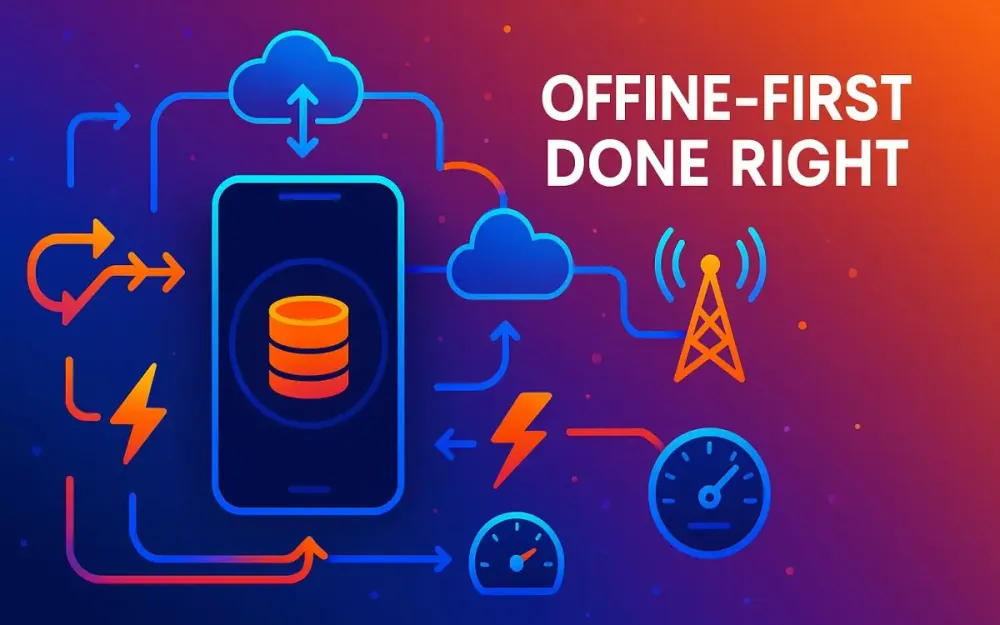
UI → Local DB → Sync Engine → NetworkHere, the local database—not the server—is the single source of truth (SSOT). The UI always reads and writes against the local store. A dedicated sync engine handles background synchronization with the remote API. This inversion guarantees that the UI is fast and functional under all conditions. The network becomes a companion, not a crutch.
Single Source of Truth in a Mobile Context
SSOT is not just a design slogan; it’s an operational principle. By treating the on-device database as canonical for the app’s state, you avoid messy dual-read paths or conditional logic. Every feature—from search to sorting to filtering—operates consistently because it’s backed by the same authoritative local store. Syncing is additive: it enriches or propagates data, but never undermines the SSOT model.
1.3 Who This Article Is For (And What It Isn’t)
Before diving into sync patterns, let’s set expectations.
This Guide Targets Senior Practitioners
This is not a tutorial on how to add a cache layer to your REST API calls. If you’re just looking to prevent your app from crashing when offline, simpler solutions exist. Instead, this article is aimed at senior mobile developers, solution architects, and technical leads who need to design systems where offline-first is not optional but core.
We will explore the trade-offs of different sync strategies, conflict resolution techniques, and monitoring approaches that ensure your app doesn’t just work offline but thrives in hostile network environments.
Focus on Stateful, Interactive Applications
The offline-first mindset shines in apps where state matters:
- Productivity tools like note-taking, calendar, and document editors.
- Field service apps where technicians record updates in basements, rural areas, or customer sites with spotty coverage.
- Collaborative apps like messaging or project management tools.
- Data-entry or reporting tools for healthcare, logistics, or public services.
In contrast, content-consumption apps (e.g., news aggregators, streaming platforms) often benefit less from offline-first strategies. While offline caching of articles or episodes is useful, their statefulness is minimal and can tolerate temporary inconsistencies. The real value of offline-first emerges in apps where user actions must be preserved and reconciled.
2 The Architectural Blueprint: A High-Level View
Designing a resilient offline-first system requires more than sprinkling caching logic over network requests. It involves building an intentional architecture where every layer plays a role in ensuring data integrity, responsiveness, and eventual consistency. Let’s walk through the major components, their responsibilities, and how they collaborate to keep the app functional in the presence of unreliable networks.
2.1 Key Components of a Resilient Offline System
At the highest level, the architecture can be visualized as a set of layers that form a continuous flow of data. Each layer has clear responsibilities and boundaries, which makes the system easier to test, reason about, and evolve.
        ┌───────────────────────────┐
        │           UI Layer         │
        │ (Jetpack Compose/SwiftUI) │
        └─────────────▲─────────────┘
                      │ Reactive Observers
        ┌─────────────┴─────────────┐
        │  ViewModel / Presentation │
        │        Logic              │
        └─────────────▲─────────────┘
                      │ Delegates to Repository
        ┌─────────────┴─────────────┐
        │        Repository          │
        │ (Abstraction Boundary)    │
        └───────▲───────────▲───────┘
                │           │
    ┌───────────┴───┐   ┌───┴───────────┐
    │ Local Data     │   │ Remote Data   │
    │ Source (DB)    │   │ Source (API)  │
    └───────────▲────┘   └────▲─────────┘
                │             │
        ┌───────┴─────────────┴───────┐
        │        Sync Engine           │
        │ (WorkManager / BG Tasks)    │
        └─────────────────────────────┘
UI Layer
Modern mobile frameworks such as Jetpack Compose (Android) and SwiftUI (iOS) thrive when the UI reacts to observable state. In an offline-first setup, the UI should never directly fetch from the network. Instead, it observes the local database through reactive streams. For example, a Compose LazyColumn can display notes from a Room database using Flow, while SwiftUI uses @FetchRequest or Combine publishers.
@Composable
fun NotesScreen(viewModel: NotesViewModel) {
    val notes by viewModel.notes.collectAsState(initial = emptyList())
    LazyColumn {
        items(notes) { note ->
            Text(text = note.title)
        }
    }
}
Here, notes always comes from the local DB. Whether the device is offline or syncing in the background, the UI reflects the latest local truth.
ViewModel / Presentation Logic
The ViewModel mediates between the UI and the repository. It provides lifecycle-aware state management and ensures UI components don’t need to understand synchronization logic. It translates raw database entities into view-friendly models and orchestrates optimistic updates.
class NotesViewModel(private val repo: NotesRepository) : ViewModel() {
    val notes = repo.observeAllNotes()

    fun addNote(title: String) {
        val newNote = NoteEntity(title = title, synced = false)
        repo.insertNote(newNote)
    }
}
The ViewModel doesn’t care whether the repository later syncs these notes. It trusts the repository to handle consistency.
Repository Pattern
The repository is the abstraction boundary. It hides whether data comes from SQLite, Realm, or a remote API. By enforcing that all data flows through the repository, you ensure the UI remains decoupled from storage or network details.
interface NotesRepository {
    fun observeAllNotes(): Flow<List<NoteEntity>>
    suspend fun insertNote(note: NoteEntity)
}
This abstraction also makes testing straightforward: a fake in-memory repository can simulate offline conditions.
Local Data Source
The local database is the single source of truth (SSOT). For Android, this could be Room over SQLite. For iOS, Core Data or Realm. The schema should explicitly support offline realities—for example, having a synced flag, a lastModified timestamp, or an operationType column (insert, update, delete).
CREATE TABLE notes (
    id TEXT PRIMARY KEY,
    title TEXT NOT NULL,
    synced INTEGER DEFAULT 0,
    lastModified INTEGER NOT NULL
);
This schema allows the sync engine to determine what changes need to be pushed.
Remote Data Source
The remote API is the authoritative cloud representation, but not the SSOT. It exposes endpoints for fetching deltas, pushing changes, and acknowledging sync operations. Ideally, the API supports pagination, version tokens, and batch operations to make sync efficient.
Sync Engine
The sync engine is the conductor. On Android, this might be implemented with WorkManager, which ensures jobs run even if the app is killed. On iOS, BackgroundTasks provide similar scheduling. The sync engine coordinates pushing unsynced local changes, pulling remote deltas, handling conflicts, and updating the local database.
Key features of a production-grade sync engine:
- Retry policies with exponential backoff.
- Deduplication of requests to avoid double-pushes.
- Awareness of constraints like battery level or metered networks.
2.2 The Flow of Data: Reads, Writes, and Syncs
A resilient offline system works because every interaction follows predictable, disciplined flows. Let’s break these into three key paths: read, write, and sync.
Read Path
When the UI requests data, the repository immediately serves it from the local database. No network call is needed.
Example: Kotlin with Room
@Dao
interface NotesDao {
    @Query("SELECT * FROM notes ORDER BY lastModified DESC")
    fun observeNotes(): Flow<List<NoteEntity>>
}

class NotesRepositoryImpl(
    private val dao: NotesDao
) : NotesRepository {
    override fun observeAllNotes(): Flow<List<NoteEntity>> = dao.observeNotes()
}
This design ensures queries are fast, predictable, and consistent with the SSOT model. The user never waits on a flaky API.
Write Path
When a user makes a change (e.g., adding a note), the operation is written immediately to the local database. This guarantees that the UI updates optimistically, without depending on the network.
Example: Marking Pending Sync
class NotesRepositoryImpl(
    private val dao: NotesDao,
    private val syncQueue: SyncQueue
) : NotesRepository {
    override suspend fun insertNote(note: NoteEntity) {
        dao.insert(note)
        syncQueue.enqueue(Operation.Insert(note))
    }
}
The syncQueue is an abstraction that marks this operation for later push by the sync engine. Even if the device is offline, the note appears instantly in the UI.
Sync Path
The sync engine periodically wakes up, or is triggered by events (like app open or user pull-to-refresh). Its job is to:
- Push local changes: Scan for unsynced operations and send them to the server.
- Fetch remote changes: Ask the server for deltas since the last sync token.
- Merge: Apply new remote changes into the local database.
- Acknowledge: Mark successfully synced local operations as complete.
Simplified Kotlin Coroutine Example
class SyncEngine(
    private val api: NotesApi,
    private val dao: NotesDao
) {
    suspend fun runSync() {
        // Push local unsynced notes
        val unsynced = dao.getUnsyncedNotes()
        api.pushNotes(unsynced)
        dao.markAsSynced(unsynced.map { it.id })

        // Fetch remote updates
        val lastToken = dao.getLastSyncToken()
        val response = api.fetchNotesSince(lastToken)
        dao.upsertNotes(response.notes)
        dao.updateSyncToken(response.newToken)
    }
}
The sync engine encapsulates complexity: handling retries, merging conflicts, or soft-deleting records. From the perspective of the UI, the sync is invisible—it simply observes a reactive local database that always stays up-to-date when possible.
Example in Swift (iOS)
func runSync() async throws {
    let unsynced = try await localStore.fetchUnsyncedNotes()
    try await api.pushNotes(unsynced)
    try await localStore.markSynced(unsynced)

    let token = try await localStore.getLastSyncToken()
    let response = try await api.fetchNotes(since: token)
    try await localStore.upsertNotes(response.notes)
    try await localStore.updateSyncToken(response.newToken)
}
This Swift version mirrors the Kotlin approach, showing how the same architectural principles apply across platforms.
Benefits of These Flows
- Deterministic behavior: Reads never fail due to network issues.
- Optimistic responsiveness: Writes give instant feedback to the user.
- Eventual consistency: The sync engine ensures local and remote states converge.
- Testability: Each path can be unit tested independently.
3 The Foundation: Choosing Your Local Data Store
At the heart of every offline-first application lies the local database. It is more than a cache; it is the authoritative store of truth for the app’s state. Choosing the right database is therefore a critical architectural decision. The choice influences not only performance and reliability, but also developer velocity, migration strategies, and how complex sync logic will eventually become. By late 2025, the landscape of local data stores has matured significantly, with a few clear leaders and some emerging alternatives. Let’s examine the contenders and then explore a decision matrix to guide architectural choices.
3.1 The Contenders: A Modern Comparison
SQLite (with Room/Core Data)
SQLite is the default relational database bundled with virtually every mobile operating system. On Android, it is most often wrapped with Room for type safety, compile-time query validation, and easier reactive integration. On iOS, Core Data has long been the Apple-endorsed abstraction, built on SQLite under the hood.
Pros:
- Battle-tested reliability: SQLite has powered everything from browsers to operating systems for decades. It is fast, portable, and stable.
- Relational integrity: Ideal for apps where relationships matter (e.g., invoices linked to customers, tasks linked to projects).
- Mature tooling: Room provides annotations, migration helpers, and observable queries. Core Data integrates tightly with SwiftUI’s
@FetchRequest. - Control: Architects have fine-grained control over schemas, indexes, and query optimization.
Cons:
- Boilerplate: Even with Room or Core Data, schema definitions, migrations, and mapping objects can be verbose.
- Impedance mismatch: Object-relational mapping can feel unnatural when working with deeply nested models.
- Manual migrations: Every schema change requires a carefully managed migration path, which can become complex at scale.
Best for: Applications with complex relational data, financial or enterprise systems where integrity is non-negotiable, and teams that value SQL’s expressiveness.
Example: Defining a Note in Room
@Entity(tableName = "notes")
data class NoteEntity(
    @PrimaryKey val id: String,
    val title: String,
    val content: String,
    val lastModified: Long,
    val synced: Boolean = false
)

@Dao
interface NoteDao {
    @Query("SELECT * FROM notes ORDER BY lastModified DESC")
    fun observeAll(): Flow<List<NoteEntity>>

    @Insert(onConflict = OnConflictStrategy.REPLACE)
    suspend fun insert(note: NoteEntity)
}
Here the schema is explicit, queries are validated at compile time, and the data flow integrates neatly with Kotlin coroutines.
Realm
Realm, now part of MongoDB, offers a different approach. It is an object database, meaning developers work with live objects instead of rows and columns. Realm handles persistence automatically, and its change notification system makes it attractive for reactive UIs.
Pros:
- Object-first model: No need for an ORM. Objects are persisted automatically.
- Reactive out of the box: Observing changes in queries is built into the core, making it easy to update UIs in real time.
- Zero-copy architecture: Realm reads data directly from memory-mapped files, making queries extremely fast.
- Threading model: Realm simplifies cross-thread access, as live objects can be passed around without explicit serialization.
Cons:
- Binary size: Realm adds weight to the app package, which can be a concern in mobile contexts.
- Less flexible query language: Developers accustomed to raw SQL may find Realm’s query DSL limiting.
- Ecosystem lock-in: Though robust, Realm ties the project closely to MongoDB’s ecosystem and licensing.
Best for: Apps with object-heavy data, real-time collaborative features, or teams prioritizing rapid development with minimal boilerplate.
Example: Realm Model in Swift
class Note: Object {
    @Persisted(primaryKey: true) var id: String
    @Persisted var title: String
    @Persisted var content: String
    @Persisted var lastModified: Date
    @Persisted var synced: Bool = false
}

// Observing changes
let notes = realm.objects(Note.self)
let token = notes.observe { changes in
    switch changes {
    case .initial(let results):
        print("Loaded \(results.count) notes")
    case .update(_, let deletions, let insertions, let modifications):
        print("Updated: \(modifications), Inserted: \(insertions), Deleted: \(deletions)")
    case .error(let error):
        print("Error: \(error)")
    }
}
Here, Realm provides reactive observation natively, without external libraries.
ObjectBox
ObjectBox is a high-performance object database with an emphasis on speed and simplicity. It has gained traction in IoT and mobile contexts due to its compact binary size and efficient query engine.
Pros:
- Performance: Extremely fast inserts and queries, designed for millions of objects on constrained devices.
- Lightweight footprint: Smaller than Realm, with minimal dependencies.
- Reactive extensions: Integrates with Kotlin coroutines and Swift Combine.
Cons:
- Smaller ecosystem: Compared to SQLite and Realm, the tooling and community are younger.
- Feature gaps: While robust for basic CRUD and sync, advanced relational modeling may be less mature.
Best for: Applications where performance under load is critical, or where device constraints (IoT, embedded) demand efficiency.
Firebase Firestore / Realtime Database
Google’s Firebase products are primarily cloud databases, but both Firestore and Realtime Database support offline persistence on mobile clients. This hybrid approach allows apps to continue functioning offline while delegating synchronization logic to Firebase’s SDK.
Pros:
- Sync handled by SDK: No need to write your own sync engine; Firebase takes care of offline queues, conflict detection, and merging.
- Cross-platform: Same API works across Android, iOS, and web.
- Scalable backend: Cloud infrastructure scales automatically.
Cons:
- Coupling to backend: The local store is tied to Firebase’s remote schema. This can limit flexibility in designing custom sync flows.
- Vendor lock-in: Migrating away from Firebase later can be painful.
- Limited local control: Developers can’t easily tune indexes, migration strategies, or offline behavior.
Best for: Startups or smaller teams wanting quick time-to-market without building a custom sync engine. Apps that already commit to Firebase for authentication, analytics, and hosting often benefit from this all-in approach.
Example: Firestore in Kotlin
val db = FirebaseFirestore.getInstance()

fun addNoteOffline(note: Note) {
    db.collection("notes").document(note.id)
        .set(note)
        .addOnSuccessListener { println("Queued for sync") }
        .addOnFailureListener { e -> println("Error: $e") }
}
The Firebase SDK ensures that even if the device is offline, this write is queued and retried later.
3.2 Decision Matrix: Key Factors for Architects
With several strong options, how should architects decide? The answer depends on your domain, your team, and the lifecycle of your application. Let’s explore the key dimensions.
Data Model Complexity
- Relational needs: If your app models complex relationships (e.g., projects, tasks, sub-tasks, and dependencies), a relational database like SQLite (Room/Core Data) is a natural fit. Normalization avoids duplication and makes querying relationships efficient.
- Object-oriented models: If your entities are naturally hierarchical and benefit from live object semantics, Realm or ObjectBox can simplify persistence.
- Flat collections: If your app mostly stores independent objects (e.g., chat messages, logs, sensor data), Firestore or ObjectBox may be more efficient.
Performance & Scalability
- High write throughput: ObjectBox shines when inserting large volumes of data quickly, such as logging or sensor applications.
- Query flexibility: SQLite dominates when advanced joins, aggregations, or ad-hoc queries are required.
- Reactive reads: Realm’s zero-copy architecture makes it hard to beat for smooth UI updates when datasets change frequently.
Incorrect vs Correct Example Incorrect (blocking query in UI thread):
val notes = dao.getAllNotes() // Suspends UI if dataset is largeCorrect (reactive observation):
val notes: Flow<List<NoteEntity>> = dao.observeNotes()Always ensure queries are reactive and off the UI thread.
Concurrency
Offline-first apps often perform writes in the background while the user continues interacting. Concurrency support is therefore crucial.
- SQLite with Room supports coroutines and transactions but requires careful threading.
- Realm allows objects to be accessed across threads with minimal boilerplate.
- Firestore handles concurrency internally, but with less developer control.
Developer Experience
- Room/Core Data: Strong type safety, but verbose schema definitions and migration scripts can slow teams down.
- Realm/ObjectBox: Minimal boilerplate; developers work directly with objects.
- Firestore: Fast setup, especially for teams already in the Firebase ecosystem, but less control over underlying schema.
Example: Migration Pain in SQLite
val migration_1_2 = object : Migration(1, 2) {
    override fun migrate(database: SupportSQLiteDatabase) {
        database.execSQL("ALTER TABLE notes ADD COLUMN archived INTEGER NOT NULL DEFAULT 0")
    }
}
Migrations must be managed explicitly. While powerful, they can accumulate complexity as schemas evolve.
Ecosystem & Tooling
- SQLite’s ecosystem is unmatched: debugging tools, profilers, and a massive knowledge base.
- Realm offers integrated sync solutions with MongoDB Atlas, but at the cost of ecosystem lock-in.
- ObjectBox and Firestore have smaller but growing communities, with tooling improving each year.
Putting It Together
A structured decision process helps teams avoid mistakes:
| Factor | Best Choice |
|---|---|
| Complex relational data | SQLite (Room/Core Data) |
| Real-time UI updates | Realm |
| Extreme performance | ObjectBox |
| Rapid cross-platform | Firebase Firestore/Realtime Database |
| Maximum control | SQLite |
| Minimum boilerplate | Realm / ObjectBox |
Practical Example: Field Service App
Suppose you’re designing a field service app where technicians record jobs offline, including photos, notes, and signatures:
- The relational aspect (jobs linked to customers, tasks linked to jobs) favors SQLite.
- The object-heavy model (photos, notes as blobs) might favor Realm for convenience.
- If your company already standardizes on Firebase, Firestore may win for speed of delivery.
The final decision often blends organizational context with technical trade-offs.
4 The Engine Room: Sync Strategies and Patterns
If the local database is the heart of an offline-first application, the sync engine is the circulatory system. It ensures that local changes eventually propagate to the server and that remote updates reach the device in a timely, consistent way. The strategies you choose for synchronization determine whether your app feels seamless in real-world conditions or becomes a source of frustration for users. In this section, we’ll explore practical patterns for sync, from the simplest possible approach to scalable delta-based strategies, and then cover how and when to trigger sync cycles responsibly.
4.1 The Simplest Thing That Works: Full Sync
At its most naive, synchronization can be implemented by discarding all local data and refetching the entire dataset from the server. This full sync approach is conceptually simple and often the first solution developers reach for.
How It Works
On each sync cycle:
- Clear the local database.
- Request the full dataset from the server.
- Write the fresh dataset into the local store.
In pseudocode:
suspend fun fullSync() {
    dao.clearAll()
    val remoteData = api.fetchAll()
    dao.insertAll(remoteData)
}
When to Use It
- Initial app setup: After login or first launch, a full sync ensures the local DB matches the server.
- Small datasets: If the entire dataset is small (a few hundred records), full sync may be acceptable.
- Non-critical or ephemeral data: For things like app settings, cached news headlines, or promotional banners, full sync is a low-cost way to stay current.
Why It Fails at Scale
- High bandwidth usage: Pulling thousands of records repeatedly wastes resources.
- Slow performance: Users must wait for large downloads before seeing updates.
- Local changes discarded: Any offline modifications are wiped out, making the app feel unreliable.
Consider a field service app where a technician adds notes while offline. If a full sync runs before changes are pushed, those notes vanish. This destroys trust in the app. Full sync works as a bootstrapping mechanism, but beyond that, it is a liability.
4.2 The Scalable Approach: Delta Sync
A more sophisticated approach is delta sync, where only the changes (deltas) since the last successful sync are exchanged. This pattern scales better, conserves bandwidth, and preserves local changes.
Concept
Instead of pulling the full dataset, the client and server agree on a “point of progress” (timestamp, version vector, or sync token). The client requests only the data that has changed since that point.
sequenceDiagram
    participant Client
    participant Server
    Client->>Server: Give me changes since token=1234
    Server->>Client: Returns {records, newToken=5678}
    Client->>Client: Applies changes, updates token
Implementation Pattern 1: Timestamp-Based
In this simplest form, each record carries an updated_at field. The client stores the last successful sync time and asks the server for records newer than that.
Schema Example (PostgreSQL):
CREATE TABLE notes (
    id UUID PRIMARY KEY,
    title TEXT NOT NULL,
    content TEXT,
    updated_at TIMESTAMP WITH TIME ZONE NOT NULL DEFAULT now(),
    is_deleted BOOLEAN NOT NULL DEFAULT false
);
Client Logic:
val lastSync = prefs.getLastSyncTime()
val remoteUpdates = api.fetchUpdates(since = lastSync)
dao.upsert(remoteUpdates)
prefs.saveLastSyncTime(now())
Pros:
- Easy to implement.
- Works well for append-only or low-conflict data.
Cons:
- Clock skew: Device clocks may differ from server clocks, leading to missed updates.
- Deletes: Unless you track soft deletes, records removed remotely may persist locally.
Implementation Pattern 2: Version Vectors / Logical Clocks
A more robust strategy uses version numbers or logical clocks. Each record maintains a monotonically increasing version. The client and server exchange versions to determine which records differ.
Example:
ALTER TABLE notes ADD COLUMN version BIGINT NOT NULL DEFAULT 0;Client Sync Request:
{
  "known_versions": {
    "note_1": 5,
    "note_2": 3
  }
}
The server compares these versions against its own and returns only the newer ones.
Pros:
- Resolves clock skew issues.
- Precise control of per-record differences.
Cons:
- Payloads can grow large if clients must send all known versions.
- Requires more sophisticated backend logic.
Implementation Pattern 3: Server-Driven Sync Token
The most production-ready pattern is to use opaque sync tokens. After each sync, the server provides a token representing the state at that moment. On the next sync, the client provides the token to request only subsequent changes.
Example API Contract:
GET /notes/changes?token=abc123
Response:
{
  "changes": [...],
  "nextToken": "def456"
}
Client Logic in Kotlin:
suspend fun deltaSync() {
    val token = prefs.getSyncToken()
    val response = api.fetchChanges(token)
    dao.upsert(response.changes)
    prefs.saveSyncToken(response.nextToken)
}
Pros:
- Most efficient—no need to send large version maps.
- Fully under server control.
- Handles deletes gracefully if included in the diff.
Cons:
- Requires robust server infrastructure to maintain per-client state or token logs.
Handling Deletions
A critical but often overlooked aspect of delta sync is deletions. If records are hard-deleted on the server, clients may never learn about them. Instead, use soft deletes:
- Add an
is_deletedflag to records. - When fetching deltas, include deleted records with this flag.
- The client marks them as deleted locally.
Example Upsert Logic in Swift:
for change in response.changes {
    if change.isDeleted {
        try localStore.deleteNoteById(change.id)
    } else {
        try localStore.upsert(change)
    }
}
This ensures that deletions propagate consistently across devices.
4.3 Sync Triggers: When Does the Engine Run?
Designing sync is not only about what data moves, but also when it moves. Poorly chosen triggers can either overwhelm the network or leave users with stale data. A well-designed offline-first app uses a blend of lifecycle, user-driven, data-driven, and scheduled sync triggers.
App Lifecycle
- On app open: A sync ensures the app starts with fresh data.
- On foreground resume: When users return after multitasking, a quick sync can refresh their context.
- Caution: Avoid triggering a heavy sync every time; add throttling logic to prevent waste.
Example: Debounced Foreground Sync (Kotlin):
fun onAppResumed() {
    val now = System.currentTimeMillis()
    if (now - lastSync > MIN_INTERVAL_MS) {
        syncEngine.runSync()
        lastSync = now
    }
}
User-Driven
Users expect agency over refresh:
- Pull-to-refresh: A familiar gesture that triggers immediate sync.
- Retry button: When a sync fails, give users a way to try again.
This adds trust by making sync visible and controllable without overwhelming them with technical detail.
Data-Driven
Certain user actions should trigger sync immediately:
- Local writes: When a user adds a note or sends a message, enqueue it for sync right away.
- Priority operations: Critical actions (like financial transactions) should bypass background batching and push instantly.
Example: Trigger After Local Write
suspend fun addNote(note: NoteEntity) {
    dao.insert(note)
    syncQueue.enqueue(Operation.Insert(note))
    syncEngine.runSync() // push immediately
}
This ensures the action is never stuck waiting for the next scheduled sync.
Scheduled Background Sync
For maintaining freshness, scheduled background sync is essential. On mobile platforms:
- Android: Use WorkManager for reliable, battery-optimized jobs.
- iOS: Use BGAppRefreshTask or BGProcessingTask for background fetches.
Android Example:
val request = PeriodicWorkRequestBuilder<SyncWorker>(
    15, TimeUnit.MINUTES
)
    .setConstraints(
        Constraints.Builder()
            .setRequiredNetworkType(NetworkType.UNMETERED)
            .setRequiresCharging(true)
            .build()
    )
    .build()
WorkManager.getInstance(context).enqueueUniquePeriodicWork(
    "syncWork",
    ExistingPeriodicWorkPolicy.KEEP,
    request
)
iOS Example:
let request = BGAppRefreshTaskRequest(identifier: "com.example.app.sync")
request.earliestBeginDate = Date(timeIntervalSinceNow: 15 * 60)
try? BGTaskScheduler.shared.submit(request)
These APIs respect system-level constraints: they avoid draining battery, wait for Wi-Fi if required, and run reliably even if the app is backgrounded or killed.
Balancing Frequency and Cost
The art of sync triggers is balance:
- Too frequent, and you drain battery and data plans.
- Too infrequent, and users see stale data or delayed collaboration.
A hybrid approach works best: immediate sync for critical writes, scheduled sync for freshness, and lifecycle triggers for user confidence.
5 The Hardest Problem: Conflict Resolution
Conflict resolution is where the promise of offline-first applications is truly tested. Reads, writes, and sync are relatively straightforward once you establish a strong local-first architecture. But what happens when two people, possibly continents apart, modify the same piece of data at the same time? If you get this wrong, you either lose data silently or expose users to confusing errors that destroy trust. Getting it right requires not just clever engineering but careful thinking about the data model, the use case, and the human expectations around collaboration.
5.1 Understanding the Conflict Scenario
Imagine a simple case. User A is on a plane and edits a customer record, changing the phone number. Meanwhile, User B, working in the office, updates the same record, perhaps changing the customer’s address. When User A comes back online, both edits must be reconciled. If you overwrite one with the other, you lose data. If you duplicate records, you create confusion. If you throw an error, you break the user experience.
Conflicts arise whenever:
- Concurrent writes occur on the same record.
- Divergent updates happen offline vs online before synchronization.
- Deletes vs updates collide (User A deletes a record, User B modifies it).
At the heart of conflict resolution is one guiding question: how can two different states converge into one consistent view without surprising or angering the users? The answer depends on your strategy.
5.2 Strategy 1: Last-Write-Wins (LWW)
The simplest strategy is Last-Write-Wins (LWW). In this model, whichever update is most recent (based on timestamp or arrival order) overwrites the other.
How It Works
Each record has a lastModified timestamp. During sync, if two devices modify the same record, the server compares timestamps. The newer update is applied, and the older one is discarded.
Example:
CREATE TABLE contacts (
    id UUID PRIMARY KEY,
    name TEXT,
    phone TEXT,
    address TEXT,
    last_modified TIMESTAMP WITH TIME ZONE NOT NULL
);
Server-side pseudo-logic:
def resolve_conflict(existing, incoming):
    if incoming.last_modified > existing.last_modified:
        return incoming
    else:
        return existing
Pros
- Extremely easy to implement.
- Works well when conflicts are rare or changes are trivial.
- Fits use cases like user preferences or ephemeral settings.
Cons
- Prone to silent data loss. A carefully crafted offline edit can be discarded without user knowledge.
- Relies heavily on synchronized clocks, which can drift across devices.
- Frustrates users in collaborative contexts (e.g., shared documents).
Verdict
LWW is acceptable only for non-collaborative, low-stakes data. It should never be the default for critical or collaborative features. It can, however, be a pragmatic fallback where conflict resolution is not worth the complexity.
5.3 Strategy 2: Conflict-Free Replicated Data Types (CRDTs)
A more sophisticated approach is to design your data so that conflicts don’t exist in the first place. This is the principle behind Conflict-Free Replicated Data Types (CRDTs). Instead of resolving conflicts after the fact, CRDTs ensure that any concurrent modifications can be merged mathematically, without ambiguity.
The Core Idea
CRDTs rely on algebraic properties like commutativity and idempotence. This means that:
- The order of operations doesn’t matter.
- Applying the same operation twice has no effect.
- Independent updates can always be merged into a consistent state.
Practical CRDT Examples for Mobile Apps
Grow-Only Counter (GCounter)
Each device maintains its own counter. To compute the total, you sum across all devices.
Use case: Likes, view counts, or other monotonically increasing metrics.
class GCounter:
    def __init__(self):
        self.counts = {}  # device_id -> int

    def increment(self, device_id, n=1):
        self.counts[device_id] = self.counts.get(device_id, 0) + n

    def value(self):
        return sum(self.counts.values())

    def merge(self, other):
        for device, value in other.counts.items():
            self.counts[device] = max(self.counts.get(device, 0), value)
Last-Write-Wins Register (LWW-Register)
A CRDT that encodes LWW semantics formally. Each value is tagged with a timestamp; merging picks the newest.
Use case: Single-field updates where overwriting is acceptable (e.g., profile pictures).
Grow-Only Set (G-Set)
A set where elements can only be added, never removed.
Use case: Tagging systems, history logs.
Observed-Remove Set (OR-Set)
Handles both adds and removes by tracking unique identifiers for operations.
Use case: Shared lists, shopping carts, or to-do apps where items can be added and deleted concurrently.
Example: OR-Set for a Shared To-Do List
Python Implementation:
import uuid

class ORSet:
    def __init__(self):
        self.adds = {}  # element -> set of unique IDs
        self.removes = {}  # element -> set of unique IDs

    def add(self, element):
        tag = str(uuid.uuid4())
        self.adds.setdefault(element, set()).add(tag)

    def remove(self, element):
        if element in self.adds:
            for tag in self.adds[element]:
                self.removes.setdefault(element, set()).add(tag)

    def value(self):
        result = []
        for element, tags in self.adds.items():
            removed_tags = self.removes.get(element, set())
            if not tags.issubset(removed_tags):
                result.append(element)
        return result

    def merge(self, other):
        for element, tags in other.adds.items():
            self.adds.setdefault(element, set()).update(tags)
        for element, tags in other.removes.items():
            self.removes.setdefault(element, set()).update(tags)
This OR-Set ensures that if two users concurrently add or remove items, the result can always be merged consistently without human intervention.
Verdict
CRDTs are the gold standard for collaborative data. They eliminate entire classes of conflicts and provide mathematical guarantees. The trade-off is complexity: you must design your data model with CRDT principles in mind from the start. For apps like shared notes, chat systems, or collaborative task managers, this upfront investment pays enormous dividends.
5.4 Other Strategies (Briefly)
Operational Transformation (OT)
Used in systems like Google Docs, OT transforms concurrent operations into equivalent operations that preserve intent. For example, if two users type into the same paragraph, OT ensures both contributions appear coherently. OT is powerful for real-time text editing but is notoriously complex to implement, requiring a centralized server to order and transform operations.
Three-Way Merge
This is the strategy familiar from Git: given a common ancestor and two divergent edits, attempt to merge automatically and ask the user for help if conflicts remain. It works for developer tooling but is not ideal for end users, as few people want to resolve “merge conflicts” in a mobile app.
Choosing Among Strategies
- For simple settings: LWW is enough.
- For collaborative counters, sets, or documents: CRDTs are best.
- For rich text collaboration: OT or specialized CRDTs (like RGA or LSEQ) are appropriate.
- For niche or expert-facing tools: three-way merge may suffice.
6 Production-Grade Implementation Details
With a sync engine in place and conflict resolution strategies defined, the next step is making the system robust in production. A real-world app must handle unreliable networks gracefully, avoid wasting resources, and deliver a trustworthy user experience.
6.1 Building a Resilient Network Layer
The network layer is the backbone of synchronization. Naive retries and duplicate requests can overload servers or drain battery life. A production-grade system must be smarter.
Exponential Backoff with Jitter
Instead of retrying failed requests on a fixed interval, use exponential backoff with random jitter. This reduces server load during outages and prevents a thundering herd problem when many clients retry simultaneously.
Kotlin Example:
suspend fun <T> retryWithBackoff(
    maxRetries: Int = 5,
    baseDelay: Long = 1000L,
    block: suspend () -> T
): T {
    var attempt = 0
    var delayTime = baseDelay
    while (true) {
        try {
            return block()
        } catch (e: IOException) {
            if (attempt++ >= maxRetries) throw e
            val jitter = (0..delayTime.toInt()).random().toLong()
            delay(delayTime + jitter)
            delayTime *= 2
        }
    }
}
This ensures retries spread out over time and avoid synchronized spikes.
Request Deduplication
If two sync jobs run simultaneously, you must prevent duplicate uploads. A simple strategy is to use idempotency keys. Each operation is tagged with a unique identifier; the server discards duplicates.
Example (HTTP Header):
POST /sync
Idempotency-Key: 123e4567-e89b-12d3-a456-426614174000
Server logic ensures the operation is applied only once.
Request Prioritization
Not all data is equal. Uploading a user’s new message should take priority over syncing profile pictures.
Priority Queue in Swift:
enum SyncPriority: Int {
    case high = 0
    case medium = 1
    case low = 2
}

struct SyncTask {
    let priority: SyncPriority
    let action: () async throws -> Void
}

class SyncQueue {
    private var tasks: [SyncTask] = []

    func enqueue(_ task: SyncTask) {
        tasks.append(task)
        tasks.sort { $0.priority.rawValue < $1.priority.rawValue }
    }

    func runNext() async {
        guard let task = tasks.first else { return }
        try? await task.action()
        tasks.removeFirst()
    }
}
By prioritizing tasks, you ensure critical updates are never delayed by bulk, non-essential syncs.
6.2 UI/UX for an Offline World
Technical resilience is meaningless if users don’t understand what’s happening. The UI must communicate state clearly, avoid surprises, and build confidence.
Representing Data States
Instead of a binary Loading vs Success, adopt nuanced states:
- Syncing: Data is available, but background sync is in progress.
- LocalChangesPending: Data has unsynced edits.
- Stale: Data is present but hasn’t been refreshed recently.
Jetpack Compose Example:
sealed class NoteState {
    data class Synced(val notes: List<NoteEntity>): NoteState()
    data class Pending(val notes: List<NoteEntity>): NoteState()
    object Syncing: NoteState()
    object Stale: NoteState()
}
This granularity helps users understand whether data is trustworthy or still catching up.
Communicating Errors Gracefully
When sync fails, don’t overwhelm users with cryptic error dialogs. Instead:
- Provide a non-intrusive banner (“Sync failed. Retrying…”).
- Offer a dedicated “Sync Status” screen for advanced users.
- Allow retry actions without forcing a restart.
Optimistic UI
Users should see their actions reflected immediately. When they add a task, it should appear instantly in the list, marked as pending until confirmed. If the sync fails, provide subtle feedback (e.g., an icon or message) without discarding the action.
React Example:
function TaskItem({ task }) {
  return (
    <div className={`task ${task.synced ? '' : 'pending'}`}>
      {task.title}
      {!task.synced && <span className="icon">⏳</span>}
    </div>
  )
}
Optimistic UI preserves momentum and user trust.
7 Monitoring: The “Sync Health” Dashboard
Even the best-engineered sync engine will eventually face edge cases: networks drop, devices misbehave, backends hit bottlenecks, and data models evolve. Without visibility into how sync performs across thousands of devices in the wild, you will inevitably discover issues through one channel: angry users. That is the worst possible form of observability. A robust offline-first strategy must therefore include monitoring as a first-class concern, not an afterthought.
7.1 If You Don’t Measure It, You Can’t Fix It
When sync breaks quietly, users see confusing symptoms: stale data, missing updates, or records mysteriously “vanishing.” They rarely describe the problem as a sync issue; instead, they leave app store reviews complaining that “the app lost my work.” By the time you diagnose from logs or bug reports, trust is already eroded.
A better approach is architecting for observability from day one. Treat sync like any other distributed system: you would never run a cluster without health checks, metrics, and logs. The same should apply to your client sync engines. Every sync attempt should emit structured telemetry that allows you to answer three questions:
- Did the sync succeed or fail?
- How long did it take?
- What side effects (e.g., conflicts, retries) occurred?
By making these signals part of the design, you empower yourself to catch anomalies early, before they cascade into systemic issues.
Kotlin Example of Instrumentation Hook:
data class SyncEvent(
    val timestamp: Long,
    val type: String,
    val success: Boolean,
    val durationMs: Long,
    val conflictCount: Int = 0,
    val queuedItems: Int = 0
)

interface SyncLogger {
    fun log(event: SyncEvent)
}

class FirebaseSyncLogger : SyncLogger {
    override fun log(event: SyncEvent) {
        val bundle = Bundle().apply {
            putString("type", event.type)
            putBoolean("success", event.success)
            putLong("duration", event.durationMs)
            putInt("conflicts", event.conflictCount)
            putInt("queue_depth", event.queuedItems)
        }
        FirebaseAnalytics.getInstance(context).logEvent("sync_event", bundle)
    }
}
Every sync cycle emits structured data that can later be aggregated and visualized.
7.2 Key Metrics to Track (Your Vital Signs)
Not all metrics are equally useful. Focusing on the right vital signs ensures you can quickly spot problems without drowning in noise.
Sync Success Rate
The percentage of sync attempts that complete successfully. Segment by app version, OS, and network type (Wi-Fi vs cellular). A sudden drop in success rate for a new release is a red flag.
Formula:
(successful_syncs / total_syncs) * 100Example Grafana Query:
SELECT
  COUNTIF(success = TRUE) / COUNT(*) * 100 AS sync_success_rate
FROM sync_events
WHERE timestamp > NOW() - INTERVAL 1 DAY
GROUP BY app_version
Sync Duration (p50, p90, p99)
How long does a typical sync take? Averages hide extremes; percentiles reveal user experience. If the p99 duration is five minutes, some users are essentially broken.
Swift Example for Timing:
let start = Date()
// perform sync
let duration = Date().timeIntervalSince(start) * 1000
logger.log(duration: duration)
Conflict Rate
Conflicts are inevitable, but their frequency reveals deeper issues. A high conflict rate may indicate poorly modeled entities or too much reliance on LWW.
Formula:
(conflict_events / total_syncs) * 100Tracking the ratio of resolution strategies (LWW vs CRDT) helps you identify where investment in CRDT-based models could reduce user pain.
Upload Queue Depth
On-device backlog matters. If users accumulate thousands of unsynced records, it means your push strategy is failing. Queue depth should normally hover near zero, spiking only briefly.
Kotlin Example:
val depth = dao.countUnsyncedItems()
logger.log(queueDepth = depth)
Plotting this over time shows whether sync throughput matches input rate.
Data Staleness
Measure how long data sits without a successful refresh. Even if sync succeeds eventually, users may operate with dangerously outdated information.
Metric:
current_time - last_successful_sync_timestampSegment by user cohorts to detect whether staleness clusters around specific networks or devices.
7.3 Building the Dashboard
With metrics in place, you need a way to visualize and act on them. A Sync Health Dashboard provides this single pane of glass.
Instrumentation
Your clients emit structured events, but those need to flow into an analytics system. Options include:
- Firebase Analytics: Easy to integrate, but limited flexibility for advanced queries.
- Datadog or New Relic: Rich dashboards and alerting, at higher cost.
- Custom ELK (Elasticsearch, Logstash, Kibana): Maximum control, but requires infrastructure.
For most mobile teams, Firebase or Datadog strikes a good balance.
Visualization
The dashboard should show:
- Real-time success rate: With drilldowns by version/OS/network.
- Sync duration histogram: To spot long-tail latency.
- Conflict trendline: Number and type of conflicts over time.
- Queue depth averages: Highlight devices that are falling behind.
- Staleness distribution: How fresh is the data for active users?
Grafana Example Panel Config (YAML):
title: "Sync Success Rate"
type: graph
targets:
  - query: "SELECT sync_success_rate FROM sync_metrics WHERE $__timeFilter(timestamp)"
lines: true
legend: true
Alerting
A dashboard without alerts is passive. Configure thresholds:
- Sync success rate < 95% → page the on-call engineer.
- p99 duration > 60s → send Slack alert.
- Queue depth > 1000 items for > 1% of devices → create Jira ticket.
The goal is to detect anomalies before users notice them.
Closing Thought on Monitoring
Monitoring is not an optional extra; it is the safety net that lets you evolve sync logic confidently. By embedding observability into the design, you transform sync from a black box into a measurable, improvable system. With clear metrics and dashboards, you can iterate quickly, identify regressions instantly, and maintain user trust even when networks are unpredictable.
8 Conclusion: Tying It All Together
Offline-first development is not a patchwork of hacks. It is a deliberate, layered architecture that treats resilience as a feature, not a bug fix. Over the course of this guide, we’ve seen how every component plays a role—from the local database, to the sync engine, to conflict resolution, to monitoring.
8.1 Recap of Core Principles
- The local database is the Single Source of Truth (SSOT). This inversion of traditional client-server models ensures that the UI is fast, consistent, and resilient under all conditions.
- Delta-sync is the sustainable strategy. Full syncs have their place, but scalable apps rely on timestamp, version, or token-based delta mechanisms to minimize bandwidth and preserve state.
- Conflict resolution cannot be an afterthought. LWW may suffice for preferences, but collaborative apps demand CRDTs or OT-like strategies to guarantee correctness without user pain.
- Production readiness demands resilience and observability. Retry policies, deduplication, prioritization, and optimistic UI states make the system robust. Metrics and dashboards close the loop by ensuring problems are caught before users complain.
These principles apply across verticals—productivity apps, social platforms, enterprise tools, or IoT systems. Once you embrace them, the architecture becomes not just offline-first, but user-trust-first.
8.2 The Future is Offline
The offline-first movement is still evolving. Several trends point to an even more powerful future:
- Cross-platform sync engines: Technologies like Kotlin Multiplatform or Rust shared libraries allow you to write sync logic once and run it on Android, iOS, desktop, or even the web.
- Database-native CRDTs: Modern distributed databases (e.g., Automerge, Yjs, and CRDT-backed cloud stores) are making CRDTs first-class citizens. In the near future, you may not need to hand-roll merge functions.
- Edge computing and P2P sync: Devices may increasingly sync directly with each other (via WebRTC or Bluetooth) before propagating to the cloud, reducing latency and central load.
- AI-assisted conflict detection: Machine learning models may one day predict “suspicious” conflicts and propose smarter auto-merges tailored to domain semantics.
The final thought is simple: offline-first is not about surviving bad networks, but about respecting the user’s time and trust. Every spinner avoided, every keystroke preserved, every sync conflict invisibly resolved adds to that trust. Building such systems is challenging, but the payoff is immense: applications that feel fast, modern, and reliable anywhere in the world.
The network will always be flaky somewhere. With offline-first done right, your app never will.